
はじめに
AIで似顔絵やカリカチュアを作ると、一度のセッションで複数の案を比較できます。一方で、どの写真を使ったのか、誰が承認したのか、無料枠と有料オプションのどちらを前提にしたのか、といった判断は会話の中に散らばりがちです。あとから「この画像は共有してよいのか」を確認するには、制作メモそのものが読み返せる形になっている必要があります。
この記事では、制作メモを検査する小さなPythonスクリプトを紹介します。画像を生成するAPIは呼びません。標準ライブラリだけで、Markdownのメモに必要な項目がそろっているかを確認します。似顔絵の出来栄えを採点するものではなく、共有前に確認すべき記録を可視化するための道具です。
何を検査するか
メモは「キー: 値」の1行形式にします。検査する項目は次の8つです。
| 項目 | ルール | 目的 |
|---|---|---|
| consent | yes のみ許可 | 生成前に対象者の同意を記録する |
| source | photo または description | 入力の種類を明確にする |
| ownership | 空でないこと | 写真や文章の権利元を残す |
| style | 8つのスタイル枠のいずれか | 仕上がりの方向性を固定する |
| exaggeration | 1〜10の整数 | 誇張の強さを数値で残す |
| review | pending / approved / rejected | 公開前の状態を管理する |
| disclosure | free / paid / not_needed | 無料枠か有料オプションかを記録する |
| caption_privacy | checked のみ許可 | キャプションの個人情報を確認する |
スクリプト
以下が本体です。ファイルを読み、問題があれば箇条書きで表示し、終了コード1を返します。
"""Audit a portrait-session notes file before an image is generated or shared."""
from __future__ import annotations

import sys
from pathlib import Path

REQUIRED = {
    "consent": "yes",
    "source": {"photo", "description"},
    "ownership": None,
    "style": {"classic", "sketch", "watercolor", "manga", "cartoon", "retro", "pencil", "vector"},
    "exaggeration": (1, 10),
    "review": {"pending", "approved", "rejected"},
    "disclosure": {"free", "paid", "not_needed"},
    "caption_privacy": "checked",
}


def parse_notes(text: str) -> dict[str, str]:
    notes: dict[str, str] = {}
    for raw in text.splitlines():
        line = raw.strip()
        if not line or line.startswith("#") or ":" not in line:
            continue
        key, value = line.split(":", 1)
        notes[key.strip().lower()] = value.strip()
    return notes


def audit(notes: dict[str, str]) -> list[str]:
    problems: list[str] = []
    if notes.get("consent") != "yes":
        problems.append("consent must be recorded as yes before generation")
    if notes.get("source") not in REQUIRED["source"]:
        problems.append("source must be photo or description")
    if not notes.get("ownership"):
        problems.append("ownership of the source photo or brief is missing")
    if notes.get("style") not in REQUIRED["style"]:
        problems.append("style must match one of the eight configured style slots")
    try:
        level = int(notes.get("exaggeration", ""))
        if not 1 <= level <= 10:
            problems.append("exaggeration must be an integer from 1 to 10")
    except ValueError:
        problems.append("exaggeration must be an integer from 1 to 10")
    review = notes.get("review")
    if review not in REQUIRED["review"]:
        problems.append("review must be pending, approved, or rejected")
    if review == "approved" and not notes.get("reviewer"):
        problems.append("an approved result needs a named reviewer")
    if notes.get("disclosure") not in REQUIRED["disclosure"]:
        problems.append("disclosure must record free, paid, or not_needed")
    if notes.get("caption_privacy") != "checked":
        problems.append("caption_privacy must be checked before sharing")
    return problems


def main(path: str) -> int:
    notes = parse_notes(Path(path).read_text(encoding="utf-8"))
    problems = audit(notes)
    if not problems:
        print("notes look complete")
        return 0
    for problem in problems:
        print(f"- {problem}")
    return 1


if __name__ == "__main__":
    sys.exit(main(sys.argv[1]))
consent と caption_privacy は yes/checked 以外を受け付けません。review が approved のときは reviewer も必須にしています。承認者を書かずに承認済みへ進む運用を防ぐためです。
8つのテストケース
検査関数は副作用がないので、合成したメモでテストできます。完全なメモ1件と、7種類の壊れたメモを用意しました。
from portrait_notes_audit import audit

BASE = {
    "consent": "yes",
    "source": "photo",
    "ownership": "provided by the person in the portrait",
    "style": "sketch",
    "exaggeration": "4",
    "review": "approved",
    "reviewer": "the person in the portrait",
    "disclosure": "free",
    "caption_privacy": "checked",
}

CASES = [
    ("complete notes", {}, 0),
    ("missing consent", {"consent": "no"}, 1),
    ("unknown source", {"source": "guessed"}, 1),
    ("empty ownership", {"ownership": ""}, 1),
    ("unknown style", {"style": "unknown"}, 1),
    ("exaggeration out of range", {"exaggeration": "12"}, 1),
    ("approved without reviewer", {"reviewer": ""}, 1),
    ("caption privacy unchecked", {"caption_privacy": "todo"}, 1),
]

passed = 0
for name, patch, expected in CASES:
    notes = {**BASE, **patch}
    problems = audit(notes)
    ok = (len(problems) > 0) == (expected > 0)
    passed += int(ok)
    print(f"{'PASS' if ok else 'FAIL'} {name}: {len(problems)} problem(s)")

print(f"{passed} passed, {len(CASES) - passed} failed")
raise SystemExit(0 if passed == len(CASES) else 1)
実行結果です。
PASS complete notes: 0 problem(s)
PASS missing consent: 1 problem(s)
PASS unknown source: 1 problem(s)
PASS empty ownership: 1 problem(s)
PASS unknown style: 1 problem(s)
PASS exaggeration out of range: 1 problem(s)
PASS approved without reviewer: 1 problem(s)
PASS caption privacy unchecked: 1 problem(s)
8 passed, 0 failed
テストは8件すべて通りました。ここで確認しているのは記録の完全性だけで、似顔絵の品質や本人らしさを保証するものではありません。
運用のコツ
最初の生成前に1回、共有前にもう1回実行します。生成後はメモに実際のスタイルと誇張の値、承認状態を追記します。公開するリポジトリにメモを置く場合は、実名や連絡先などの個人情報を入れず、必要な項目だけを残します。
レビューでは、大きな画面と実際の表示サイズの両方で確認します。サムネイルでは見えない崩れがあり、逆に大きな画面では目立たない違いもあります。1回の修正で止めるのも大切です。修正を繰り返すほど、ブリーフ自体が曖昧だったのか、レビュー担当者の好みが割れているのかが分からなくなります。
無料枠の扱いもメモに残します。今回の確認では one free 1K generation が用意されており、より大きなサイズや追加の実行は任意の有料アップグレードでした。スクリプトは支払いを前提にせず、レビューの手順にも費用はかかりません。セッションを始める前に、無料の範囲で何回試すのかを決めておくと、レビューが予定外の購入に流れにくくなります。
参考: 実際のツールで試す
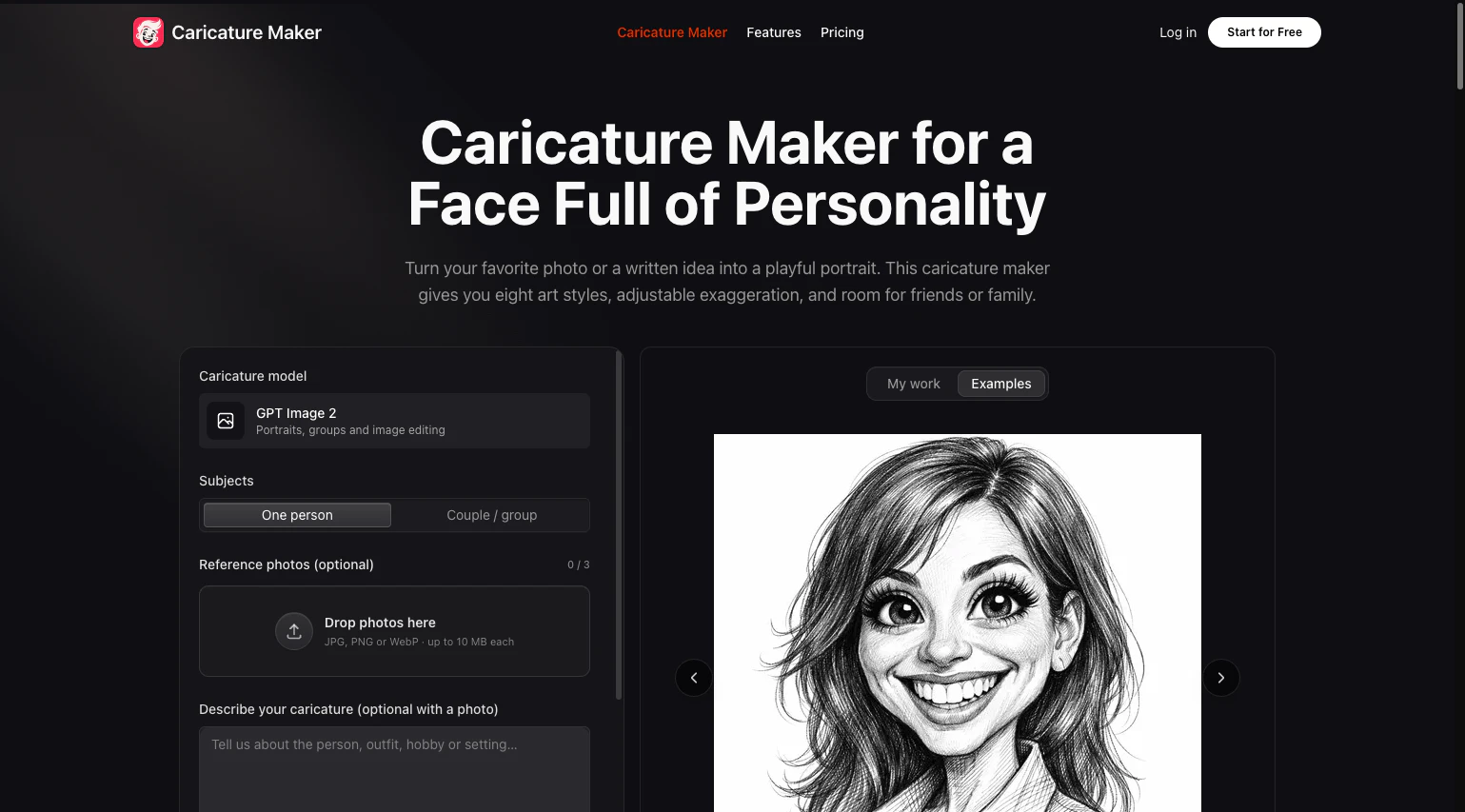
レビューの対象を確認するために、ai caricature generator の公開ページを見ました。写真または短い文章から似顔絵を作り、8種類のスタイル、誇張の調整、画像編集を備えています。ブラウザだけで完結し、インストールは不要です。無料枠は one free 1K generation で、より大きなサイズや追加実行は任意の有料アップグレードです。本記事のスクリプトとレビュー手順に支払いは不要で、本記事はツール運営者とは関係ありません。
まとめ
制作メモの検査は、創作の質を上げる作業ではありません。しかし、同意の有無、入力の権利元、承認者、無料枠の範囲を一度立ち止まって確認するだけで、共有後のトラブルは減らせます。60行ほどのスクリプトでも、チームの判断を残す土台としては十分役立ちます。