0
0

Delete article

Deleted articles cannot be recovered.

Draft of this article would be also deleted.

Are you sure you want to delete this article?

KiCad から EasyEDA にコンバートした Schematic のコンポーネントの割当をする

Last updated at Posted at 2025-08-22

EasyEDA 記事の記事一覧:

#「EasyEDA Pro を使ってみよう! 記事 index」

https://qiita.com/nanbuwks/items/1832e7dd815be5675a52

併せてご覧ください。

KiCadからPCBAをするとBOMやら配置ファイルやらを作るのがメンドクサイので、EasyEDA にインポートして PCBAを行います。

image.png

そのときに、コンポーネントを Schematic の段階で割当をしておくのが楽でしょう。

「Project Design」-「Component」で「Designator」や「Device」などを選択して設定します。

しかしながらいっぱいのコンポーネントがあるとまとめて割当したいですね!

まとめて割当

同じパーツを選択します。

image.png

PropertiesのDeviceを選択します。
image.png

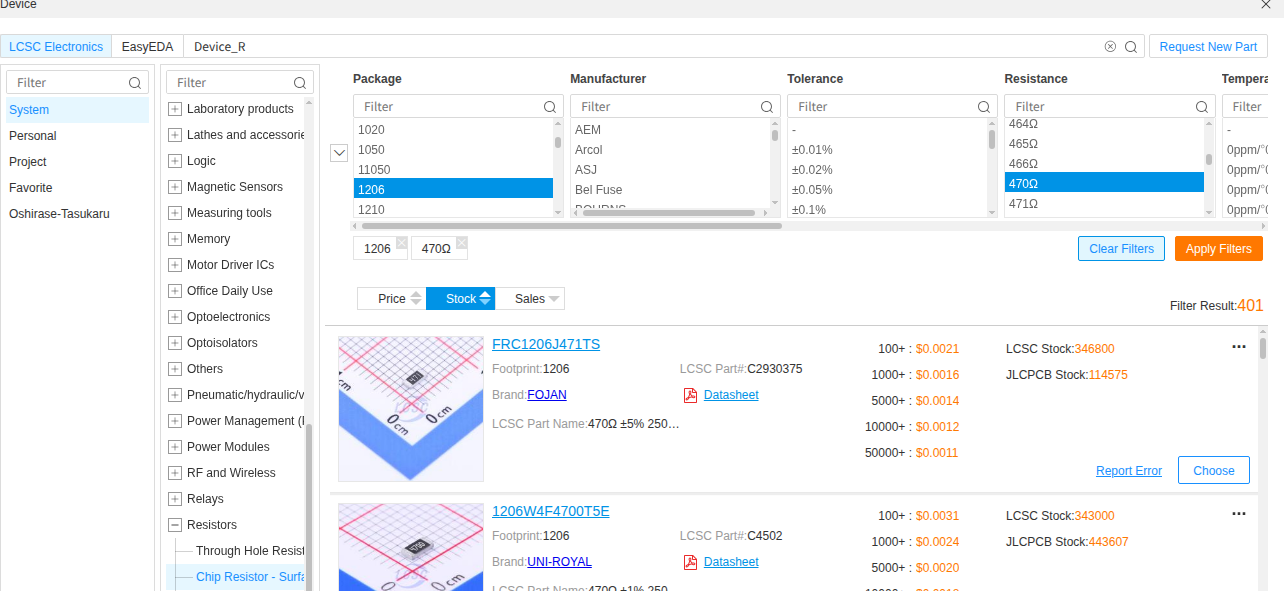
適したデバイスをChoose。
image.png

シンボルやフットプリントを入れ替えるかどうか聞かれますので状況に応じて選択します。
image.png

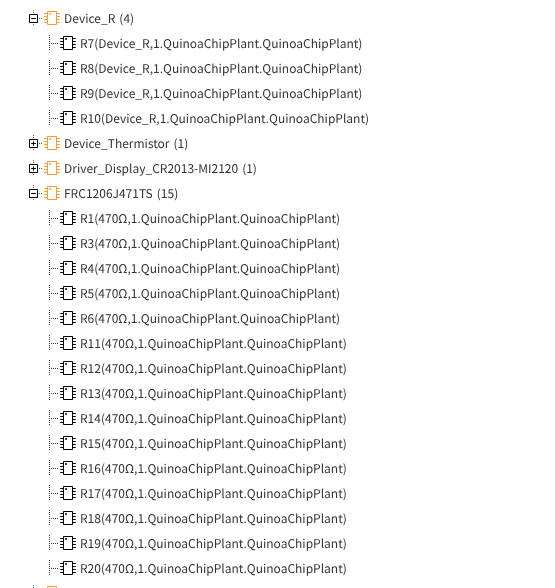
選択されたデバイスが入れ替わります。
image.png

0
0
0

Register as a new user and use Qiita more conveniently

  1. You get articles that match your needs
  2. You can efficiently read back useful information
  3. You can use dark theme
What you can do with signing up
0
0

Delete article

Deleted articles cannot be recovered.

Draft of this article would be also deleted.

Are you sure you want to delete this article?