

Apps SDKを使うことで独自アプリをChatGPT内で利用することができます。
個人の無料アカウントでも試すことができました。 有償アカウントのみ試せました。
チュートリアルを試したので簡略版を残しておきます。
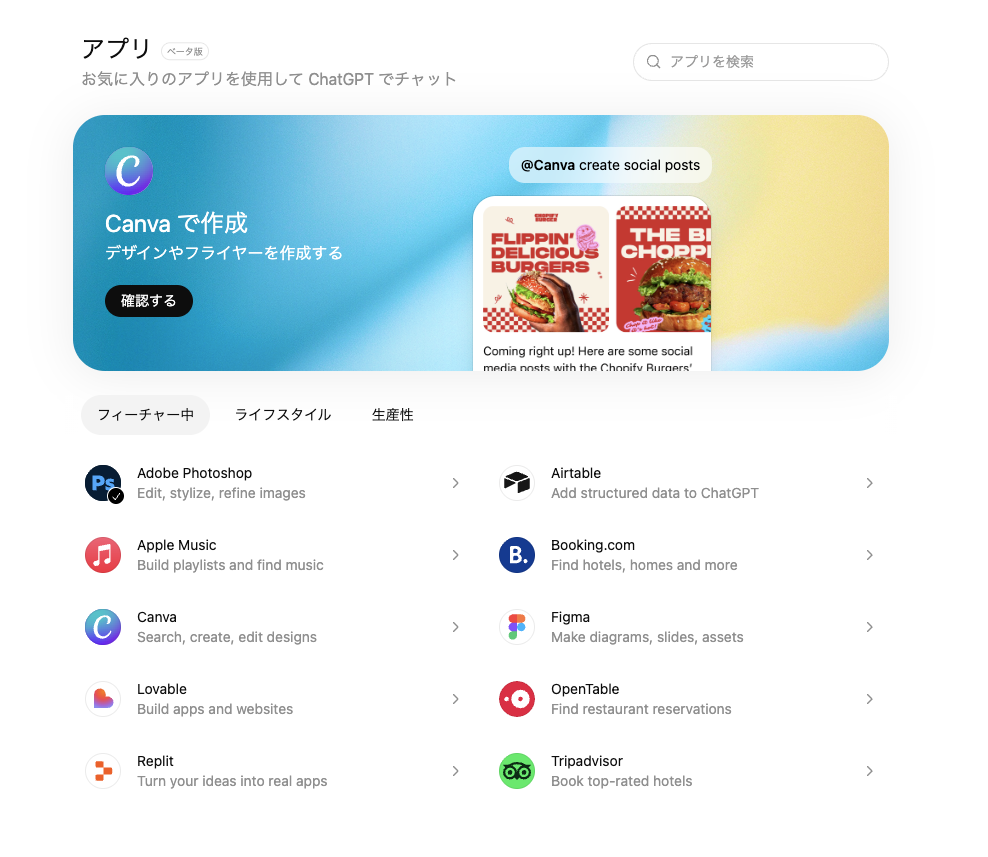
ChatGPTの"アプリ"
Adobe PhotoshopやFigmaがChatGPTの中で呼べたりと色々と便利なことができます。
個人での開発
1. 開発者モードへ
まだアプリ版(Mac)では出来なさそうです。Web版ChatGPTでやっていきます。
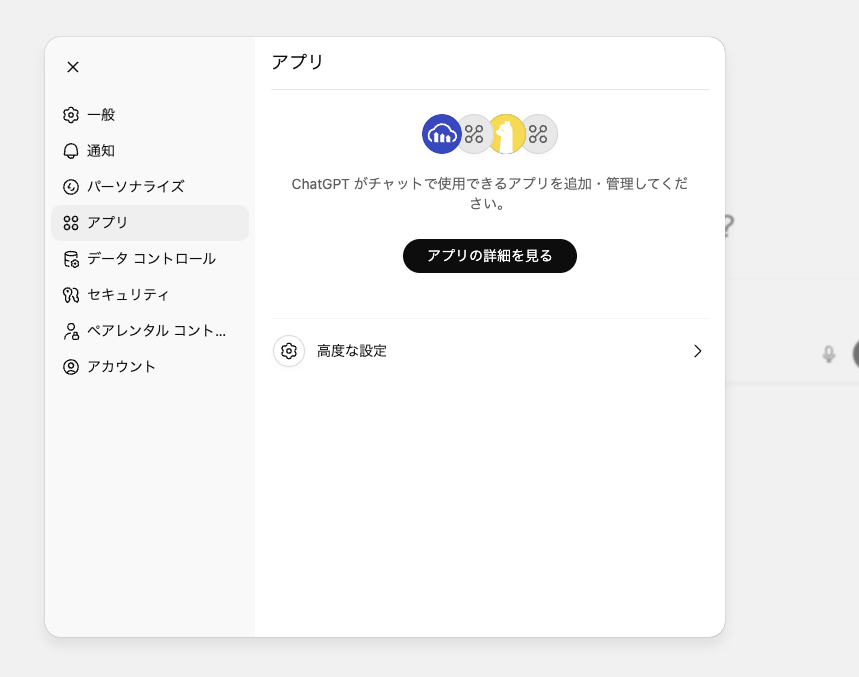
設定からアプリへ。
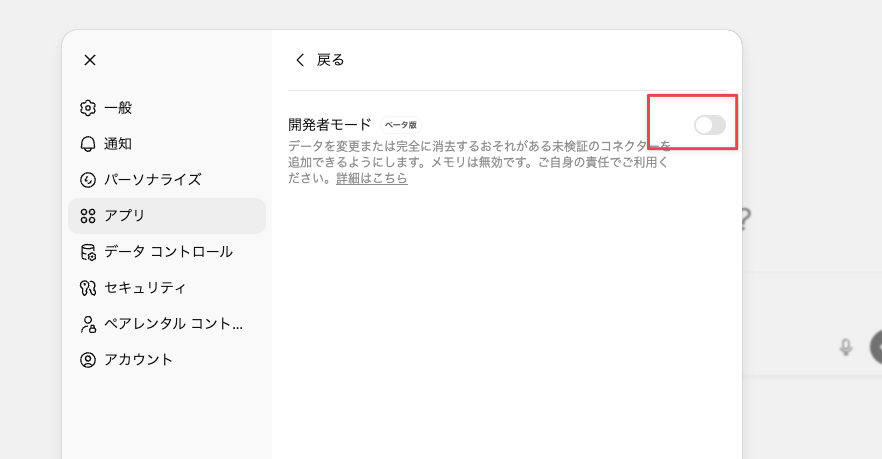
開発者モードをオンにします。
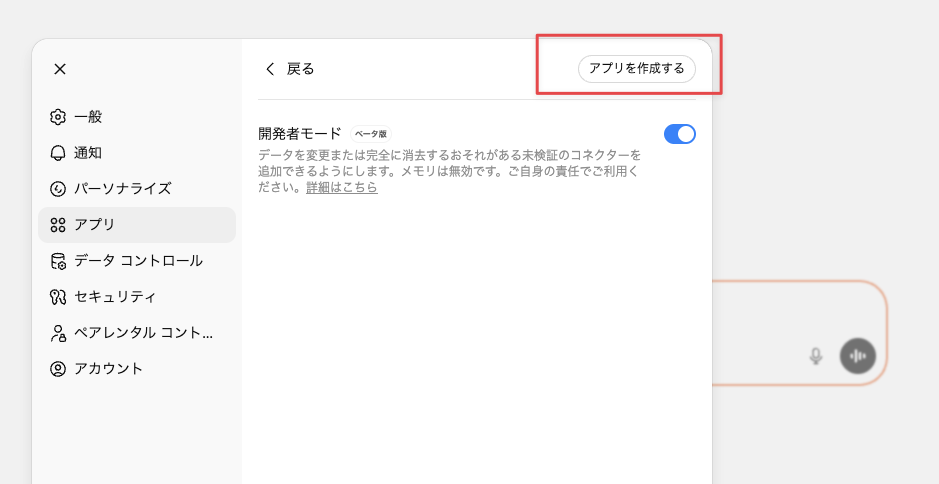
アプリを作成するボタンが出てくるので選択します。
このようなウィンドウが出てきたらOKです。
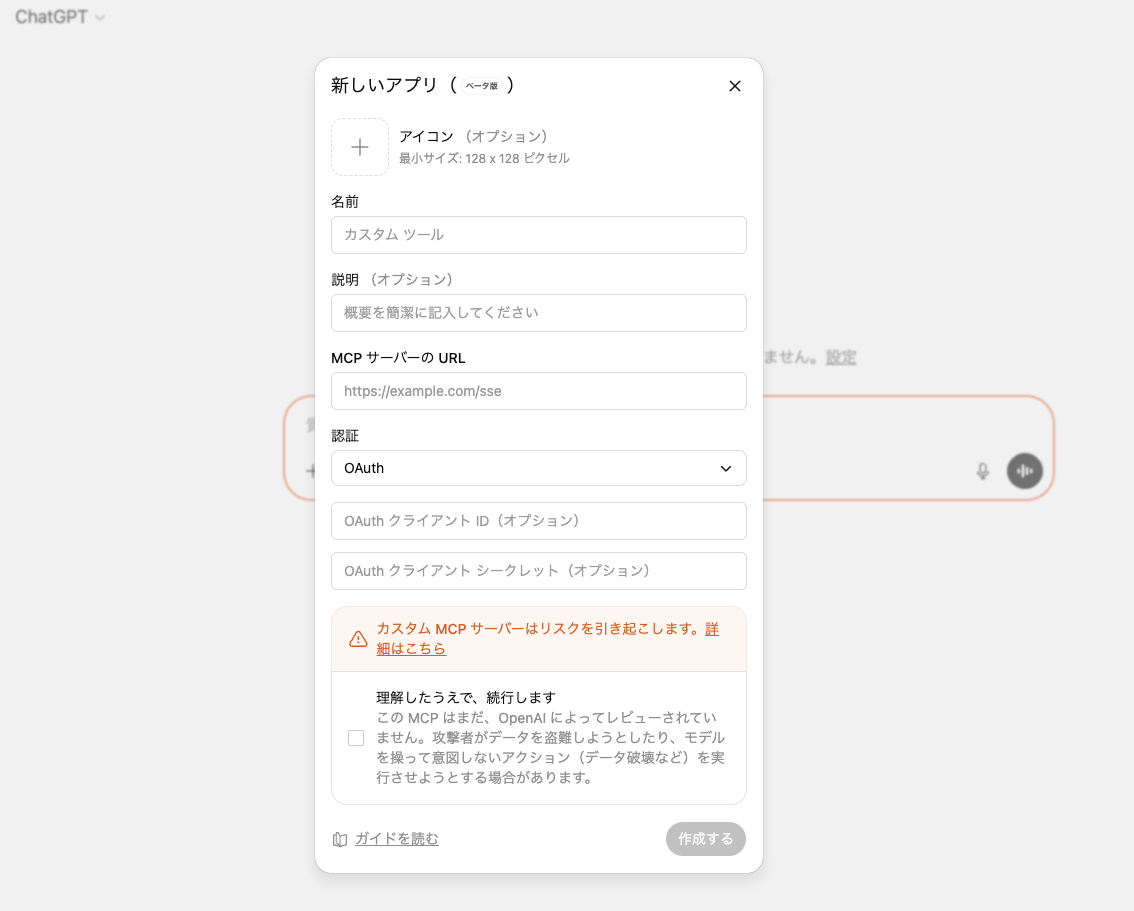
ここに作成したアプリケーションのURL(MCPサーバーのURL)を指定します。
2. アプリケーションの作成
クイックスタートにある簡単なtodoアプリを作成します。
まずは初期化
$ npm init -y && npm pkg set type=module
必要なライブラリのインストール
$ npm i @modelcontextprotocol/sdk zod
コードを書きます。todoapp.mjs
import { createServer } from "node:http";
import { readFileSync } from "node:fs";
import { McpServer } from "@modelcontextprotocol/sdk/server/mcp.js";
import { StreamableHTTPServerTransport } from "@modelcontextprotocol/sdk/server/streamableHttp.js";
import { z } from "zod";

const todoHtml = readFileSync("public/todo-widget.html", "utf8");

const addTodoInputSchema = {
  title: z.string().min(1),
};

const completeTodoInputSchema = {
  id: z.string().min(1),
};

let todos = [];
let nextId = 1;

const replyWithTodos = (message) => ({
  content: message ? [{ type: "text", text: message }] : [],
  structuredContent: { tasks: todos },
});

function createTodoServer() {
  const server = new McpServer({ name: "todo-app", version: "0.1.0" });

  server.registerResource(
    "todo-widget",
    "ui://widget/todo.html",
    {},
    async () => ({
      contents: [
        {
          uri: "ui://widget/todo.html",
          mimeType: "text/html+skybridge",
          text: todoHtml,
          _meta: { "openai/widgetPrefersBorder": true },
        },
      ],
    })
  );

  server.registerTool(
    "add_todo",
    {
      title: "Add todo",
      description: "Creates a todo item with the given title.",
      inputSchema: addTodoInputSchema,
      _meta: {
        "openai/outputTemplate": "ui://widget/todo.html",
        "openai/toolInvocation/invoking": "Adding todo",
        "openai/toolInvocation/invoked": "Added todo",
      },
    },
    async (args) => {
      const title = args?.title?.trim?.() ?? "";
      if (!title) return replyWithTodos("Missing title.");
      const todo = { id: `todo-${nextId++}`, title, completed: false };
      todos = [...todos, todo];
      return replyWithTodos(`Added "${todo.title}".`);
    }
  );

  server.registerTool(
    "complete_todo",
    {
      title: "Complete todo",
      description: "Marks a todo as done by id.",
      inputSchema: completeTodoInputSchema,
      _meta: {
        "openai/outputTemplate": "ui://widget/todo.html",
        "openai/toolInvocation/invoking": "Completing todo",
        "openai/toolInvocation/invoked": "Completed todo",
      },
    },
    async (args) => {
      const id = args?.id;
      if (!id) return replyWithTodos("Missing todo id.");
      const todo = todos.find((task) => task.id === id);
      if (!todo) {
        return replyWithTodos(`Todo ${id} was not found.`);
      }

      todos = todos.map((task) =>
        task.id === id ? { ...task, completed: true } : task
      );

      return replyWithTodos(`Completed "${todo.title}".`);
    }
  );

  return server;
}

const port = Number(process.env.PORT ?? 8787);
const MCP_PATH = "/mcp";

const httpServer = createServer(async (req, res) => {
  if (!req.url) {
    res.writeHead(400).end("Missing URL");
    return;
  }

  const url = new URL(req.url, `http://${req.headers.host ?? "localhost"}`);

  if (req.method === "OPTIONS" && url.pathname === MCP_PATH) {
    res.writeHead(204, {
      "Access-Control-Allow-Origin": "*",
      "Access-Control-Allow-Methods": "POST, GET, OPTIONS",
      "Access-Control-Allow-Headers": "content-type, mcp-session-id",
      "Access-Control-Expose-Headers": "Mcp-Session-Id",
    });
    res.end();
    return;
  }

  if (req.method === "GET" && url.pathname === "/") {
    res.writeHead(200, { "content-type": "text/plain" }).end("Todo MCP server");
    return;
  }

  const MCP_METHODS = new Set(["POST", "GET", "DELETE"]);
  if (url.pathname === MCP_PATH && req.method && MCP_METHODS.has(req.method)) {
    res.setHeader("Access-Control-Allow-Origin", "*");
    res.setHeader("Access-Control-Expose-Headers", "Mcp-Session-Id");

    const server = createTodoServer();
    const transport = new StreamableHTTPServerTransport({
      sessionIdGenerator: undefined, // stateless mode
      enableJsonResponse: true,
    });

    res.on("close", () => {
      transport.close();
      server.close();
    });

    try {
      await server.connect(transport);
      await transport.handleRequest(req, res);
    } catch (error) {
      console.error("Error handling MCP request:", error);
      if (!res.headersSent) {
        res.writeHead(500).end("Internal server error");
      }
    }
    return;
  }

  res.writeHead(404).end("Not Found");
});

httpServer.listen(port, () => {
  console.log(
    `Todo MCP server listening on http://localhost:${port}${MCP_PATH}`
  );
});
次にpublicフォルダを作成してその中にtodo-widget.htmlを作成します。
<!DOCTYPE html>
<html lang="en">
  <head>
    <meta charset="utf-8" />
    <title>Todo list</title>
    <style>
      :root {
        color: #0b0b0f;
        font-family: "Inter", system-ui, -apple-system, sans-serif;
      }

      html,
      body {
        width: 100%;
        min-height: 100%;
        box-sizing: border-box;
      }

      body {
        margin: 0;
        padding: 16px;
        background: #f6f8fb;
      }

      main {
        width: 100%;
        max-width: 360px;
        min-height: 260px;
        margin: 0 auto;
        background: #fff;
        border-radius: 16px;
        padding: 20px;
        box-shadow: 0 12px 24px rgba(15, 23, 42, 0.08);
      }

      h2 {
        margin: 0 0 16px;
        font-size: 1.25rem;
      }

      form {
        display: flex;
        gap: 8px;
        margin-bottom: 16px;
      }

      form input {
        flex: 1;
        padding: 10px 12px;
        border-radius: 10px;
        border: 1px solid #cad3e0;
        font-size: 0.95rem;
      }

      form button {
        border: none;
        border-radius: 10px;
        background: #111bf5;
        color: white;
        font-weight: 600;
        padding: 0 16px;
        cursor: pointer;
      }

      input[type="checkbox"] {
        accent-color: #111bf5;
      }

      ul {
        list-style: none;
        padding: 0;
        margin: 0;
        display: flex;
        flex-direction: column;
        gap: 8px;
      }

      li {
        background: #f2f4fb;
        border-radius: 12px;
        padding: 10px 14px;
        display: flex;
        align-items: center;
        gap: 10px;
      }

      li span {
        flex: 1;
      }

      li[data-completed="true"] span {
        text-decoration: line-through;
        color: #6c768a;
      }
    </style>
  </head>
  <body>
    <main>
      <h2>Todo list</h2>
      <form id="add-form" autocomplete="off">
        <input id="todo-input" name="title" placeholder="Add a task" />
        <button type="submit">Add</button>
      </form>
      <ul id="todo-list"></ul>
    </main>

    <script type="module">
      const listEl = document.querySelector("#todo-list");
      const formEl = document.querySelector("#add-form");
      const inputEl = document.querySelector("#todo-input");

      let tasks = [...(window.openai?.toolOutput?.tasks ?? [])];

      const render = () => {
        listEl.innerHTML = "";
        tasks.forEach((task) => {
          const li = document.createElement("li");
          li.dataset.id = task.id;
          li.dataset.completed = String(Boolean(task.completed));

          const label = document.createElement("label");
          label.style.display = "flex";
          label.style.alignItems = "center";
          label.style.gap = "10px";

          const checkbox = document.createElement("input");
          checkbox.type = "checkbox";
          checkbox.checked = Boolean(task.completed);

          const span = document.createElement("span");
          span.textContent = task.title;

          label.appendChild(checkbox);
          label.appendChild(span);
          li.appendChild(label);
          listEl.appendChild(li);
        });
      };

      const updateFromResponse = (response) => {
        if (response?.structuredContent?.tasks) {
          tasks = response.structuredContent.tasks;
          render();
        }
      };

      const handleSetGlobals = (event) => {
        const globals = event.detail?.globals;
        if (!globals?.toolOutput?.tasks) return;
        tasks = globals.toolOutput.tasks;
        render();
      };

      window.addEventListener("openai:set_globals", handleSetGlobals, {
        passive: true,
      });

      const mutateTasksLocally = (name, payload) => {
        if (name === "add_todo") {
          tasks = [
            ...tasks,
            { id: crypto.randomUUID(), title: payload.title, completed: false },
          ];
        }

        if (name === "complete_todo") {
          tasks = tasks.map((task) =>
            task.id === payload.id ? { ...task, completed: true } : task
          );
        }

        if (name === "set_completed") {
          tasks = tasks.map((task) =>
            task.id === payload.id
              ? { ...task, completed: payload.completed }
              : task
          );
        }

        render();
      };

      const callTodoTool = async (name, payload) => {
        if (window.openai?.callTool) {
          const response = await window.openai.callTool(name, payload);
          updateFromResponse(response);
          return;
        }

        mutateTasksLocally(name, payload);
      };

      formEl.addEventListener("submit", async (event) => {
        event.preventDefault();
        const title = inputEl.value.trim();
        if (!title) return;
        await callTodoTool("add_todo", { title });
        inputEl.value = "";
      });

      listEl.addEventListener("change", async (event) => {
        const checkbox = event.target;
        if (!checkbox.matches('input[type="checkbox"]')) return;
        const id = checkbox.closest("li")?.dataset.id;
        if (!id) return;

        if (!checkbox.checked) {
          if (window.openai?.callTool) {
            checkbox.checked = true;
            return;
          }

          mutateTasksLocally("set_completed", { id, completed: false });
          return;
        }

        await callTodoTool("complete_todo", { id });
      });

      render();
    </script>
  </body>
</html>
フォルダ構造はこんな感じ
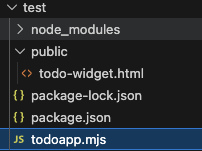
実行します。
$ node todoapp.mjs
Todo MCP server listening on http://localhost:8787/mcp
このようにサーバーが待機状態になりました。
8787ポートですね。
3. VS CodeのTunnel機能でトンネリング
公式だとngrokを使うように指示がありますが、VS Codeの場合は付属のトンネリング機能でいけます。
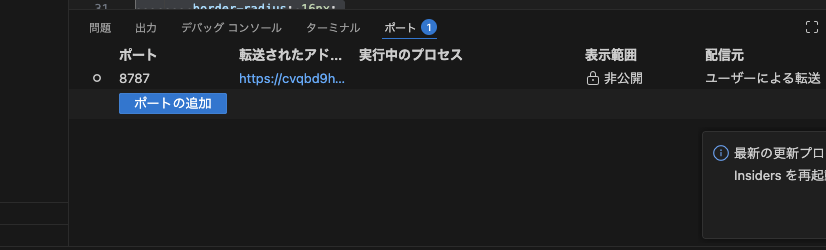
8787ポートを指定してトンネリングサーバーを起動します。
また、表示範囲を公開にします。
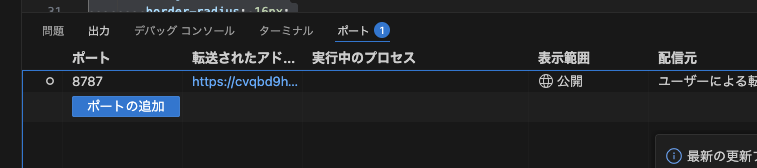
https://xxxxxx-8787.asse.devtunnels.msのようなURLが発行されるのでここにアクセスします。
https://xxxxxx-8787.asse.devtunnels.ms/mcpにブラウザからアクセスしたときにこのような表示なればOKです。

VS Codeのトンネリング許可のボタンが最初だけ表示されるかもですがその場合は許可ボタンを押しましょう。
4. ChatGPTに設定する
ChatGPTのアプリ作成画面に情報を入れていきます。
-
名前: 任意のアプリ名 -
MCPサーバーのURL: "先ほどのURL" -
認証: "認証なし"
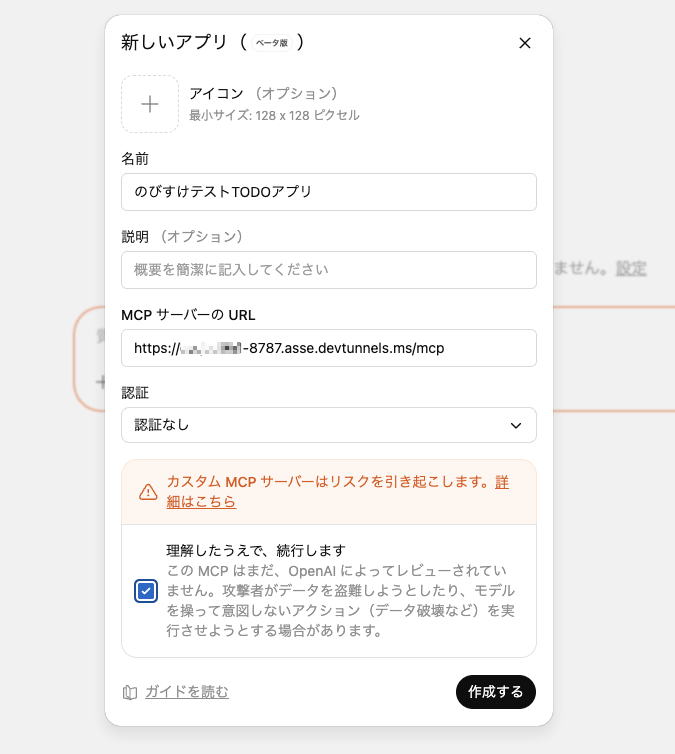
作成するで進むと登録されます。
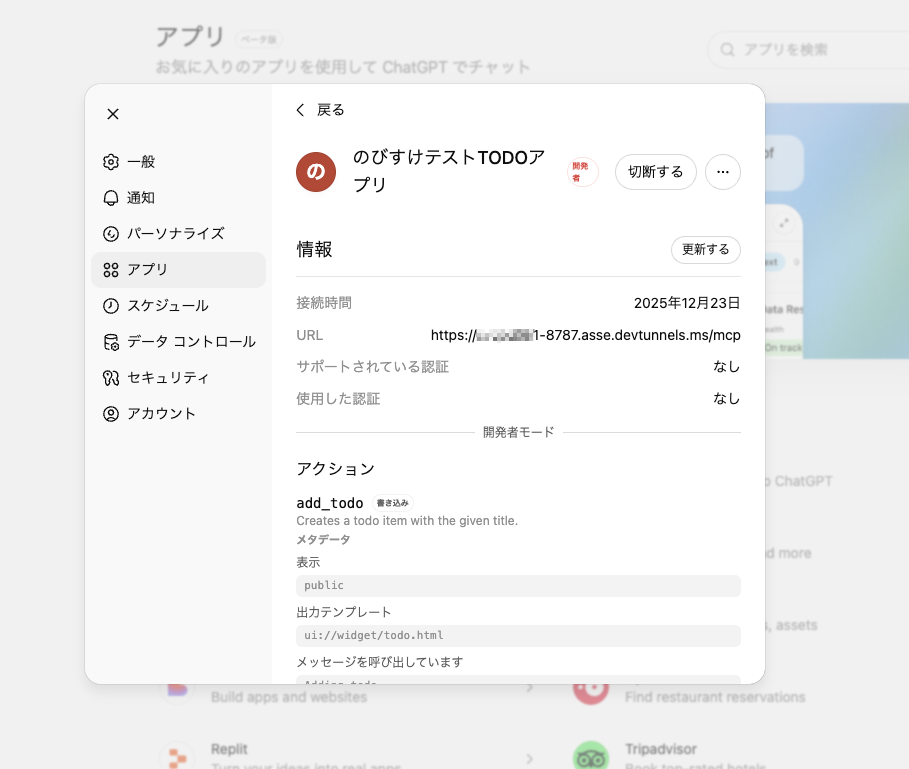
ちなみに研修で使えるか検証していて、 このタイミングで無料版のアカウントだと登録がすすみませんでした。
有償版限定ならもっと前で知りたいですね。
5. 使ってみる
アプリを選択してtodo追加をお願いしてみます。
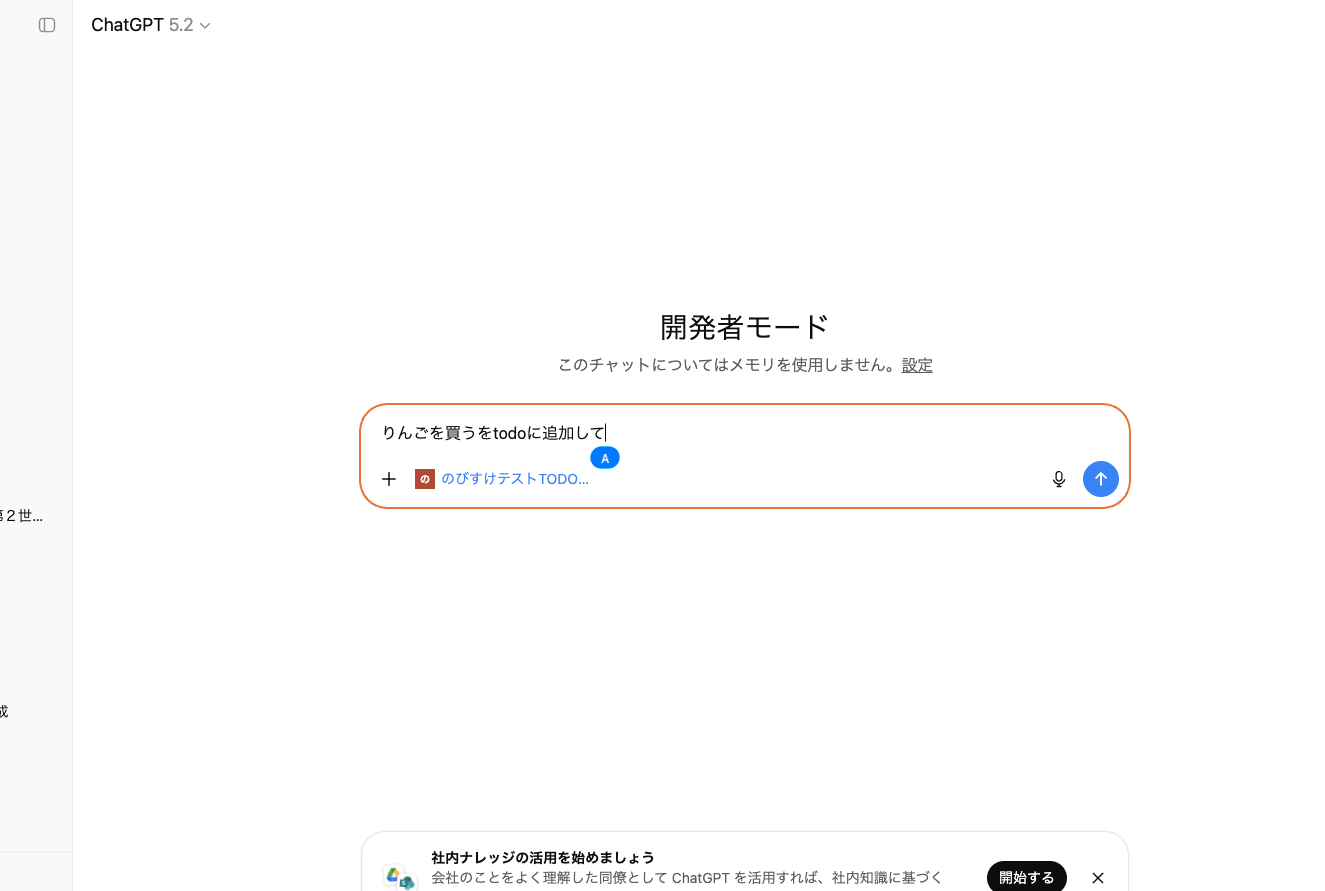
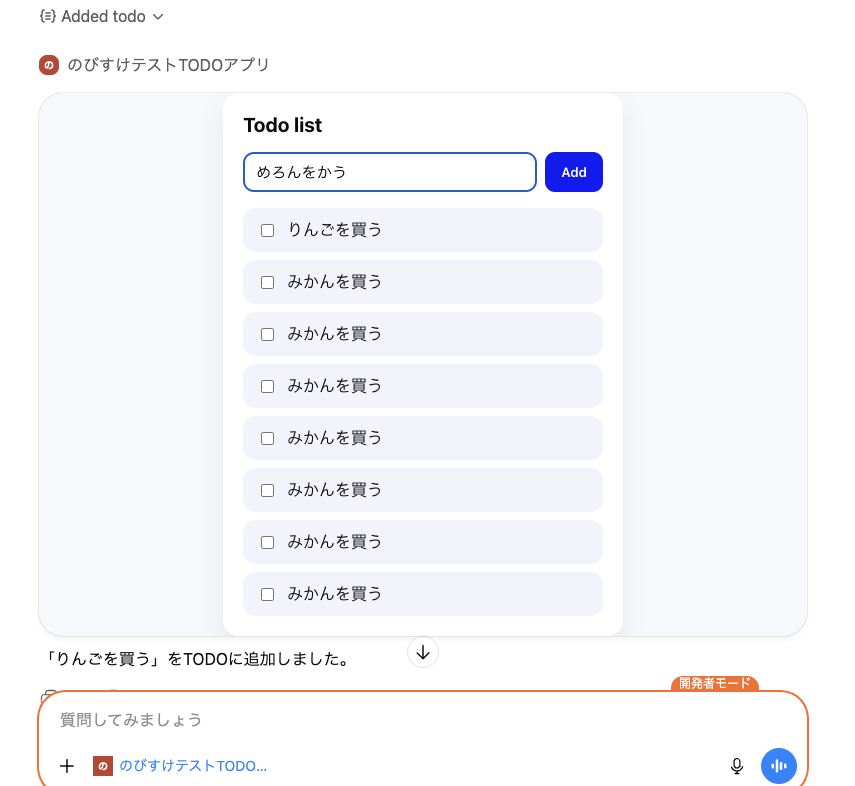
こんな感じで許可を求められてその後作成したUIなどが表示されて機能が利用できます。
なんか反応がイマイチ(ローカルトンネリングだからかな...?)だけどここのUIも操作できます。
所感など
LINEのフレックスメッセージっぽい雰囲気かと思いきやLIFFっぽい感じですね。
まるっとWebアプリを動かせるような感じでした。
割と自由度が高いので何をするか?が試されそうですね。