2
1

Delete article

Deleted articles cannot be recovered.

Draft of this article would be also deleted.

Are you sure you want to delete this article?

Codex DesktopでのWeb検索やtomlファイルの設定メモ

2
Posted at

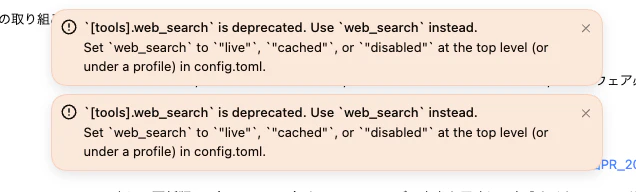
Codex Desktopを使っていてアラートが出たので調べたらweb_searchの機能が非推奨になっていました。

CleanShot 2026-02-06 at 20.20.35.png

tools.web_search is deprecated. Use web_search instead.
Set web_search to "live", "cached", or "disabled" at the top level (or under a profile) in config.toml.
公式リファレンスを見てみる
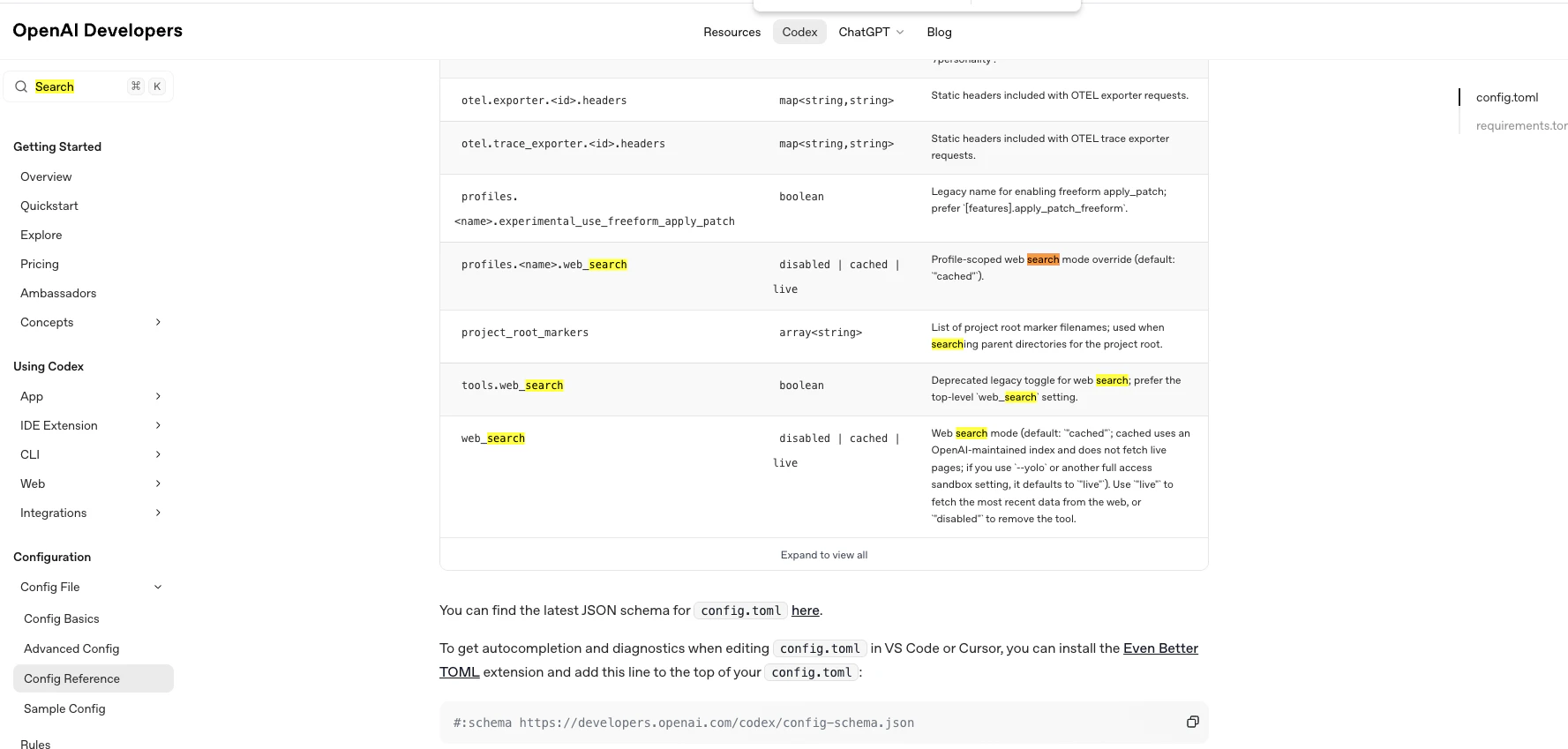
CleanShot 2026-02-06 at 20.23.33.png

  • [tools]の中でweb_searchを指定していたけどトップレベルに昇格
  • ONにするかどうかしかなかったけどリアルタイムで取ってくるかキャッシュから取ってくるか挙動を選べるように

と少し細かい指定ができるようですね。

設定箇所

CLIで触ってたときに触ってたはずだけど、config.tomlどこだっけな。。。って感じでしたがデスクトップアプリの設定からいけました。

CleanShot 2026-02-06 at 20.21.14.png

CleanShot 2026-02-06 at 20.21.41.png

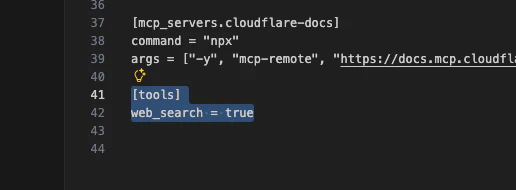
  • 修正前
[tools]
web_search = true

  • 修正後

[tools]を消しつつ"live"か"cached"を指定すればOK

web_search = "live"
web_search = "cached"

cachedの方が早い気がしますが最新は取ってこなさそうですね。

2
1
0

Register as a new user and use Qiita more conveniently

  1. You get articles that match your needs
  2. You can efficiently read back useful information
  3. You can use dark theme
What you can do with signing up
2
1

Delete article

Deleted articles cannot be recovered.

Draft of this article would be also deleted.

Are you sure you want to delete this article?