
この記事は Elixir Advent Calendar 2025 シリーズ4の19日目です。昨日は @mnishiguchi さんでした!
先日の記事で、Phoenix 1.8から core_components.ex にはモーダルが含まれないと紹介しました。
imagepix では、各リソースを削除する際に確認モーダルを出すようにしています。別の記事で onclick属性を使う方法 が紹介されていますが、Phoenix 1.7のモーダルと同じような使い勝手にしたかったので、ちょっとだけ工夫しました。
モーダルの使用例
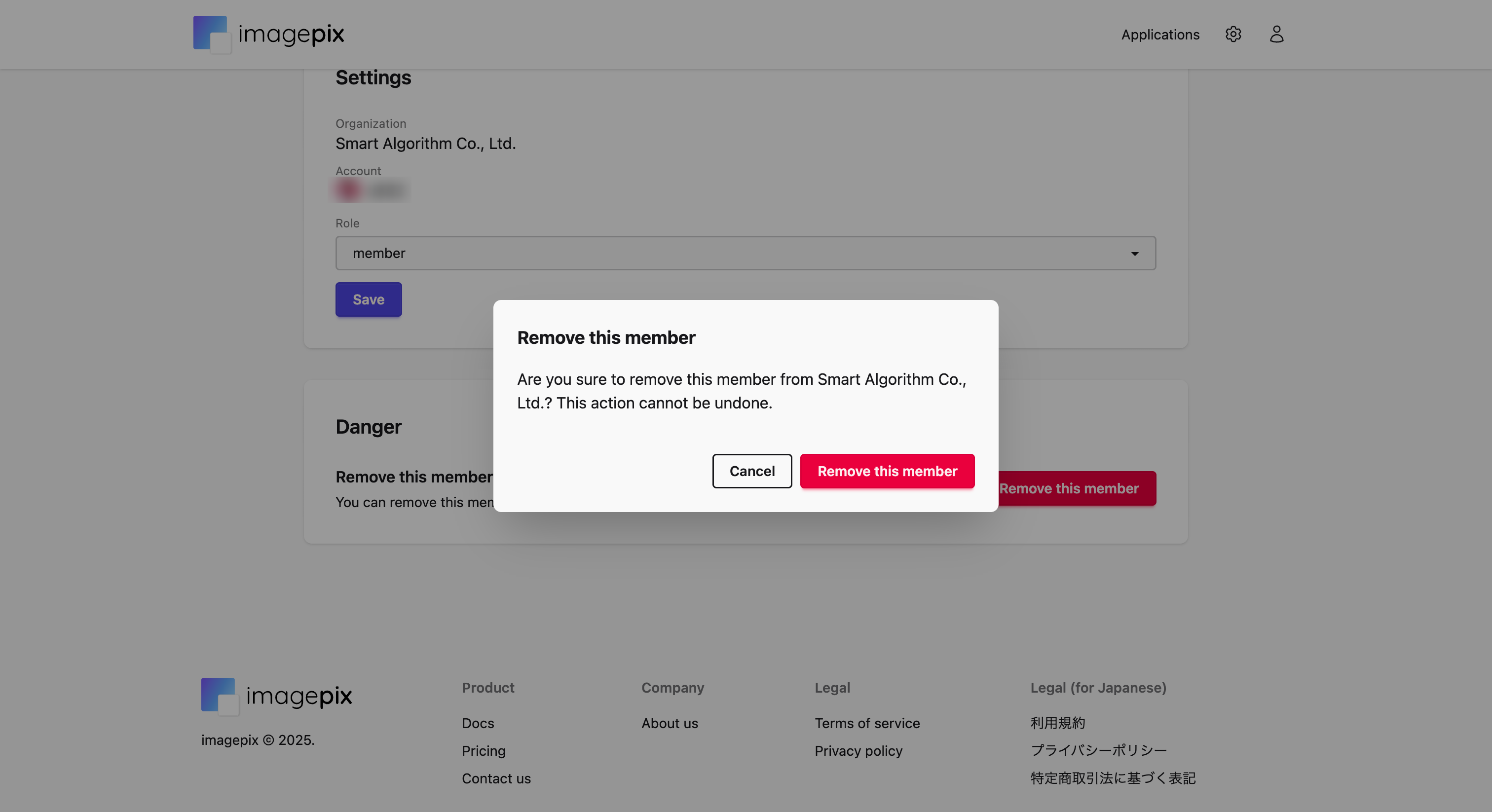
先に使用例を紹介します。モーダル外のボタンを押すとモーダルが開き、モーダル内のCancelボタンを押すとモーダルが閉じるというものです。Phoenix 1.7でも同じようなコードになります。
<.button variant="danger" phx-click={show_modal("remove-member-modal")}>
  Remove this member
</.button>

<.modal id="remove-member-modal" title="Remove this member">
  Are you sure to remove this member from Smart Algorithm Co., Ltd.? This action cannot be undone.
  <:actions>
    <.button variant="danger" phx-click="delete">Remove this member</.button>
  </:actions>
</.modal>
モーダル外の「Remove this member」ボタンを押すと、以下のようにモーダルが表示されます。「Cancel」ボタン(modalコンポーネント内で定義)を押すと、モーダルが閉じます。
モーダル本体の定義
daisyUIのモーダル には実装方法が3つありますが、推奨されている <dialog> を使った実装方法を採用します。
def modal(assigns) do
  ~H"""
  <dialog id={@id} class="modal" phx-hook=".Modal">
    <div class="modal-box">
      <h3 class="text-lg font-bold">{@title}</h3>
      <div class="py-4">{render_slot(@inner_block)}</div>
      <div class="modal-action">
        <.button phx-click={hide_modal(@id)}>Cancel</.button>
        {render_slot(@actions)}
      </div>
    </div>
  </dialog>
  <script :type={ColocatedHook} name=".Modal">
    export default {
      mounted() {
        this.el.addEventListener("show", () => {
          this.el.showModal()
        })
        this.el.addEventListener("hide", () => {
          this.el.close()
        })
      }
    };
  </script>
  """
end
モーダルの操作にはJavaScriptを使う必要があります。今回は開くか閉じるかしか使わないので、Colocated Hooks で実装します。show イベントを受け取ったら showModal() を実行し、hide イベントを受け取ったら close() を実行するだけで、簡単ですね。
モーダルの操作
Phoenix 1.7ではモーダルを操作する show_modal/2 と hide_modal/2 があったので、同じインターフェイスで実装します。
def show_modal(js \\ %JS{}, id) do
  JS.dispatch(js, "show", to: "##{id}")
end

def hide_modal(js \\ %JS{}, id) do
  JS.dispatch(js, "hide", to: "##{id}")
end
Phoenix 1.7のモーダルは単なる <div> 要素だったので JS.show/2 や JS.hide/2 で操作していましたが、daisyUIのモーダルを操作するにはJavaScriptを使う必要があるため、今回はColocated Hooksを使って操作するようにしています。JS.dispatch/2 で show イベントや hide イベントを指定したIDの要素に送るように実装することで、以下のような使い方でモーダルを操作できるようになります。
<.button variant="danger" phx-click={show_modal("remove-member-modal")}>
  Remove this member
</.button>
<.button phx-click={hide_modal("remove-member-modal")}>Cancel</.button>
最後に
これまでColocated Hooksを使ったことはありませんでしたが、ちょうどいい事例が見つかりました。
最近のフロントエンドフレームワークではテンプレートとロジックを同じファイル内に記述するものが多いですが、Phoenixもそれに近づいていってる印象です。フロントエンドフレームワークでバックエンドの処理も実装することが多くなってきていますし、PhoenixやLiveViewの採用がもっと広がっていくと良いですね 
明日の Elixir Advent Calendar 2025 シリーズ4の20日目は @mnishiguchi さんです!
お楽しみに 