

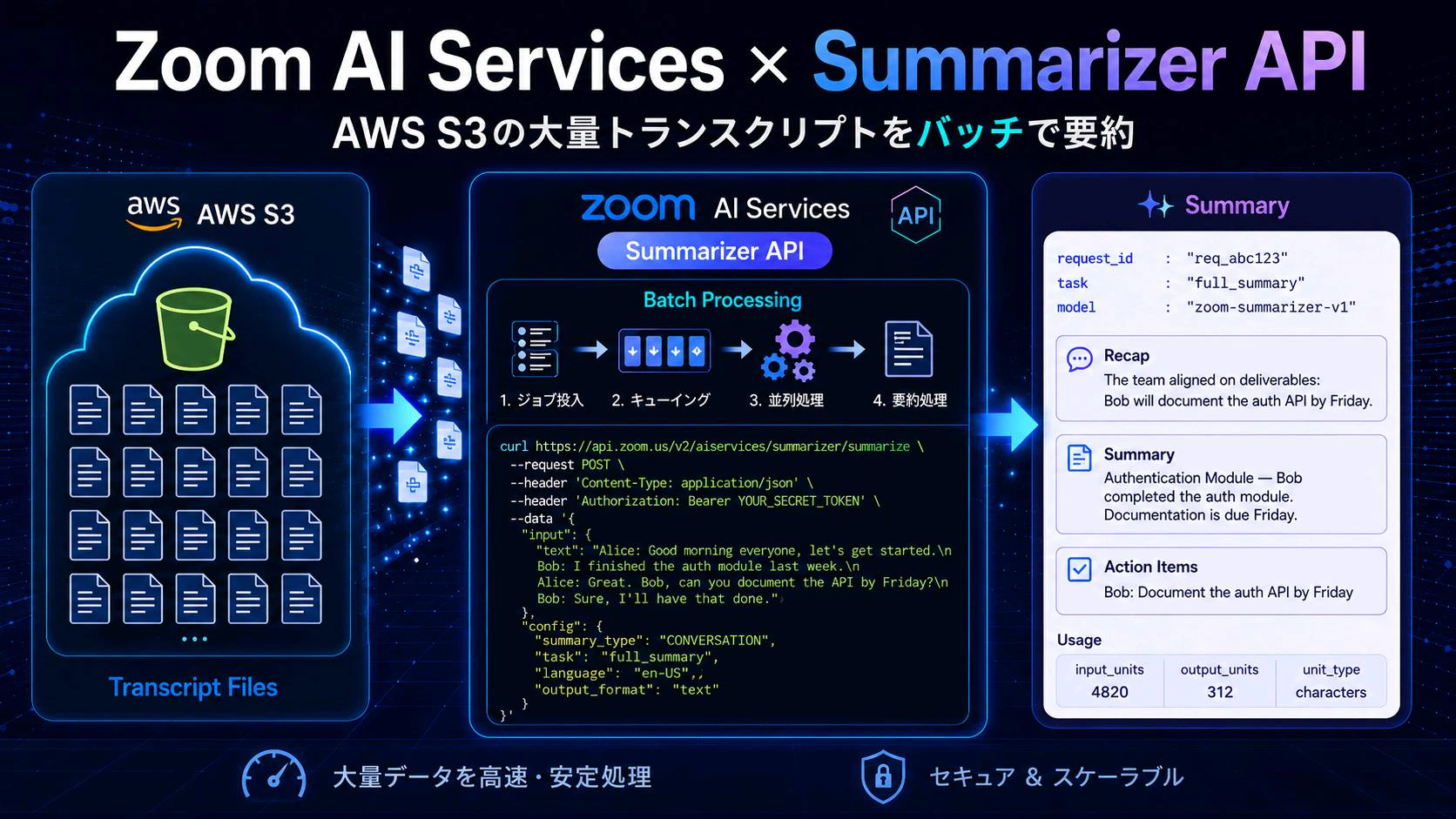
はじめに
前々回の記事で Zoom Scribe API(文字起こし)、前回の記事で Translator API(翻訳)を扱いました。今回はZoom AI Services API 第2弾の最後の一つ、Summarizer API(要約) です。
2026年5月、Zoom AI Services に Summarizer API(Fast + Batch)が正式リリースされました。本記事では:
- 🇯🇵 日本語を含む12言語の出力
- 🎯 4種類の要約タスク(
full_summary/recap/summary/action_items) - 📦 Fast(同期・テキスト直送り)と Batch(非同期・S3 連携)の2モード
を実際に叩いて、サポートフォーマット・実挙動・ハマりどころをまとめます。前回まで使ってきた auth.js と index.js の構成に乗せる形で進めます。
本記事は 2026年5月時点 の挙動に基づいています。Translator Batch が .txt のみだったのに対し、Summarizer Batch は .vtt / .srt / .txt の3種類サポートしているのが大きな違いです。VTT/SRT は内部でタイムスタンプを自動除去して正規化されます。
全体アーキテクチャ
Fast モード(同期)と Batch モード(非同期)の時系列を並べた図です。
今回の記事ではBatchジョブの処理状況をポーリングで取得していますが、公式ドキュメントにある通りWebhookでプッシュ通知を受けることも可能です。
1. Summarizer API とは
1.1 Fast と Batch の比較
| 項目 | Fast | Batch |
|---|---|---|
| エンドポイント | POST /v2/aiservices/summarizer/summarize |
POST /v2/aiservices/summarizer/jobs |
| 処理方式 | 同期(即レスポンス) | 非同期(ポーリング or Webhook) |
| 入力 |
input.text フィールドに直接 |
S3 上のファイル |
| 入力フォーマット | プレーンテキスト | .vtt / .srt / .txt |
| 入力サイズ上限 | (明記なし) | 96 KB / ファイル |
| ジョブ上限 | - | PREFIX: 10,000 ファイル / MANIFEST: 1,000 ファイル / 1億文字 |
| AWS認証 | 不要 | 必須(STS 一時クレデンシャル) |
| 向いている用途 | 単発要約、ニアリアルタイム会議の事後処理 | アーカイブ一括要約、コールセンターQA |
1.2 4種類の要約タスク
config.task で出力内容を切り替えられます。レスポンスの result フィールドの中身も task に応じて変化します。
task |
出力フィールド | 用途 |
|---|---|---|
full_summary |
result.full_summary(Recap + Summary + Action Items の全部入りマークダウン) |
全部入り。デフォルト |
recap |
result.recap |
エグゼクティブサマリ |
summary |
result.summary_text |
議事録風セクション要約 |
action_items |
result.action_items |
担当者付き TODO 抽出 |
1.3 対応言語(出力)
ISO ロケール形式。config.language で 出力言語 を指定します。入力の言語は自動検出されるため、source_language のような指定は不要です。
| コード | 言語 |
|---|---|
en-US |
英語 |
ja-JP |
日本語 |
zh-CN / zh-Hans
|
中国語(簡体) |
es-ES |
スペイン語 |
fr-FR |
フランス語 |
de-DE |
ドイツ語 |
pt-PT / pt-BR
|
ポルトガル語 |
it-IT |
イタリア語 |
ar-SA / ar-AE
|
アラビア語 |
日本語の transcript を入れて英語サマリを出すような 言語またぎ要約 も可能です。要約と翻訳が一発でできる、というイメージ。
2. 認証と前提
JWT 認証は前回までと同じ仕組みです。auth.js の generateJwt() をそのまま再利用します。
3. Node.js 実装
前回のディレクトリ構成をそのまま流用していきます。
ai-services-handson/
├── .env
├── auth.js              # JWT 認証(共通)
├── fast.js              # Summarizer Fast
├── batch.js             # Summarizer Batch
└── index.js             # CLI エントリ
3.1 fast.js — テキストを直接要約
// fast.js
import { generateJwt } from "./auth.js";

const SUMMARIZER_FAST_URL =
  "https://api.zoom.us/v2/aiservices/summarizer/summarize";

export async function summarizeFast({
  text,
  language = "en-US",
  task = "full_summary",
  summaryType = "CONVERSATION",
  outputFormat = "text",
} = {}) {
  if (!text) throw new Error("summarizeFast requires { text }");

  const token = generateJwt();

  const body = {
    input: { text },
    config: {
      summary_type: summaryType,
      task,
      language,
      output_format: outputFormat,
    },
  };

  const start = Date.now();
  const response = await fetch(SUMMARIZER_FAST_URL, {
    method: "POST",
    headers: {
      Authorization: `Bearer ${token}`,
      "Content-Type": "application/json",
    },
    body: JSON.stringify(body),
  });
  const elapsedMs = Date.now() - start;

  const contentType = response.headers.get("content-type") ?? "";
  const rawText = await response.text();

  if (!response.ok) {
    throw new Error(
      `Summarizer Fast API error ${response.status}: ${rawText.slice(0, 500)}`
    );
  }

  const data = contentType.includes("application/json")
    ? JSON.parse(rawText)
    : rawText;

  return { status: response.status, contentType, elapsedMs, data };
}
ポイント:
- 入力は
input.textで包む構造です(Translator はtext:の平置きだったのと微妙に違うので注意) -
languageは 出力言語 のみを指定します。Translator のようなsource_languageはありません(入力は自動検出) -
summary_typeは現在"CONVERSATION"のみが対応です
3.2 batch.js — S3 で一括要約
Scribe Batch / Translator Batch とリクエスト構造はほぼ同じです。違いは config の中身だけ。
// batch.js(submit のみ抜粋)
import { generateJwt } from "./auth.js";

const BASE_URL = "https://api.zoom.us/v2/aiservices/summarizer";

export async function submitSummarizerJob({
  inputUri,
  outputUri,
  language = "en-US",
  task = "full_summary",
  summaryType = "CONVERSATION",
  includeGlobs = ["**/*.vtt", "**/*.srt", "**/*.txt"],
  referenceId,
} = {}) {
  const token = generateJwt();

  const awsAuth = {
    access_key_id: process.env.AWS_ACCESS_KEY_ID,
    secret_access_key: process.env.AWS_SECRET_ACCESS_KEY,
    session_token: process.env.AWS_SESSION_TOKEN,
  };

  const body = {
    input: {
      source: "S3",
      mode: "PREFIX",
      uri: inputUri,
      filters: { include_globs: includeGlobs },
      auth: { aws: awsAuth },
    },
    output: {
      destination: "S3",
      uri: outputUri,
      layout: "PREFIX",
      auth: { aws: awsAuth },
    },
    config: {
      summary_type: summaryType,
      task,
      language,
      output_format: "text",
    },
  };

  if (referenceId) body.reference_id = referenceId;

  const response = await fetch(`${BASE_URL}/jobs`, {
    method: "POST",
    headers: {
      Authorization: `Bearer ${token}`,
      "Content-Type": "application/json",
    },
    body: JSON.stringify(body),
  });

  if (!response.ok) {
    const errorBody = await response.text();
    throw new Error(`Summarizer Batch submit error ${response.status}: ${errorBody}`);
  }

  return response.json();
}
include_globs のデフォルトは ["**/*.vtt", "**/*.srt", "**/*.txt"] にしています。Summarizer Batch は .vtt / .srt / .txt の3種類をサポートしていて、VTT/SRT は API 側でタイムスタンプを自動除去してから要約モデルに渡してくれます。.json を含めるとスキップされます(§5.1 参照)。
ステータス確認、ファイル一覧、ポーリングは Scribe Batch とほぼ同じ構造なので割愛します。前回の記事を参照ください。
3.3 index.js — CLI への組み込み
commander で3つのサブコマンドを追加します。
// index.js(追加分のみ抜粋)
import { readFile } from "node:fs/promises";
import { summarizeFast } from "./fast.js";
import {
  submitSummarizerJob,
  checkSummarizerStatus,
  listSummarizerFiles,
  pollSummarizerUntilComplete,
} from "./batch.js";

const SUMMARY_TASKS = ["full_summary", "recap", "summary", "action_items"];

// --- summarize-fast ---
program
  .command("summarize-fast [file]")
  .description("Summarize inline text or a local file")
  .option("--text <text>", "Inline text")
  .option("--lang <code>", "Output language", "en-US")
  .option("--task <task>", `Task: ${SUMMARY_TASKS.join("|")}`, "full_summary")
  .action(async (file, opts) => {
    let text = opts.text;
    if (!text && file) text = await readFile(file, "utf-8");

    const { data } = await summarizeFast({
      text,
      language: opts.lang,
      task: opts.task,
    });

    const r = data.result;
    if (r.full_summary) console.log(r.full_summary);
    if (r.recap)        console.log(`--- recap ---\n${r.recap}`);
    if (r.summary_text) console.log(`--- summary ---\n${r.summary_text}`);
    if (r.action_items) console.log(`--- action_items ---\n${r.action_items}`);
  });

// --- summarize-batch ---
program
  .command("summarize-batch")
  .description("Submit a Summarizer batch job")
  .option("--lang <code>", "Output language", "en-US")
  .option("--task <task>", `Task: ${SUMMARY_TASKS.join("|")}`, "full_summary")
  .option("--ref <id>", "Reference ID")
  .action(async (opts) => {
    const bucket = process.env.S3_BUCKET_NAME;
    const inputUri = `s3://${bucket}/summarize_input/`;
    const outputUri = `s3://${bucket}/summarize_output/`;

    const job = await submitSummarizerJob({
      inputUri, outputUri,
      language: opts.lang,
      task: opts.task,
      referenceId: opts.ref,
    });

    console.log(`Job ID: ${job.job_id}`);
    await pollSummarizerUntilComplete(job.job_id);

    const files = await listSummarizerFiles(job.job_id);
    for (const f of files) {
      const icon = f.state === "FILE_SUCCEEDED" ? "✅" : "❌";
      console.log(`  ${icon} ${f.input_uri.split("/").pop()} → ${f.output_uri}`);
      if (f.error) console.log(`     ↳ ${f.error.code}: ${f.error.message}`);
    }
  });
f.error.code と f.error.message を 必ず画面に出すようにしてください。Batch 系 API は state が QUEUED のまま遷移しないパターンがあり、個別ファイルのエラーを見ないと「何が起きたのか分からない」状態に陥ります(§5.3 参照)。
4. 実行してみる
4.1 Fast — VTT を丸ごと食わせる
VTT のサンプルファイルを Summarizer Fast にそのまま渡してみます。
node index.js summarize-fast ./samples/transcript.vtt --lang ja-JP --task full_summary
Status:  200
Elapsed: 3.29s

--- full_summary ---
# Recap
この会議では、AIの活用について話し合うことが目的とされ、最近の生成AIの進化の速さが共有された。

# Summary
## 生成AI活用と進化の議論
会議では、AIの活用について話し合うことが確認され、生成AIの進化が非常に速いという認識が共有される。

Usage: input=68 output=136 (characters)
注目は input=68 characters の部分。VTT は元々 166 文字あったのに、内部で タイムスタンプを正規化除去して 68 文字に圧縮された上で課金されています。公式リファレンスの「the service removes timestamps and subtitle formatting before sending normalized transcript text」という記述と整合します。VTT/SRT を渡すとお得、ということになります。
4.2 Fast — JSON を丸ごと食わせる(実験)
参考までに、Scribe の JSON 出力をそのまま text に詰めて投げるとどうなるでしょうか。
node index.js summarize-fast ./samples/transcript.json --lang ja-JP --task full_summary
Status:  200
Elapsed: 3.44s

--- full_summary ---
# Recap
この会議では、AIの活用について話し合うことが目的とされ、特に生成AIの進化の速さが最近のトピックとして共有された。
(中略)

Usage: input=579 output=234 (characters)
動きはします。 ただし input=579 characters で JSON 構造文字(中括弧・キー名・引用符など)まで全部カウントされています。要約モデルは JSON を読み取って中身を理解しつつ、課金は全文字に対して走る、というイメージ。
Fast Summarizer に JSON や構造化テキストを直接食わせると、構造文字までトークンとして消費されます。コスト最適化を考えるなら、Scribe 出力 JSON から result.text_display や segments[].text を抽出してプレーン化してから渡すのがおすすめです。
4.3 Fast — action_items タスクを試す
"For All Mankind" Season1-Ep6 の長いセリフを入れて試してみました。
node index.js summarize-fast ./samples/english.txt --lang en-US --task action_items
Status:  200
Elapsed: 2.13s

Usage: input=944 output=0 (characters)
output=0 で空っぽ! 内容を読むと、確かに「式典で誰かが演説しているだけ」でアクション項目が無い transcript なんですよね。Summarizer は無理やり action items を捏造せず、見つからなければ空を返してくれる挙動のようです。
一方、同じ素材を --task recap で叩くと:
--- recap ---
The meeting marked a significant occasion as NASA recognized the first woman to become a Flight Director.
Administrator Weisner delivered a speech highlighting the importance of the day for the country and the program.
He emphasized that the woman earned her position through dedication, expertise, and leadership.
しっかり要約してくれます。task によって出力の有無が変わるので、アプリ側でハンドリングが必要そうです。
4.4 Fast — 日本語インラインで full_summary
node index.js summarize-fast --text "Alice: 朝礼始めます。Bob: 認証モジュール終わりました。" --lang ja-JP
--- full_summary ---
# Recap
この会議は朝礼の開始を目的として行われた。Aliceが朝礼を始めると述べた。Bobは認証モジュールの作業が完了したと報告した。

# Summary
## 認証モジュール作業完了報告会議
Aliceが朝礼を始め、Bobは認証モジュールの作業が完了したと報告する。

# Action Items
**Bob**
- 認証モジュールの完了について、次のステップ(テストやデプロイなど)を進める

Usage: input=33 output=203 (characters)
たった33文字の入力から、Action Items まで推測してくれます。
4.5 Batch — S3 で複数ファイル一気に要約
S3 の summarize_input/ に以下を置きます:
-
japanese.txt— 日本語テキスト -
english.txt— 英語テキスト -
transcript.vtt— VTT 字幕 -
*.json× 3本(Scribe Batch の以前の出力、検証用)
node index.js summarize-batch --lang ja-JP --task full_summary --ref summary-ja-001
=== Summarizer Batch API ===
  Input:  s3://zoom-scribe-handson-<yourname>/summarize_input/
  Output: s3://zoom-scribe-handson-<yourname>/summarize_output/
  Lang:   ja-JP
  Task:   full_summary

  Job ID: 6ac8d60f-68ae-4c21-8f06-37375cc1ee6b
  State:  QUEUED

Polling for completion...
  [QUEUED] total=5 succeeded=0 processing=0 failed=0 skipped=3
  [PARTIAL] total=5 succeeded=2 processing=0 failed=0 skipped=3

=== Results ===
  ✅ japanese.txt → .../summarize_output/japanese.txt_<uuid>.json
  ❌ AI_NEXUS....json → ...
     ↳ UNSUPPORTED_MEDIA: File extension ".json" is not supported. Supported extensions: .srt, .txt, .vtt
  ❌ m4a_xxx.json → ...
     ↳ UNSUPPORTED_MEDIA: ...
  ❌ AI.m4a_xxx.json → ...
     ↳ UNSUPPORTED_MEDIA: ...
  ✅ transcript.vtt → .../summarize_output/transcript.vtt_<uuid>.json

  Total: 5 files, 2 succeeded, 3 failed
エラーメッセージで API 本人がサポート拡張子を教えてくれます:
Supported extensions: .srt, .txt, .vtt
4.6 Batch — action_items で英語出力
node index.js summarize-batch --lang en-US --task action_items --ref summary-en-001
成功したファイルの summarize_output/ には、それぞれ JSON が出力されます。たとえば英語のサンプル出力(AI_NEXUS.m4a_<uuid>.txt_<uuid>.json):
{
  "model": "zoom-summarizer-v1",
  "request_id": "090da4a3-e078-4a41-b306-37b0e194daee",
  "result": {
    "action_items": "**Unknown**\n- Consider implementing a framework for AI regulation, including the illegalization of AI bots impersonating humans, ensuring algorithm transparency, and mandating human involvement in AI decision-making processes.\n- Reflect on the nature of information encountered daily, especially on smartphones, to discern whether it is objective truth or designed to amplify emotions for engagement.\n- When introducing AI in the workplace, establish clear rules regarding who holds final responsibility for AI decisions."
  },
  "usage": {
    "details": { "summary_type": "conversation", "task": "action_items" },
    "input_units": 6569,
    "output_units": 521,
    "unit_type": "characters"
  }
}
担当者名が不明な場合は **Unknown** で発話者をプレースホルダ化してくれます。話者ラベルが付いていない transcript でも壊れないように考えられた仕様のようです。
5. トラブルシューティング — 実体験エラー集
Summarizer API も新しい API なので、一部ご確認いただきたいポイントがございます。
5.1 UNSUPPORTED_MEDIA: ".json" is not supported
{
  "state": "FILE_SKIPPED",
  "error": {
    "code": "UNSUPPORTED_MEDIA",
    "message": "File extension \".json\" is not supported. Supported extensions: .srt, .txt, .vtt"
  }
}
原因: Summarizer Batch は .srt / .txt / .vtt の3種類のみサポート。Scribe Batch の .json 出力をそのまま流すと skip されます。
対処:
- Scribe Batch を
output_format: "vtt"にして VTT 出力に切り替える(最も楽) - JSON しかない場合は、
result.text_displayやsegments[].textを抽出して.txtとして再アップロード
5.2 action_items が空っぽで返る
Usage: input=944 output=0 (characters)
原因: 入力 transcript にアクションアイテム要素が含まれない場合、Summarizer は空を返します(無理やり捏造しない仕様)。
対処: これはエラーではなく仕様です。アクションアイテムが見つからなかった場合のハンドリングをアプリケーション側で実装してください。
if (data.result.action_items?.trim()) {
  // 通常処理
} else {
  console.log("No action items detected.");
}
5.3 ジョブ状態が QUEUED のまま遷移しない
これは Scribe / Translator Batch でも観察した現象ですが、Summarizer でも同様に発生します。全ファイルが FILE_SKIPPED で終わった場合、state が QUEUED のまま動かないことがあります。
対処: summary.total_files == 各カウント合計 になったら終局と自前判定するワークアラウンドを入れます。前回の Translator 記事と同じ実装です。
// 自前で終局判定するワークアラウンド
function isTerminal(summary) {
  const { total_files, queued, processing } = summary;
  return total_files > 0 && queued === 0 && processing === 0;
}
ちなみに Webhook で通知を受け取る場合でも、このパターン(全ファイル SKIPPED)では通知されません。(2026年5月時点)
5.4 入力 JSON はダメだが出力は JSON という非対称性
これは設計上の仕様です。
| 入力 | 出力 | |
|---|---|---|
| 想定 | プレーンテキスト or VTT/SRT(タイムスタンプ自動除去) | 構造化された結果(model, request_id, result, usage) |
| 目的 | 「人間の発話・対話のテキスト」を要約モデルに渡す | 「機械的に後段処理しやすい結果」を返す |
つまり、「Summarizer の出力 JSON をそのまま Summarizer に再投入できない」のは仕様です。Scribe / Translator の JSON 出力も同様にそのままでは食わせられません。パイプラインを組むときは 一段中間に「JSON → plain text 抽出」を挟む ようにしてください。
// Scribe JSON → Summarizer に渡すための変換ヘルパー(例)
function scribeJsonToPlainText(scribeResult) {
  return scribeResult.result.segments
    .map(s => `${s.speaker ?? "?"}: ${s.text}`)
    .join("\n");
}
6. 学び
ざっとまとめました。
| 観点 | Fast Summarizer | Batch Summarizer |
|---|---|---|
| 処理方式 | 同期(即レスポンス) | 非同期(ポーリング or Webhook) |
| 入力 | テキスト直接(input.text) |
S3 上のファイル |
| 入力フォーマット | プレーンテキスト(VTT/JSON も文字列として受け付けるがコスト面で非推奨) | .vtt / .srt / .txt |
| AWS認証 | 不要 | 必須(STS 一時クレデンシャル) |
| task の挙動 | 該当する内容がない場合は空を返す | 同上 |
| 向いている用途 | 短い transcript の即時要約、VTT 字幕の要約抽出 | アーカイブ一括要約、将来的なScribe(VTT) パイプライン |
Zoom AI Services API 関連記事一覧
リソース