0
1

Delete article

Deleted articles cannot be recovered.

Draft of this article would be also deleted.

Are you sure you want to delete this article?

メインフレーム便利コマンド解説【RETP】

0
Last updated at Posted at 2025-09-29

当記事の著作権はIBMに帰属します。
詳細はこらちを参照ください。こちら

※この記事は、z/OS 3.1のシステムを使用しています。

RETP

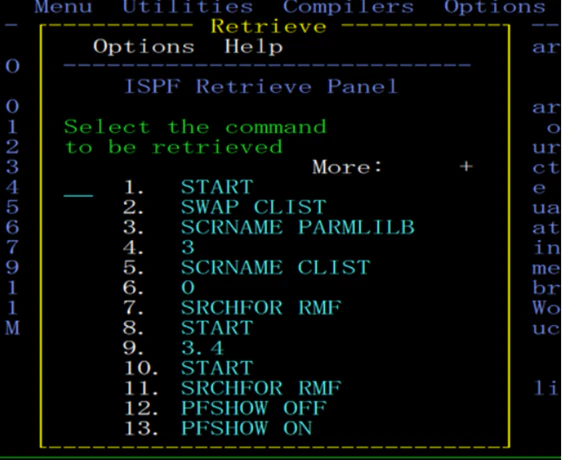
RETPコマンドは、過去に投入したコマンド履歴を表示できます。

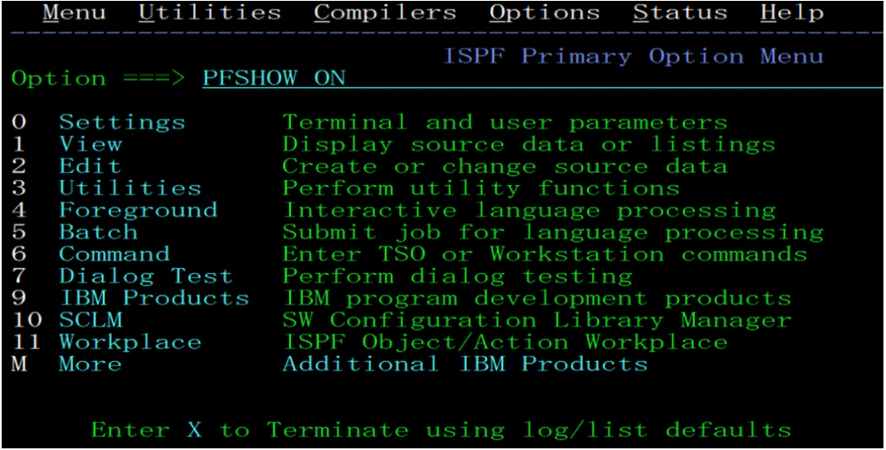
1.適当にコマンド発行を繰り返します。
2.RETPを投入します。

image.png

image.png
先ほど投入したコマンドが表示されました👏(直近のコマンドが上です)

3.もう一度投入したいコマンドの番号を入力すると、コマンドラインに表示されます。
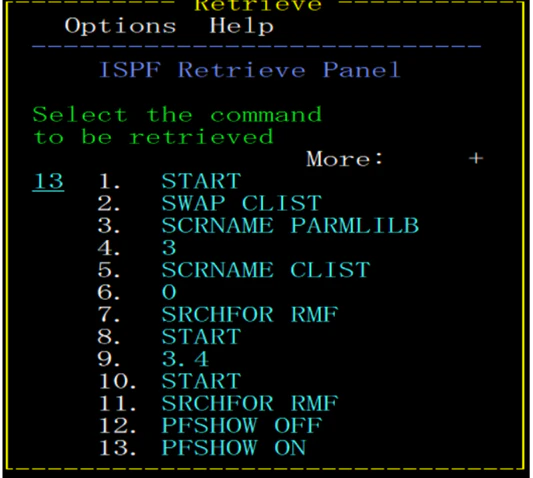
image.png

image.png

カーソルの場所(先頭・最後)は「Options」プルダウンのパラメータ指定で調整できます。
一度環境ログオン/ログオフすると履歴は消えてしまいますので、要注意です!

本記事はチーム活動の一環です。背景や目的はこちらにまとめています。→ リンク


この記事は、IBM Community Japanの主催する2025年ナレッジモール研究における「メインフレーム若手技術者の広場」の成果物です。

0
1
0

Register as a new user and use Qiita more conveniently

  1. You get articles that match your needs
  2. You can efficiently read back useful information
  3. You can use dark theme
What you can do with signing up
0
1

Delete article

Deleted articles cannot be recovered.

Draft of this article would be also deleted.

Are you sure you want to delete this article?