0
0

Delete article

Deleted articles cannot be recovered.

Draft of this article would be also deleted.

Are you sure you want to delete this article?

MinecraftサーバをTailscaleを使って外部公開してみた

Last updated at Posted at 2025-12-22

本記事は、めんどい太郎の Advent Calendar 2025 23日目の記事です。

はじめに

今回は、Tailscaleを使ってMinecraftサーバを外部公開してみます。

というのも、3日目に構築したCloudflare Tunnelがうまく動かなくなったからです。

何でかわからなくて困ってます。なんで。

なので、今回はTailscaleを使ってみます。

構成

前回とほぼ同じです。

今回はCloudflare TunnelだったところがTailscaleに置き換わるというイメージです。

やり方

では、さっそくやり方を紹介します。

どちらもTailscaleを設定済みと仮定します。

やり方は20日目の記事にあります。

Haproxyの設定

Haproxyの設定を変更します。

といっても、server{Minecraftサーバのtailscale_IP}:{Velocityのポート}に変更するだけです。

簡単!これも20日目の記事とほぼ一緒です。

接続できるか試してみます。

簡単に入れました!
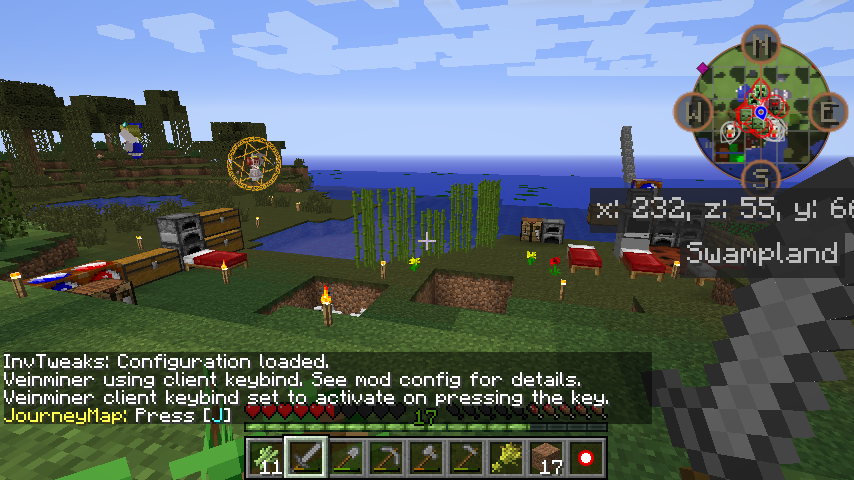
2025-12-22_10.20.44.png

おわりに

というわけで、Tailscaleを使ってMinecraftサーバを外部公開してみました。

(クソ記事ですまんかった)

Cloudflare Tunnelより簡単です。

ただし、Tailscaleは無料プランだとデバイス数が制限されるので注意が必要です。

皆さんもTailscaleでお手軽サーバ公開してみてください。

それでは!

0
0
0

Register as a new user and use Qiita more conveniently

  1. You get articles that match your needs
  2. You can efficiently read back useful information
  3. You can use dark theme
What you can do with signing up
0
0

Delete article

Deleted articles cannot be recovered.

Draft of this article would be also deleted.

Are you sure you want to delete this article?