
はじめに
環境:Windwos11 Houdini20.5 Steam版
Houdiniの auto save をデフォルトでオンにするため、いろいろ調べてみました。
起きた問題
Houdiniを自動保存設定にするためには auto save をオンにしないといけないが、起動するたびにauto save のチェックが外れてしまう。
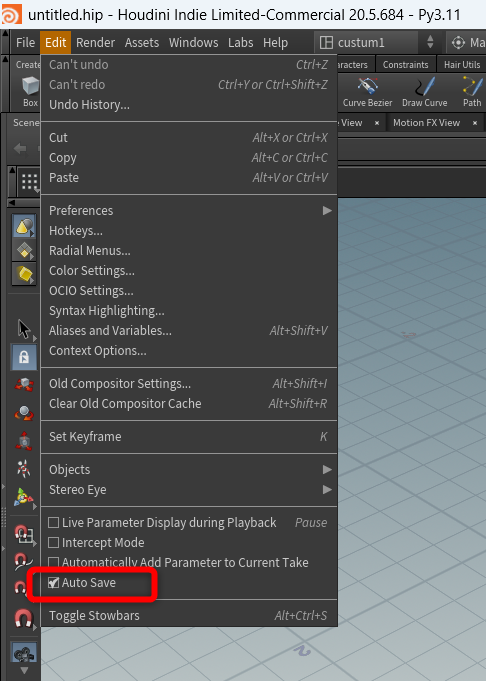
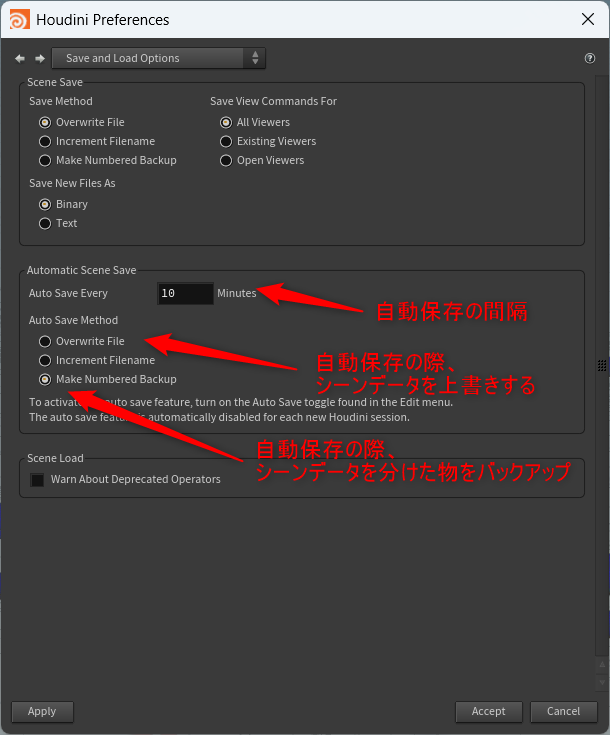
edit > preference > SaveAndLoadOption にて、
自動保存の細かい設定はできるが、デフォルトでauto saveをオンにする機能がHoudiniにはない。
かるく項目の説明
解決策
Houdiniの公式フォーラム に解決策があった。
解決策
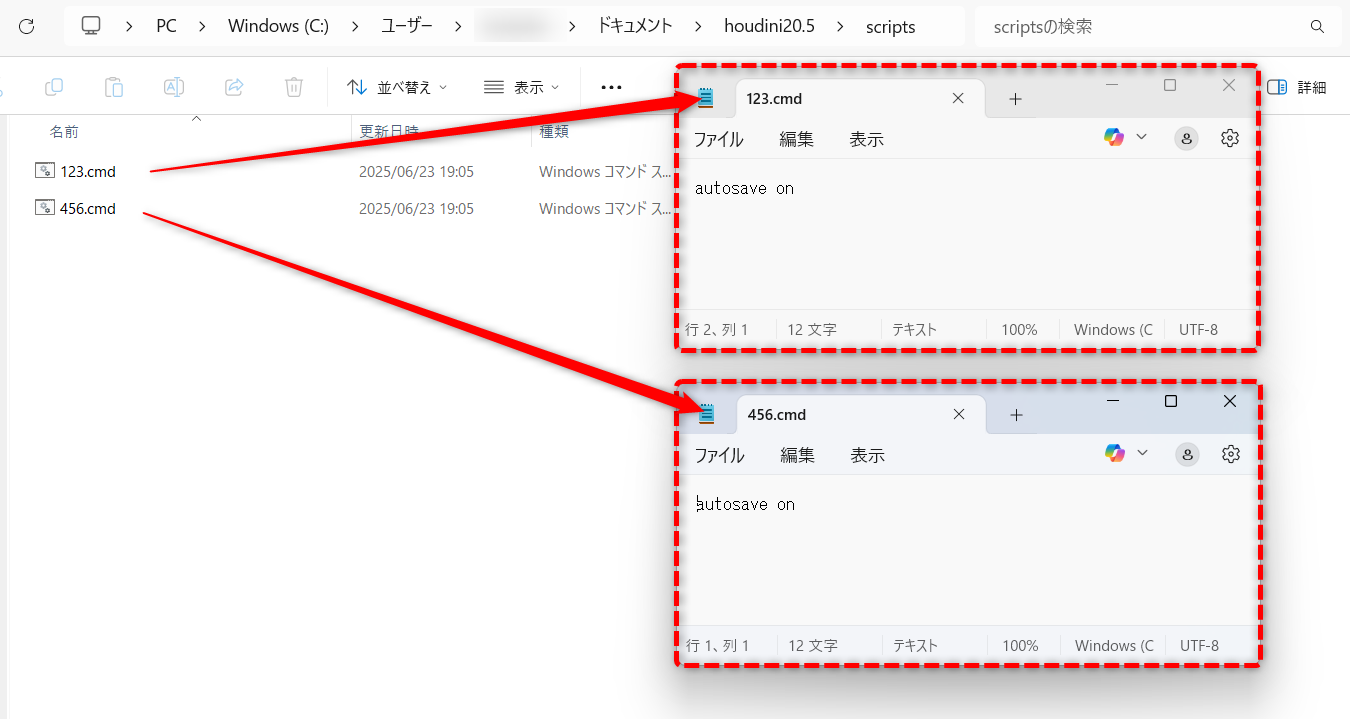
autosave on
と記述したテキストを 123.cmd 456.cmdとしてscriptフォルダに保存する
Houdini公式フォーラムには「pythonで仕組みを作る」「コマンドを組む」など、いろいろあったが今回は一番楽なものを紹介してます。
以下、具体的な設定手順
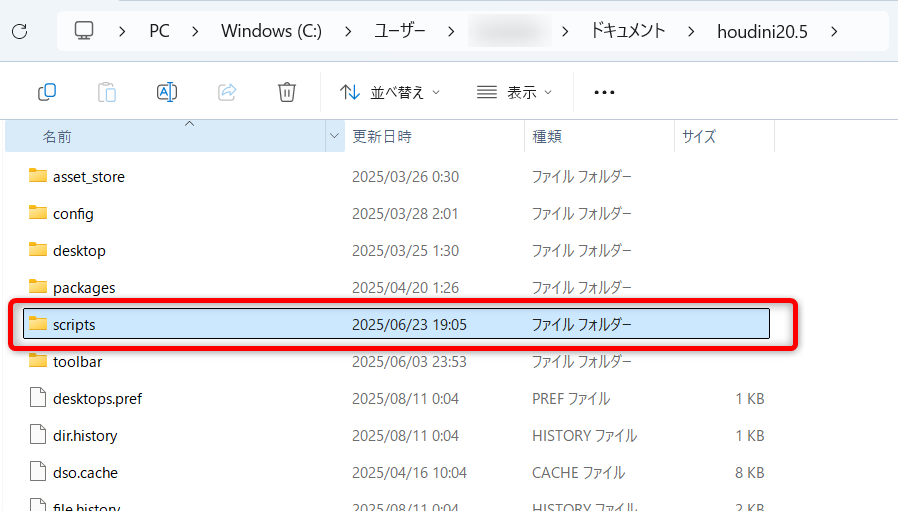
1. Houdiniのバージョンフォルダに scripts フォルダを作成
今回だと "C:\Users\username\Documents\houdini20.5" にscripstsフォルダを作成
2. テキスト等で autosave on と書いたものを "123.cmd" "456.cmd" としてscriptsフォルダに保存
だそく
「123コマンド」「456コマンド」
なぜ2つもコマンドを作らないといけないかというと、
「123コマンド」はhoudini起動時に適用されるコマンドで、
「456コマンド」はhoudiniのシーン起動時に適用されるコマンドらしい。
↓ もっと詳細に書かれた記事
https://ikatnek.blogspot.com/2015/03/houdini-startup-scripts.html