
◆ 目的
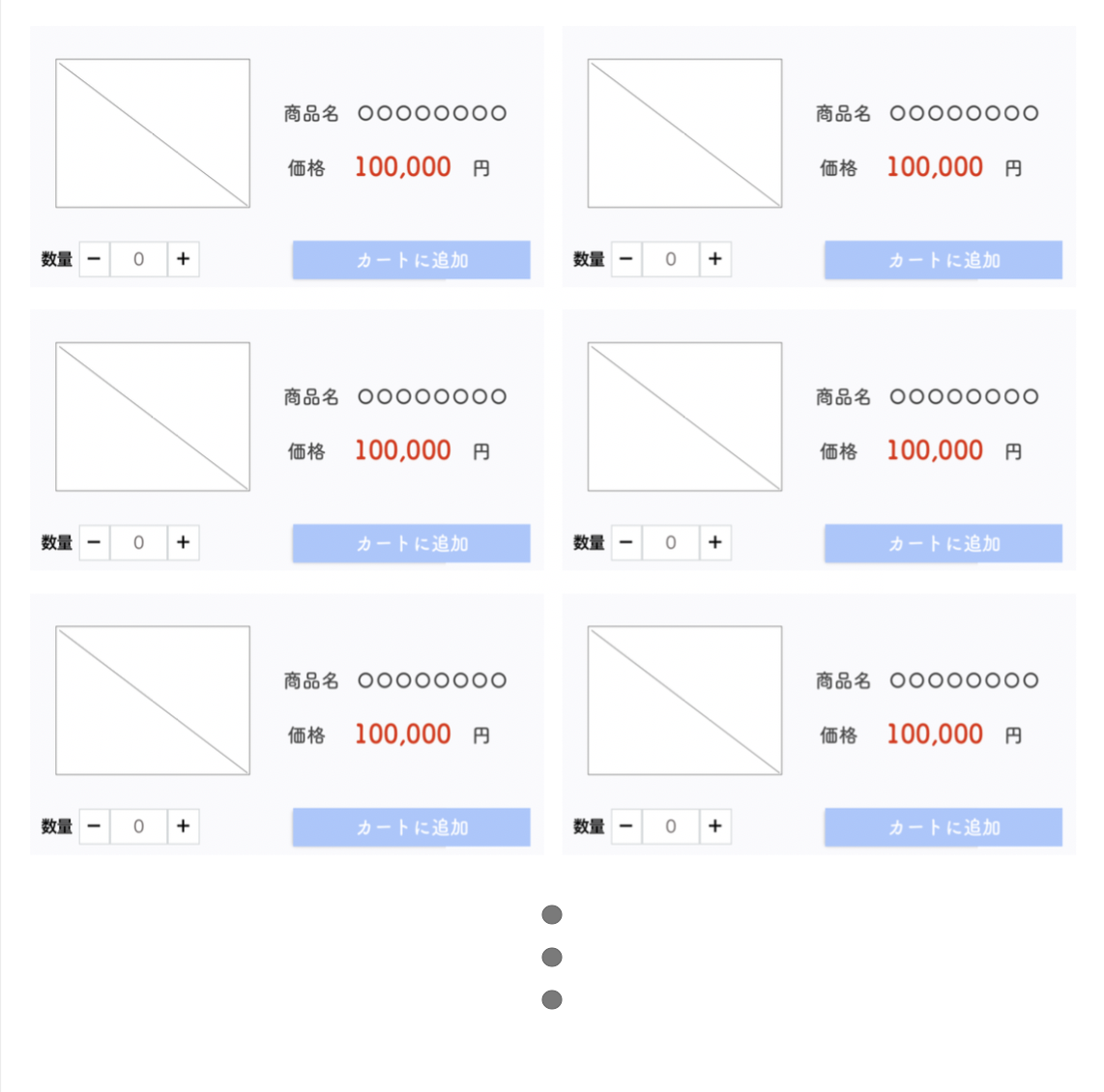
[+]をクリックしたら数字が増え、[-]をクリックすると数字が減る処理を実装した時、苦戦したので忘却録。
※イメージ
html
<?php $product_list = get_product_list()  ?>       // こういうメソッドがある想定で。
<?php foreach ($product_list as $product) : ?>
    <article>
        <div class="product-category">
            <?php echo $product->category ; ?>
        </div>
        <div class="product-detail">
            <div class="product-detail__image">
                <img src="<?php echo $product->image; ?>">
            </div>
            <div class="product-detail__txt">
                <div class="product-name">
                    <?php $product->name; ?>
                </div>
                <div class="product-price" data-product-id="<?php echo $product->id ?>">
                    <?php echo $product->price ?><span>(税込)</span>
                </div>
            </div>
        </div>
        <div class="product-purchase">
            <div class="order-field">
                <span>数量</span>
                <div class="button btn-down">
                    -
                </div>
                <input type="number" value="0" class="inputtext quantity" id="input-<?php $product->id ?> ">
                <div class="button btn-up">
                    +
                </div>
            </div>
            <div class="btn-list">
                <div class="cart-button btn-add-cart">
                    カートに追加
                </div>
            </div>
        </div>
    </article>
<?php endforeach;?>
jquery
idに個別の値を振って、クリックしたDOMを取得してくるのかと思いきや、、(以下参照)
id="product-<?php echo $product->id ?>"
idを振る必要はなく、classを降ってあげて$(this)で自分がクリックしたもの限定でDOMを取得できるとは...
例)[-] class="button btn-down"
※DOMという表現が正しいのかはわかりません。
<script>
    jQuery(function() {
        // WordPressでAjaxを使用する場合、urlにはadmin-ajax.phpの絶対パスを指定
        const ajaxUrl = '<?php echo admin_url('admin-ajax.php'); ?>';

        // - をクリックした時
        $('.button.btn-down').on('click', function() {
            // [-]をクリックしたらまず、$(this)の親の('input.quantity')を見つけて.valで値を取得。
            // .parent()で親を見つけに行けるんですね...
            var inputQuantity = $(this).parent().find('input.quantity');
            num = Number($(inputQuantity).val());
            // 0だと-できないようにif文で条件分岐
            if (num >= 1) {
                quantity  = num - 1;
                // valueに値を入れ直す
                $(inputQuantity).val(quantity);
            } else {
                $(inputQuantity).val(0);
            }
        })

        // +をクリックした時
        // [+]をクリックしたらまず、$(this)の親の('input.quantity')を見つけて.valで値を取得。
        $('.button.btn-up').on('click', function() {
            var inputQuantity = $(this).parent().find('input.quantity');
            num = Number($(inputQuantity).val());
            quantity  = num + 1;
            // valueに値を入れ直す
            $(inputQuantity).val(quantity);
        })

        // カートに追加を押したとき
        $('.cart-button.btn-add-cart').on('click', function(){
            // .parents()は親以上(祖父母,祖祖父母もかな?)までみにける
            quantity = $(this).parents('.product-purchase').find('input.quantity').val();
            // data属性の値を取得
            productId = $(this).parents('.product-purchase').data('product-id ');
            inputQuantity = $(this).parents('.product-purchase').find('input.quantity')

            // wordPressで非同期通信を行いたい時こうやって書くんです。
            $.ajax({
                type: 'POST',      // メソッド
                url: ajaxUrl,      // 一番上で定義してるURL
                cache: false,      // これはよくわからない
                data: {
                    'action' : 'create_cart',  // phpの関数名
                    'product_id' : productId,                           // ajax先に持っていきたいデータはここに
                    'quantity' : quantity,
                },

            // 処理が成功したらこっち
            }).done(function(data){
                // カートに保存できたら、商品一覧の [-][2][+] の数値を [0] に戻す。
                inputQuantity.val(0);

            // 失敗したらこっち
            }).fail(function (XMLHttpRequest, textStatus, errorThrown){
                // logを出すのはマストではないけど、consoleにerrorlogが出た方が後々修正しやすいかと。
                console.log("XMLHttpRequest : " + XMLHttpRequest.status);
                console.log("textStatus     : " + textStatus);
                console.log("errorThrown    : " + errorThrown.message);
            });
        });
    })
</script>
PHP
function create_cart_func()
{
    //ajaxで送ってきたデータ使う方法。今回はPOSTメソッドで送ったので$_POSTを利用
    $product_code = $_POST['product_id'];
    $quantity = $_POST['quantity'];

    // wpでログイン中のuseridを取得する方法
    $user_id = wp_get_current_user()->ID;

    // wpdbにデータを保存しに行く時に必ず必要
    global $wpdb;
    $data =  [
        'user_id' => $user_id,
        'product_code' => $product_code,
        'quantity' => $input_quantity,
        'created_at' => date_i18n('Y-m-d H:i:s'),
        ];
    // この形でデータを保存しにいける(wordpressの関数)
    // 第一引数テーブル名、第二引数保存するデータ
    // 自作テーブルの場合、wp-adminのどこかのフォルダに自作テーブルを記載してあげないといけない。
    $wpdb->insert('carts', $data);

    echo '何か返したい値があれば';
    wp_die();  // wp_die();を入れないとデフォルトで成功した際のtrueがなからず帰ってくる。
    return
}
// functionの外に以下記述が必要。
// wp_ajax_{action} で独自のアクションフックを登録することができる。
add_action('wp_ajax_create_cart', 'create_cart_func');

// wp_ajax_{action} はログインユーザ、wp_ajax_nopriv_{action} は未ログインユーザ用なので、フロントでAjaxを使いたい場合は両方にアクションフックを登録しておくこと。
add_action('wp_ajax_nopriv_create_cart', 'create_cart_func');


// *補足*
// 左) wp_ajax_create_cart:js側で書いている「'action' : 'create_cart'」がここを目指す。
// 右) create_cart_func:php側に書いている関数名。↑上記と同じものでOK。今回はわかりやすいように変えてる。