1
1

Delete article

Deleted articles cannot be recovered.

Draft of this article would be also deleted.

Are you sure you want to delete this article?

More than 5 years have passed since last update.

【WebStorm】"PhoneGap/Cordova has incorrect executable path"と言われたときの対処法

1
Last updated at Posted at 2016-05-12

WebStorm起動時に画面左上に"PhoneGap/Cordova has incorrect executable path"と表示される場合は以下のように対応します。

app_js_-_http_test_-____devel_ionic_http_test_.jpg

Cordovaコマンドのパスを設定

メニューから"Preferences..."を選択して環境設定ダイアログを表示し、環境設定ダイアログの左メニューから"Languages & Frameworks"->"Javascript"->"Phonegap/Cordova"を選択します。
"PhoneGap/Cordova executable"のリストボックスからインストールされているCordovaの実行パスを選択します。(ionicでもOK)一覧に表示されない場合は、リストボックス右に"..."ボタンからファイル選択ダイアログを表示させインストールされているCordovaを選択します。
設定が完了したら面右下のOKボタンをクリックします。

全画面_2016_05_12_11_30.jpg

PhoneGap/Corodovaプラグインを無効にする

そもそもCordovaを使っていないという場合は、"PhoneGap/Cordovaプラグイン"を無効にします。
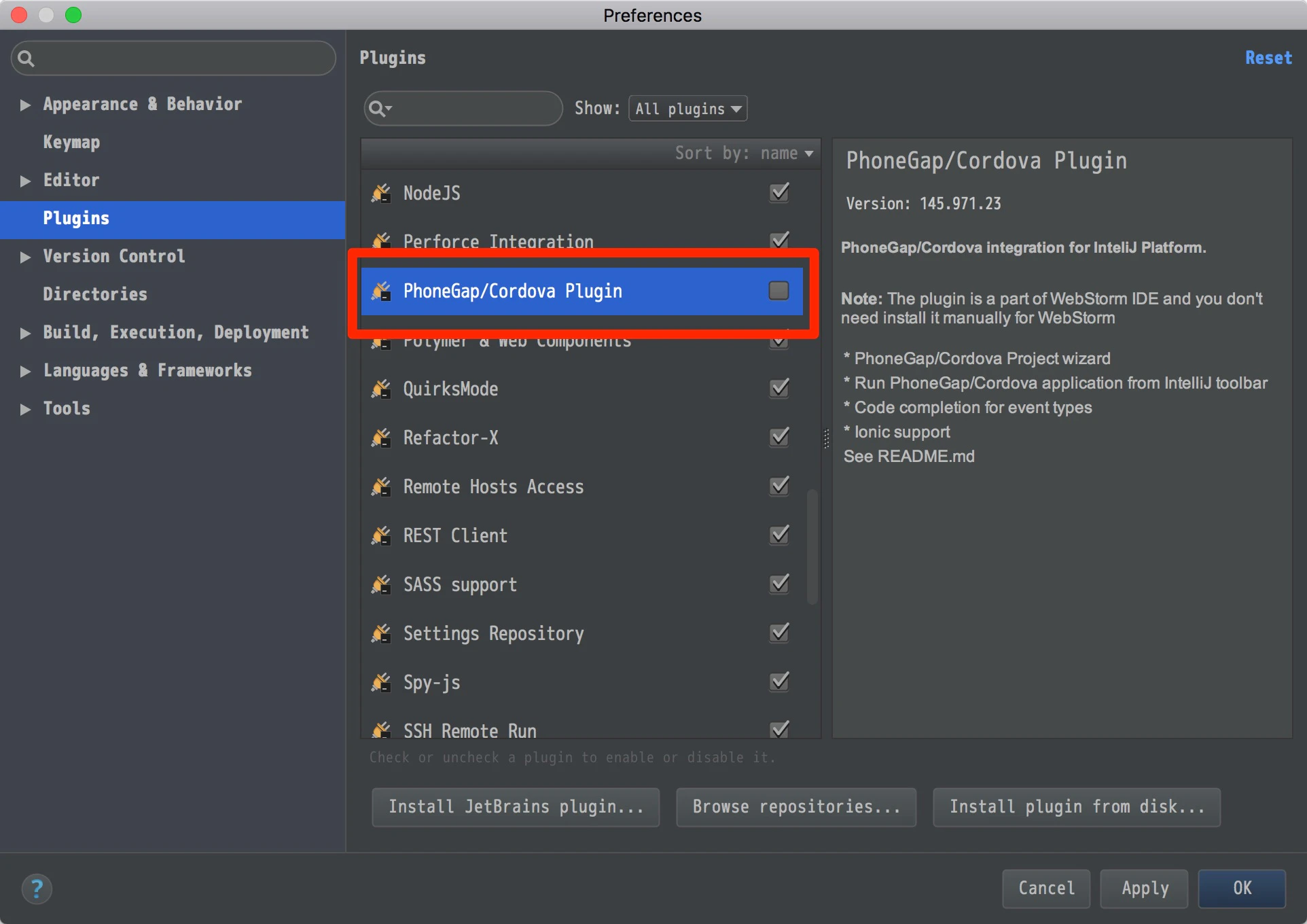
メニューから"Preferences..."を選択して環境設定ダイアログを表示し、環境設定ダイアログの左メニューから"Plugins"を選択します。
表示されるプラグイン一覧の"PhoneGap/Cordova Plugin"右のチェックボックスをオフにして画面右下のOKボタンをクリックします。
Preferences.jpg

1
1
0

Register as a new user and use Qiita more conveniently

  1. You get articles that match your needs
  2. You can efficiently read back useful information
  3. You can use dark theme
What you can do with signing up
1
1

Delete article

Deleted articles cannot be recovered.

Draft of this article would be also deleted.

Are you sure you want to delete this article?