
■デスクトップ環境の無いdebian EC2のGUIアプリケーションをWinSV EC2のVcXsrv経由で利用する
WinSV EC2は「debian EC2」に「プライベート IPv4 アドレス」からだけ、ssh接続が可能
「debian EC2」は以下のKVMホストなので、デスクトップ環境が無い
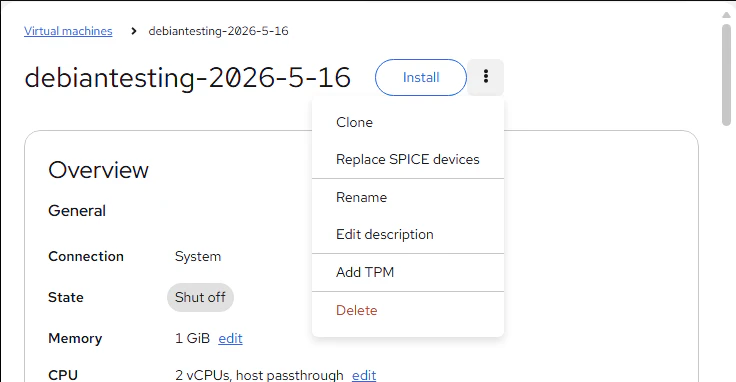
■「cockpit」ではSPICEでGUIが使えるようだが、今回は「virt-manager」を使いたい
$ sudo apt install -y cockpit*

$ dpkg -l | awk '($1 ~ /ii/ && $2 ~ /cockpit/){print $2","$3","$4}'
cockpit,337-1,all
cockpit-389-ds,3.1.2+dfsg1-1,all
cockpit-bridge,337-1,all
cockpit-doc,337-1,all
cockpit-files,36-1~bpo13+1,all
cockpit-machines,332-1,all
cockpit-networkmanager,337-1,all
cockpit-packagekit,337-1,all
cockpit-podman,108-1,all
cockpit-sosreport,337-1,all
cockpit-storaged,337-1,all
cockpit-system,337-1,all
cockpit-ws,337-1,amd64


■WinSV EC2にVcXsrvをインストール
12〜13年前はWin上のX転送にはXmingを使っていたが、今はVcXsrvが主流らしい
vcxsrv-64.1.20.14.0.installer
■WinSV ECでVcXsrv起動、ウィザードは初期設定(すべてデフォルト)のまま進める


■WinSV EC2にあるVcXsrvで「Save configuration」したファイルの中身
<?xml version="1.0" encoding="UTF-8"?>
<XLaunch WindowMode="MultiWindow" ClientMode="NoClient" LocalClient="False" Display="-1" LocalProgram="xcalc" RemoteProgram="xterm" RemotePassword="" PrivateKey="" RemoteHost="" RemoteUser="" XDMCPHost="" XDMCPBroadcast="False" XDMCPIndirect="False" Clipboard="True" ClipboardPrimary="True" ExtraParams="" Wgl="True" DisableAC="False" XDMCPTerminate="False"/>
■debian EC2側ではXの認証鍵と仮想マシンマネージャを使えるようにapt installする。
$ sudo apt install -y xauth
$ sudo apt install -y virt-manager libvirt*
■WinSV EC2からPowerShellに環境変数を定義してssh接続
「-X」オプションでは以下のエラーが出るので「-Y」でXforwardingする
Warning: untrusted X11 forwarding setup failed: xauth key data not generated
$env:DISPLAY="localhost:0.0"
ssh -i .\debian-nested-m8i.pem -Y admin@[Server-ip]
■debian EC2のX11Forwardingはデフォルトで有効、rootでは不可、adminでは可能という状況
admin@ip-X-X-X-X:~$ grep ^X /etc/ssh/sshd_config
X11Forwarding yes

admin@ip-X-X-X-X:~$ X11 connection rejected because of wrong authentication.
X11 connection rejected because of wrong authentication.
X11 connection rejected because of wrong authentication.

(virt-manager:2503): Gtk-WARNING **: 12:42:12.943: cannot open display: localhost:10.0

[1]+  Exit 1                  sudo virt-manager
admin@ip-X-X-X-X:~$
admin@ip-X-X-X-X:~$ virt-manager &
[1] 2504
■debian EC2にある、adminの認証鍵をrootに引き継がせることでsudoによる起動ができる
admin@ip-172-31-1-218:~$ sudo XAUTHORITY=$HOME/.Xauthority virt-manager

(virt-manager:2641): dconf-WARNING **: 12:59:07.754: failed to commit changes to dconf: Failed to execute child process “dbus-launch” (No such file or directory)

(virt-manager:2641): dconf-WARNING **: 12:59:07.754: failed to commit changes to dconf: Failed to execute child process “dbus-launch” (No such file or directory)

(virt-manager:2641): dconf-WARNING **: 12:59:08.756: failed to commit changes to dconf: Failed to execute child process “dbus-launch” (No such file or directory)

(virt-manager:2641): dconf-WARNING **: 12:59:08.757: failed to commit changes to dconf: Failed to execute child process “dbus-launch” (No such file or directory)
■WinSV EC2でdebian EC2にX転送で、root権限のvirt-managerを起動したところ


