1
2

Delete article

Deleted articles cannot be recovered.

Draft of this article would be also deleted.

Are you sure you want to delete this article?

More than 5 years have passed since last update.

GitLabのSSH鍵設定

1
Last updated at Posted at 2019-02-02

はじめに

gitlabに接続するために、いちいちパスワードを聞かれるのは面倒なので、ssh接続にして公開鍵認証でログインする手順をまとめます。

SSH鍵の作成

# 公開鍵生成
$ ssh-keygen
# パスとパスフレーズ設定(デフォルトでもよい。今回はEnter3回押す)

# 公開鍵をコピーする
$ cat ~/.ssh/id_rsa.pub | pbcopy .

GitLabでの設定

・GitLabにログイン
・右上のアカウント内にある"settings"をクリック
・左側タブの"SSH Keys"をクリック
・下記BOX内にコピーした公開鍵をペーストする
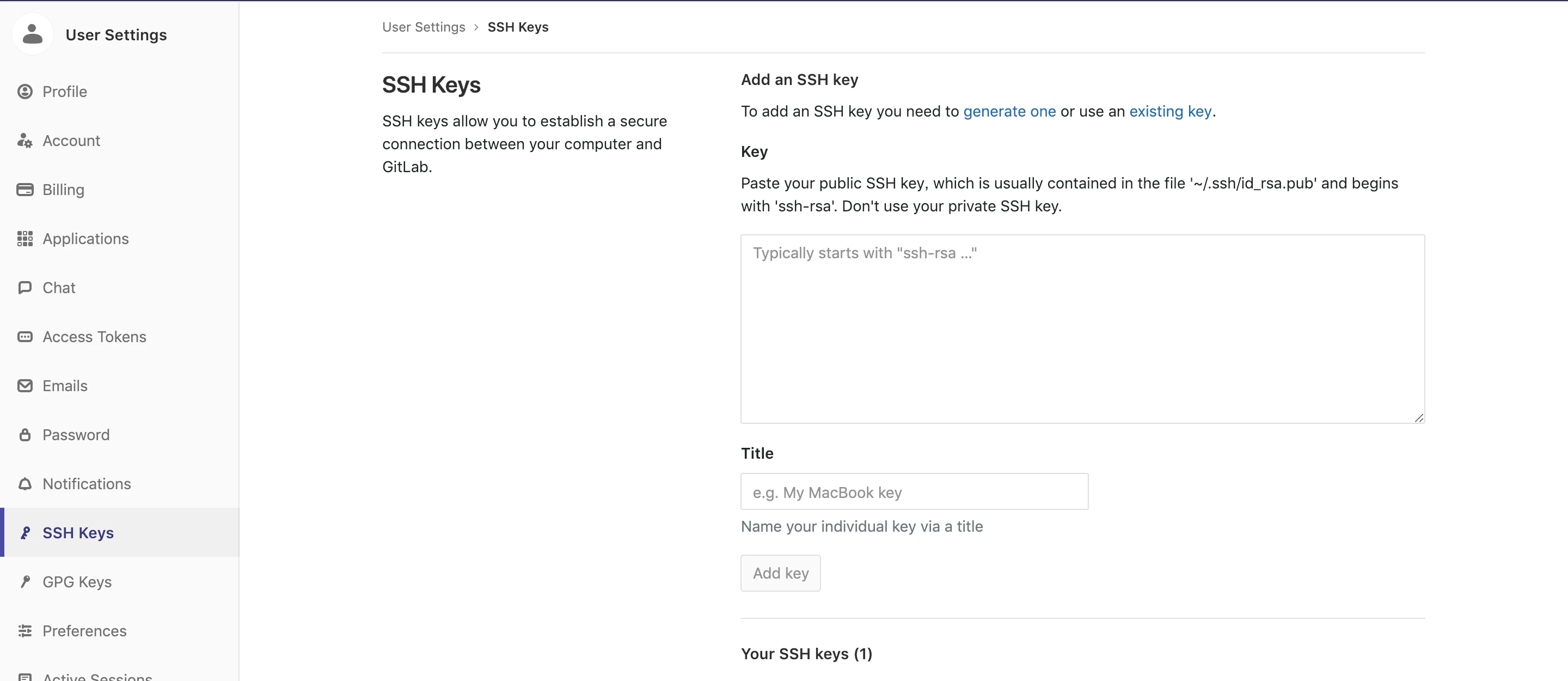
スクリーンショット 2019-02-02 19.45.25.png

・titleは適当に入れ"add key"をクリック

接続テスト

$ ssh -T git@gitlab.com

Welcome to GitLab, @●●●●!と出れば成功。

1
2
0

Register as a new user and use Qiita more conveniently

  1. You get articles that match your needs
  2. You can efficiently read back useful information
  3. You can use dark theme
What you can do with signing up
1
2

Delete article

Deleted articles cannot be recovered.

Draft of this article would be also deleted.

Are you sure you want to delete this article?