
概要
AMIが公開されているので、それを使ってEC2上に構築して遊んでみる
知識ゼロでどれだけかければいけるのか、、?
一ミリも行動は最適化されていない
環境構築(なんかうまくいかんかったやつ)
ここから、やりたいAMIを選ぶ
今回は10の予選を選択
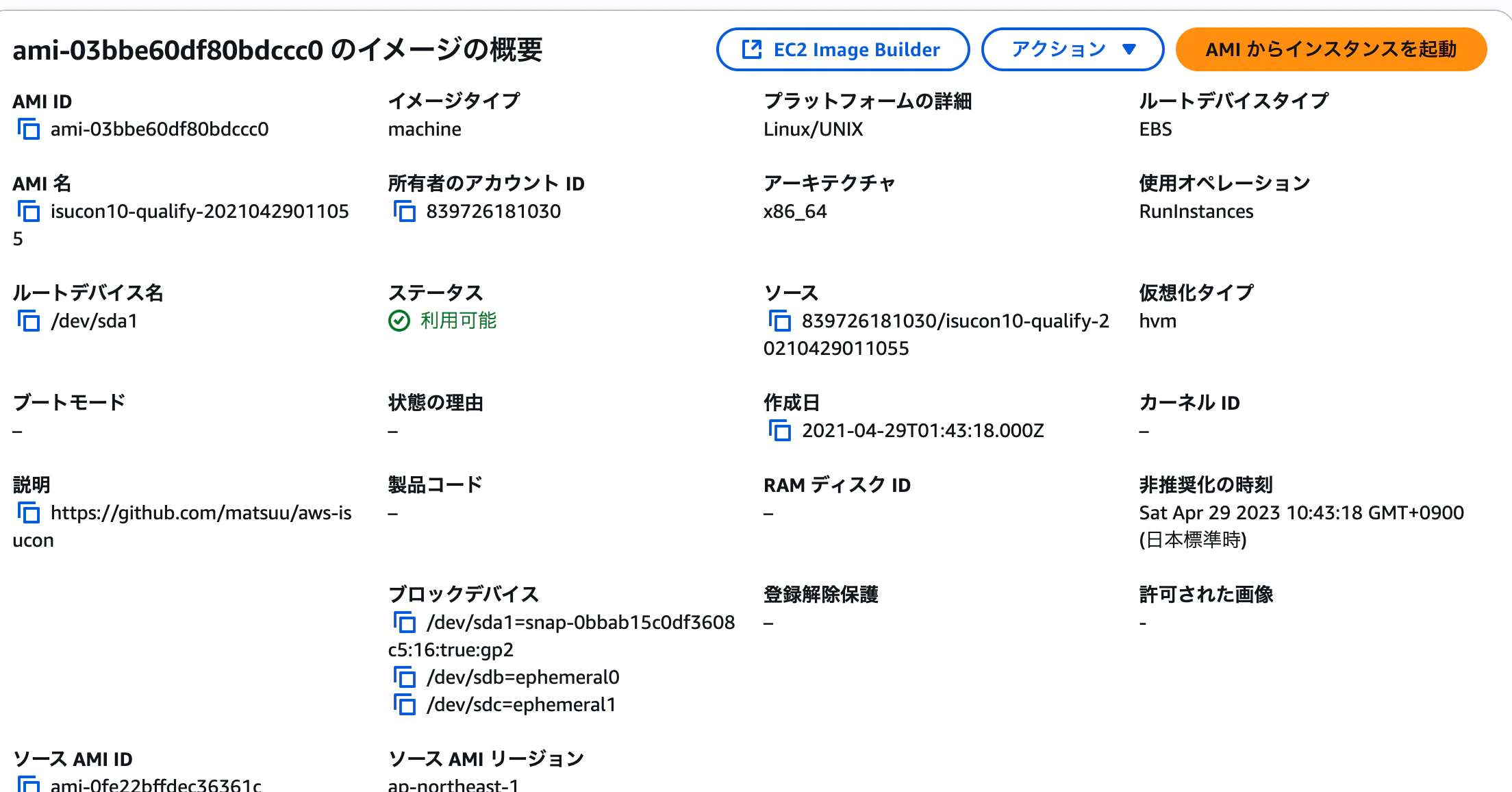
AMIからインスタンスを起動してやればOK
ひとまず、t3.midiumでEBS 30でやってみている
たりなければ増す予定
普通にsshで接続してやる
※ubuntuだからそこだけ注意
userを切り替えてやる
ubuntu@ip-172-31-0-11:~$ sudo -i -u isucon
isucon@ip-172-31-0-11:~$ ll
total 84
drwxr-xr-x 16 isucon isucon 4096 Apr 29  2021 ./
drwxr-xr-x  4 root   root   4096 Apr 29  2021 ..
初期ベンチを取ろうとしたらこけた
isucon@ip-172-31-0-11:~/isuumo/bench$ ./bench -target-url http://127.0.0.1
2025/09/06 02:37:50 bench.go:78: === initialize ===
2025/09/06 02:37:58 bench.go:90: === verify ===
2025/09/06 02:37:59 bench.go:100: === validation ===
2025/09/06 02:38:29 load.go:181: 負荷レベルが上昇しました。
2025/09/06 02:38:52 fails.go:105: [client.(*Client).SearchEstatesNazotte] /home/isucon/isuumo/bench/client/webapp.go:367
    message("POST /api/estate/nazotte: リクエストに失敗しました")
[client.(*Client).Do] /home/isucon/isuumo/bench/client/client.go:136
    code(error timeout)
    *url.Error("Post \"http://127.0.0.1/api/estate/nazotte\": context deadline exceeded (Client.Timeout exceeded while awaiting headers)")
みた感じアプリが起動していなさそう?
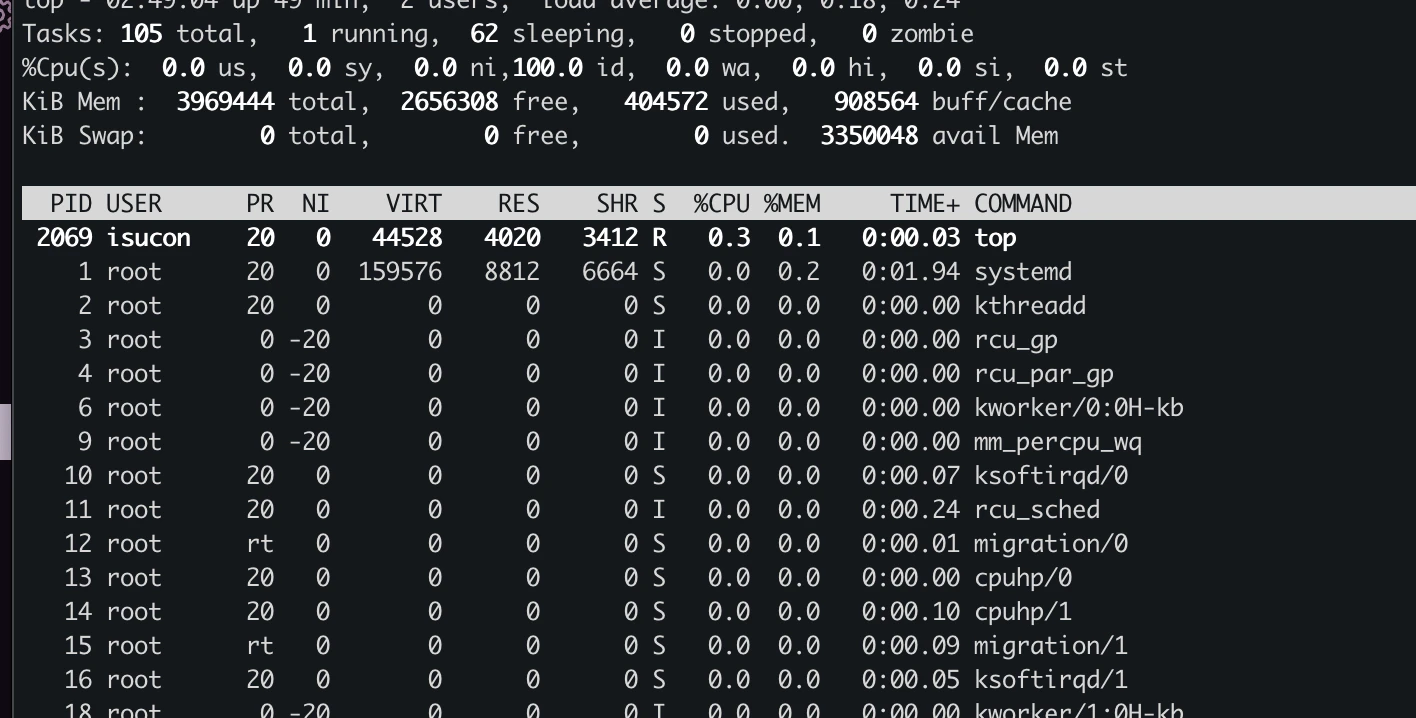
立ち上がってた
デフォで立ち上がっているとあった

立ち上がってるならばと443と80をあけた。
見れた

さっくり他のサイトとかも調べたが、多分インスタンスタイプが小さすぎることが原因に見えたので、一気にc5.largeまであげちゃうことにした
あげたがダメだった
問題の切り分けができないので一旦、他の方が動かせているやつで試してみる
11回予選
環境構築

これだと、特にt3.microでベンチは走り切った
scoreは962
ベンチマーク結果(詳細)
isucon@ip-172-31-0-160:~/bench$ cat /tmp/my-bench.txt
13:08:49.482468 ===> PREPARE
13:08:55.250232 score: 0(0 - 0) : Score
13:08:55.250241 deduction: 0 / timeout: 0
13:08:55.250258 ===> LOAD
13:08:58.282405 score: 1000(1000 - 0) : pass
13:08:58.282421 deduction: 0 / timeout: 9
13:09:00.290123 ユーザーは増えませんでした
13:09:01.431984 score: 998(1000 - 2) : pass
13:09:01.432003 deduction: 0 / timeout: 23
13:09:04.529145 score: 996(1000 - 4) : pass
13:09:04.529170 deduction: 0 / timeout: 43
13:09:05.319692 ユーザーは増えませんでした
13:09:07.562062 score: 994(1000 - 6) : pass
13:09:07.562088 deduction: 0 / timeout: 62
13:09:10.365750 タイムアウト数が多いため、サービスの評判が悪くなりました。以降ユーザーは増加しません
13:09:10.602675 score: 992(1000 - 8) : pass
13:09:10.602693 deduction: 0 / timeout: 83
13:09:13.642683 score: 990(1000 - 10) : pass
13:09:13.642713 deduction: 0 / timeout: 102
13:09:16.762253 score: 988(1000 - 12) : pass
13:09:16.762269 deduction: 0 / timeout: 123
13:09:19.809091 score: 986(1000 - 14) : pass
13:09:19.809129 deduction: 0 / timeout: 142
13:09:23.081715 score: 984(1000 - 16) : pass
13:09:23.081733 deduction: 0 / timeout: 162
13:09:25.884100 score: 982(1000 - 18) : pass
13:09:25.884128 deduction: 0 / timeout: 182
13:09:29.086348 score: 980(1000 - 20) : pass
13:09:29.086365 deduction: 0 / timeout: 205
13:09:32.044489 score: 978(1000 - 22) : pass
13:09:32.044519 deduction: 0 / timeout: 225
13:09:35.242503 score: 976(1000 - 24) : pass
13:09:35.242527 deduction: 0 / timeout: 247
13:09:38.200649 score: 974(1000 - 26) : pass
13:09:38.200673 deduction: 0 / timeout: 268
13:09:41.162805 score: 971(1000 - 29) : pass
13:09:41.162824 deduction: 0 / timeout: 290
13:09:44.205289 score: 970(1000 - 30) : pass
13:09:44.205315 deduction: 0 / timeout: 308
13:09:47.403683 score: 968(1000 - 32) : pass
13:09:47.403696 deduction: 0 / timeout: 329
13:09:50.287996 score: 965(1000 - 35) : pass
13:09:50.288012 deduction: 0 / timeout: 350
13:09:53.248243 score: 963(1000 - 37) : pass
13:09:53.248261 deduction: 0 / timeout: 373
13:09:55.402900 SCORE: 00.StartBenchmark       : 1
13:09:55.402911 SCORE: 01.GraphGood            : 0
13:09:55.402914 SCORE: 02.GraphNormal          : 0
13:09:55.402918 SCORE: 03.GraphBad             : 0
13:09:55.402922 SCORE: 04.GraphWorst           : 0
13:09:55.402926 SCORE: 05.TodayGraphGood       : 0
13:09:55.402929 SCORE: 06.TodayGraphNormal     : 0
13:09:55.402933 SCORE: 07.TodayGraphBad        : 0
13:09:55.402936 SCORE: 08.TodayGraphWorst      : 0
13:09:55.402940 SCORE: 09.ReadInfoCondition    : 0
13:09:55.402943 SCORE: 10.ReadWarningCondition : 0
13:09:55.402947 SCORE: 11.ReadCriticalCondition: 0
13:09:55.639189 score: 962(1000 - 38) : pass
13:09:55.639219 deduction: 0 / timeout: 388
とりあえずみてみる
ISCONの動画では、topなどを利用してまずdbの負荷が高いのか、アプリの負荷が高いのか見ていた
真似してみる
ざっくりmysqlの処理が重そうに見える
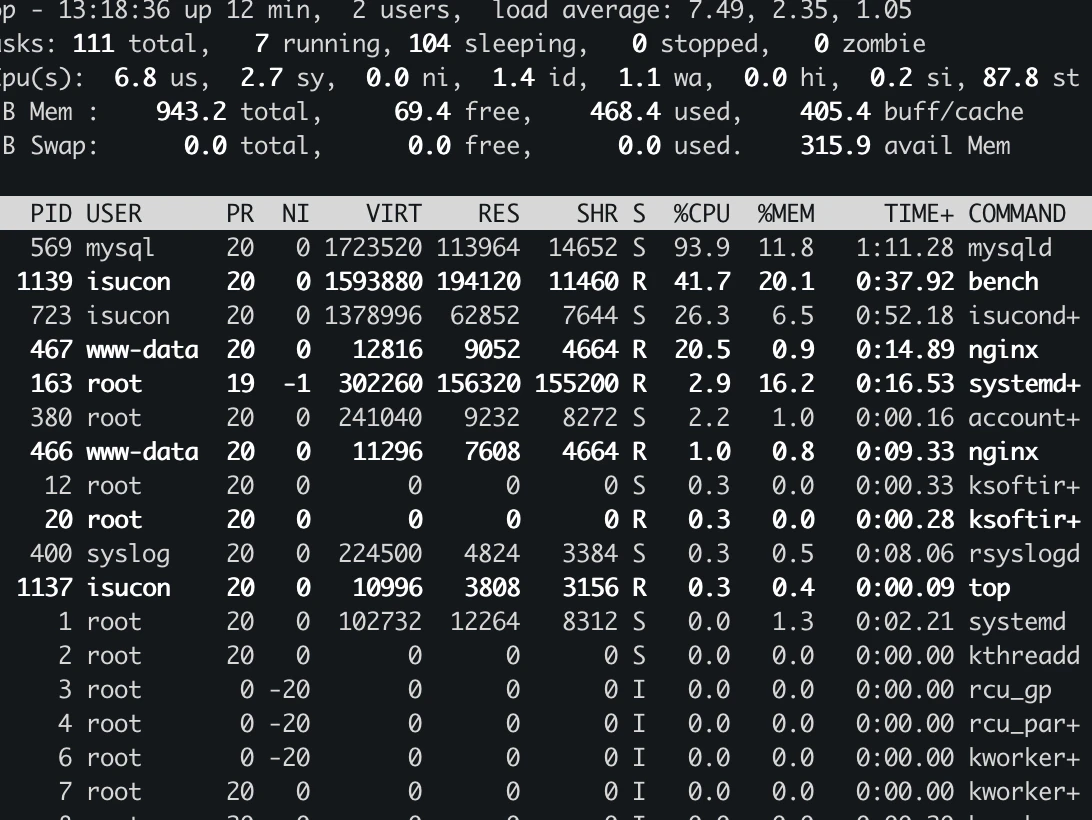
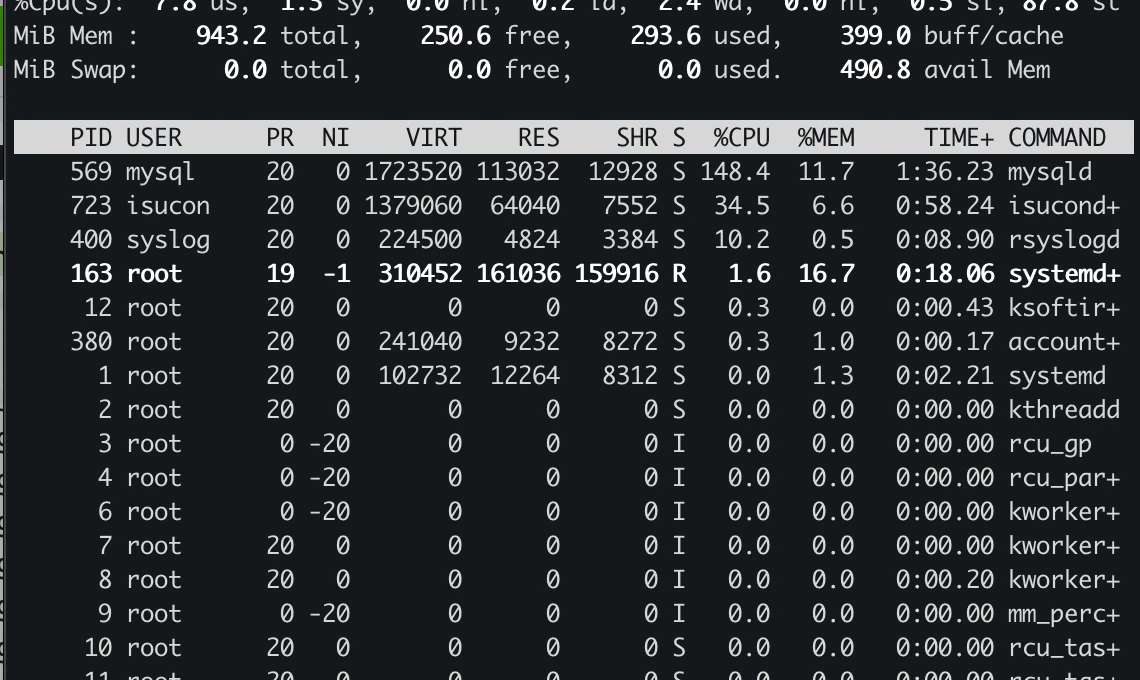
何となく想像はつくものの、どれがアプリなのか?というのを確かめるために参考の qiitaにあるコマンドで、どれか確認する
isucon@ip-172-31-0-160:~/bench$ sudo lsof -P -i | grep -v sshd | grep -v systemd
COMMAND    PID            USER   FD   TYPE DEVICE SIZE/OFF NODE NAME
jiaapi-mo  390          isucon    3u  IPv6  22713      0t0  TCP *:5000 (LISTEN)
nginx      463            root    6u  IPv4  21423      0t0  TCP *:443 (LISTEN)
nginx      466        www-data    6u  IPv4  21423      0t0  TCP *:443 (LISTEN)
nginx      467        www-data    6u  IPv4  21423      0t0  TCP *:443 (LISTEN)
mysqld     569           mysql   22u  IPv4  22116      0t0  TCP localhost:3306 (LISTEN)
mysqld     569           mysql   46u  IPv4  58153      0t0  TCP localhost:3306->localhost:44078 (ESTABLISHED)
mysqld     569           mysql   77u  IPv4  58158      0t0  TCP localhost:3306->localhost:44080 (ESTABLISHED)
mysqld     569           mysql   78u  IPv4  58159      0t0  TCP localhost:3306->localhost:44082 (ESTABLISHED)
mysqld     569           mysql   79u  IPv4  56613      0t0  TCP localhost:3306->localhost:44010 (ESTABLISHED)
mysqld     569           mysql   80u  IPv4  58160      0t0  TCP localhost:3306->localhost:44084 (ESTABLISHED)
mysqld     569           mysql   81u  IPv4  58165      0t0  TCP localhost:3306->localhost:44086 (ESTABLISHED)
mysqld     569           mysql   82u  IPv4  58171      0t0  TCP localhost:3306->localhost:44088 (ESTABLISHED)
mysqld     569           mysql   83u  IPv4  58188      0t0  TCP localhost:3306->localhost:44090 (ESTABLISHED)
mysqld     569           mysql   84u  IPv4  56951      0t0  TCP localhost:3306->localhost:44068 (ESTABLISHED)
mysqld     569           mysql   85u  IPv4  56714      0t0  TCP localhost:3306->localhost:44048 (ESTABLISHED)
isucondit  723          isucon    3u  IPv6  24202      0t0  TCP *:3000 (LISTEN)
isucondit  723          isucon   10u  IPv4  58152      0t0  TCP localhost:44078->localhost:3306 (ESTABLISHED)
isucondit  723          isucon   13u  IPv6 191370      0t0  TCP localhost:3000->localhost:35674 (CLOSE_WAIT)
isucondit  723          isucon   14u  IPv4  57358      0t0  TCP localhost:44048->localhost:3306 (ESTABLISHED)
どうやら、mysqlの下にいるiscond+っぽい
ひとまず改善してインパクトがありそうなのは、mysqlだと思う
(動画だとこうやって特定していたはず)
記憶を探索したところ、確かalpを利用してアクセスログを収集していたはず
その結果、めっちゃアクセスがあるところは1回の速度がそれなり程度でも溜まり溜まって地獄になるといったのをみていたはず...
そして、特定した場所にindexを貼ってちょっと改善した!とやっていたはず
とりあえず、alp入れる
ありがたい
多分これ読めば勘所みたいなものは集まってそうだけど、一旦スルーする
理由:回り道した方が楽しそう
これで入りそうなので、実行する
バージョン変えると、説明とずれそうなので特に変えていない
cd ~/tools
wget https://github.com/tkuchiki/alp/releases/download/v1.0.21/alp_linux_amd64.tar.gz
tar zxvf alp_linux_amd64.tar.gz
sudo install alp /usr/local/bin
nginxのログフォーマットを変えちゃうのね
ちょっとはっつけるのも面倒なので、これ参照
ltsvって何さ
alp × LTSV × nginx メモ
目的: nginxのアクセスログをLTSV形式で出力し、alpでエンドポイント別に集計・可視化する。
LTSVとは
- 形式: 各フィールドが「ラベル:値」。フィールド同士はタブ区切り。
- 例([TAB]は実際はタブ文字):
time:10/Sep/2025:12:34:56 +0900[TAB]host:127.0.0.1[TAB]req:GET /items/123 HTTP/1.1[TAB]status:200[TAB]method:GET[TAB]uri:/items/123[TAB]reqtime:0.012[TAB]apptime:0.010[TAB]ua:curl/8.0.1- 利点: 人も機械も読みやすい。項目追加に強い。alpがそのまま解析可能。
nginxの設定(LTSVログ出力)
/etc/nginx/nginx.confのhttp { ... }内にlog_formatとaccess_logを追加:log_format ltsv "time:$time_local" "\thost:$remote_addr" "\tforwardedfor:$http_x_forwarded_for" "\treq:$request" "\tstatus:$status" "\tmethod:$request_method" "\turi:$request_uri" "\tsize:$body_bytes_sent" "\treferer:$http_referer" "\tua:$http_user_agent" "\treqtime:$request_time" "\tcache:$upstream_http_x_cache" "\truntime:$upstream_http_x_runtime" "\tapptime:$upstream_response_time" "\tvhost:$host"; access_log /var/log/nginx/access.log ltsv;
- 構文チェックとリロード:
sudo nginx -t
sudo systemctl reload nginx    # もしくは restart
- 確認(タブ区切りになっているか):
tail -n 5 /var/log/nginx/access.log | sed -e 's/\t/[TAB]/g'alpの使い方(最小セット)
- 合計時間降順、URIの数字を正規化して集計:
alp ltsv \
  --file /var/log/nginx/access.log \
  --sort sum -r \
  -m "/items/\d+","/users/\d+" \
  -o count,method,uri,min,avg,max,sum,p95,p99
- よく使うオプション:
--since '5m': 直近5分のみ解析--qs-ignore-values: クエリ文字列の値を無視して集約--sort count|avg|max|sum|p90|p95|p99: 並び替え指標各LTSVフィールドの意味(この設定例)
req: 例GET /path HTTP/1.1(alpはmethodとuriも利用)status: HTTPステータスreqtime: nginxが受けてから返すまでの総時間apptime: 上流アプリ(upstream)の処理時間(プロキシ時のみ有効)runtime: アプリがX-Runtime等を返す場合のみ値が入るハマりどころ
- ログの区切りは必ずタブ(スペース不可)。
log_format内の\tを使う。apptimeが-のとき: 上流がいない/計測できない(静的配信や直結時)。その場合はreqtimeを主指標に。forwardedforの先頭が実クライアントでない場合:real_ip関連の設定で補正(計測自体には必須ではない)。- ローテーション: 解析対象ファイルがローテートされていないか注意(
--since利用やlogrotate設定の把握)。次の一歩(おすすめ手順)
- 設定反映後に5〜10分ベンチを実施
- 上記のalpコマンドでTop 10を取得
- 重いURIを特定し、該当処理のDBクエリを洗い出し(
EXPLAIN/EXPLAIN ANALYZE)- 複合インデックス/SQL修正を最小単位で適用→再計測
出力(Top数行)を共有いただければ、具体的なインデックス案/SQLリライト案まで落とし込みます。
by codex use gpt-5
LTSVの「L」は「Labeled」です。つまり LTSV = Labeled Tab-Separated Values(ラベル付きタブ区切り値)。
あー理解、全く知らない形式かと思ったら、tsvにラベルがついただけなのね