8
8

Delete article

Deleted articles cannot be recovered.

Draft of this article would be also deleted.

Are you sure you want to delete this article?

More than 5 years have passed since last update.

Mac terminalで辞書を開くコマンドを作ってみた

8
Last updated at Posted at 2016-01-17

Macのターミナルからコマンドラインで辞書を開くコマンドをシェルスクリプトで作ってみました。

環境

  • OSX El Capitan Version 10.11.2

シェルスクリプトの内容

こんな感じにしてみました。

dictionary

# !/bin/bash

ERROR () {
	echo "usage: dictionary <word>"
	exit 1
}

[ $# -eq 0 ] && ERROR
[ $# -ge 2 ] && ERROR

open dict://$1

実行権限を与えます。

$ chmod +x dictionary

パスが通っているディレクトリにファイルが有るという前提です。

引数は調べたい文字列のみ指定可能としています。実に簡単な作りになっています。

manするとdictには多彩な機能があることが分かります。しかし僕にはこのコマンドの簡単な使い方しか分かりません。

使ってみる

$ dictionary overflow
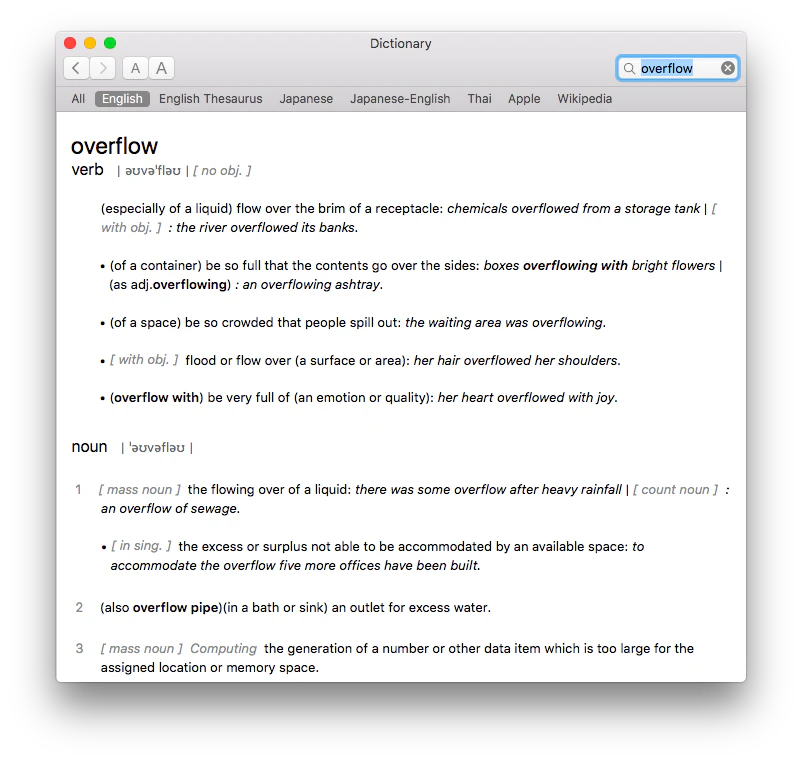
dict.png

無事辞書を開けました。

反省点

実のところコマンドラインで$ open dict://<word>とすれば辞書を開くことができます。今回コマンド作ったところで激的に作業が早くなった訳ではありませんでした。取り敢えず、コマンドの作成例の備忘録として残しておこうと思います。

8
8
0

Register as a new user and use Qiita more conveniently

  1. You get articles that match your needs
  2. You can efficiently read back useful information
  3. You can use dark theme
What you can do with signing up
8
8

Delete article

Deleted articles cannot be recovered.

Draft of this article would be also deleted.

Are you sure you want to delete this article?