
This article is an English version of a post I previously published in Japanese on Qiita.
What is Pyxel MML Studio?
Pyxel MML Studio is a music creation environment built on the sound engine of Pyxel.
Pyxel’s sound engine is based on the audio chip specifications of the NES (Famicom), with modern extensions added on top.
As a result, the music you create with Pyxel MML Studio has a retro, NES-style sound—commonly known as chiptune.
The main features of Pyxel MML Studio are:
- No installation required — works directly in your web browser
- Enter melodies using Pyxel’s MML (Music Macro Language)
- Share your music using only a URL or a QR code
Now, let’s explore these features one by one by actually using Pyxel MML Studio.
Use it anywhere with just a web browser
First, open Pyxel MML Studio from the following link:
Without any special installation, the following screen will appear in your browser:

The first launch may take a little time to load, but subsequent launches will be much faster.
Entering melodies using Pyxel MML
MML stands for Music Macro Language, a music notation format that was commonly used on retro computers.
For a general explanation, please refer to Wikipedia. In Pyxel MML Studio, you enter melodies using the Pyxel-specific version of MML.
Let’s try a simple example.
- Enter
CDEin theCH1text box - Enter
EFGin theCH2text box
(Uppercase or lowercase letters are both fine.)

When you’re done, press the PLAY button at the top.
You will hear:
- CDE → Do Re Mi
- EFG → Mi Fa Sol
played simultaneously on two channels.

The functions of each button and their shortcuts are:
-
PLAY: Start playback [Ctrl (Cmd) + Enter] -
STOP: Stop playback [ESC] -
LOOP: Toggle loop playback [Ctrl (Cmd) + L]
For detailed Pyxel MML command specifications, see the link at the top left:

Publishing works using only a URL or QR code
Pyxel MML Studio does not have load or save functionality.
Instead, all entered MML data is embedded directly into the URL as query parameters.
This means you can publish your work simply by sharing the URL. (And yes, the longer the MML data, the longer the URL becomes!)
A QR code image corresponding to the URL is also generated, so you can share your work using a QR code as well.
Let’s look at an example created by Pyxel MML master frenchbread (Shiromofu Factory): the opening theme from the NES version of Wizardry.
The URL with embedded MML data looks like this.
Everything after ?mml= is the MML data:
Try opening the link and playing the song.
Pretty nice, isn’t it? (It will hit especially hard if you’re from a certain generation.)
Using the SOLO and MUTE buttons next to each channel, you can play only that channel or mute it.
Feel free to experiment.

Taking Pyxel MML to the next level
By the way, today is Christmas 🎄
To celebrate, I asked frenchbread to create another example using the theme “a Christmas-like song.”
-
QR Code
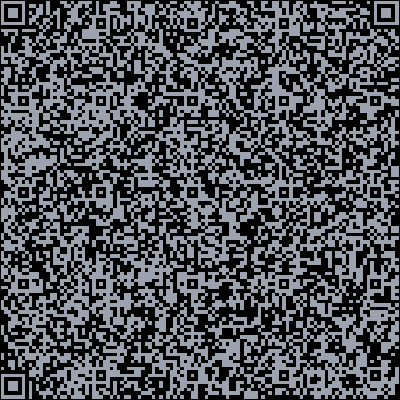
I hope this chiptune helps make your Christmas, the final day of the Pyxel Advent Calendar, a fun one!
Finally, a small promotion 🤭
Pyxel is developed for free, with GitHub stars as the main motivation.
If you’d like to support the project, please consider starring the repository: