

目的
アプリケーションサーバーで使われるデータソースの共有不可接続および共有可能接続設定の違いが分かりずらいので、ためして違いを確認します。接続プールの空きが不足しているときなどに気になる設定です。
共有不可接続および共有可能接続の設定方法
WARでDataSourceを使用するときの指定方法を確認します。
アノテーション
@Resource の shareable=true, false で指定できます。
web.xml の res-sharing-scope
resource-ref の res-sharing-scope で指定します。この設定を使用するときは、JNDIのlookupとresource-ref に対する JNDI のバインディング設定が必要です。
環境の構築
をもとに docker で環境を構築します。git repository のコピー
git clone https://github.com/pdprof/db-connections
cd db-connections/derby-docker/
セットアップスクリプトの実行
export ACCESS_HOST=172.17.0.1
# export ACCESS_HOST=`hostname` # hostnameコマンドで返す値でアクセスできる場合
./setup-docker.sh
Db2 の起動 (setup-docker.sh直後は起動しているので起動を確認します)
$ podman ps | grep mydb2
22351ef9944b  localhost/mydb2:latest              2 minutes ago  Up 2 minutes  0.0.0.0:50000->50000/tcp  mydb2
podman start mydb2
Db2用のLibertyを起動
./ds-db2-start.sh
アプリケーションにアクセスして動作確認
にアクセスすると以下画面が確認できます。localhost部分はACCESS_HOSTに指定したものと置き換えます。
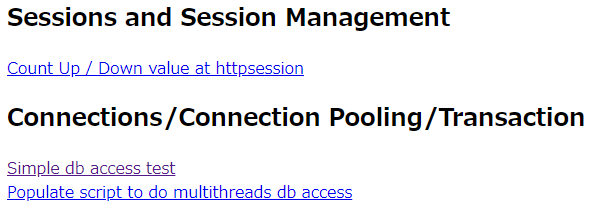
Simple db access test をクリックすると TABLEの作成とデータ挿入が実行されます。
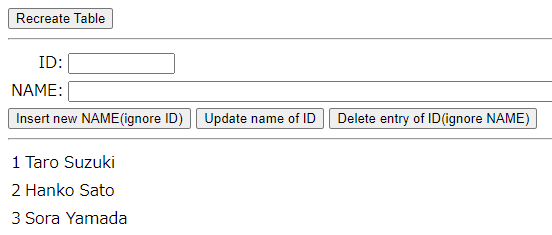
Insert, Update, Delete ができるようになっているので、フォームに値を入力してボタンをクリックして動作を確認します。
共有不可接続および共有可能接続アプリにアクセス
TABLEの作成とデータ挿入後にアクセスします。セキュリティが有効になっているので以下の情報でログインします。
| ユーザー名 | パスワード |
|---|---|
| wsadmin | passw0rd |
Libertyの管理者と同じものを使用しています。JMXのMBeanを使用するためです。
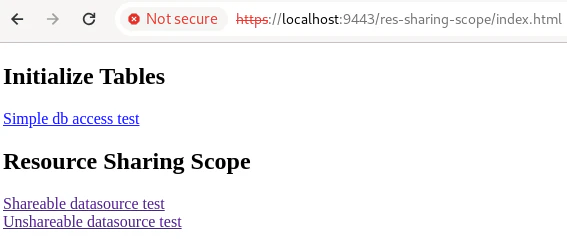
Shareable datasource test
Unshareable datasource test
のリンクにアクセスして動作を比較します。両方以下の同じ動作で res-sharing-scopeのみ違います。
- Servlet.doGet() start
- Transaction.begin()
- DataSource.getConnection()
- Connection.close()
- Transaction.commit()
- Servlet.doGet() end
の動作で、Connection.close() 後の DataSourceの接続プールの空き状況に違いがでるのでそれを確認します。Servletの応答に各動作のログとその後のプール状況が出力されています。
Shareableのログ
after con.close()のログで、
Total number of connection in shared pool: 1
と出力されていて使用中であることが分かります。
==========================================================
pdprof.db.sharing.PdprofShareableService$Proxy$_$$_WeldSubclass execute : after con.close()
PoolManager@c6efecef
name=WebSphere:type=com.ibm.ws.jca.cm.mbean.ConnectionManagerMBean,jndiName=jdbc/derbyEmbedded,name=dataSource[PdprofDataSource]/connectionManager[default-0]
jndiName=jdbc/derbyEmbedded
maxPoolSize=5
size=2
waiting=0
unshared=0
shared=1
 ManagedConnection@837eb1=ActiveInTransaction thread=000005ed transaction=1 connectionHandles=0
available=1
 ManagedConnection@340fd39b=Reusable

Extended ConnLeakLogic information
JNDI name:jdbc/derbyEmbedded
PoolManager object:-930347495
Total number of connections: 2 (max/min 5/2, reap/unused/aged/maxInUseTime 180/1800/-1/-1, connectiontimeout/purge 30/EntirePool)
Shared Connection information (shared partitions 200)
    com.ibm.tx.jta.embeddable.impl.EmbeddableTransactionImpl@f650f812#tid=2057240304,active=1,suspended=0thread=000005ED,gtrid=0000019ddea7bff2000000017a9efef04eed123c8f9dd4a244983644dd21456778ebfc2f  MCWrapper id 837eb1  Managed connection WSRdbManagedConnectionImpl@c4d9246a  State:STATE_TRAN_WRAPPER_INUSE Thread Id: 000005ed Thread Name: Default Executor-thread-1430 Connections being held 0
  Total number of connection in shared pool: 1
Free Connection information (free distribution table 100)
  (0)MCWrapper id 340fd39b  Managed connection WSRdbManagedConnectionImpl@b69ef019  State:STATE_ACTIVE_FREE

  Total number of connection in free pool: 1
UnShared Connection information
  No unshared connections
Unshareableのログ
after con.close()のログで
Total number of connection in free pool: 2
No unshared connections
と出力されていて使用されているものがない=開放されていることが分かります。
==========================================================
pdprof.db.sharing.PdprofUnshareableService execute : after con.close()
PoolManager@c6efecef
name=WebSphere:type=com.ibm.ws.jca.cm.mbean.ConnectionManagerMBean,jndiName=jdbc/derbyEmbedded,name=dataSource[PdprofDataSource]/connectionManager[default-0]
jndiName=jdbc/derbyEmbedded
maxPoolSize=5
size=2
waiting=0
unshared=0
shared=0
available=2
 ManagedConnection@837eb1=Reusable
 ManagedConnection@340fd39b=Reusable

Extended ConnLeakLogic information
JNDI name:jdbc/derbyEmbedded
PoolManager object:-930347495
Total number of connections: 2 (max/min 5/2, reap/unused/aged/maxInUseTime 180/1800/-1/-1, connectiontimeout/purge 30/EntirePool)
Shared Connection information (shared partitions 200)
  No shared connections

Free Connection information (free distribution table 100)
  (0)MCWrapper id 837eb1  Managed connection WSRdbManagedConnectionImpl@c4d9246a  State:STATE_ACTIVE_FREE
  (0)MCWrapper id 340fd39b  Managed connection WSRdbManagedConnectionImpl@b69ef019  State:STATE_ACTIVE_FREE

  Total number of connection in free pool: 2
UnShared Connection information
  No unshared connections
Shareable , Unshareable の比較
Shareableだとトランザクション中は接続を占有して接続の空き待ちを発生させずに処理を継続することができます。ただし、トランザクションが長い場合には使用されないまま状態だけ使用中となってしまう可能性があります。Unshareableだと開放を早くすることができ、他のトランザクションで使用できるようになります。ただし、接続が必要になる度に接続プールの開放待ちで、トランザクション中の開き待ちの時間が長くなってしまう可能性があります。
トランザクションの使用傾向に合わせて選択します。
トラブルシューティング
接続がうまくいかない場合は、/config/server.xml で指定したホスト名(IPアドレス)が問題ないか、DBが動作しているか確認します。
docker logs -f db2-connections # ログ確認
docker restart db2-connections # 再起動
docker inspect db2-connections # container 確認
docker exec -it db2-connections bash # Container内状況確認
おまけ
showPoolContents の呼び出しをサーブレットできるようにしました。
のようなURLにアクセスします。
まとめ
DBの環境を構築して DataSource の Shareable , UnShareable のテストをすることができました。