
概要
前回は、MCPサーバとの接続とツール呼び出しの方法を確かめた。
今回は、上記の手法を組み合わせて、最初に一度接続してセッションIDを取得し、ツールの呼び出しは複数スレッドで行うというテストケースを作成する。
前回との変更点
前回との変更点は以下
- 接続を最初に実行する
-
Mcp-Session-Idをレスポンスヘッダーから正規表現で抜き出す -
Mcp-Session-Idを変数に登録する - 複数スレッドからツールを呼び出す
全体の構成

JMeterでの接続
最初に一度接続してセッションIDを取得する。
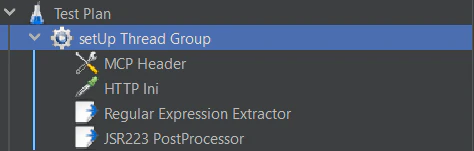
接続用の構成
接続を最初に実行するため、setUp Thread Groupで行う。
HTTP Header Manager
前回と同じ。以下の設定が必要。
Accept: application/json, text/event-stream
Content-Type: application/json

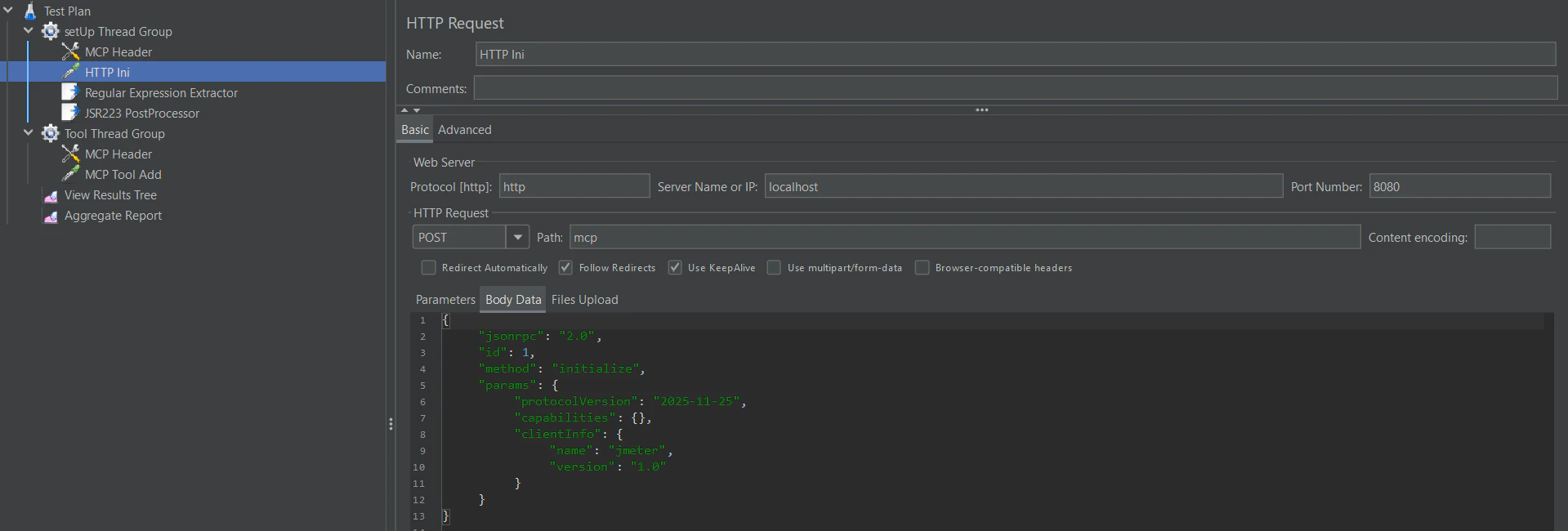
HTTP Request
前回と同じ。接続先は各々のMCPに合わせるとして、Body Dataは以下とする。
{
	"jsonrpc": "2.0",
	"id": 1,
	"method": "initialize",
	"params": {
		"protocolVersion": "2025-11-25",
		"capabilities": {},
		"clientInfo": {
			"name": "jmeter",
			"version": "1.0"
		}
	}
}
Regular Expression Extractor
Mcp-Session-Idの取得を行う。以下の設定が必要。
Apply to: Main sample only
Field to check: Response Headers
Name of created variable: session_id
Regular Expression: Mcp-Session-Id:\s*(.+)
Template: $1$
Match No: 1

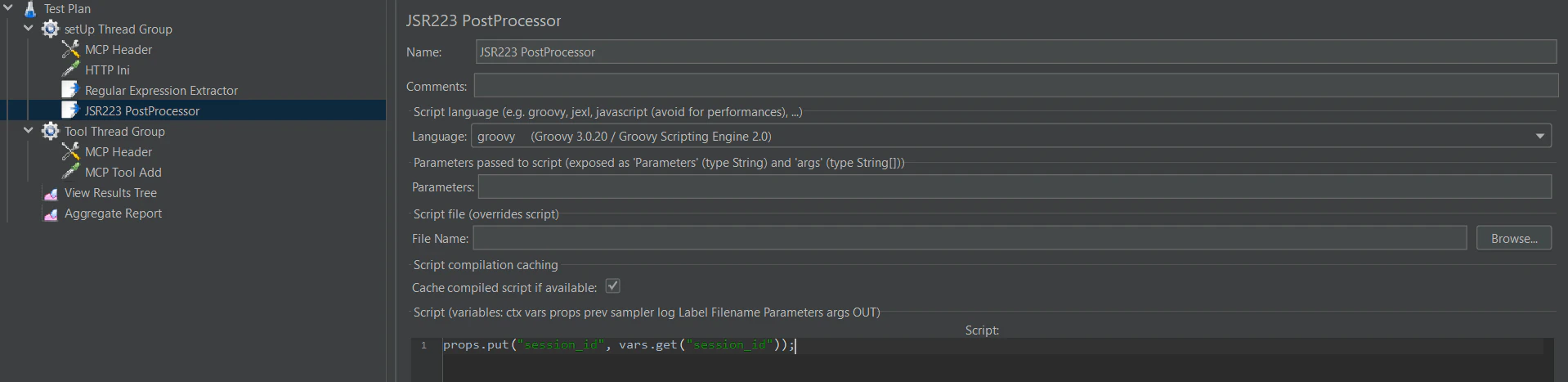
JSR223 PostProcessor
Mcp-Session-Idを変数に登録する。scriptに以下の設定が必要。
props.put("session_id", vars.get("session_id"));
JMeterでのツール呼び出し
今回も足し算を行うツールを呼び出す。
複数スレッドから呼び出す構成
Thread Groupで行う。

HTTP Header Manager
以下の設定が必要。今回は登録した変数を読み出す。
Accept: application/json, text/event-stream
Content-Type: application/json
Mcp-Session-Id: ${__P(session_id)}

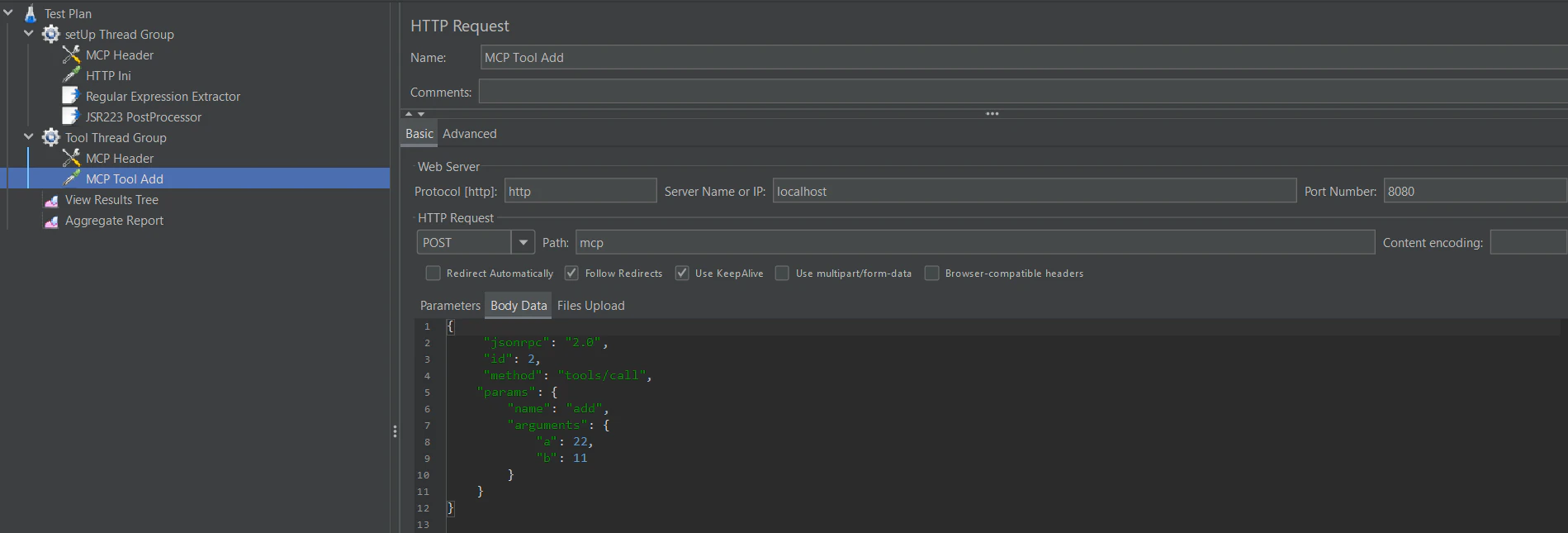
HTTP Request
前回と同じ。接続先は各々のMCPに合わせるとして、Body Dataは以下とする。
{
	"jsonrpc": "2.0",
	"id": 2,
	"method": "tools/call",
    "params": {
        "name": "add",
        "arguments": {
            "a": 22,
            "b": 11
        }
    }
}
負荷テストの実行
10スレッドで、0秒間隔で、実行するループを2ループ行ってみる。

1回接続後、20回ツールが呼ばれている。
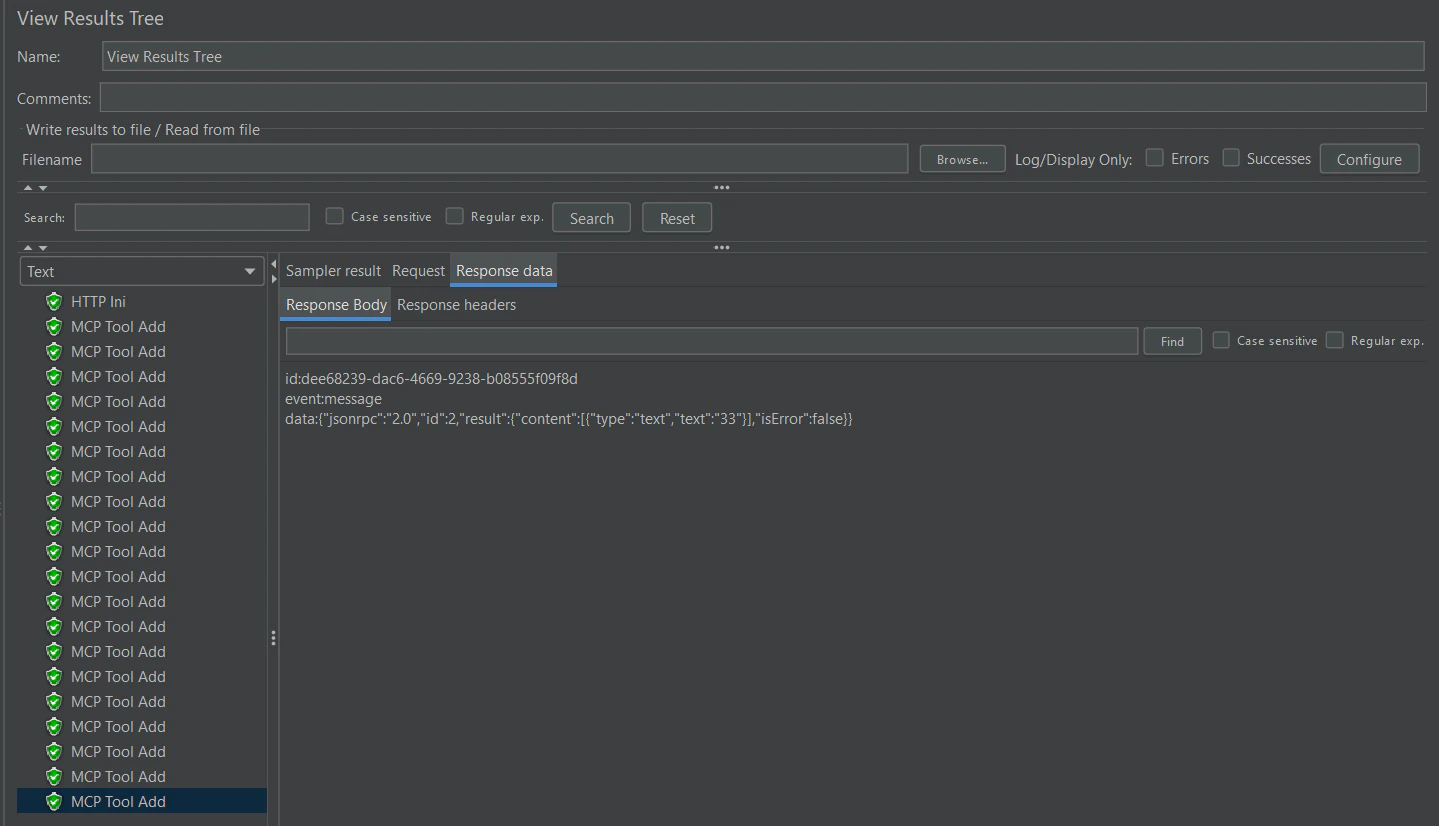
計測結果も取得できた。
