1
1

Delete article

Deleted articles cannot be recovered.

Draft of this article would be also deleted.

Are you sure you want to delete this article?

IntelliJ IDEAのTrace Current Stream ChainによるJavaのStreamの可視化

Posted at

IntelliJ IDEA のTrace Current Stream ChainでJavaのStreamを可視化することでデバッグがしやすくなる。公式リファレンスは https://pleiades.io/help/idea/analyze-java-stream-operations.html にある。

環境

  • IntelliJ IDEA 2025.2.5 (Community Edition)

解説

以下のサンプルコードを例に同機能の動作を確認する。

    IntStream.iterate(1, n -> n + 1)
        .skip(1)
        .limit(10)
        .filter(i -> i % 2 == 0)
        .forEach(System.out::println);

まずStreamを使用する行にブレークポイントを設定してデバッグモードで実行する。
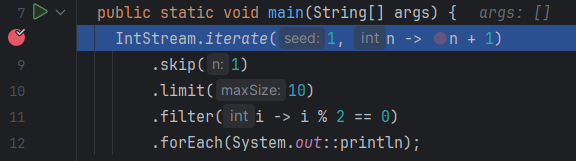
image.png

デバッグウィンドウのツールバーの詳細(…が縦になってるヤツ) -> Trace Current Stream Chainを選択する。
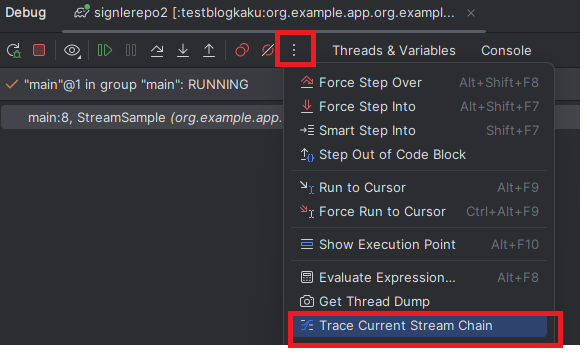
image.png

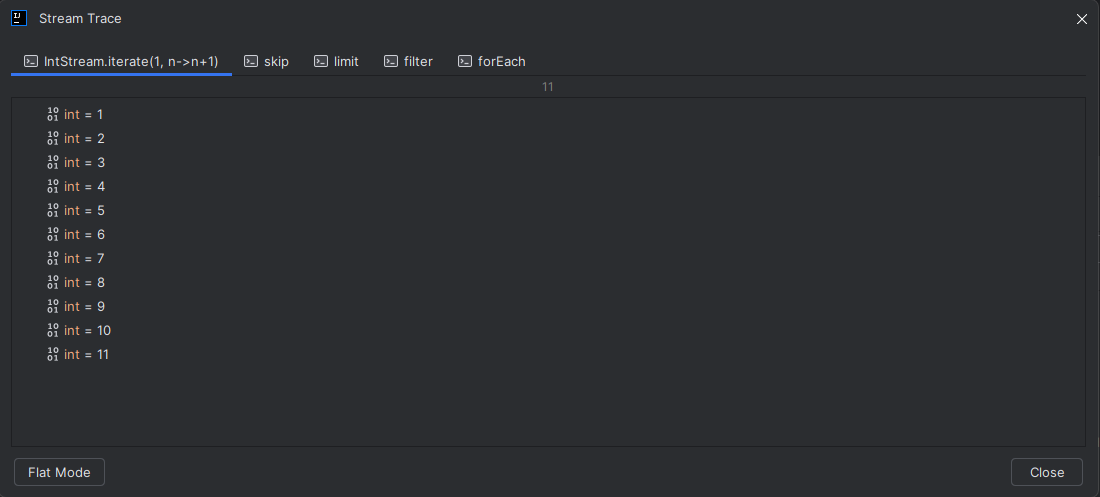
しばらくすると下記のようなダイアログが表示される。

image.png

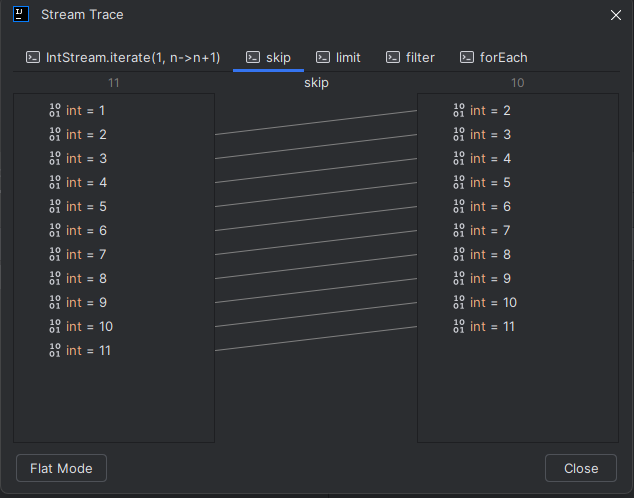
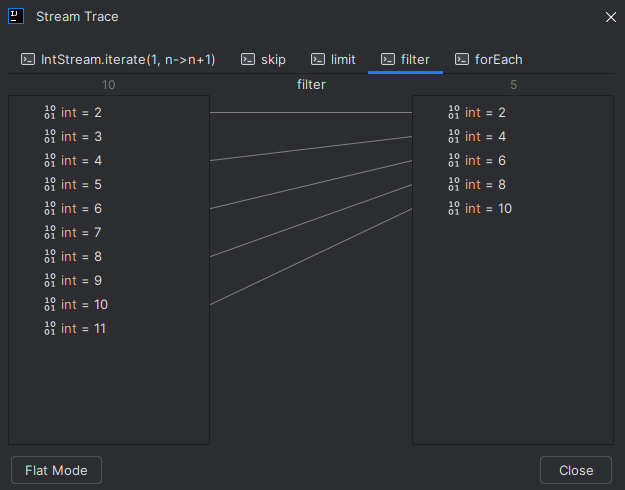
それぞれのタブでどのような変換が行われているか、を確認できる。

image.png

image.png

image.png

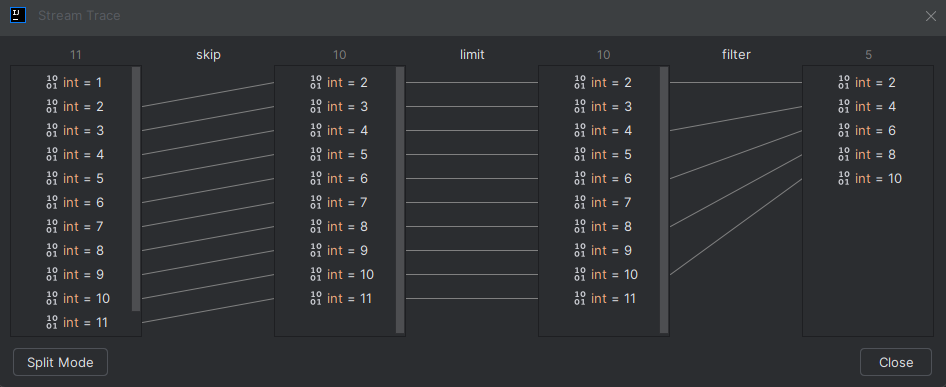
左下のFlat Modeを押す事でStream全体の流れを確認できる。
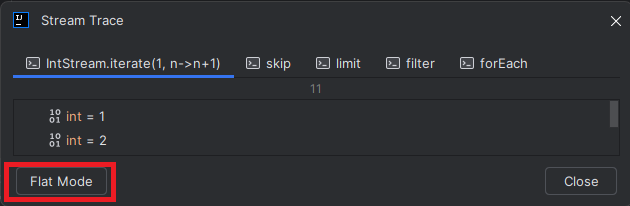
image.png

image.png

1
1
0

Register as a new user and use Qiita more conveniently

  1. You get articles that match your needs
  2. You can efficiently read back useful information
  3. You can use dark theme
What you can do with signing up
1
1

Delete article

Deleted articles cannot be recovered.

Draft of this article would be also deleted.

Are you sure you want to delete this article?