
External LogicはC#による拡張機能を、Server Actionとして取り込む機能。
取り込まれたActionは内部的にはHTTPS通信を介して呼ばれることになる。
そのため、大量レコードのループ中で繰り返し呼ぶと、パフォーマンス上の問題が出てくることがある。
その問題発生を確認し、対策を検討する。
参考記事
今回主題とするExternal Logicは以下の記事で作成したものを流用する。
https://qiita.com/jyunji_watanabe/items/c6fa4700cc81da63f4be
環境情報
OutSystemsExternalLibraries.SDK.1.5.0
ODC Personal Edition
ODC Studio (Version 1.6.7)
ソースコード
問題再現
実装
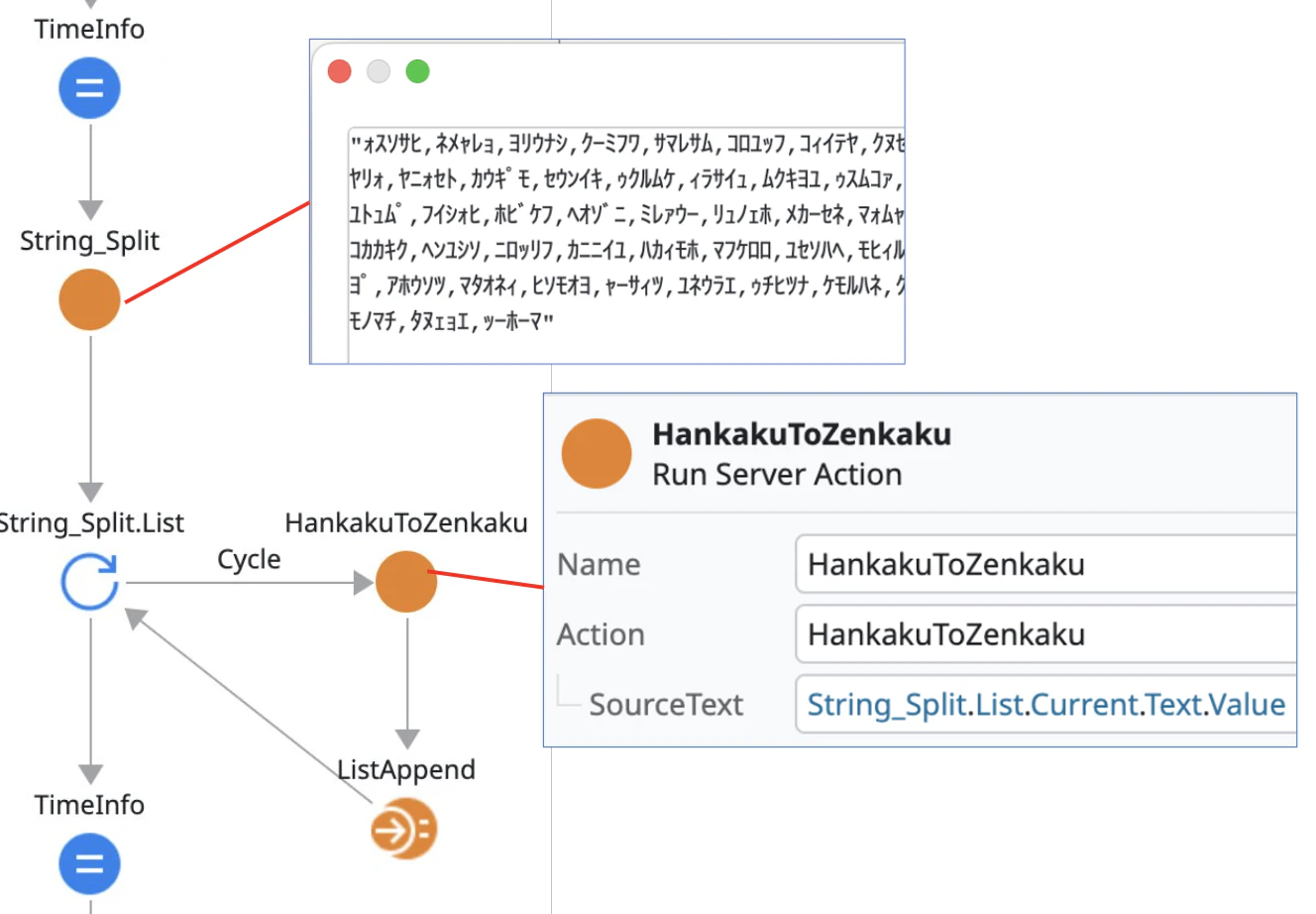
- Local Variableに100個の半角文字列を「,」で区切った文字列を用意
- Text/String_Splitで「,」で分割
- ループしてHankakuToZenkakuで1要素ごとに全角に置換、その結果をListに詰めて返す
という処理を作り、String_Splitからループ終了までの時間を測定してみる。
経過時間
開始時間(String_Split前)と終了時間(ループを抜けたとき)をCurrDateTime()で取得して表示すると以下の通り。たった100の変換で19秒もかかっている。
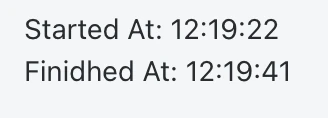
これはなぜかというと、1回のExternal Logicが1回の通信で実行されるため。100回の変換に100回のHTTPS通信が行われる。メモリ上で変換処理が行われる分には一瞬であろうが、HTTPS通信のオーバーヘッドがあるため、一回の処理に数十〜数百msの時間がかかっているはず。
解決策
では、どうするか。
要は通信の回数を減らせばいいため、一般的にはExternal LogicのI/Fを変更し、データをList型で渡し、一括で変換後、List型で結果を受け取ればいい。
コード
この方法に従って、以下のようにコードを変えてみた(変更部分のみ抜粋。その他の部分は以前の記事を参照)。Parameterと戻り値の型がList<string> (OutSystems でいえばText List型)になっている点に注目。
    [OSAction(
        Description = "Converts a list of half-width (Hankaku) texts to full-width (Zenkaku) texts",
        ReturnName = "ResultList",
        ReturnDescription = "A List of texts with their original half-width characters converted into full-width characters",
        ReturnType = OSDataType.InferredFromDotNetType)]
    List<string> HankakuToZenkaku_Bulk(
        [OSParameter(
            Description = "A List of texts to convert",
            DataType = OSDataType.InferredFromDotNetType)]
        List<string> SourceTexts);

   [OSAction(
        Description = "Converts a list of full-width (Zenkaku) texts to half-width (Hankaku) texts",
        ReturnName = "ResultList",
        ReturnDescription = "A List of texts with their original full-width characters converted into half-width characters",
        ReturnType = OSDataType.InferredFromDotNetType)]
    List<string> ZenkakuToHankaku_Bulk(
        [OSParameter(
            Description = "A List of texts to convert",
            DataType = OSDataType.InferredFromDotNetType)]
        List<string> SourceTexts);
こちらが実装。受け取ったListの各要素それぞれに対して変換処理を行って、結果をListにまとめて返している。
    public List<string> HankakuToZenkaku_Bulk(List<string> SourceTexts)
    {
        if (SourceTexts == null || SourceTexts.Count == 0)
            return [];

        return [.. SourceTexts.Select(sourceText => KanaConverter.ToWide(sourceText))];
    }

    public List<string> ZenkakuToHankaku_Bulk(List<string> SourceTexts)
    {
        if (SourceTexts == null || SourceTexts.Count == 0)
            return [];

        return [.. SourceTexts.Select(sourceText => KanaConverter.ToNarrow(sourceText))];
    }
Actionのインターフェース
External Logicとして取り込むと以下の通り。赤枠部分が追加したAction。

動作確認
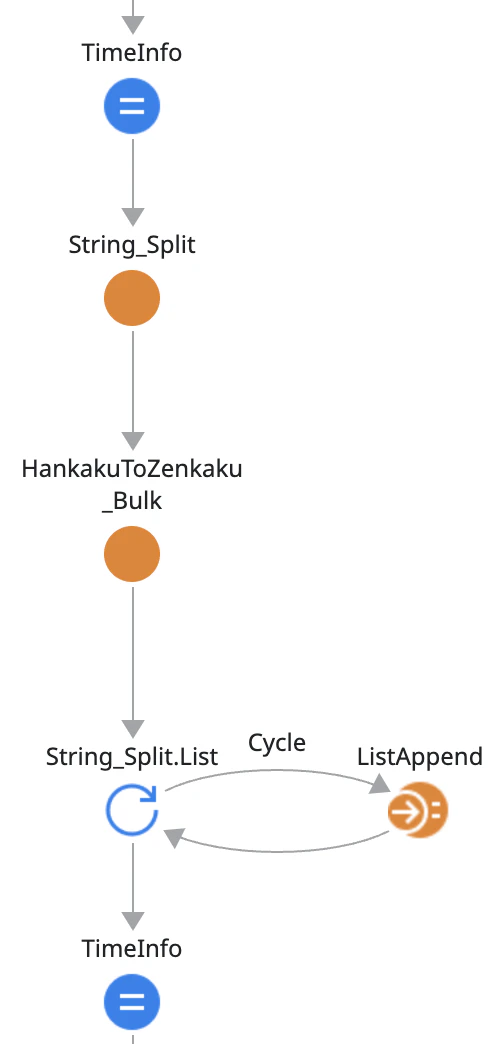
新しいインターフェースはListを受け取るため、String_Splitの結果のListをそのまま指定すれば良い(String_SplitはStructureのTextのListを返すためMappingは必要になる)。
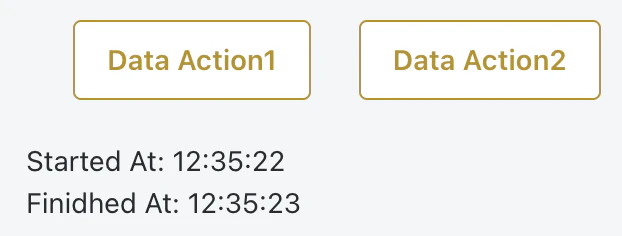
実行時間は以下の通り。実行タイミングの状況によって0-2秒で終わる。0秒ということは実際にはないと思う(数百msのはず)が、OutSystemsでは時間は秒単位までしか解像度がないのでこうなる。
External Logicのソースが手に入らないとき、どうするか
ここまでにみてきたのが正攻法。
では、External Logicのソースコードがないときはどうするか。
これは結構難しい。External Logicを使うのはC#でないと作れない機能があるためと思われるので、External Logic呼び出しを省くことはできないはず。
となると、要求次第だが、いくつか例を挙げると
- Cacheする(例えばServer Actionで呼び出しをラップし、Server ActionにCache in Minutesを指定する。こうすると同じInput Parameterに対してはメモリ上のキャッシュから返してくれる)
- 呼び出し前にInput Parameterでグループ化し、同じ値では1回しか呼ばないようにロジックを工夫する
- 時間がかかっても良いように処理全体を非同期化する(Timerなど)
などが考えられる。