
こんちには。ozawa@コンテナ CBです。
ECS Express Gateway の Terraform リソースが AWS Provider から提供されていたので試してみました。
ついでに Kiro Terraform Power も使ってみて実装したのでそちらについて書いていきます。
ECS Express Mode
今年発表された新機能です。コンテナイメージさえ用意しておけば、API一発でECSサービスをALBやAutoScalingを有効化した状態でデプロイしてくれるサービスです。
AWS App Runner が Gitベースであるのに対して、こちらはコンテナイメージベースでECSへのサービス展開を抽象化してくれる機能になります。
Terraform Provider
執筆時点では 6.27.0 が最新バージョンです。ドキュメントを見るとaws_ecs_express_gateway_service というリソースが生えていました。
やってみた
Kiro Terraform Power を使ってみる
せっかくなので Kiro Powers を使って実装してみます。ぱわぁ。
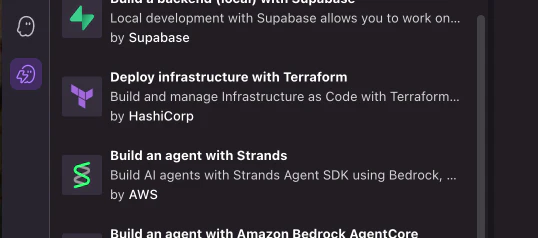
Kiro IDE を立ち上げると左ペインに Powers 項目があるので、ここから Deploy infarstructure with Terraform を選択し、有効化します。
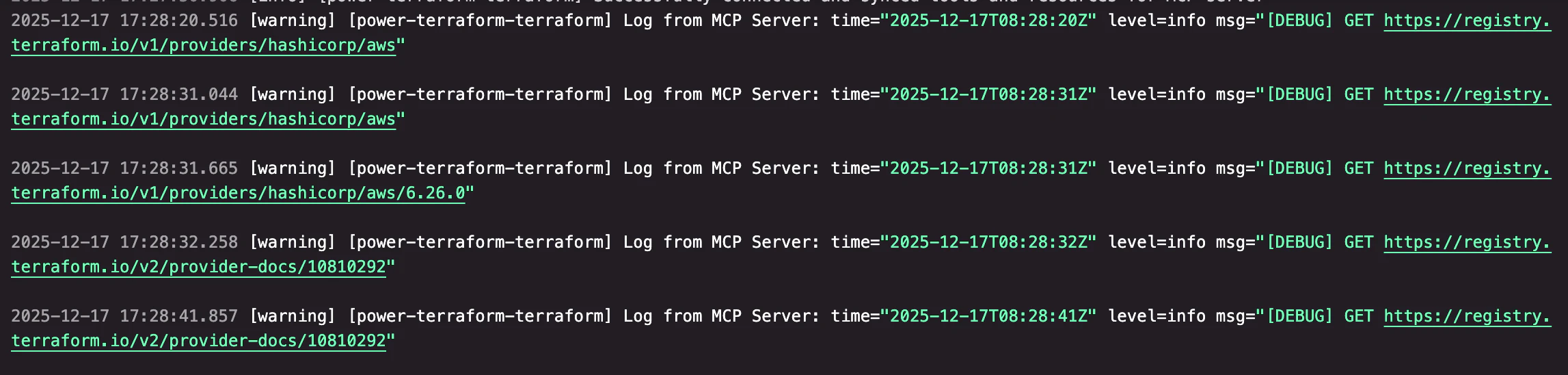
一応ちゃんと有効化できているかを Kiro に聞いてみました。すると MCP 経由でいくつか処理を行ってくれました。 Output コンソールを確認すると下記のようなログが出力されていたので、問題なく動いているようです。
Vibe リクエストで作成してみる
ひとまずVibeリクエストでECS Express Gateway リソースを用いた ECS サービスを Terraform で実装するようお願いしてみました。
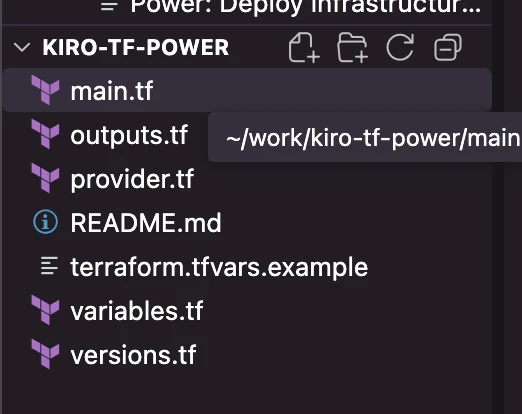
worktree 上を見るとプラクティスに沿った tf ファイルの配置がされていたので、「さすが Powers 」と感心しました。
ソースはこんな感じです。
# ECS Express Gateway Service
resource "aws_ecs_express_gateway_service" "main" {
  service_name            = "${var.project_name}-service"
  execution_role_arn      = aws_iam_role.ecs_task_execution_role.arn
  infrastructure_role_arn = aws_iam_role.ecs_infrastructure_role.arn
  cpu                     = var.fargate_cpu
  memory                  = var.fargate_memory
  health_check_path       = "/"

  primary_container {
    image          = var.app_image
    container_port = var.container_port
  }

  depends_on = [
    aws_iam_role_policy_attachment.ecs_task_execution_role,
    aws_iam_role_policy_attachment.ecs_infrastructure_role,
    aws_iam_role_policy_attachment.ecs_infrastructure_role_logs
  ]

  tags = {
    Name = "${var.project_name}-express-gateway-service"
  }
}

# IAM Role for ECS Task Execution
resource "aws_iam_role" "ecs_task_execution_role" {
  name = "${var.project_name}-ecsTaskExecutionRole"

  assume_role_policy = jsonencode({
    Version = "2012-10-17"
    Statement = [
      {
        Action = "sts:AssumeRole"
        Effect = "Allow"
        Principal = {
          Service = "ecs-tasks.amazonaws.com"
        }
      }
    ]
  })

  tags = {
    Name = "${var.project_name}-ecs-task-execution-role"
  }
}

# IAM Role Policy Attachment
resource "aws_iam_role_policy_attachment" "ecs_task_execution_role" {
  role       = aws_iam_role.ecs_task_execution_role.name
  policy_arn = "arn:aws:iam::aws:policy/service-role/AmazonECSTaskExecutionRolePolicy"
}

# IAM Role for ECS Infrastructure
resource "aws_iam_role" "ecs_infrastructure_role" {
  name = "${var.project_name}-ecsInfrastructureRole"

  assume_role_policy = jsonencode({
    Version = "2012-10-17"
    Statement = [
      {
        Action = "sts:AssumeRole"
        Effect = "Allow"
        Principal = {
          Service = "ecs.amazonaws.com"
        }
      }
    ]
  })

  tags = {
    Name = "${var.project_name}-ecs-infrastructure-role"
  }
}

# IAM Role Policy Attachment for Infrastructure Role
resource "aws_iam_role_policy_attachment" "ecs_infrastructure_role" {
  role       = aws_iam_role.ecs_infrastructure_role.name
  policy_arn = "arn:aws:iam::aws:policy/service-role/AmazonECSInfrastructureRoleforExpressGatewayServices"
}

# Additional CloudWatch Logs permissions for Infrastructure Role
resource "aws_iam_role_policy_attachment" "ecs_infrastructure_role_logs" {
  role       = aws_iam_role.ecs_infrastructure_role.name
  policy_arn = "arn:aws:iam::aws:policy/CloudWatchLogsFullAccess"
}
Express じゃない Terraform コードも作ってもらう
割と簡単にできたので、せっかくということで ECS Express Gateway リソースを使わない状態でのコード実装もお願いしました。その上で main.tf の行数を比較してみます。
作成されたコードはこんな感じです。
# VPC Module
module "vpc" {
  source = "terraform-aws-modules/vpc/aws"

  name = "${var.project_name}-vpc"
  cidr = var.vpc_cidr

  azs             = data.aws_availability_zones.available.names
  private_subnets = var.private_subnets
  public_subnets  = var.public_subnets

  enable_nat_gateway = true
  enable_vpn_gateway = false
  enable_dns_hostnames = true
  enable_dns_support = true

  tags = {
    Name        = "${var.project_name}-vpc"
    Environment = var.environment
  }
}

# ALB Module
module "alb" {
  source = "terraform-aws-modules/alb/aws"

  name               = "${var.project_name}-alb"
  load_balancer_type = "application"

  vpc_id  = module.vpc.vpc_id
  subnets = module.vpc.public_subnets

  # Security Group
  security_group_ingress_rules = {
    all_http = {
      from_port   = 80
      to_port     = 80
      ip_protocol = "tcp"
      cidr_ipv4   = "0.0.0.0/0"
    }
    all_https = {
      from_port   = 443
      to_port     = 443
      ip_protocol = "tcp"
      cidr_ipv4   = "0.0.0.0/0"
    }
  }
  security_group_egress_rules = {
    all = {
      ip_protocol = "-1"
      cidr_ipv4   = "0.0.0.0/0"
    }
  }

  # Listeners
  listeners = {
    ex_http = {
      port     = 80
      protocol = "HTTP"

      forward = {
        target_group_key = "ex_ecs"
      }
    }
  }

  # Target Groups
  target_groups = {
    ex_ecs = {
      name_prefix      = "${substr(var.project_name, 0, 6)}-"
      protocol         = "HTTP"
      port             = var.container_port
      target_type      = "ip"
      create_attachment = false

      health_check = {
        enabled             = true
        healthy_threshold   = 3
        interval            = 30
        matcher             = "200"
        path                = "/"
        port                = "traffic-port"
        protocol            = "HTTP"
        timeout             = 3
        unhealthy_threshold = 2
      }
    }
  }

  tags = {
    Name        = "${var.project_name}-alb"
    Environment = var.environment
  }
}

# Security Group for ECS Tasks
resource "aws_security_group" "ecs_tasks" {
  name_prefix = "${var.project_name}-ecs-tasks-"
  vpc_id      = module.vpc.vpc_id

  ingress {
    from_port       = var.container_port
    to_port         = var.container_port
    protocol        = "tcp"
    security_groups = [module.alb.security_group_id]
  }

  egress {
    from_port   = 0
    to_port     = 0
    protocol    = "-1"
    cidr_blocks = ["0.0.0.0/0"]
  }

  tags = {
    Name = "${var.project_name}-ecs-tasks-sg"
  }
}

# ECS Cluster
resource "aws_ecs_cluster" "main" {
  name = "${var.project_name}-cluster"

  setting {
    name  = "containerInsights"
    value = "enabled"
  }

  tags = {
    Name = "${var.project_name}-cluster"
  }
}

# ECS Task Definition
resource "aws_ecs_task_definition" "app" {
  family                   = "${var.project_name}-task"
  execution_role_arn       = aws_iam_role.ecs_task_execution_role.arn
  network_mode             = "awsvpc"
  requires_compatibilities = ["FARGATE"]
  cpu                      = var.fargate_cpu
  memory                   = var.fargate_memory

  container_definitions = jsonencode([
    {
      name      = "${var.project_name}-container"
      image     = var.app_image
      essential = true
      portMappings = [
        {
          containerPort = var.container_port
          hostPort      = var.container_port
        }
      ]
      logConfiguration = {
        logDriver = "awslogs"
        options = {
          awslogs-group         = "/ecs/${var.project_name}"
          awslogs-region        = var.aws_region
          awslogs-stream-prefix = "ecs"
        }
      }
    }
  ])

  tags = {
    Name = "${var.project_name}-task"
  }
}

# ECS Service
resource "aws_ecs_service" "main" {
  name            = "${var.project_name}-service"
  cluster         = aws_ecs_cluster.main.id
  task_definition = aws_ecs_task_definition.app.arn
  desired_count   = var.app_count
  launch_type     = "FARGATE"

  network_configuration {
    security_groups  = [aws_security_group.ecs_tasks.id]
    subnets          = module.vpc.private_subnets
    assign_public_ip = false
  }

  load_balancer {
    target_group_arn = module.alb.target_groups["ex_ecs"].arn
    container_name   = "${var.project_name}-container"
    container_port   = var.container_port
  }

  depends_on = [module.alb, aws_iam_role_policy_attachment.ecs_task_execution_role]

  tags = {
    Name = "${var.project_name}-service"
  }
}

# CloudWatch Log Group
resource "aws_cloudwatch_log_group" "ecs_log_group" {
  name              = "/ecs/${var.project_name}"
  retention_in_days = 30

  tags = {
    Name = "${var.project_name}-log-group"
  }
}

# IAM Role for ECS Task Execution
resource "aws_iam_role" "ecs_task_execution_role" {
  name = "${var.project_name}-ecsTaskExecutionRole"

  assume_role_policy = jsonencode({
    Version = "2012-10-17"
    Statement = [
      {
        Action = "sts:AssumeRole"
        Effect = "Allow"
        Principal = {
          Service = "ecs-tasks.amazonaws.com"
        }
      }
    ]
  })

  tags = {
    Name = "${var.project_name}-ecs-task-execution-role"
  }
}

# IAM Role Policy Attachment
resource "aws_iam_role_policy_attachment" "ecs_task_execution_role" {
  role       = aws_iam_role.ecs_task_execution_role.name
  policy_arn = "arn:aws:iam::aws:policy/service-role/AmazonECSTaskExecutionRolePolicy"
}

# Data source for availability zones
data "aws_availability_zones" "available" {
  state = "available"
}
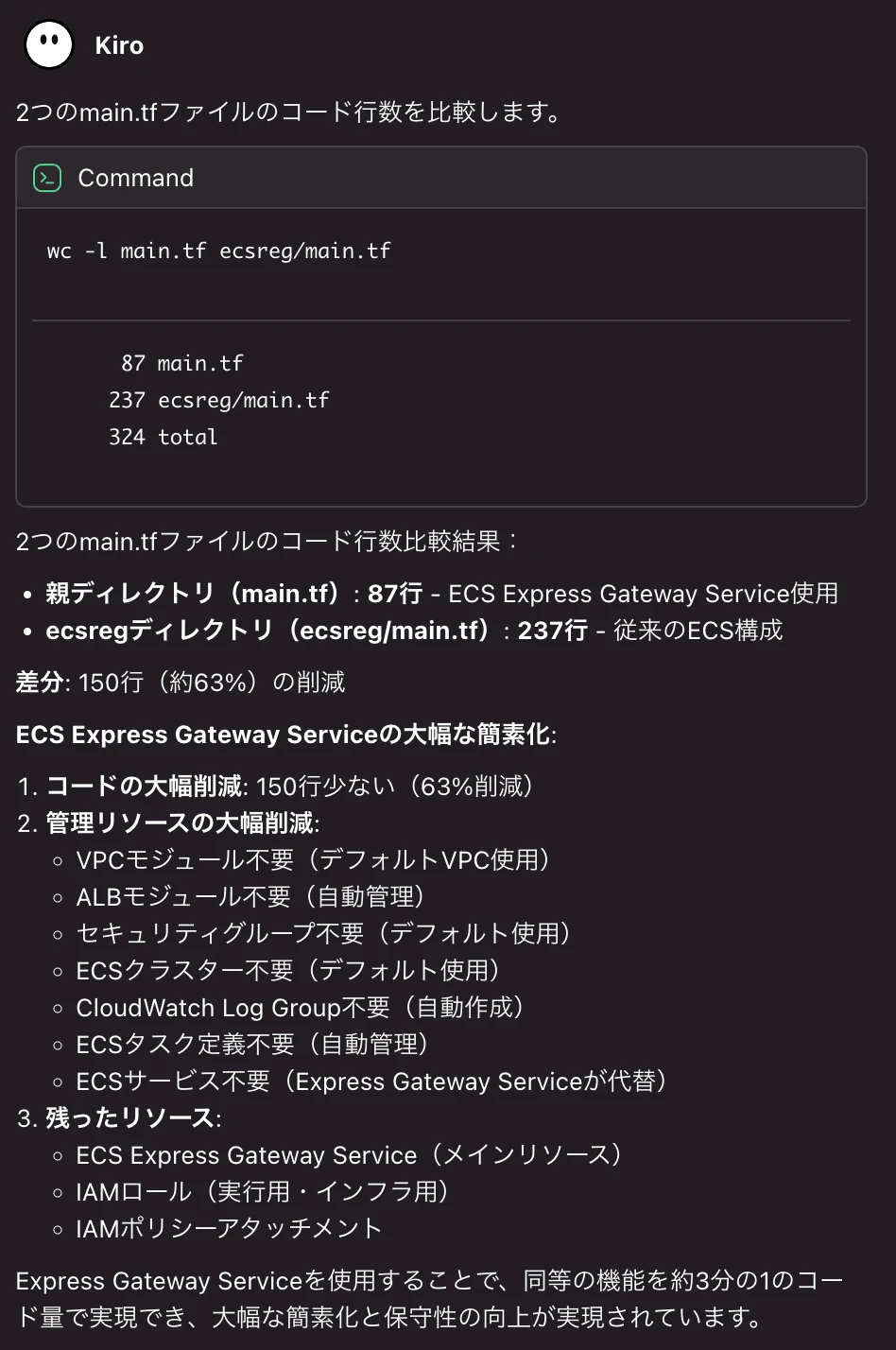
ECS Express Gateway リソースで実装したコードは、そうでないコードと比べてざっと 1/3 くらいの量になりました。
default設定をベースに実装したことも影響しているかと思いますが、VPC・ALB・SecurityGroup 周りのリソース実装分が削れるので、かなり軽量なコード実装になりました。
Applyする
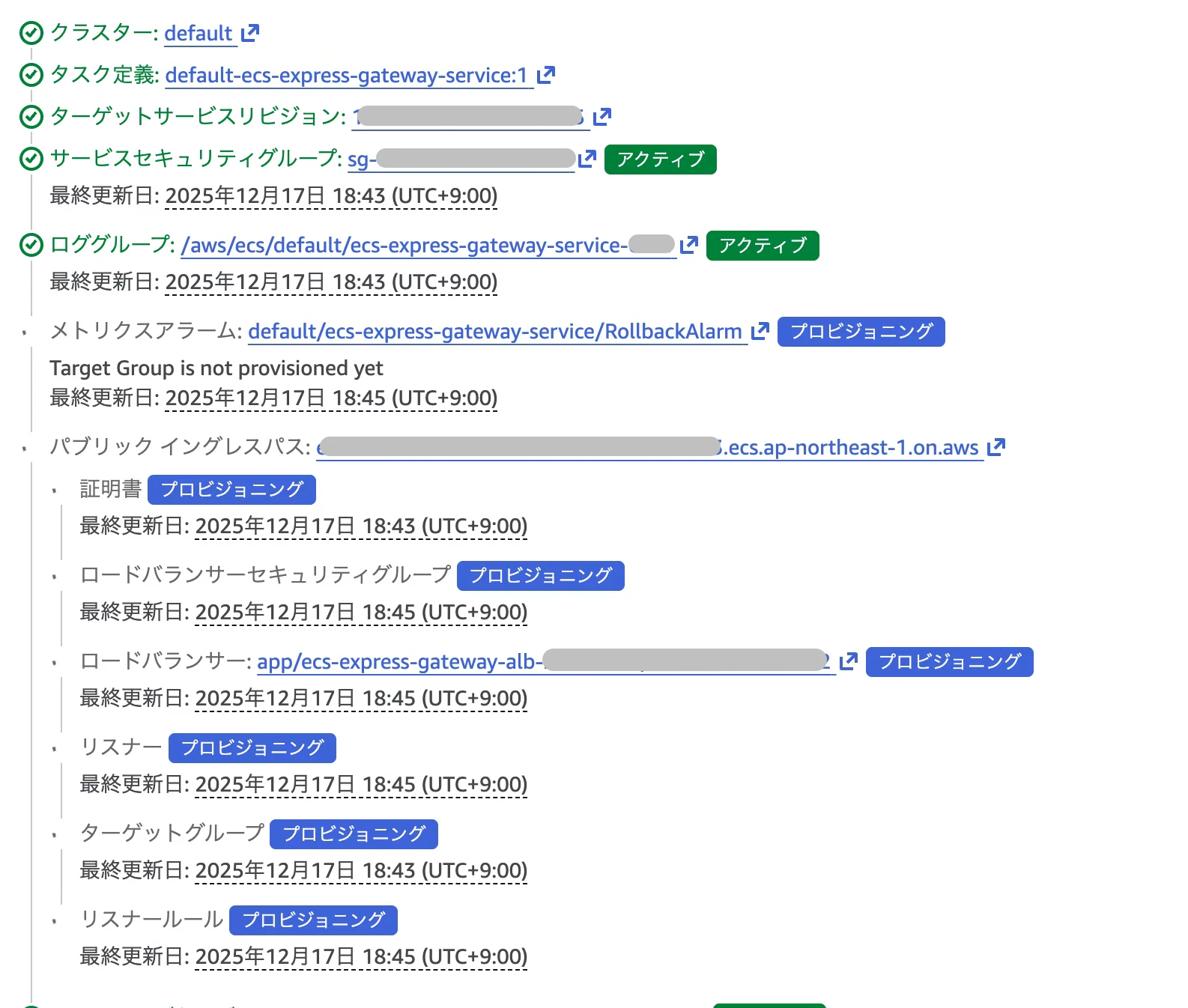
terraform apply 自体はさほど時間がかかりませんでした。ただ、実際には裏で ECS サービス関連のリソースが並行で構築されるような流れになります。この辺は API の挙動と同じですね。
所感
default 設定をベースにできるのであれば、かなりコード行数を削減できました。ただ、実際には自前のVPC・ALB といったリソースを用いて検証するような環境も多いかと思いますので、その場合はやはりカスタムでリソースを実装する必要があります。そうなってくると削減効果は少し薄まるかもしれないです。
コンテナイメージのベースが決まっていて、とりあえず ECS サービスで動かしたい!Terraform 経由で!というニーズがある場合は有効な手段になるかと思います。
あとは、とりあえず動く ECS サービスを作って AWS リソースの詳細な設定値を確認したい!とかにもよさそうです。自前で一から作ろうとすると初心者にはハードルが高いかなーという印象もあるので、リバースエンジニアリング的に使ってみても良いかもですね。