1
1

Delete article

Deleted articles cannot be recovered.

Draft of this article would be also deleted.

Are you sure you want to delete this article?

新デザインになったGitHubのPull Request画面で、前回のレビュー以降のdiffを確認する方法

1
Posted at

困っていたこと

GitHubのPull Requestでコードレビューを進める際、これまでは「View changes」ボタンをクリックすると、前回のレビューコメント以降のdiffを確認することができました。
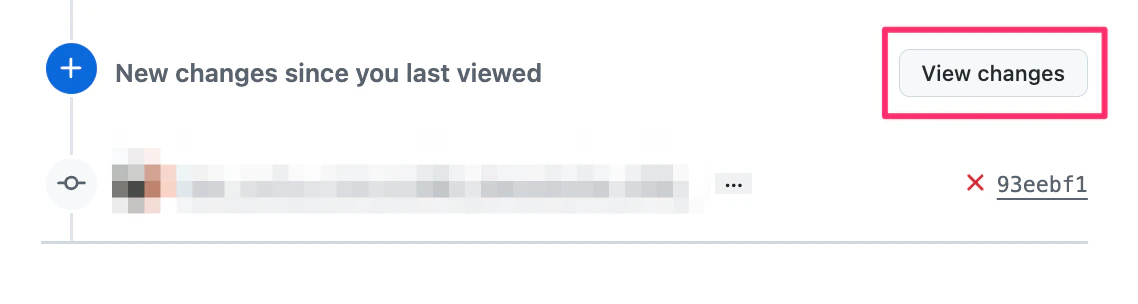
1.png

しかし、"Try the Overview page"をクリックして新デザインに切り替えると、このボタンが表示されなくなってしまいました。

3.png

どうすれば前回のレビュー以降のdiffを確認できるのかわからず、困っていたのですが、解決策がありました。

こうすればOK

Files changedタブを開き、"All commits" → "Changes since your last review" をクリックすると、新デザインの画面でも前回のレビュー以降のdiffを確認できます。
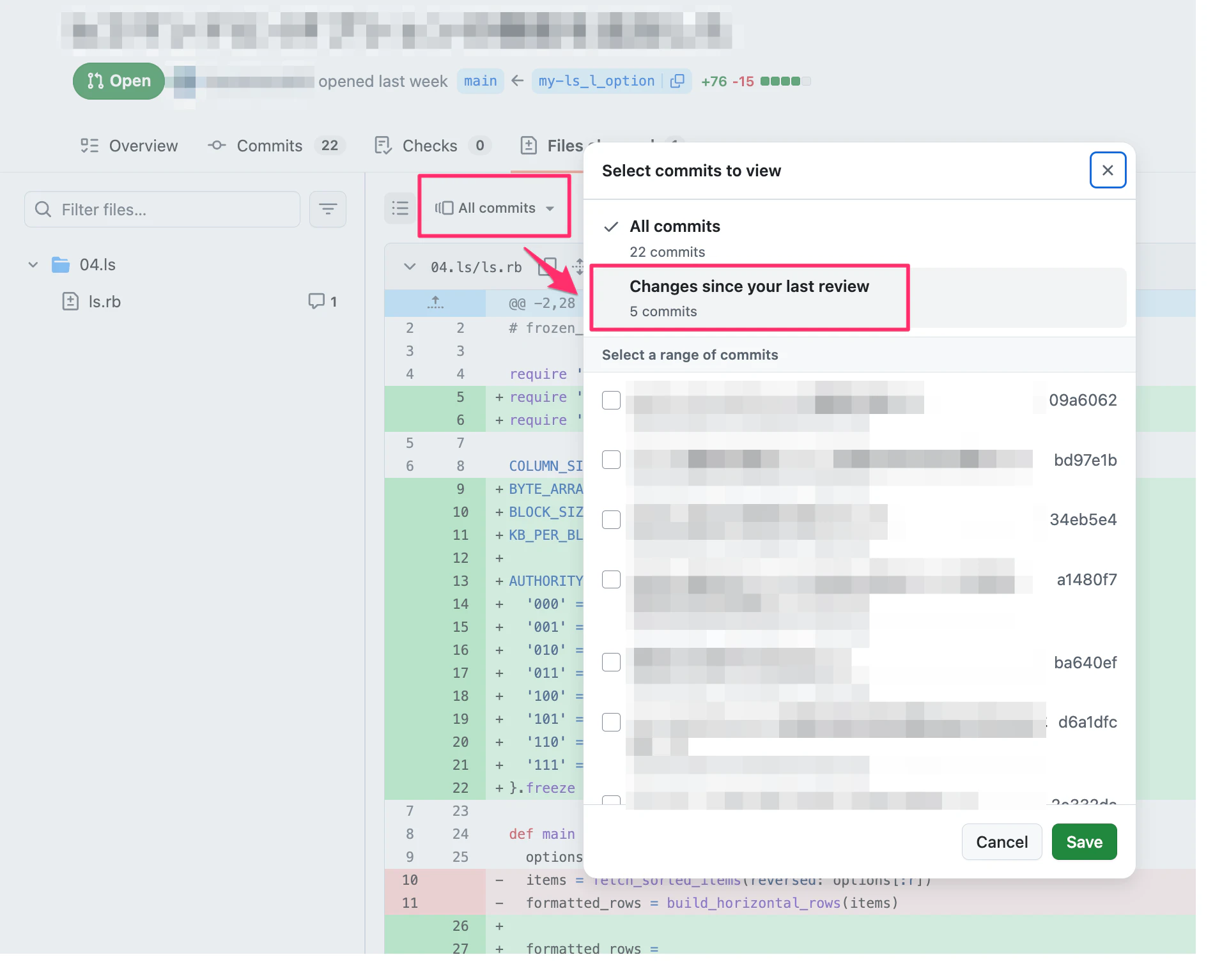
2.png

めでたしめでたし!!

1
1
0

Register as a new user and use Qiita more conveniently

  1. You get articles that match your needs
  2. You can efficiently read back useful information
  3. You can use dark theme
What you can do with signing up
1
1

Delete article

Deleted articles cannot be recovered.

Draft of this article would be also deleted.

Are you sure you want to delete this article?