はじめに
私は、日々のメモをGitHubリポジトリに保存しています。しかし、忙しい日々の中で、ついついコミットを忘れてしまうことがあります。そこで、cronを使って自動的にコミットする方法を紹介します。
経緯
はじめは、GitHub Actionsを使って自動コミットを試みましたが、ローカルでの変更を検出できないため、うまく動作しませんでした。そこで調べたところ、cronというものがあるそうで試してみました。
cronとは
cronは、Linuxで定期的にコマンドやスクリプトを実行するためのツールです。
書き方や設定方法は以下を参考にしました!
作戦
- ログ残したいからlogファイル作成
- シェルスクリプトを作成
- cronに登録
- 定期的に実行!
ディレクトリ構成
memo/
└── memo/
    └── autocommit/
        ├── autocommit.log
        └── autocommit.sh
コード
シェルスクリプト
- その日のメモをコミットしてるので、コミットメッセージは日付
- 2025/09/01なら9/1
- mainブランチがあるディレクトリに移動しなければgitコマンド使えないから移動する
- 変更がなかったらコミットしない
- 変更があったらコミット
- ログファイルに結果を追記
autocommit.sh
#!/bin/bash

DATE_MESSAGE=$(date '+%-m/%-d')

cd ~/memo/memo

if [ -n "$(git status --porcelain)" ]; then
    git add .
    git commit -m "$DATE_MESSAGE"
    git push origin main
    echo "$DATE_MESSAGE コミットしました" >> autocommit/autocommit.log
else
    echo "$DATE_MESSAGE 変更はありません" >> autocommit/autocommit.log
fi
cron
-
crontab -eでcronの作成 - 毎日18:30にシェルスクリプトを実行
30 18 * * * sh memo/memo/autocommit/autocommit.sh
以上!
パソコンが起動していないとcronは動作しません!
まとめ
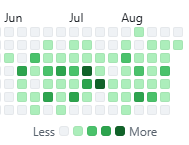
草を生やしまくりましょう!