
Openmediavaultで「Performance Statistics」が機能しないバグの修正
フリーのNASプログラムのOpenmediavaultは、以下のパーフォマンスがグラフで表示される。
・CPU
・Disk I/O
・Disk Usage
・Load Average
・Memory Usage
・Network Interfaces
・Uptime
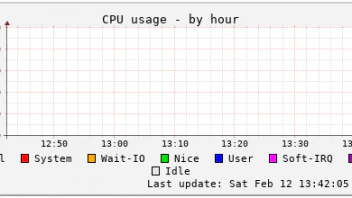
これまで、Ver.5で運用していたが、最近、Ver.6にアップグレードしたところ、
「Performance Statistics」が全く動いていないことに気づいた。
いろいろ調べた結果、解決法がわかったので、記録として残しておく。
なお、現在使用しているOMVのバージョンは、6.0.42-2 (Shaitan)である。
原因:
スクリプト ./etc/init.d/rrdcached が rrdcached をロードしていない。
解決法:
./etc/init.d/rrdcached の指定された行を、以下のように書き換え
「start_daemon」からでなく、直接「rrdcached」から起動させる。
Code:変更部分
start_daemon -p ${PIDFILE} ${DAEMON} ${RRDCACHED_OPTIONS}
  を以下のように2行に分け、1行目をコメントアウトする。
# start_daemon -p ${PIDFILE}
${DAEMON} ${RRDCACHED_OPTIONS}
注意:
スクリプト修正前に、オリジナルの./etc/init.d/rrdcachedのバックアップを必ず取っておいてください。
書き換え後に、再起動が必要です。
参考
https://github.com/openmediavault/openmediavault/issues/1217
https://forum.openmediavault.org/index.php?thread/42038-omv6-performance-statistics-not-working/