
はじめに
昔のゲームではパレットを切り替えてアニメーションを行うパレットアニメーションがよく使われていました。
Windows でもパレットアニメーションを行う事が可能で、そのものズバリを行うための AnimatePalette() API が用意されていたりしますが、現在の Windows では意図された通りに描画されない事があります。
細工が必要です...多分。EXE の [互換性] タブではなく、ディスプレイのプロパティで 256 色が選択できないと正しく描画されないかもしれません。結局、Win9x の VM とかが必要なのかも...。
See also:
疑似パレットアニメーションを行う
8bit カラーの Bitmap 画像を用意し、画像のパレットを書き換えて全体描画すれば疑似的にパレットアニメーションを行う事が可能です。
今回は、
- 480x320 の範囲をパレットアニメーションする
- マゼンタ色で塗りつぶされた場所を別の色で明滅させる
- アニメーションはスレッドで処理する
- 256 色 Bitmap ファイルを読み込ませる事も可能
...という事をやってみたいと思います。
ソースコード
適当に VCL フォームアプリケーションを新規作成してください。
フォームには 480x320 の PaintBox が貼ってあるだけです。
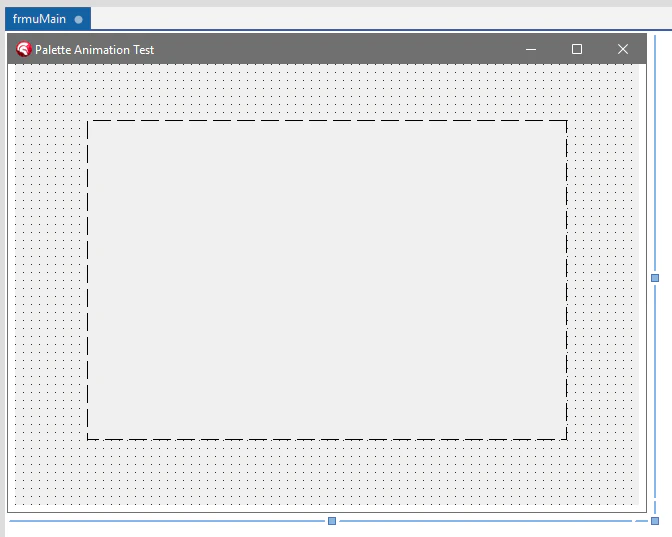
object frmMain: TfrmMain
  Left = 0
  Top = 0
  Caption = 'Palette Animation Test'
  ClientHeight = 441
  ClientWidth = 624
  Color = clBtnFace
  DoubleBuffered = True
  Font.Charset = DEFAULT_CHARSET
  Font.Color = clWindowText
  Font.Height = -12
  Font.Name = 'Segoe UI'
  Font.Style = []
  Position = poScreenCenter
  OnCreate = FormCreate
  OnDestroy = FormDestroy
  TextHeight = 15
  object PaintBox1: TPaintBox
    Left = 72
    Top = 56
    Width = 480
    Height = 320
    OnPaint = PaintBox1Paint
  end
end
ソースコードです。
unit frmuMain;

interface

uses
  Winapi.Windows, Winapi.Messages, System.SysUtils, System.Variants,
  System.Classes, Vcl.Graphics, Vcl.Controls, Vcl.Forms, Vcl.Dialogs,
  Vcl.ExtCtrls, System.IOUtils, System.SyncObjs;

const
  WM_UPDATE = WM_USER + 1;

type
  TfrmMain = class(TForm)
    PaintBox1: TPaintBox;
    procedure FormCreate(Sender: TObject);
    procedure FormDestroy(Sender: TObject);
    procedure PaintBox1Paint(Sender: TObject);
  private
    { Private 宣言 }
    FBmp: TBitmap;
    FIdx: Integer;
    FStep: Integer;
    FLock: TCriticalSection;
    FThread: TThread;
    procedure WMUpdate(var Msg: TMessage); message WM_UPDATE;
  public
    { Public 宣言 }
  end;

var
  frmMain: TfrmMain;

implementation

{$R *.dfm}

procedure TfrmMain.FormCreate(Sender: TObject);
const
  BMP256NAME = 'test256.bmp';

  procedure FillRect256(Bmp: TBitmap; R: TRect; Index: Byte);
  begin
    var w := R.Right - R.Left;
    for var y := R.Top to R.Bottom - 1 do
    begin
      var p: PByte := Bmp.ScanLine[y];
      Inc(p, R.Left);
      FillChar(p^, w, Index);
    end;
  end; { FillRect256 }

  function GetMagentaIndex: Integer;
  begin
    result := -1;
    var Colors: array [Byte] of TRGBQuad;
    GetDIBColorTable(FBmp.Canvas.Handle, 0, 256, Colors);
    for var i:=Low(Colors) to High(Colors) do
    begin
      if (Colors[i].rgbRed   = 255) and
         (Colors[i].rgbGreen =   0) and
         (Colors[i].rgbBlue  = 255) then
      begin
        result := i;
        Break;
      end;
    end;
  end; { GetMagentaIndex }

  procedure StartAnimationThread;
  begin
    FThread := TThread.CreateAnonymousThread(
      procedure
      begin
        var Colors: array [Byte] of TRGBQuad;
        var t := 0;
        while not TThread.CheckTerminated do
        begin
          Sleep(16);
          Inc(t);
          FLock.Enter;
          try
            // マゼンタで塗られている所を黒->赤でアニメーション
            GetDIBColorTable(FBmp.Canvas.Handle, 0, 256, Colors);
            Colors[FIdx].rgbRed   := 64 + Round((Sin(t * 0.1) + 1) * 0.5 * 191);  // 64..255
            Colors[FIdx].rgbGreen := 0;
            Colors[FIdx].rgbBlue  := 0;
            SetDIBColorTable(FBmp.Canvas.Handle, 0, 256, Colors);
          finally
            FLock.Leave;
          end;
          PostMessage(frmMain.Handle, WM_UPDATE, 0, 0);
        end;
      end
    );
    FThread.Start;
  end; { StartAnimationThread }

begin
  // 描画用 BMP の準備
  var HasFile := TFile.Exists(BMP256NAME);
  FBmp := TBitmap.Create(480, 320);
  if HasFile then
    FBmp.LoadFromFile(BMP256NAME);
  FBmp.PixelFormat := pf8bit;
  FIdx := GetMagentaIndex;

  // BMP ファイルがなかったらマゼンタで塗りつぶし
  if not HasFile then
    FillRect256(FBmp, Rect(0, 0, FBmp.Width, FBmp.Height), FIdx);

  // アニメーションスレッドの開始
  FLock := TCriticalSection.Create;
  FStep := 0;
  if FIdx >= 0 then
    StartAnimationThread;
end;

procedure TfrmMain.FormDestroy(Sender: TObject);
begin
  FreeAndNil(FThread);
  FLock.Free;
  FBmp.Free;
end;

procedure TfrmMain.WMUpdate(var Msg: TMessage);
begin
  PaintBox1.Invalidate;
end;

procedure TfrmMain.PaintBox1Paint(Sender: TObject);
begin
  FLock.Enter;
  try
    PaintBox1.Canvas.Draw(0, 0, FBmp);
  finally
    FLock.Leave;
  end;
end;

end.
実行
そのまま実行するとこのようになります。

初期値として全体がマゼンタ色で塗りつぶされているので、全体の色が変化します。
アニメーションしない場合には、マウスオーバーするか、クリックして画像だけを表示してみてください。
画像を用意して実行
480x320 サイズで 256 色の BMP ファイル (test256.bmp) を読み込ませる事もできます。適当な画像を用意し、パレットアニメーションさせたい部分をマゼンタで塗りつぶします。
サンプルとしてファミコンデータベース.com さんからゼビウスのアンドアジェネシスの画像をお借りしました。赤色の部分をマゼンタで塗りつぶして 256 色 Bitmap として保存し、EXE と同じ場所に置きます。
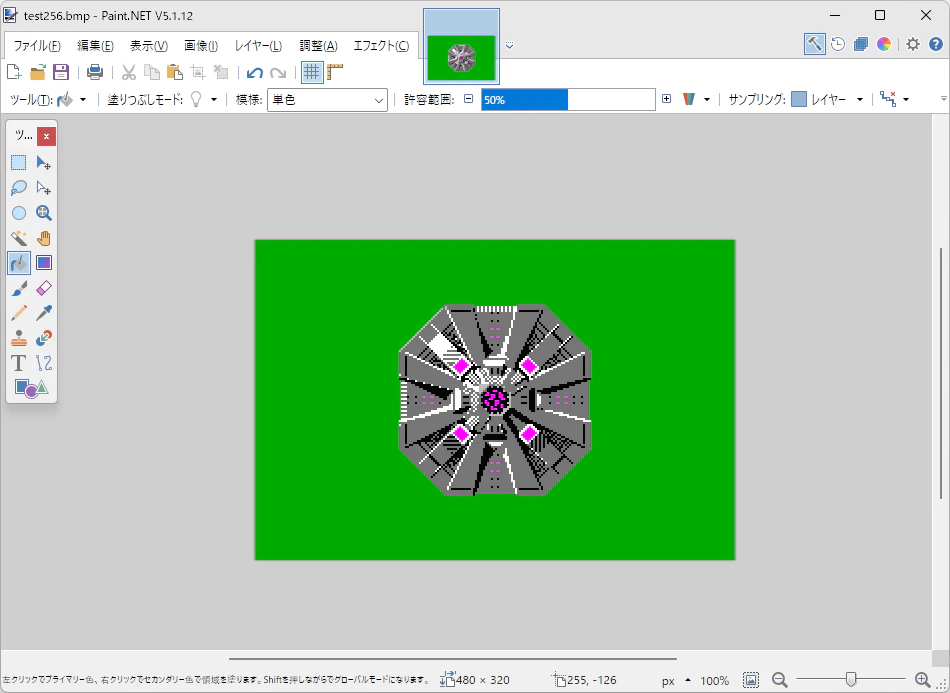
実行するとこのようになります。

本物と見比べた訳ではないので、アニメーションは正確ではないかもしれません。
アニメーションしない場合には、マウスオーバーするか、クリックして画像だけを表示してみてください。
おわりに
コンポーネント化しても面白いかもしれませんね。
『ゼビウス(XEVIOUS)』は、ナムコ (現バンダイナムコエンターテインメント) の登録商標です。
See also: