
はじめに
InstallAware (Multi Platform) 2025 が GitHub にてソースコード公開されていたので、Windows 向けにビルドしてみる事にしました。
ライセンスは Business Source License (BSL) で、期限は 2029/10/27、更新後は AGPLv3 です。
InstallAware とは?
インストーラー作成アプリケーションです。機能限定版が Delphi にバンドルされていた事もありました。
InstallAware は元々 Delphi で書かれているのですが、クローズドソースのサードパーティコンポーネントが使われており、実質的にオープンソース化が困難でした。InstallAware (Multi Platform) はこれを FPC / Lazarus で再構成したものです。
Free Pascal (FPC) は Pascal コンパイラ本体で、Lazarus は IDE です 1。
InstallAware (Multi Platform) のビルド手順
IAMP のビルド手順は BUILD.md に書かれています。Windows 向けの推奨環境は次の通りです。
| 製品 | バージョン |
|---|---|
| FreePascal | 3.2.2 |
| Lazarus | 3.9.9 |
InstallAware (Multi Platform) のダウンロード
GitHub からソースコード一式を DL して C:\IAMP-main に展開しておきます。
FPCUPDeluxe のインストール
ビルド環境を構築するために、FPCUPDeluxe をインストールします。
FPCUPDeluxe を使って FPC / Lazarus をインストールすると、既に FPC / Lazarus 環境があってもそれを壊しません。
IAMP の Windows 版は 32bit アプリケーションで保守されているので、FPCUPDeluxe も 32bit 版 (fpcupdeluxe-i386-win32.exe) を DL します。
EXE を DL したら、C:\FPCUPD にコピーしておきます。
FPC / Lazarus のインストール
C:\FPCUPD\fpcupdeluxe-i386-win32.exe を実行します。
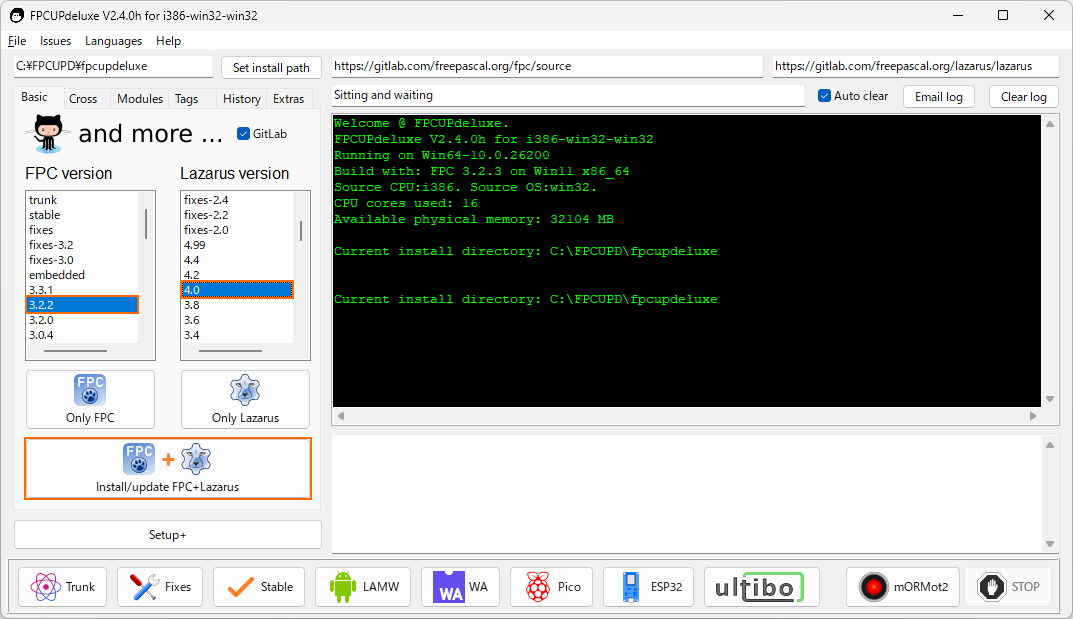
FPC のバージョンと Lazarus のバージョンを選択し、[Install/Update FPC+Lazarus] ボタンを押します。
Lazarus のリストに 3.99 というバージョンはないので、最も近いと思われる 4.0 を選択しています。
インストールにはしばらく時間が掛かります。
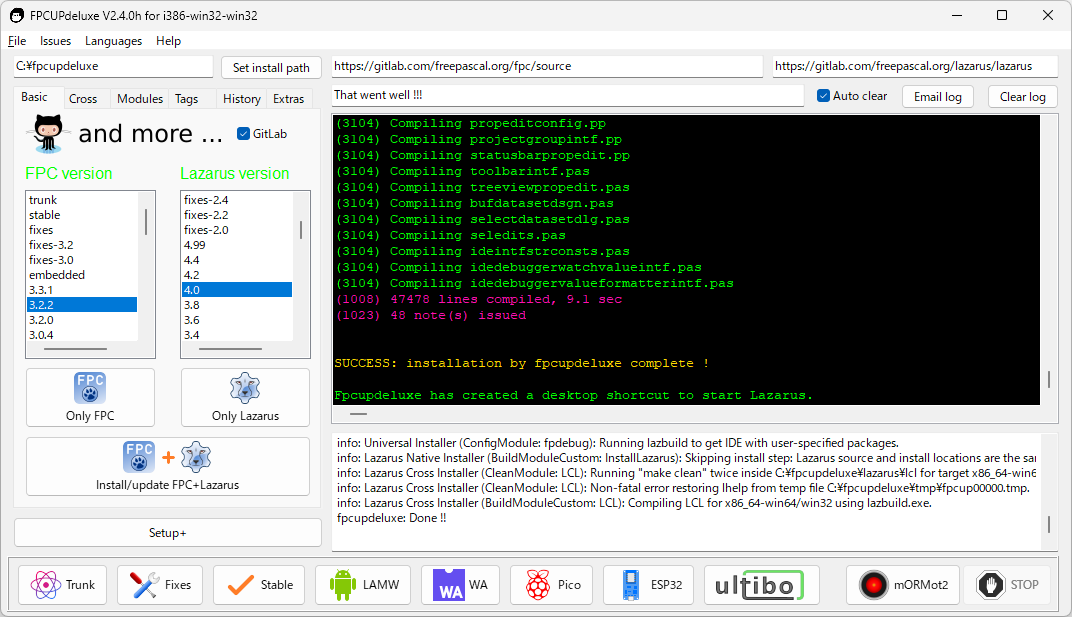
インストールに成功すると、デスクトップに Lazarus 起動のためのショートカットが作られます。
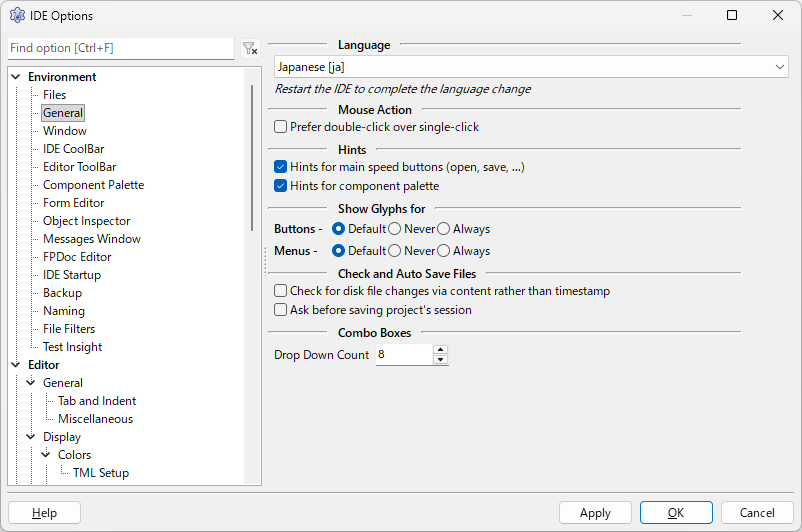
[Tool | Options] でオプションダイアログを開き、[Environment > General] タブにある Language を変更して日本語化できます (要 IDE 再起動)。
IAMP 用パッケージのインストール
IAMP をビルドするには、まず Lazarus にパッケージをインストールする必要があります。インストールするパッケージは以下の 5 つです。
| パッケージ | フォルダ |
|---|---|
| miap.lpk | C:\IAMP-main\ |
| gfdlib.lpk | C:\IAMP-main\GreatisRuntimeFusion/FormDes/Source/ |
| gfdstd.lpk | C:\IAMP-main\GreatisRuntimeFusion/FormDes/Source/ |
| oipkg7.lpk | C:\IAMP-main\GreatisRuntimeFusion/ObjInsp/Source/ |
| rfpkg.lpk | C:\IAMP-main\GreatisRuntimeFusion/RunFus/Source/ |
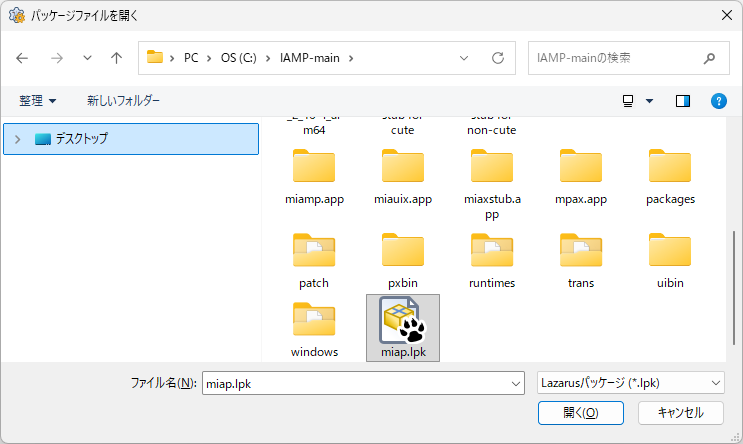
[パッケージ(c) | パッケージファイル(.lpk)を開く... ] でパッケージを選択します。同じフォルダにあるパッケージは複数選択して同時に開けます。
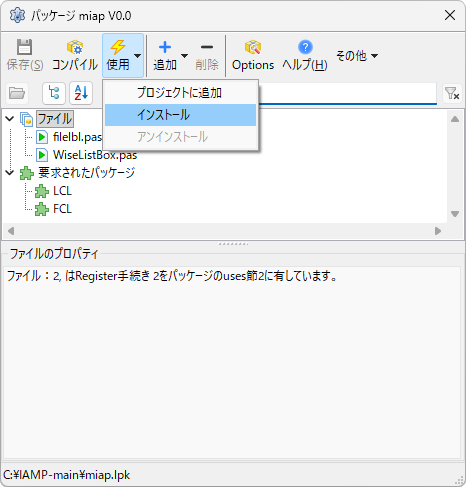
[使用] ボタンを押し、[インストール] を選択します。
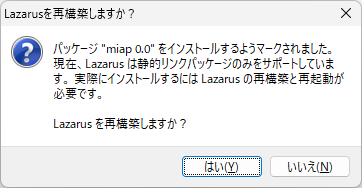
再構築は最後でいいので、すべてのパッケージをインストールするまでは [いいえ] で構いません。
再構築を行うと miap.lpk でエラーが出ると思います。
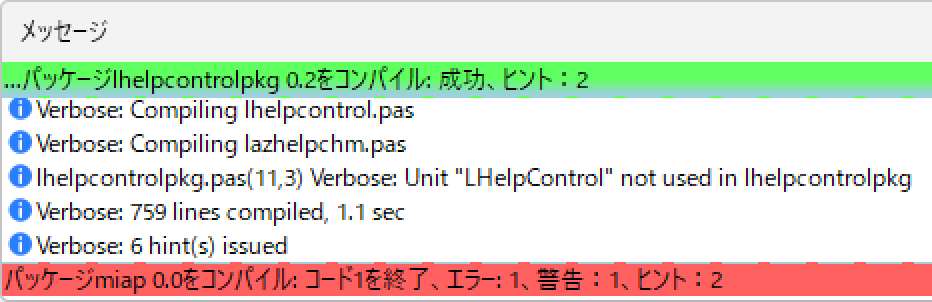
これは恐らく Lazarus のバージョンが推奨環境の 3.99 ではない事が原因です。mUtils.pas で TExitCode が定義されていない旨のエラーだと思うので、適当な場所で TExitCode を LongInt で定義してやります。
  ...
  rdlg23: String = 'If you choose Cancel, setup will exit. However, you will be able to resume your download from where it left off when you re-run setup.';
  rdlg24: String = 'Select Setup Language';
  rdlg25: String = 'Please select the language to use during the installation:';
  rdlg26: String = 'Will be &installed on local hard drive';
  rdlg27: String = '&Entire feature will be installed on local hard drive';
  rdlg28: String = 'Entire feature will be &unavailable';

type                   // 追加
  TExitCode = LongInt; // 追加

{$IFDEF WINDOWS}
function GetSystemDefaultUILanguage: LANGID; stdcall; external kernel32 name 'GetSystemDefaultUILanguage';
function GetSystemPreferredUILanguages(dwFlags: UINT32; var pulNumLanguages: UINT32; pwszLanguagesBuffer: PChar;
  var pcchLanguagesBuffer: UINT32): Boolean; stdcall; external kernel32 name 'GetSystemPreferredUILanguages';
function GetUserDefaultUILanguage: LANGID; stdcall; external kernel32 name 'GetUserDefaultUILanguage';
{$ENDIF}
  ...
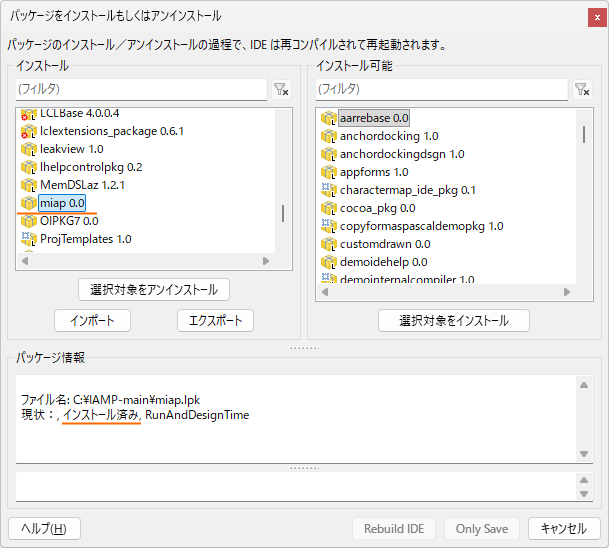
再構築に成功すると Lazarus が再起動します。[パッケージ(c) | パッケージをインストールもしくはアンインストール...] で、5 つのパッケージがインストール済になっている事を確認してください。
IAMP のビルド
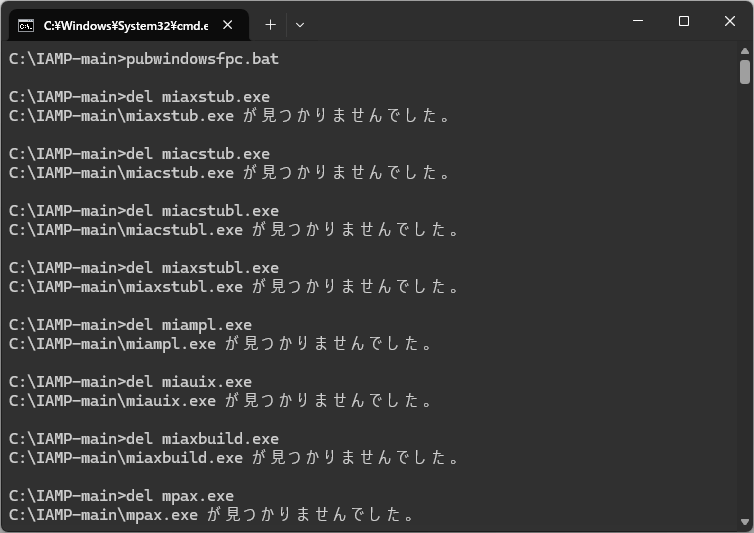
C:\IAMP-main でコマンドプロンプトを開き、pubwindowsfpc.bat を実行するとビルドが始まります。Lazarus フォルダは C:\FPCUPDeluxe\... のようにハードコードされているので、ビルド手順の通りになっていないとビルドに失敗します。
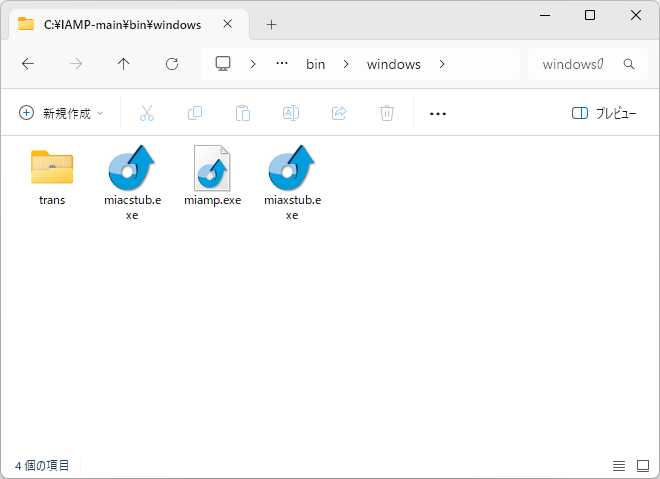
正しくビルドできると、C:\IAMP-main\bin\windows に EXE が吐かれます。
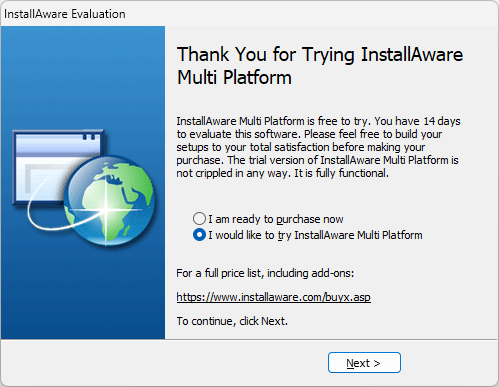
miamp.exe を実行して次のような画面が出れば OK です。
おわりに
BSL の期限が来るまでは製品購入者がいじるくらいですかね (^^;A
なお、InstallAware (Multi Platform) にはコマンドラインツール miaxbuild.exe があるので (InstallAware だと miabuild.exe 2)、Delphi のビルドイベントに組み込んでインストーラーを作る所まで自動化する事が可能です。
バンドル版 InstallAware について
折角なので、Delphi バンドル版 InstallAware の情報です。
バンドル版は Delphi のインストール DVD の中にインストーラーが格納されています。
| Delphi | バンドル版 |
|---|---|
| Delphi 2007..XE | InstallAware 6 CodeGear Express Special Edition |
| Delphi 2009..XE | InstallAware 7 R2 CodeGear Express Special Edition |
| Delphi XE2 | InstallAware 2012 RAD Studio Edition |
- 複数のバージョンがバンドルされている事があります。
- Delphi のインストールメニューからインストールできないバージョンは DVD 内 (
\InstallAware) のインストーラーを実行する必要があります。 - InstallAware 6 CodeGear Express Special Edition は日本語化が可能ですが、UAC のエレベーション (権限昇格) に対応していません。
- InstallAware 2012 RAD Studio Edition は別途 DL だったため、現在では入手不可能となっています。
See also: