
Using S3 Files with EC2 (Standard Setup)
Firstly
As of April 2026, it is now possible to mount an S3 bucket as a File System. The following guide explains how to mount S3 Files with the same region.

Overview
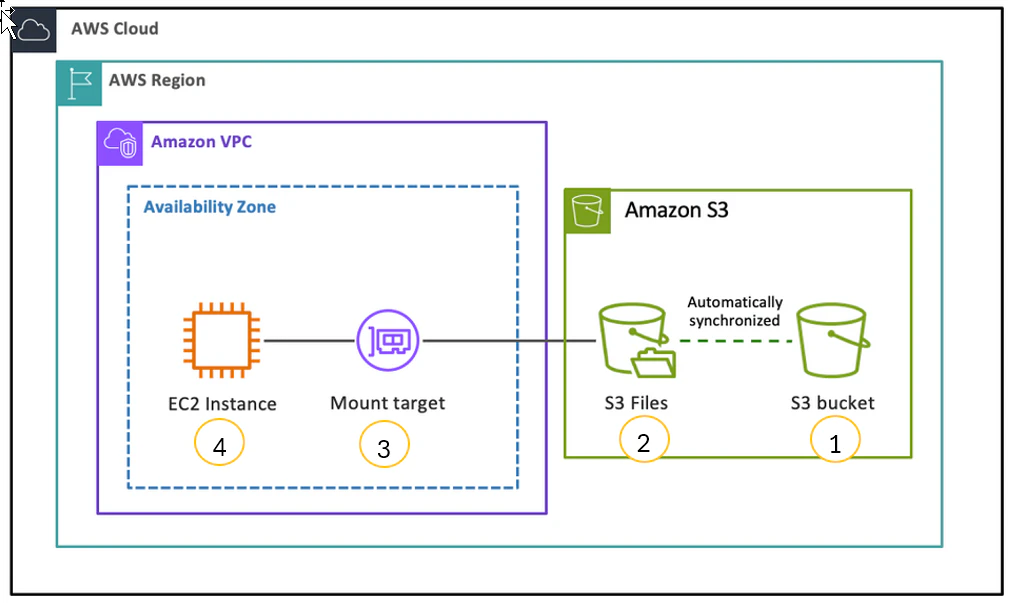
1. Create an S3 Bucket
- Enable bucket versioning.
2. Create an S3 File System via AWS Management Console
- The Mount Target will be automatically created.
- Necessary IAM roles and policies will also be created automatically.
3. Configure the Security Group for the Mount Target
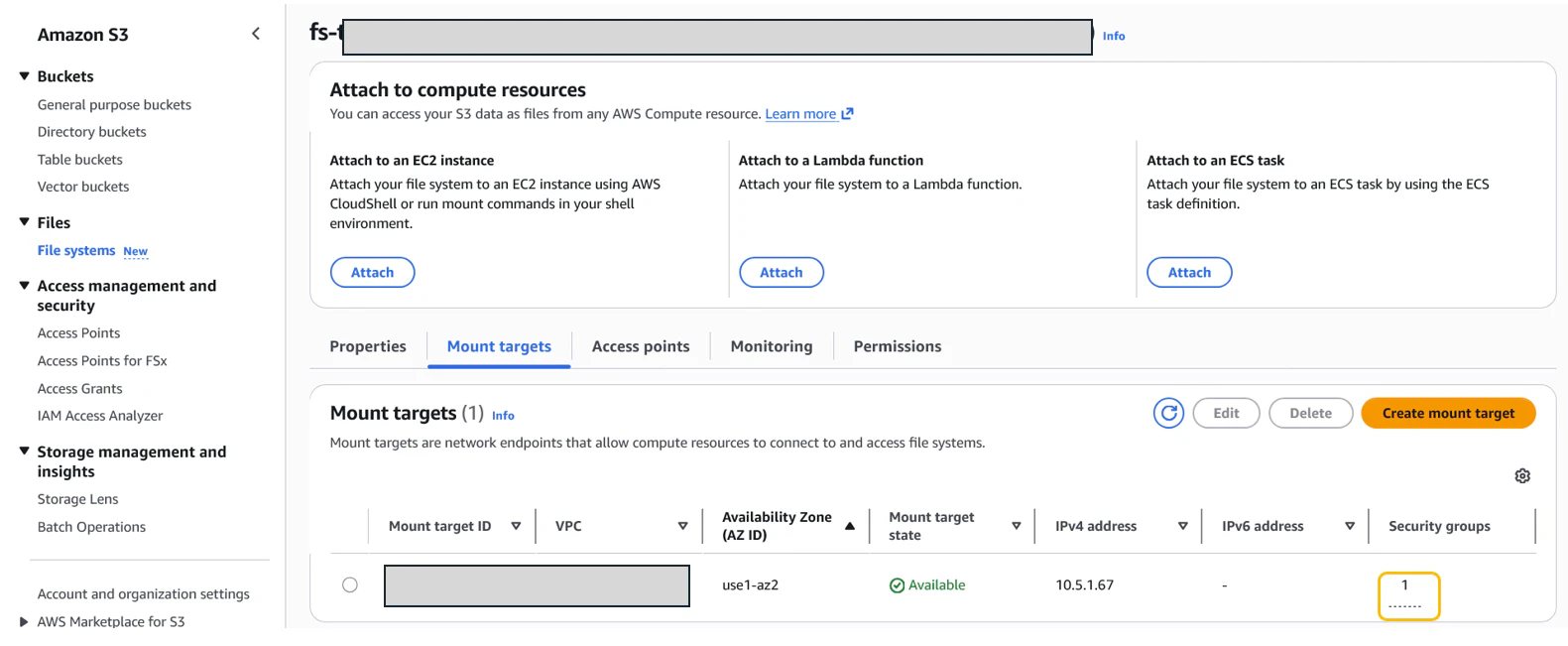
-
Inbound Rule: Allow
TCP (Port 2049)from the EC2 instance's Security Group as the source.
4. EC2 Instance Configuration
Install S3 Files Client
-
Amazon Linux:
sudo yum -y install amazon-efs-utils
- Ubuntu:
curl [https://amazon-efs-utils.aws.com/efs-utils-installer.sh](https://amazon-efs-utils.aws.com/efs-utils-installer.sh) | sudo sh -s -- --install
EC2 Instance Role (IAM)
Attach the following policies to the EC2 instance role:
AmazonS3FilesClientFullAccess- A policy for S3 access (e.g.,
AmazonS3FullAccess)
Configure the Security Group for the EC2 Instance
-
Outbound Rule: Allow
TCP (Port 2049)to the Mount Target's Security Group as the destination. - Note: If your outbound rules are set to default (Allow All), you do not need to add this manually.
Mount Instructions
sudo mkdir /mnt/my_s3files
S3_FILE_SYSTEM_ID=<dummy>
sudo mount -t s3files "${S3_FILE_SYSTEM_ID}" /mnt/my_s3files
Note on Permissions
The mount folder requires root permissions. Non-root users (like ec2-user) must use sudo to modify files within this directory.
References