
Hermesをインストール。
Ubuntu$curl -fsSL https://hermes-agent.nousresearch.com/install.sh | bash
オプションはデフォルトのままで
NousResearchのアカウントも言われるがままに作成。
FREEプランで登録。
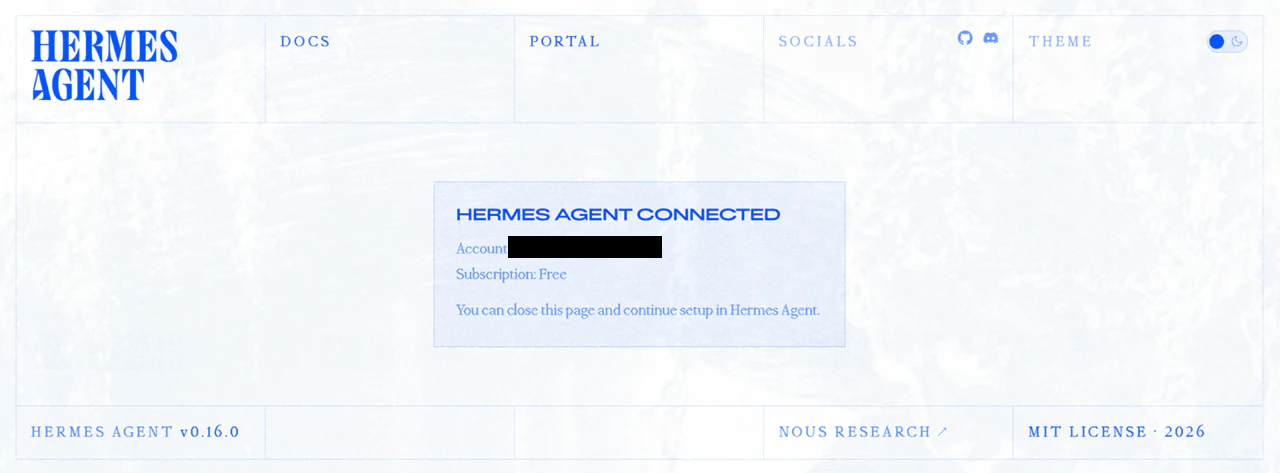
とりあえずインストール完了。
hermesを起動
#環境変数の反映
Ubuntu$ source ./.bashrc

#Hermes起動
Ubuntu$ hermes
しかし注意!
デフォルトのインストール状態では、先程作ったNOUSRESEARCHのFREEプランをエージェントとするよう設定されており、デフォルトのモデルがClaude Opusになっていて、案の定プロンプト打ってもクレジットが無いと言われて何もできない。
おそらくこの時点(6月初旬)では、6月にはじまった定額制→クレジット制の一斉変更に対応できていなかったのかなと。
そのため、ローカルLLM(LM Studio)に接続するよう変更する。
LM Studio のサーバーを起動しておく。
hermesのCLIを/exit で抜けて、
#モデル設定の変更
$ hermes model
ここでLM Studioを選択する。LM StudioのAPIが生きていれば、ローカルのモデル一覧が表示されるので、今回はQwen3.6-27Bを選択。
設定が終わったら、config.yaml で以下を編集。
注:context_lengthはLMStudio側のモデル設定と合わせる必要がある。
model:
  #VRAMに余裕があればコンテキスト長を変える。LMStudio側のモデル起動設定と合わせる必要がある。デフォルトは64K
  context_length: 102400
agent:
  #Qwen3.xを使う場合、ここは'on'に変更する
  #reasoning_effort: Middle
  reasoning_effort: 'on'
これで再度スクリプトを読み込み直し、 hermes CLI を起動。
Ubuntu$ source ./.bashrc
Ubuntu$ hermes


██╗  ██╗███████╗██████╗ ███╗   ███╗███████╗███████╗       █████╗  ██████╗ ███████╗███╗   ██╗████████╗
██║  ██║██╔════╝██╔══██╗████╗ ████║██╔════╝██╔════╝      ██╔══██╗██╔════╝ ██╔════╝████╗  ██║╚══██╔══╝
███████║█████╗  ██████╔╝██╔████╔██║█████╗  ███████╗█████╗███████║██║  ███╗█████╗  ██╔██╗ ██║   ██║
██╔══██║██╔══╝  ██╔══██╗██║╚██╔╝██║██╔══╝  ╚════██║╚════╝██╔══██║██║   ██║██╔══╝  ██║╚██╗██║   ██║
██║  ██║███████╗██║  ██║██║ ╚═╝ ██║███████╗███████║      ██║  ██║╚██████╔╝███████╗██║ ╚████║   ██║
╚═╝  ╚═╝╚══════╝╚═╝  ╚═╝╚═╝     ╚═╝╚══════╝╚══════╝      ╚═╝  ╚═╝ ╚═════╝ ╚══════╝╚═╝  ╚═══╝   ╚═╝

╭──────────────────────────────── Hermes Agent v0.16.0 (2026.6.5) · upstream d06104a9 ─────────────────────────────────╮
│                                   Available Tools                                                                    │
│  ⠀⠀⠀⠀⠀⠀⠀⠀⠀⠀⢀⣀⡀⠀⣀⣀⠀⢀⣀⡀⠀⠀⠀⠀⠀⠀⠀⠀⠀⠀   browser: browser_back, browser_click, ...                                          │
│  ⠀⠀⠀⠀⠀⠀⢀⣠⣴⣾⣿⣿⣇⠸⣿⣿⠇⣸⣿⣿⣷⣦⣄⡀⠀⠀⠀⠀⠀⠀   browser-cdp: browser_cdp, browser_dialog                                           │
│  ⠀⢀⣠⣴⣶⠿⠋⣩⡿⣿⡿⠻⣿⡇⢠⡄⢸⣿⠟⢿⣿⢿⣍⠙⠿⣶⣦⣄⡀⠀   clarify: clarify                                                                   │
│  ⠀⠀⠉⠉⠁⠶⠟⠋⠀⠉⠀⢀⣈⣁⡈⢁⣈⣁⡀⠀⠉⠀⠙⠻⠶⠈⠉⠉⠀⠀   code_execution: execute_code                                                       │
│  ⠀⠀⠀⠀⠀⠀⠀⠀⠀⠀⣴⣿⡿⠛⢁⡈⠛⢿⣿⣦⠀⠀⠀⠀⠀⠀⠀⠀⠀⠀   computer_use: computer_use                                                         │
│  ⠀⠀⠀⠀⠀⠀⠀⠀⠀⠀⠿⣿⣦⣤⣈⠁⢠⣴⣿⠿⠀⠀⠀⠀⠀⠀⠀⠀⠀⠀   cronjob: cronjob                                                                   │
│  ⠀⠀⠀⠀⠀⠀⠀⠀⠀⠀⠀⠈⠉⠻⢿⣿⣦⡉⠁⠀⠀⠀⠀⠀⠀⠀⠀⠀⠀⠀   delegation: delegate_task                                                          │
│  ⠀⠀⠀⠀⠀⠀⠀⠀⠀⠀⠀⠀⠘⢷⣦⣈⠛⠃⠀⠀⠀⠀⠀⠀⠀⠀⠀⠀⠀⠀   discord: discord                                                                   │
│  ⠀⠀⠀⠀⠀⠀⠀⠀⠀⠀⠀⢠⣴⠦⠈⠙⠿⣦⡄⠀⠀⠀⠀⠀⠀⠀⠀⠀⠀⠀   (and 19 more toolsets...)                                                          │
│  ⠀⠀⠀⠀⠀⠀⠀⠀⠀⠀⠀⠸⣿⣤⡈⠁⢤⣿⠇⠀⠀⠀⠀⠀⠀⠀⠀⠀⠀⠀                                                                                      │
│  ⠀⠀⠀⠀⠀⠀⠀⠀⠀⠀⠀⠀⠀⠉⠛⠷⠄⠀⠀⠀⠀⠀⠀⠀⠀⠀⠀⠀⠀⠀   Available Skills                                                                   │
│  ⠀⠀⠀⠀⠀⠀⠀⠀⠀⠀⠀⠀⢀⣀⠑⢶⣄⡀⠀⠀⠀⠀⠀⠀⠀⠀⠀⠀⠀⠀   autonomous-ai-agents: claude-code, codex, hermes-agent, opencode                   │
│  ⠀⠀⠀⠀⠀⠀⠀⠀⠀⠀⠀⠀⣿⠁⢰⡆⠈⡿⠀⠀⠀⠀⠀⠀⠀⠀⠀⠀⠀⠀   creative: architecture-diagram, ascii-art, ascii-video, b...                       │
│  ⠀⠀⠀⠀⠀⠀⠀⠀⠀⠀⠀⠀⠈⠳⠈⣡⠞⠁⠀⠀⠀⠀⠀⠀⠀⠀⠀⠀⠀⠀   data-science: jupyter-live-kernel                                                  │
│  ⠀⠀⠀⠀⠀⠀⠀⠀⠀⠀⠀⠀⠀⠀⠈⠀⠀⠀⠀⠀⠀⠀⠀⠀⠀⠀⠀⠀⠀⠀   devops: kanban-orchestrator, kanban-worker                                         │
│                                   email: himalaya                                                                    │
│    qwen3.6-27b · Nous Research    general: dogfood, yuanbao                                                          │
│           /home/myuser            github: codebase-inspection, github-auth, github-code-r...                         │
│  Session: 20260619_121840_50315a  media: gif-search, heartmula, songsee, youtube-content                             │
│                                   mlops: audiocraft-audio-generation, evaluating-llms-ha...                          │
│                                   note-taking: obsidian                                                              │
│                                   productivity: airtable, google-workspace, maps, nano-pdf, not...                   │
│                                   research: arxiv, blogwatcher, llm-wiki, polymarket, resea...                       │
│                                   smart-home: openhue                                                                │
│                                   social-media: xurl                                                                 │
│                                   software-development: hermes-agent-skill-authoring, node-inspect-debu...           │
│                                                                                                                      │
│                                   31 tools · 68 skills · /help for commands                                          │
╰──────────────────────────────────────────────────────────────────────────────────────────────────────────────────────╯

Welcome to Hermes Agent! Type your message or /help for commands.
✦ Tip: /fast toggles priority processing for faster API responses (provider-dependent).
再度プロンプトを入力してみる。
────────────────────────────────────────
● はじめまして。自己紹介をして。何ができる?
Initializing agent...

────────────────────────────────────────

╭─ ⚕ Hermes ───────────────────────────────────────────────────────────────────────────────────────────────────────────╮
    こんにちは!はじめまして!

    私は Hermes Agent — Nous Research 開発の CLI ベースの AI アシスタントです。あなたのターミナル上で直接動いて、実際に作業をこなします。


    何ができるか?

    🖥️ 開発・コーディング
    - Python, JavaScript, TypeScript などのコード作成・修正・デバッグ
    - テスト実行、ビルド、git 操作
    - GitHub 連携(PR 作成、レビュー、Issue 管理)
    - TDD、コードレビュー支援

    🔍 調査・検索
    - Web 検索、ページコンテンツ抽出
    - arXiv 論文検索、学术研究支援
    - YouTube 動画の字幕取得・要約

    📁 ファイル操作
    - ファイルの読み書き、検索(grep 代替)
    - PDF/ドキュメントからテキスト抽出(OCR)
    - Jupyter ノートブックの操作

    🛠️ 運用・自動化
    - シェルコマンド実行、バックグラウンドプロセス管理
    - cron 定期ジョブ(自動監視、定期タスク)
    - スムートホーム制御(Philips Hue など)

    🎨 クリエイティブ
    - 画像生成(FAL)、ASCII アート
    - アーキテクチャ図、インフォグラフィック
    - 音楽生成(Suno)、オーディオビジュアライゼーション
    - TTS(テキスト読み上げ)

    📊 データ・ML
    - Jupyter でのデータ分析
    - HuggingFace モデル検索・ダウンロード
    - LLM ベンチマーク評価
    - vLLM 推論サーバー

    📝 ドキュメント
    - PowerPoint 作成、PDF 編集
    - Notion / Airtable / Google Workspace 連携
    - 電子メール送受信

    🧠 永続記憶
    - セッション跨いで設定・好みを覚える
    - スキル(手順書)としてノウハウを蓄積


    大まかに言うと、「ターミナルから何でもやってください」タイプのアシスタントです。計画だけ話すのではなく、実際にツールを叩いて結果を出します。

    何かお手伝いできることはありますか?
╰──────────────────────────────────────────────────────────────────────────────────────────────────────────────────────╯
 ⚕ qwen3.6-27b │ 17.9K/64K │ [███░░░░░░░] 28% │ 2m │ ⏲ 15s │ ✓ 1m
────────────────────────────────────────────────────────────────────────────────────────────────────────────────────────
❯
今度はいい感じ。
以上