

トークンオーバーのエラー
AI Agentを使っていると以下のようなエラーが発生することがある

{
"type": "llmCall",
"error": {
"error": "Error in LLM agent-execution call",
"detail": "Input is too long for requested model.\nTraceId:****\nError in LLM agent-execution call\n"
}
}
そもそもトークン数とは
Agentのプロパティ画面で、LLMを選ぶとトークン数の設定が出来る。
2025年11月現在ではトークン数に上限がある
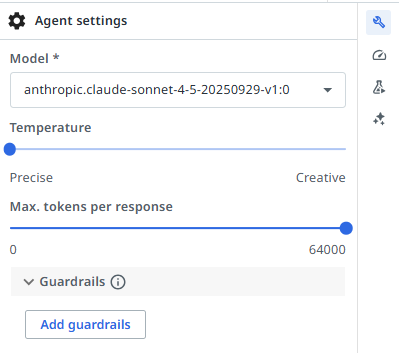
Agentが動作する中でトークン数を超えてしまうとエラーになる
エラーの説明
先ほどの例では、コンテキストを読んでいるときにレスポンスが上限を超えてしまいエラーになった
具体的なエラーが起きるケース
例えば、以下のようなCSVをコンテキストに読み込んでいるとする。
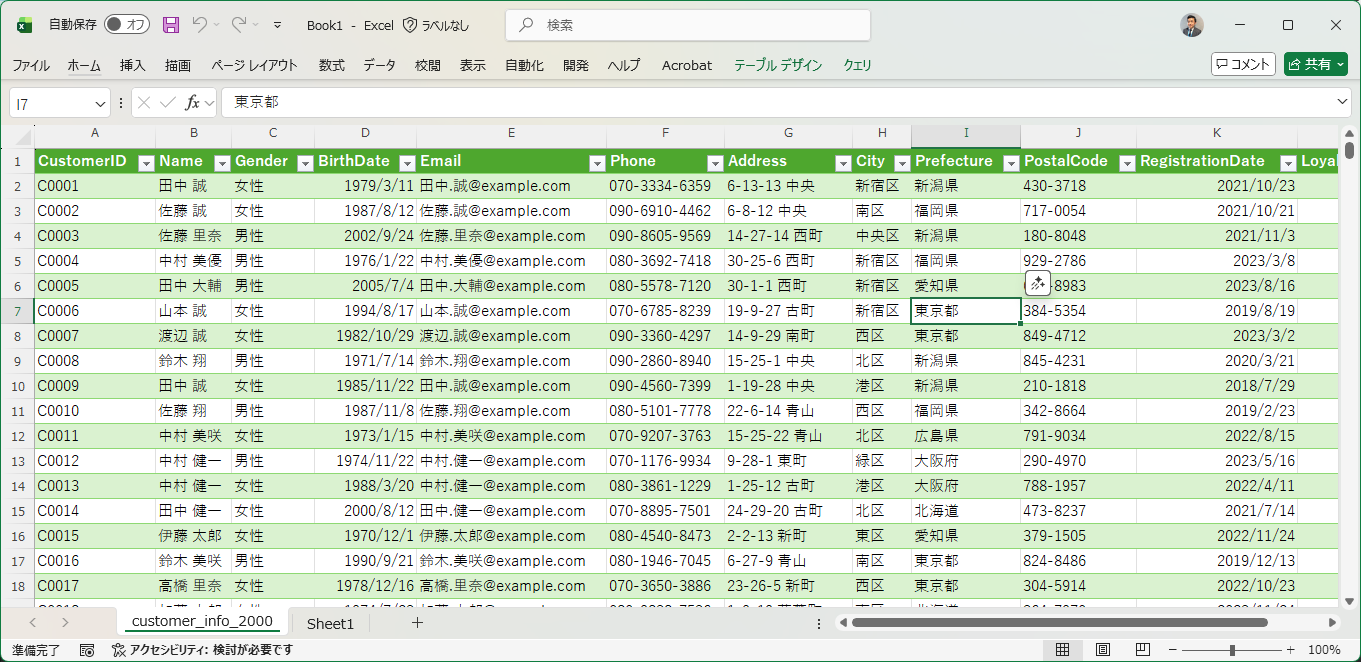
AI AgentがコンテキストにQueiryを投げると、デフォルトだと、該当するレコードのデータを全て取ってくる動きをしている。
例えば「東京都」に住んでいる方で生年月日が2000年以降の人を取りたいときに、該当するレコードのすべての情報を取ってくる。このデータが一定数を越えるとトークンオーバーになる。
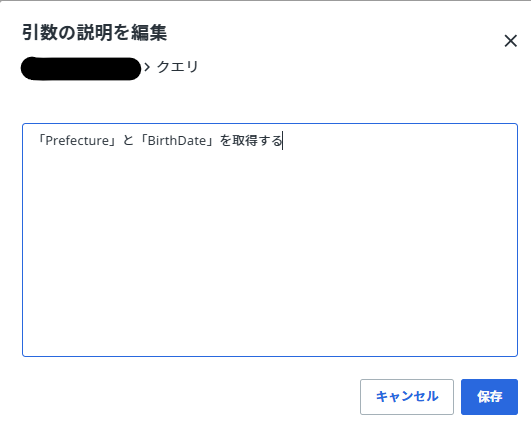
分析に必要な情報は「Prefecture」と「BirthDate」だとする。
対処方
コンテキストの設定で変更可能
コンテキストのクエリで取得するデータを指定する
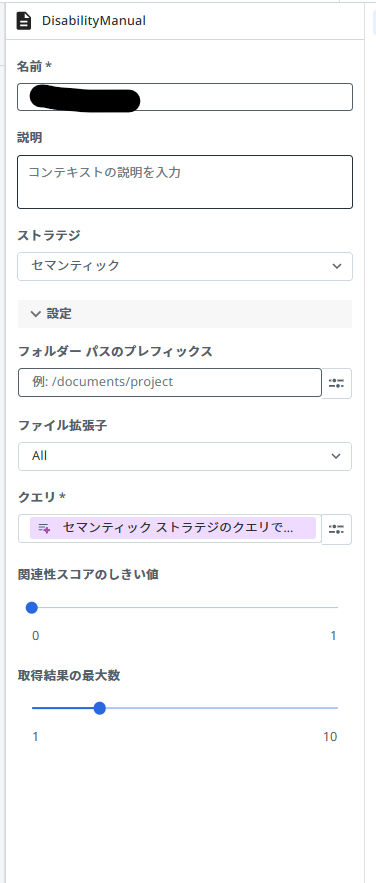
クエリを制限することでデータ量を少なく出来るため、トークンオーバーを回避が可能になる。
将来的にはトークン上限が引き上げられることも想定されますが、現状で同様な課題に遭遇した場合に役立てば幸いです。