

参考記事(謝辞)
本記事の作成にあたり、以下の記事を参考にさせていただきました:
- Oracle製ノーコードAgent BuilderのPrivate Agent Factoryを構築&試してみた
- Oracleのノーコード・エージェントビルダー『Agent Factory』がリリース!触ってみた
- Oracle AI Database Private Agent Factory を調べてみた
はじめに
本記事は、WSL Ubuntu 22.04環境でOracle AI Database Private Agent Factoryを構築した際の記録です。詳細なインストール手順や各機能の説明については、上記の参考記事に詳しく記載されていますので、必要に応じてご参照ください。
アーカイブの展開
まず、ダウンロードしたアーカイブファイルを展開します。
tar xzf applied_ai.tar.gz
展開後のファイル構成は以下の通りです。
# ls -l
total 3096220
-rw-r--r-- 1 1435413 8500       1341 Dec  1 18:11 Makefile
-rw-r--r-- 1 1435413 8500       9563 Sep 23 17:12 README-DEV.txt
-rw-r--r-- 1 1435413 8500       9537 Sep 23 17:12 README.txt
drwxr-xr-x 4 1435413 8500       4096 Dec 13 03:51 applied-ai
-rwxr-x--- 1 1435413 8500       8148 Dec 13 02:46 build-image.sh
-rwxr-x--- 1 1435413 8500        451 Apr 29  2025 build.sh
-rwxr-x--- 1 1435413 8500      52802 Dec 11 11:22 deploy.sh
-rwxr-x--- 1 1435413 8500       4436 Sep  4 20:06 diagnose.sh
-rwxr-x--- 1 1435413 8500      25287 Dec 12 10:51 interactive_install.sh
drwxr-xr-x 3 1435413 8500       4096 Dec 13 03:51 ollama
-rw-r--r-- 1 1435413 8500        756 Nov 28 21:53 podman-compose-prod.yaml
-rw-r--r-- 1 1435413 8500       1052 Dec 11 11:22 podman-compose-quickstart.yaml
-rwxr-x--- 1 1435413 8500       9220 Nov 26 20:15 uninstall.sh
-rwxr-x--- 1 1435413 8500       3476 Jul 18  2025 utils.sh
WSL Ubuntu 22.04 + Docker環境への対応
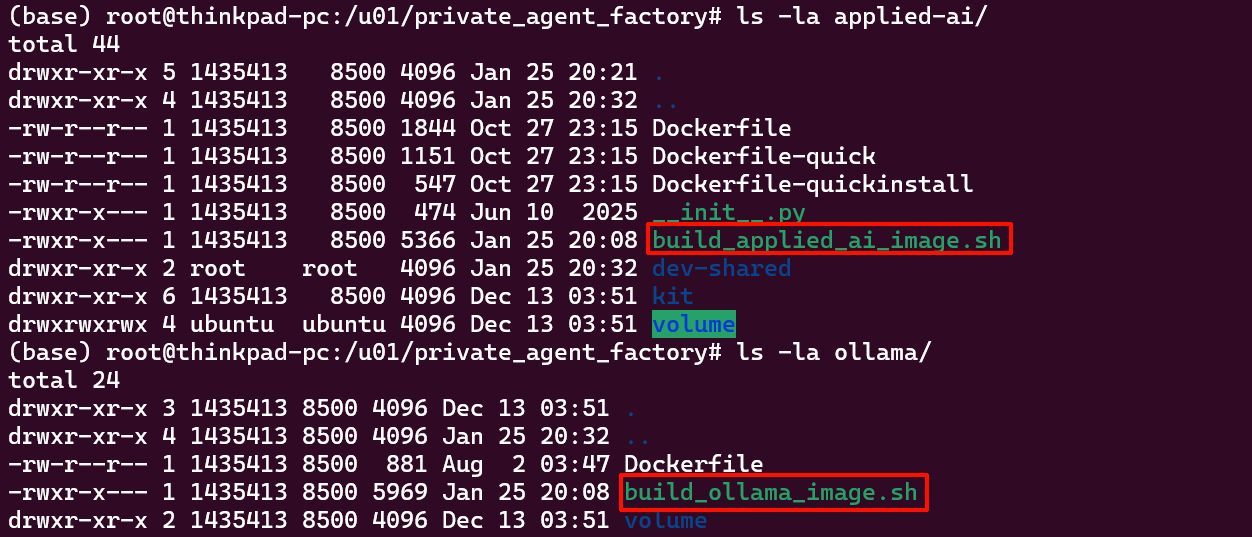
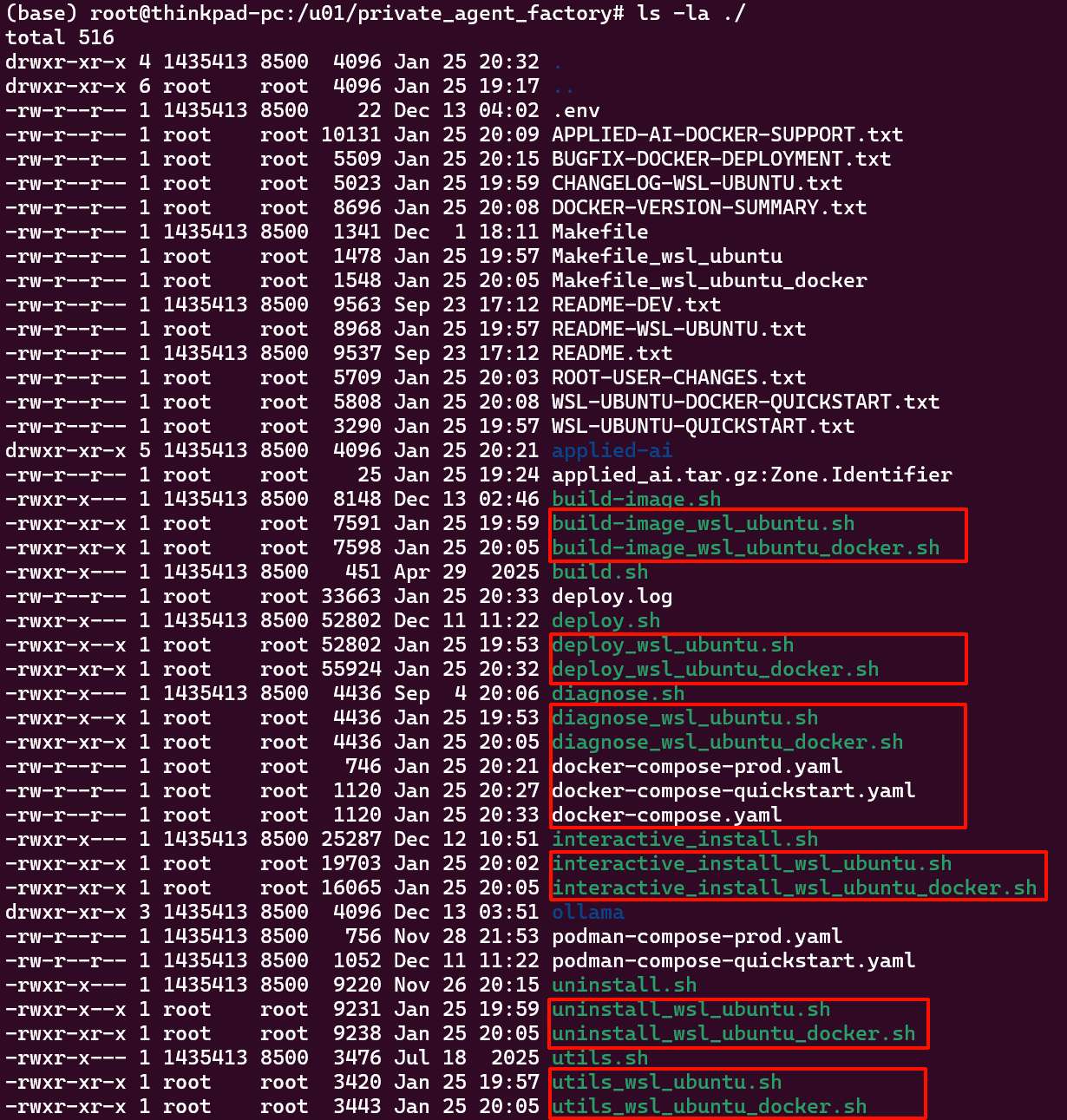
WSL Ubuntu 22.04環境で、かつPodmanではなくDockerを使用して構築するため、多くのファイルに修正を加えました。以下の画像の赤枠で示されているファイルが、追加または修正したファイルです。
インストールの実行
修正したインストールスクリプトを実行します。
bash interactive_install_wsl_ubuntu_docker.sh
初期セットアップ
ユーザー登録
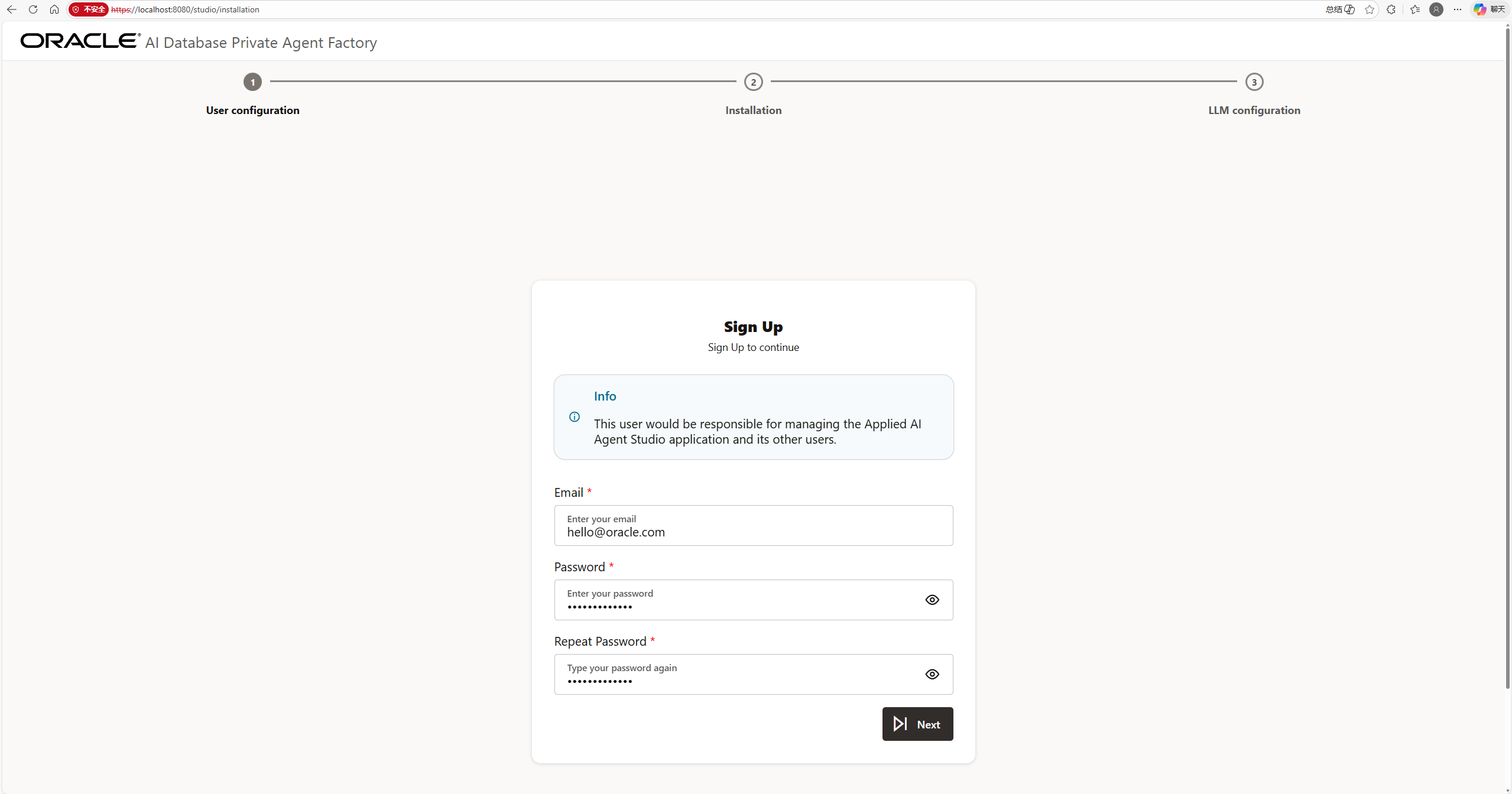
インストール完了後、'Sign Up'ボタンをクリックし、EmailとPasswordを設定します。
データベースへのインストール
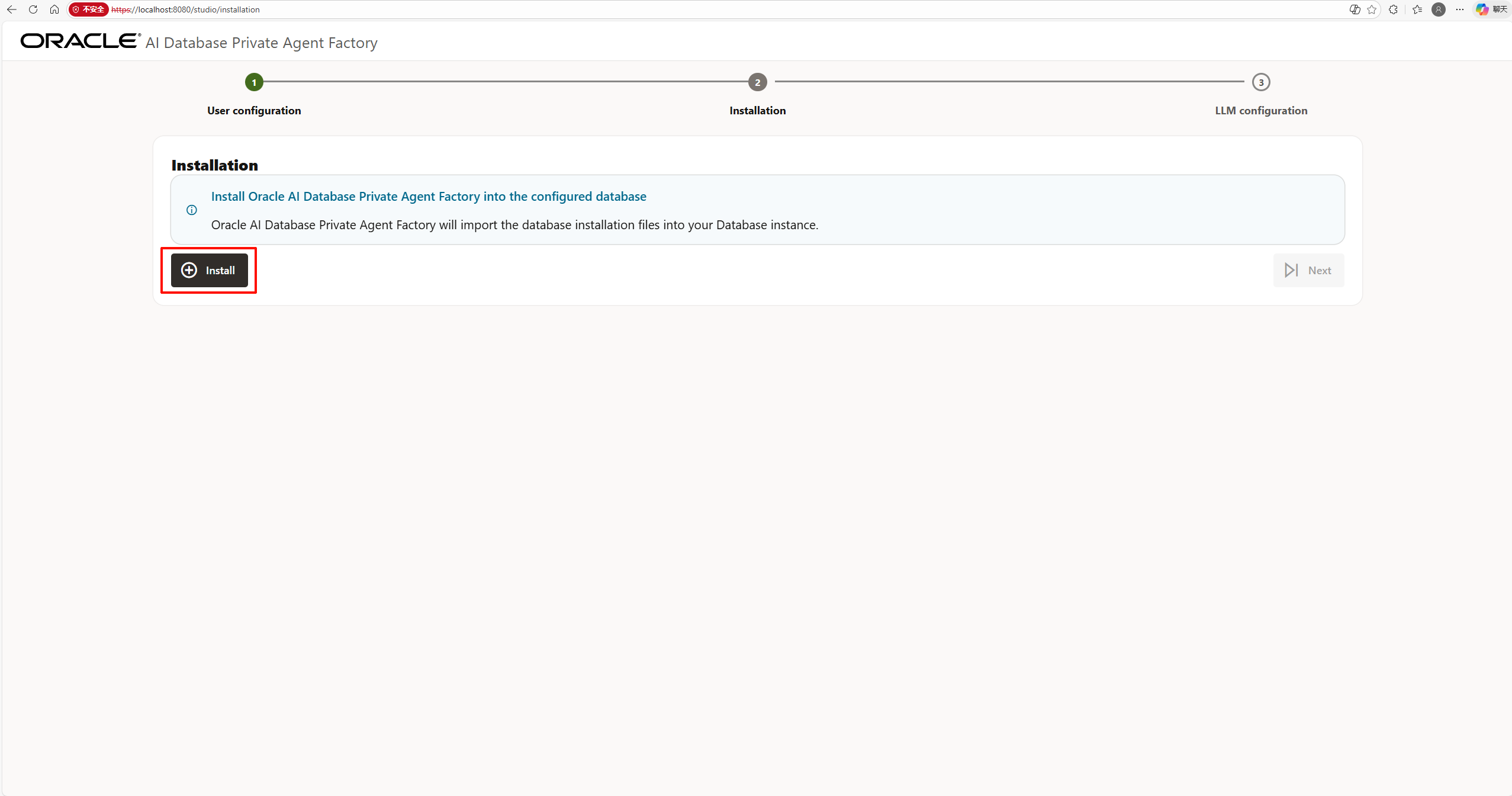
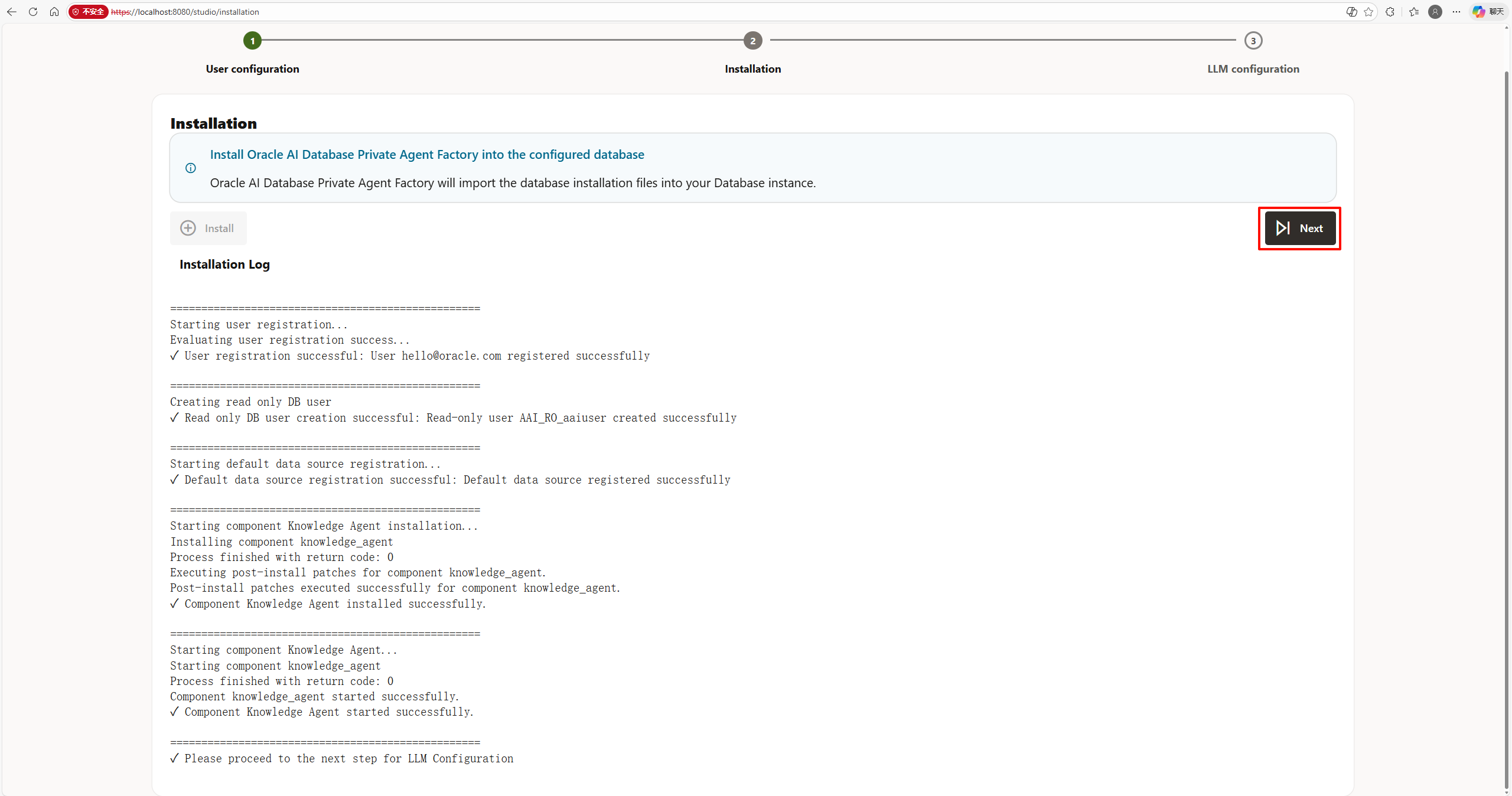
「Install Oracle AI Database Private Agent Factory into the configured database」の画面が表示されます。
モデルの設定
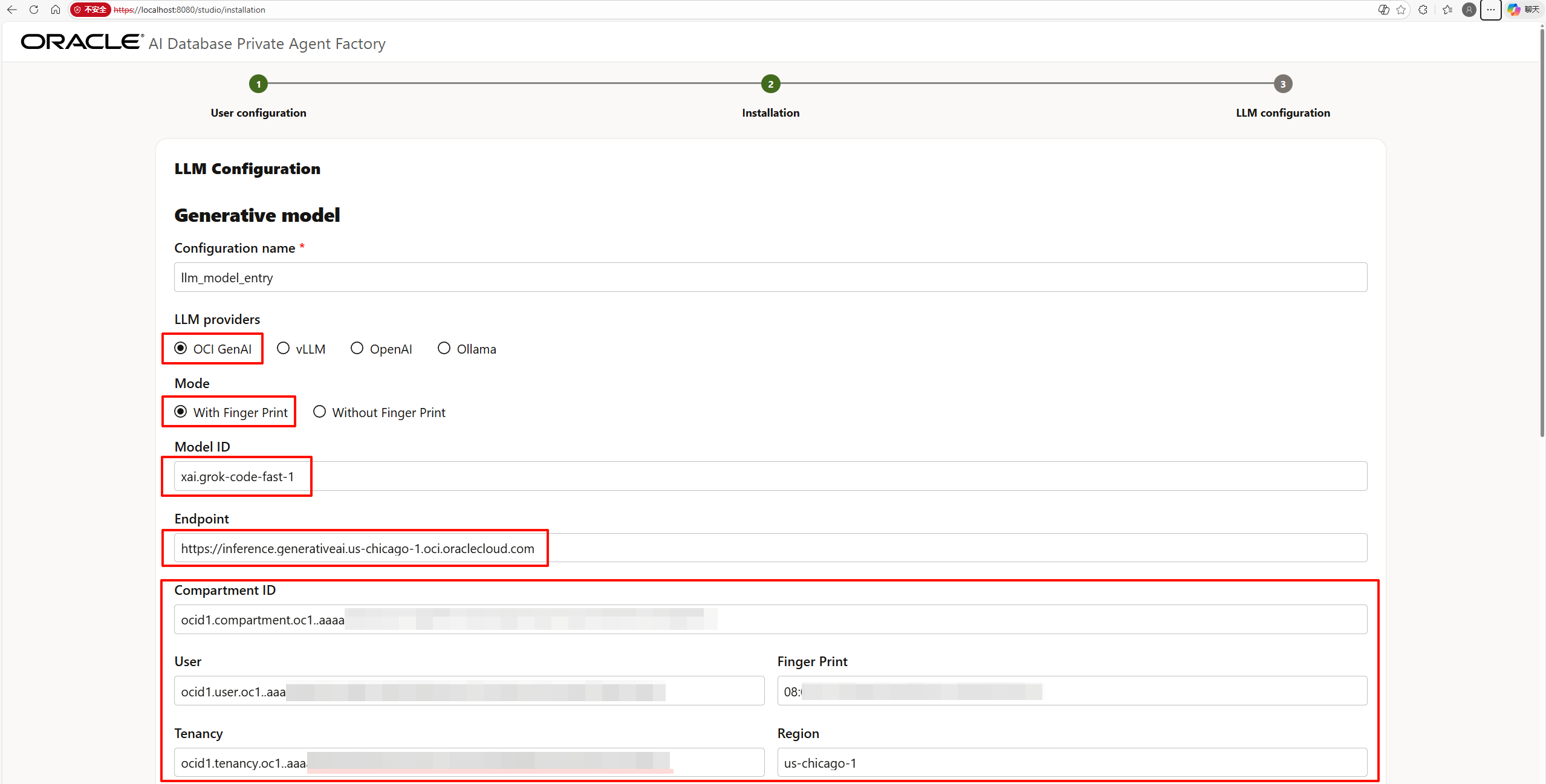
LLMの設定
LLM(Large Language Model)の設定を行います。



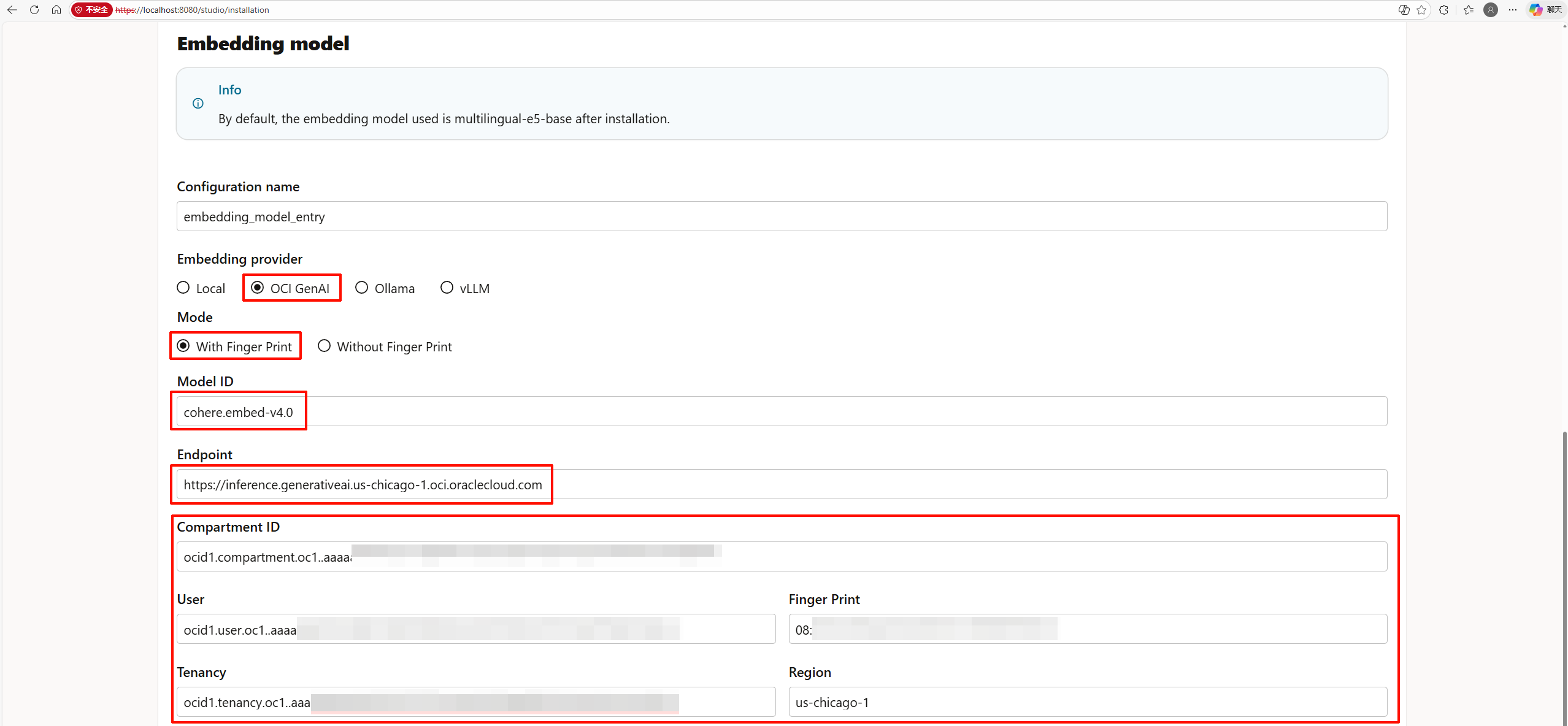
Embedding Modelの設定
続いて、Embedding Modelの設定を行います。



セットアップの完了
すべての設定が完了したら、「Finish Installation」ボタンをクリックします。

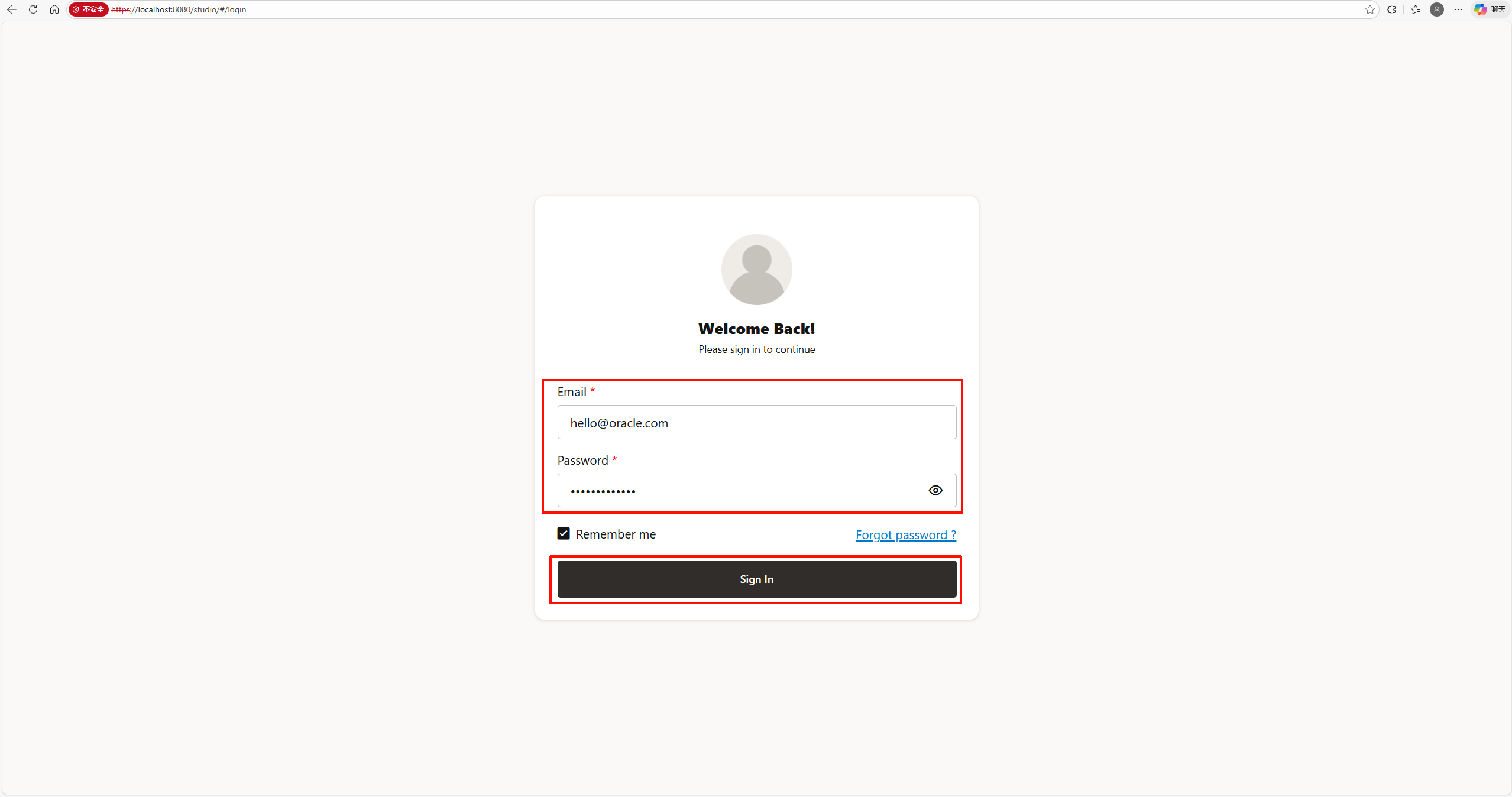
サインイン
Sign In画面で、先ほど設定したEmailとPasswordを入力し、「Sign In」ボタンをクリックします。
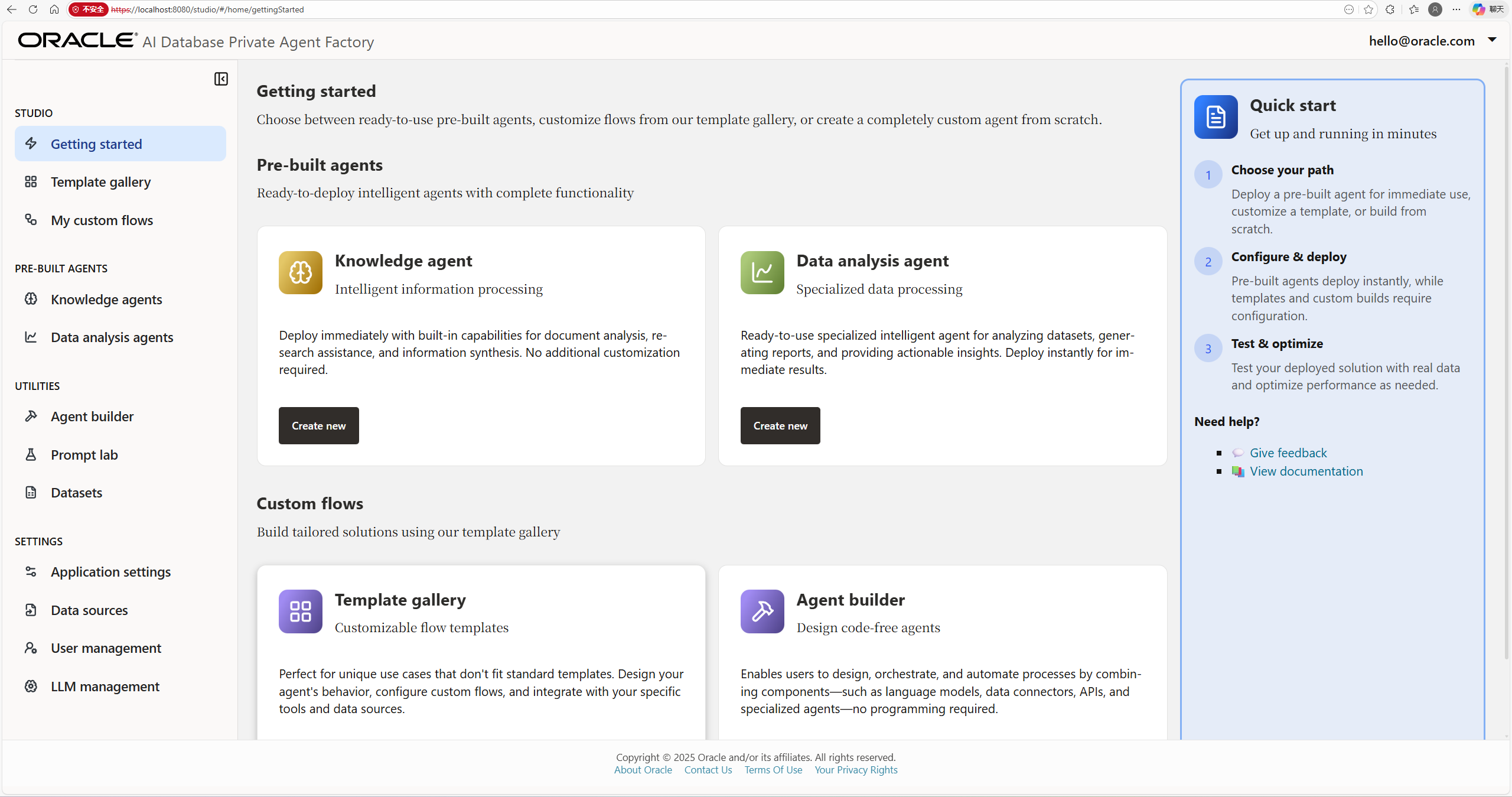
成功!
Oracle AI Database Private Agent Factoryの画面が正常に表示されました。構築成功です!
まとめ
WSL Ubuntu 22.04環境でDockerを使用してOracle AI Database Private Agent Factoryを構築することができました。Podman向けの構成ファイルをDocker向けに修正する必要がありましたが、無事に動作させることができました。