
はじめに
以前まで、Amazon Aurora PostgreSQLを使用する際、VPC作成して~、サブネットグループ設定して~、セキュリティグループ設定して~、と前準備に手間取ることがありましたが、エクスプレス設定により、数秒で立ち上げが可能になったそうです。
試してみた
Linuxの場合:
aws rds create-db-cluster --db-cluster-identifier sample-express-cluster \
    --engine aurora-postgresql \
    --with-express-configuration
Windowsの場合:
aws rds create-db-cluster --db-cluster-identifier sample-express-cluster ^
    --engine aurora-postgresql ^
    --with-express-configuration
これだけで完了です(必要に応じてクラスター名は変更してください)

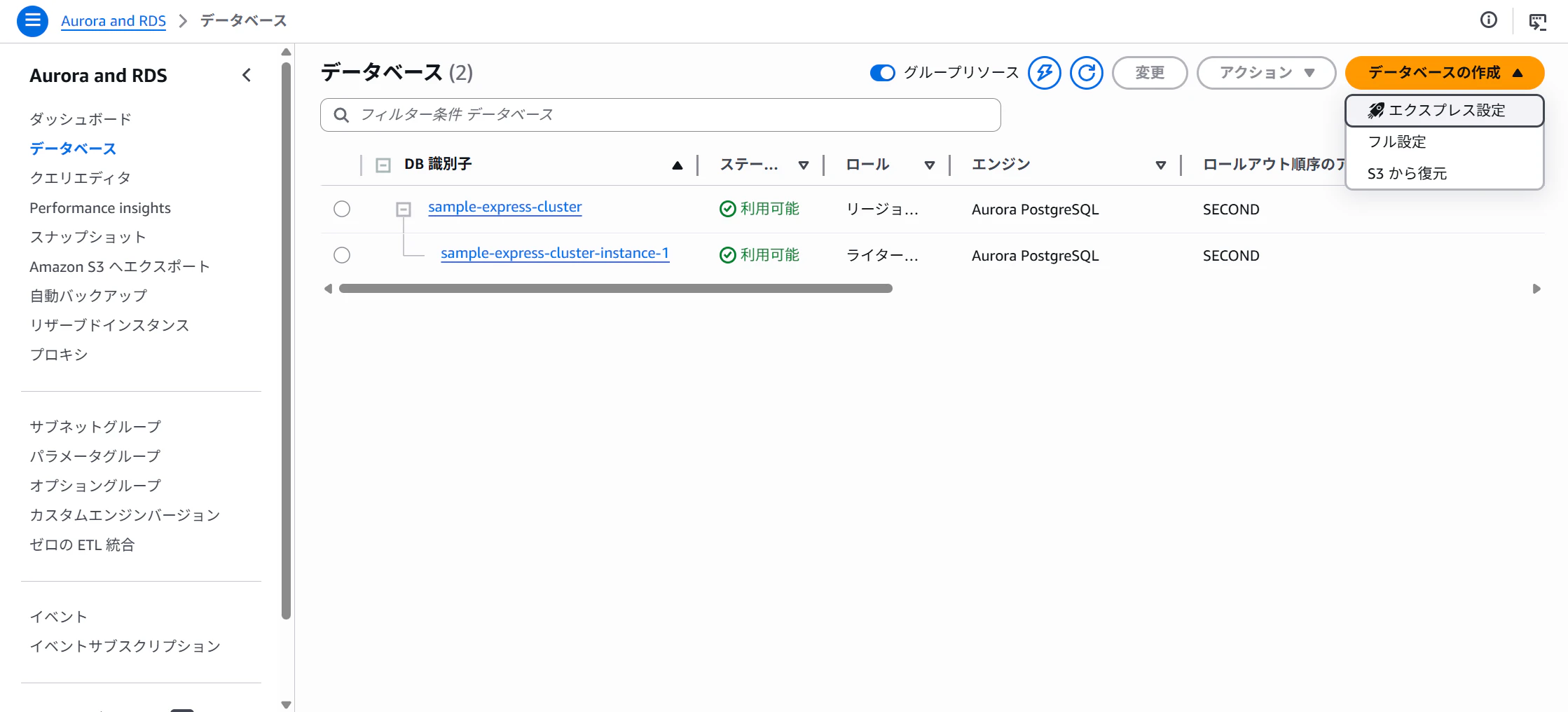
マネジメントコンソールからでも作成可能です
Aurora and RDS ⇒ データベース ⇒ データベースの作成 ⇒ エクスプレス設定
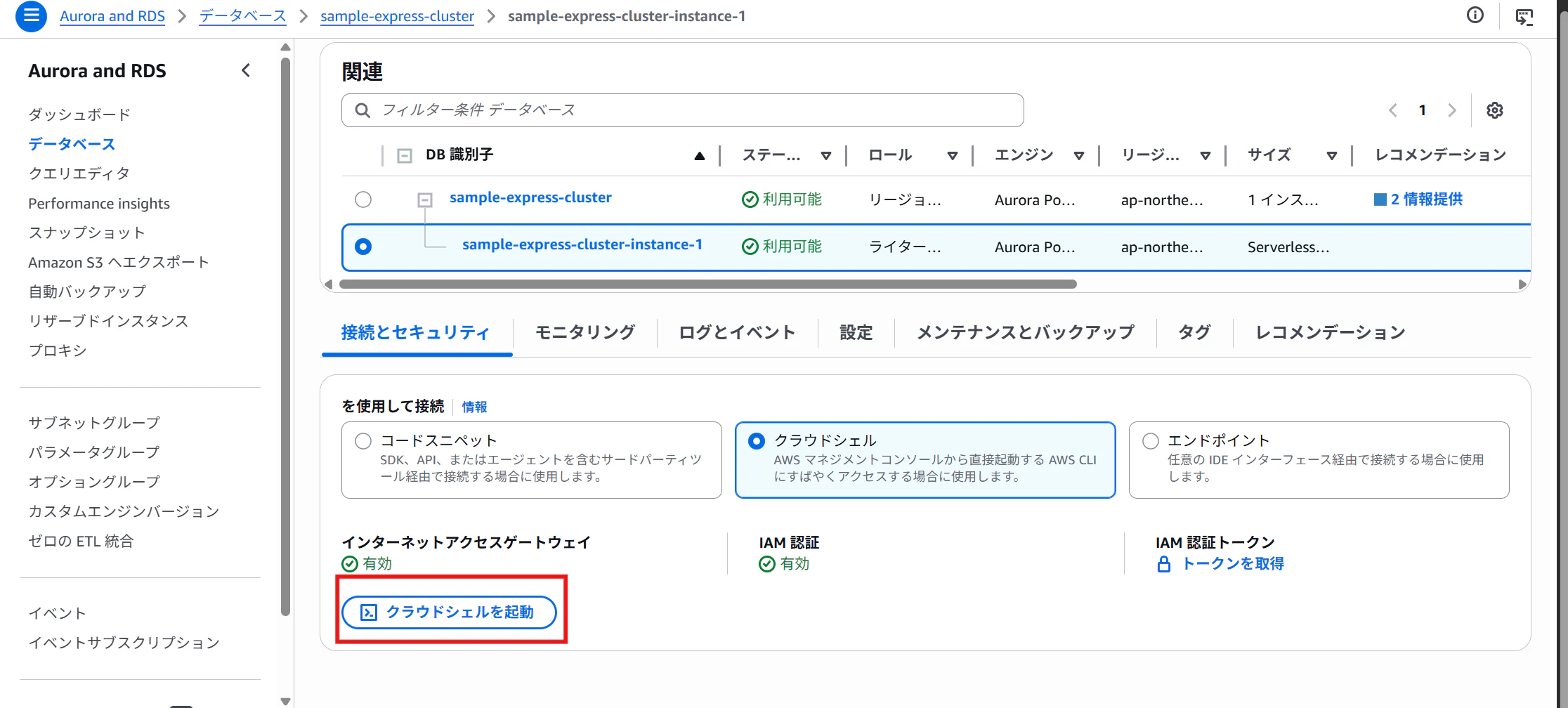
接続
一番簡単なCloudShellから接続します
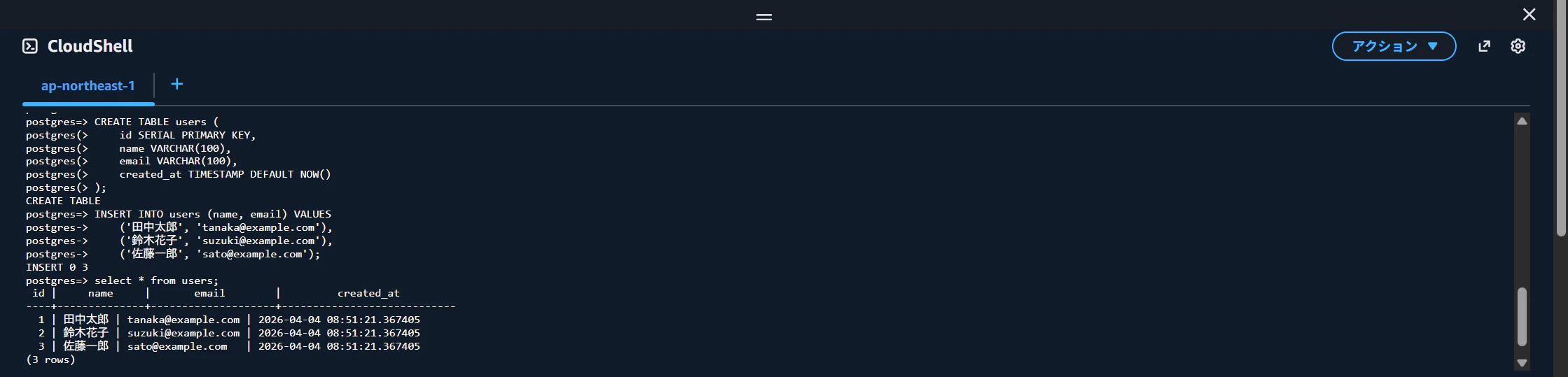
テーブル作成して、データ登録後に参照してみましたが問題無しですね
最後に
手軽に構築できますが、いくつか懸念点もあります
- VPCのセキュリティグループが使えないため、IPアドレス単位でのアクセス制限ができない
- カスタマー管理のKMSキーが使えないため、暗号化キーを自分で管理したい場合はNG
- IAM認証設定のみのため、Secrets ManagerやKerberos認証が使えない
etc...
検証に利用したり、個人開発レベルなら問題無いと思います