
概要
- モノレポでEASのGithub連携 + EAS Workflowを設定したい
やり方
app.json, eas.jsonの配置場所
まずapp.jsonやeas.jsonはプロジェクトルートではなく、Expoアプリのルートに配置します。
※ ローカルからexpo buildなどを叩く際は必ずExpoアプリのルートから実行します。
参考: https://docs.expo.dev/build-reference/build-with-monorepos/
EAS Workflowの配置
EAS Workflowもプロジェクトルートではなく、Expoアプリのルート以下に配置します。
たとえばapps/mobile以下にExpoアプリがある場合、パスはapps/mobile/.eas/workflows/xxx.yamlになります。
name: Create Preview Builds
on:
  push:
    branches:
      - main
    paths:
      - apps/mobile/**

jobs:
  build_android:
    type: build
    environment: preview
    params:
      platform: android
  build_ios:
    type: build
    environment: preview
    params:
      platform: ios
Expoアプリのルートから以下のコマンドを叩くことでローカルからWorkflowファイルを実行させることができるので、コミット前に設定を確認可能です。
npx eas-cli@latest workflow:run xxx.yml
ExpoでGitHub連携
ExpoでGitHub連携を行います。
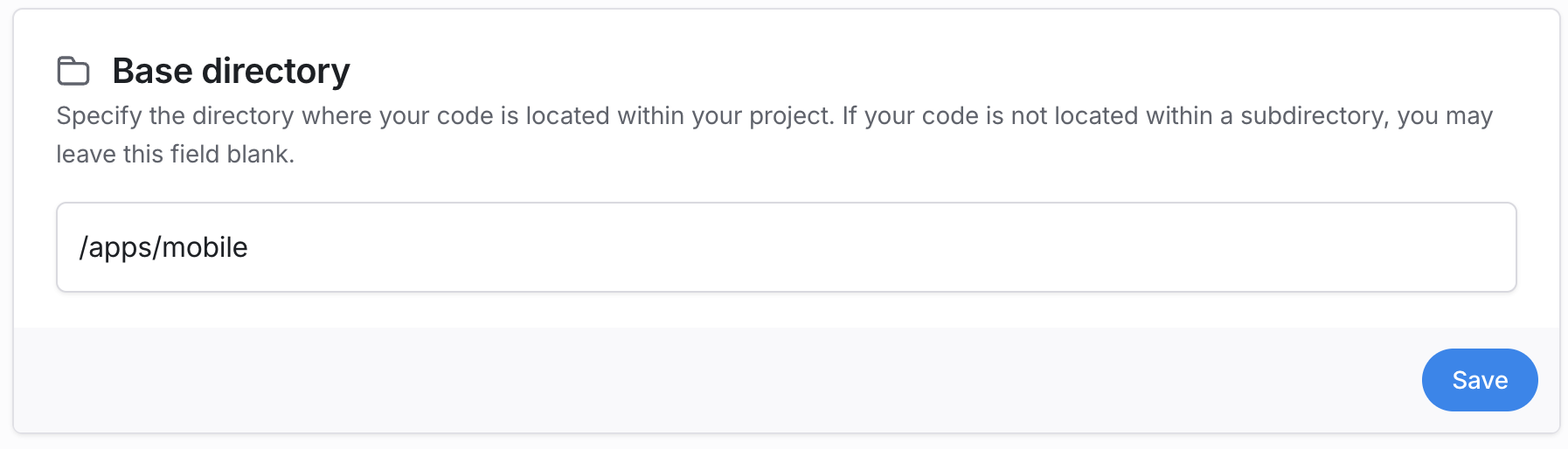
基本はドキュメント通りに行うだけなのですが、Base directoryでExpoアプリのあるパスを設定します。
完成!
これでトリガー時にワークフローが動作するようになります。
わかれば簡単なんですがWorkflowファイルの配置場所など説明がなく試行錯誤したので記事にまとめました。