
初めに
PAY.jpは開発者や事業者向けに、Webサイトやアプリにクレジットカード決済機能を簡単に導入できるオンライン決済サービスなそうなのでPAY.jpを使えばどれほど簡単にそして安全に使えるのかなどについて調べてきました。
テストAPIで実際に作ってみた
実際にアカウントを作ってAPI設定を開いてみると
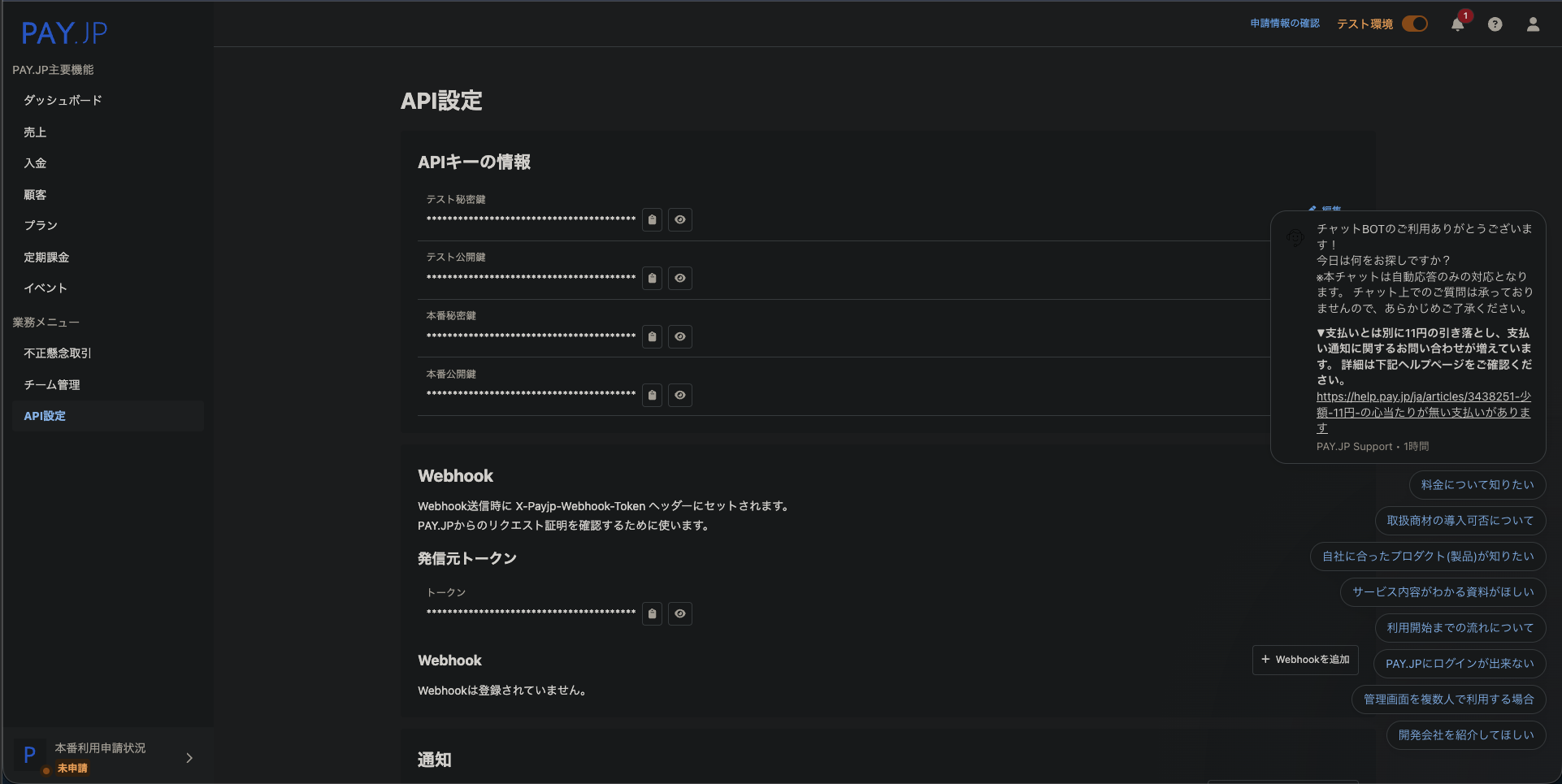
このようになっていました。これをみて最初から本番環境とテスト環境を分けてくれるのは誤爆しにくくとてもありがたいと思いました。(自分は実際にチャットツールを作る時にAPI関連がぐちゃぐちゃになってどれが本番環境かなどがわからなくなった経験があるので...)
サンプルコードが多く助かる
このようにエラーハントリングも楽にできるようになっていてとても良いです。
pay.jpが優秀な理由
主にクラウドファンディングのように高額な手数料や集まりきらなかったら返品などがなかったり、ファンサイトの場合20%も取られてしまいます。そんな中pay.jpの手数料は無料版で3.3%で海外にも対応しています。
実際に動かしてみよう
<!DOCTYPE html>
<html lang="ja">
<head>
  <meta charset="UTF-8">
  <meta name="viewport" content="width=device-width, initial-scale=1.0">
  <title>pay.jpテストサイト</title>
</head>
<body>

<form action="/pay" method="post">
  <script
    src="https://checkout.pay.jp/"
    class="payjp-button"
    data-key="公開鍵">
  </script>
</form>

</body>
</html>
import payjp
from flask import Flask, request, render_template
import os
from dotenv import load_dotenv
load_dotenv()

app = Flask(__name__)

payjp.api_key = os.getenv("PAYJP_SECRET_KEY")#秘密鍵

@app.route("/")
def index():
    return render_template("index.html")

@app.route("/pay", methods=["POST"])
def pay():
    token = request.form.get("payjp-token")
    if not token:
        print("トークンなし")
        return "トークンなし", 400

    charge = payjp.Charge.create(
        amount=500,#お金
        currency="jpy",#通貨
        card=token,
        description="テスト決済"#名前
    )

    print(charge)
    return "決済成功"


app.run(debug=True)
これをするだけでボタンが生成されてそれを押すと

このよう画面が出るためカードに4242 4242 4242 4242と入力し他のところは適当に打つだけで決済が完了しpayの情報を見ることができます。
{
  "amount": 500,
  "amount_refunded": 0,
  "captured": true,
  "captured_at": 1766710240,
  "card": {
    "address_city": null,
    "address_line1": null,
    "address_line2": null,
    "address_state": null,
    "address_zip": null,
    "address_zip_check": "unchecked",
    "brand": "Visa",
    "country": null,
    "created": 1766710240,
    "customer": null,
    "cvc_check": "passed",
    "email": null,
    "exp_month": 11,
    "exp_year": 2026,
    "fingerprint": "e1d8225886e3a7211127df751c86787f",
    "id": "car_7b528f7f6f9ebb5603c84615819a",
    "last4": "4242",
    "livemode": false,
    "metadata": {},
    "name": "TEST",
    "object": "card",
    "phone": null,
    "three_d_secure_status": null
  },
  "created": 1766710240,
  "currency": "jpy",
  "customer": null,
  "description": "\u30c6\u30b9\u30c8\u6c7a\u6e08",
  "expired_at": null,
  "failure_code": null,
  "failure_message": null,
  "fee_rate": "3.30",
  "id": "ch_18d79e3bb4e1a843bc910acbf0566",
  "livemode": false,
  "metadata": {},
  "object": "charge",
  "paid": true,
  "refund_reason": null,
  "refunded": false,
  "subscription": null,
  "term_id": "tm_2a82f57c759d91f3145118a724847",
  "three_d_secure_status": null
}
まとめ
今回pay.jpを使ってみてとても楽でかつ手数料が多くなかったためファンサイトを作る時はpay.jpで作ろうと思いました。皆さんもぜひpay.jpを使ってみてください。