
YouTube投稿時にサムネイル画像を作るのが結構めんどくさい
手順はこんな感じ。せめて画像編集処理くらいは自動でやりたい。
- フルスクリーンで動画のスクリーンショットを取る
- 上下の余計な部分を切り捨てて縦横比を16:9にする
- サイズを1280x720に縮小する
- YouTubeにアップロードする
自動化しよう
簡単に自動化できそうなのは以下の2点。
- 上下の余計な部分を切り捨てて縦横比を16:9にする
- サイズを1280x720に縮小する
実際の画像ファイルでいうと、これ 1 を
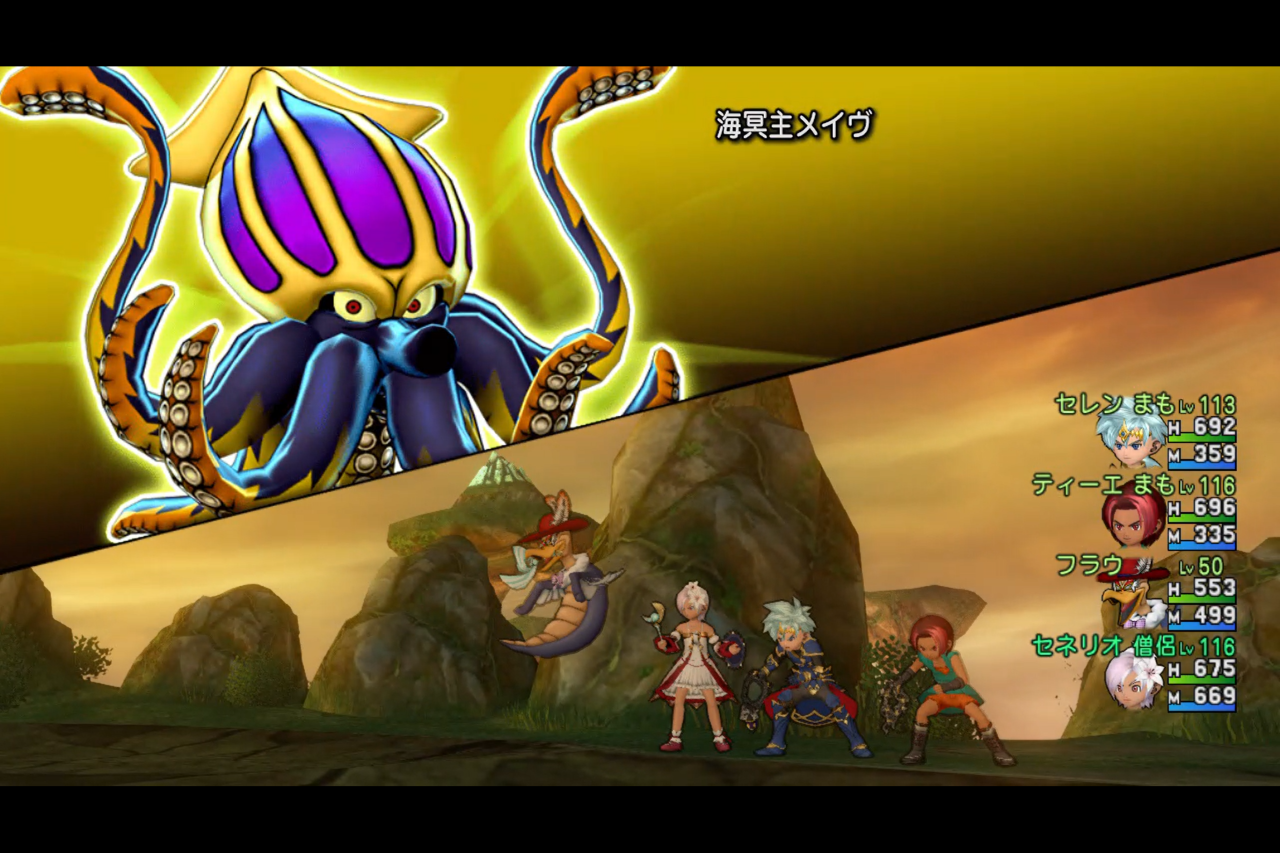
こうしたい。(上下の黒い部分が無くなっている)

ImageMagickに慣れ親しんでいたのでPythonでもそれで行こうと思いましたが、思いのほか実例やドキュメントが無く難航。画像編集はPillowというライブラリが一般的なようなので、今回はそれで行くことにします。
画像ファイルを読み込む
im = Image.open(infile)
上下の余計な部分を切り捨てて縦横比を16:9にする
元の 幅 に $\frac{9}{16}$ を掛けて変更後の 高さ を算出。(一番時間がかかったのはここかもしれない)
size = (1280, 720)
dHeight = width * size[1] / size[0]
offsetY = (height - dHeight) / 2
box = (0, offsetY, width, offsetY + dHeight)

im = im.crop(box)
サイズを1280x720に縮小する
size = (1280, 720)
im = im.resize(size)
出来上がった画像をファイル出力する
ファイル名の拡張子から自動判定してくれる模様。簡単。
im.save(outfile)
整理するとこんな感じ
「ドラッグ&ドロップで使えると便利だよね」とか、「出力ファイル名は『元のファイル名 + ".thumb.png"』とか」、「メソッドチェーンにすると今風かな」とか、いろいろ詰め込んだ結果がこれ。
thumb.py
import os, sys
from PIL import Image

size = (1280, 720)

for infile in sys.argv[1:]:
    try:
        (fname, ext) = os.path.splitext(infile)
        outfile = fname + '.thumb.png'
        im = Image.open(infile)

        (width, height) = im.size
        dHeight = width * size[1] / size[0]
        offsetY = (height - dHeight) / 2
        box = (0, offsetY, width, offsetY + dHeight)

        im.crop(box) \
            .resize(size) \
            .save(outfile)
    except OSError:
        print('Cannot convert:', infile, file=sys.stderr)
-
(C) ARMOR PROJECT/BIRD STUDIO/SQUARE ENIX All Rights Reserved. ↩