

はじめに
AIX Cloud ready image を使用して、PowerVC のイメージに登録し、デプロイを確認しました。
AIX Cloud ready image にはすでに cloud-init が導入されており、PowerVC のデプロイ・イメージとしてそのままに使用することが可能です。
環境
・AIX 7.2 のサーバー (VM名 "test1107", ディスク書き込み実行で使用)
rootvg と空の外部ディスク1つ(20 GB)
・PowerVC サーバー version 2.0.2 (RHEL8.4 ppc64le)
・AIX 7.3 Cloud ready image
ダウンロードと配置
・AIX ダウンロード・サイトから、AIX 7.3TL0SP01の cloud ready image をダウンロードします。

・ディスク書き込み用途の AIX7.2 サーバー(test1107)にダウンロードしたイメージ・ファイルを配置します。
# ls -l
-rw-r--r--. 1 root root 6872102876 Jan 21 08:05 aix_7300-00-01-2148_cldrdy_122021.gz
・圧縮されているので解凍します。
# time gzip -d aix_7300-00-01-2148_cldrdy_122021.gz

real    4m27.63s
user    1m50.84s
sys     0m26.04s
# ls -l
total 41943048
-rw-r--r--    1 root     system   21474836480 Jan 21 22:05 aix_7300-00-01-2148_cldrdy_122021
#
ファイルの解凍におよそ4分30秒かかりました。
ディスク用意
・PowerVC で AIX 7.2 サーバー(test1107) に空のディスクをつけます。
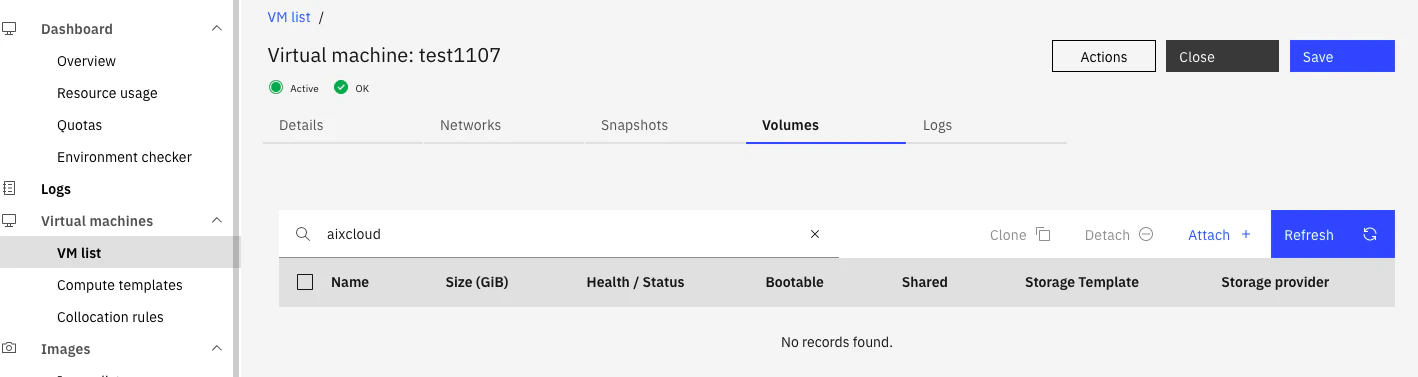
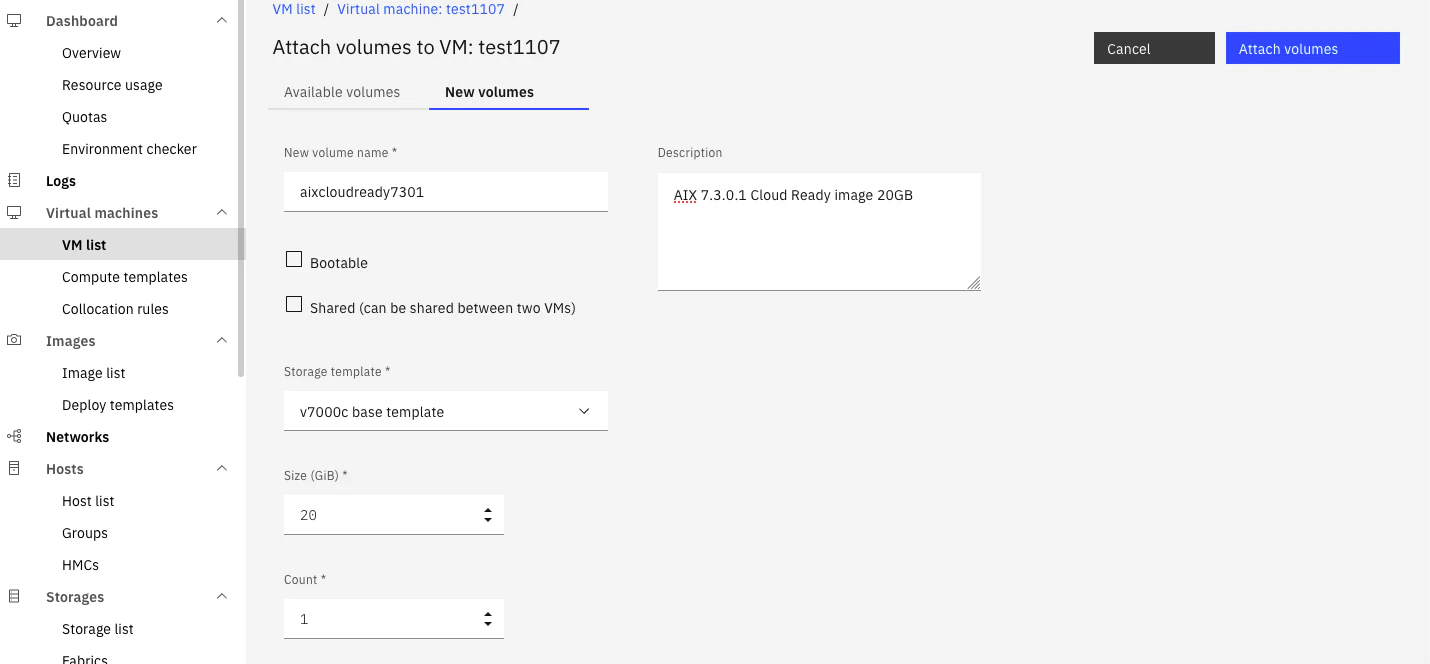
・20GB のディスクを新しく作成する内容を定義し、 Attach します。
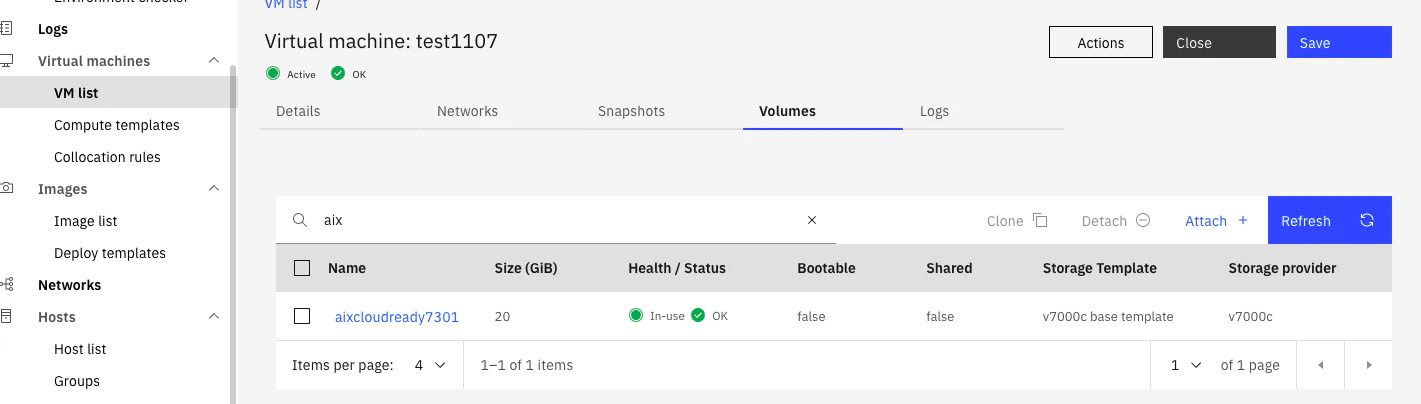
test1107 でボリュームが使用可能になりました。
・サーバーにログインし、ディスクを確認します。
# lspv
hdisk0          00f98db55d0f32e1                    rootvg          active
#
・cfgmgr を実行してアタッチしたディスクを認識します。
# cfgmgr
# echo $?
0
#
新しいディスクが hdisk1 として認識されました。
# lspv
hdisk0          00f98db55d0f32e1                    rootvg          active
hdisk1          none                                None

# ls -l /dev/rhdisk1
crw-------    1 root     system       19,  3 Jan 22 07:53 /dev/rhdisk1
・接続した空の外部ディスク(hdisk1 20GB) に AIX 7.3.0.1 cloud ready image を書き込みます。
# ls -l /dev/rhdisk1
crw-------    1 root     system       19,  3 Jan 21 09:12 /dev/rhdisk1

# time dd if=/powervctest/aix/aix_7300-00-01-2148_cldrdy_122021 of=/dev/rhdisk1 bs=1M
20480+0 records in
20480+0 records out

real    2m13.61s
user    0m0.08s
sys     0m14.23s
#
・書き込みが完了したら、AIX 7.2 サーバーから切り離します。
# lspv
hdisk0          00f98db55d0f32e1                    rootvg          active
hdisk1          none                                None

# rmdev -dl hdisk1
hdisk1 deleted
# echo $?
0
・PowerVC から ボリュームを切り離します。
対象のボリュームを選択し、"Detach" を押します。
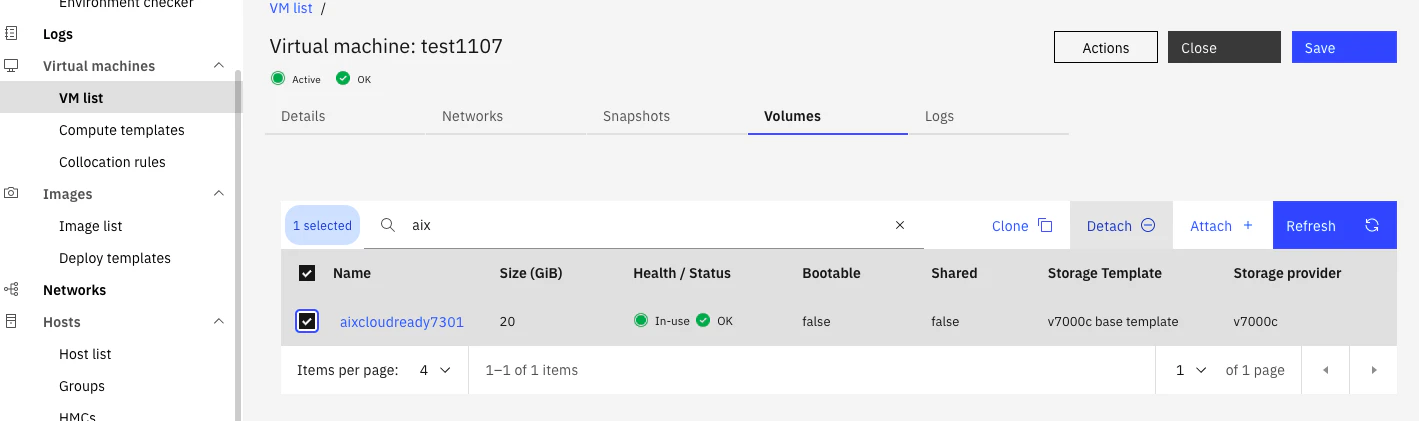
次の画面で対象ディスクを再度確認して"Detach"を実行します。
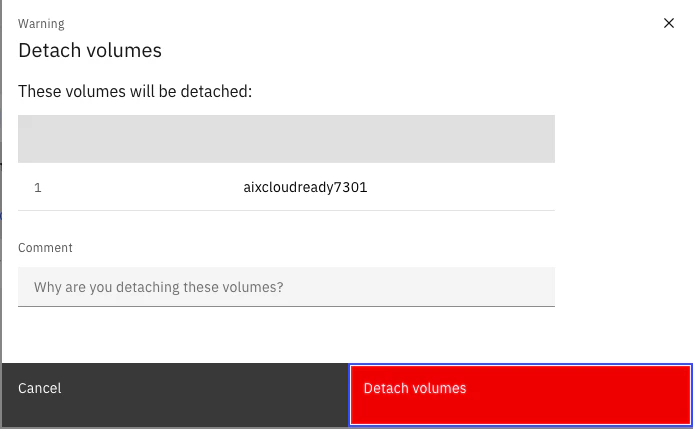
対象ボリュームが切り離されました。

PowerVC で既存のボリュームからイメージの作成
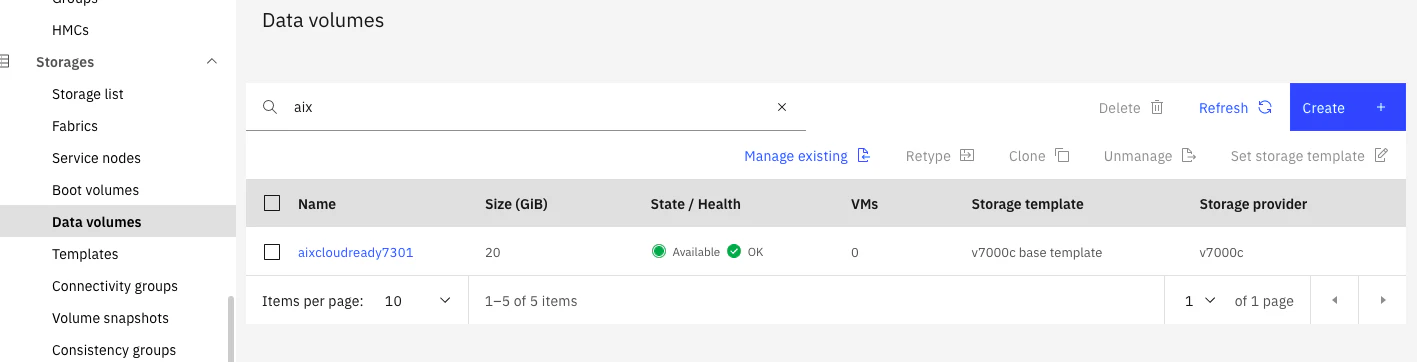
・Data volumes セクションでAIX7.3.0.1 のcloud ready image を書き込んだ、切り離したボリュームが存在することを確認します。
・Image セクションに移り、Create を押します。

Create image で Name、Description などを記入します。
Operating System は AIX を指定します。

Available volumes にタブを移り、対象のディスクを選択します。
Boot order は Bootable disk のため "0" を設定します。
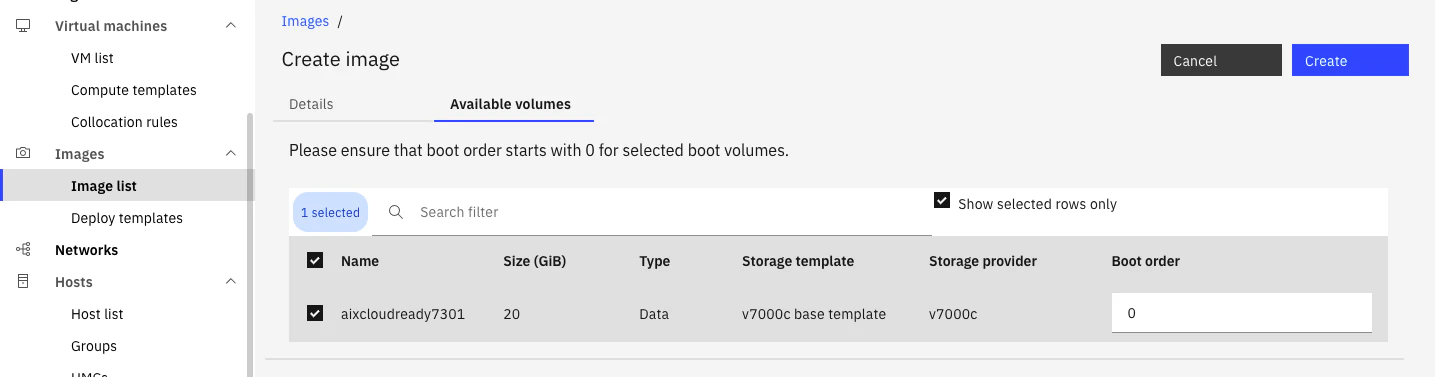
Create を押し、イメージを作成します。
Image list セクションでイメージが作成されたことを確認します。
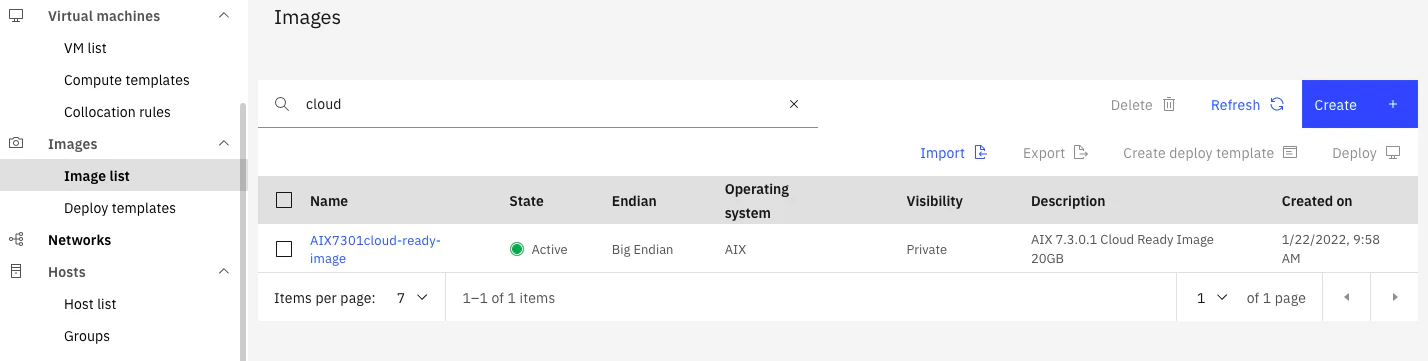
・AIX 7.3.0.1 Cloud ready image が PowerVC に登録できました。
AIX 7.3.0.1 デプロイ 確認
作成したイメージをデプロイしてイメージに問題ないかを確認します。
デプロイ実行画面は省略。
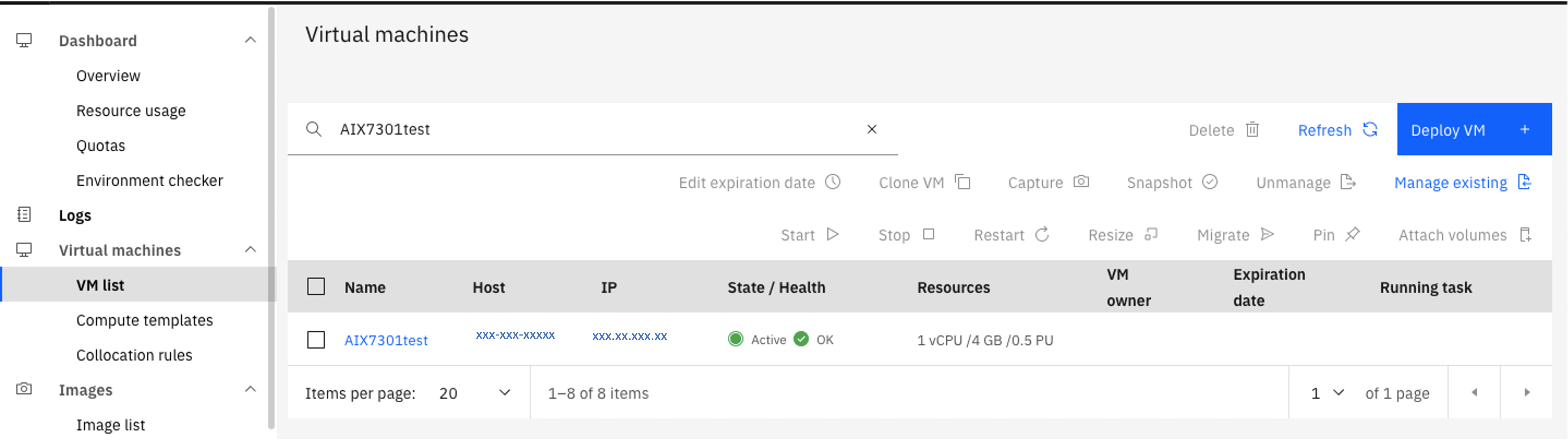
デプロイは成功しています。VM名は "AIX7301test" です↓
作成した "AIX7301test" にログインします。
HMC の仮想端末からログイン
AIX Version 7
Copyright IBM Corporation, 1982, 2021.
Console login: root
[compat]: Your password has expired. Please choose a new password.

root's New password:Your new password must have:
        maximum of 8 repeated characters
        minimum of 2 alphabetic characters
        minimum of 1 lower case alphabetic character
        minimum of 1 upper case alphabetic character
        minimum of 1 non-alphabetic character
        minimum of 1 digit
        minimum of 0 special character
        minimum of 15 characters in length


Your password failed to meet:
        minimum of 1 upper case alphabetic character
        minimum of 1 non-alphabetic character
        minimum of 1 digit
        minimum of 15 characters in length

root's New password:
短いパスワードの入力では通りませんでした...。
再度パスワードを入力します。
root's New password:
Re-enter root's new password:
*******************************************************************************
*                                                                             *
*                                                                             *
*  Welcome to AIX Version 7.3!                                                *
*                                                                             *
*                                                                             *
*  Please see the README file in /usr/lpp/bos for information pertinent to    *
*  this release of the AIX Operating System.                                  *
*                                                                             *
*                                                                             *
*******************************************************************************

#
# oslevel -s
7300-00-01-2148
通りました!
rootvg も 20GB で作成されています。
# lsvg rootvg
VOLUME GROUP:       rootvg                   VG IDENTIFIER:  00fa00d600004c000000017d43623707
VG STATE:           active                   PP SIZE:        32 megabyte(s)
VG PERMISSION:      read/write               TOTAL PPs:      639 (20448 megabytes)
MAX LVs:            256                      FREE PPs:       202 (6464 megabytes)
LVs:                13                       USED PPs:       437 (13984 megabytes)
OPEN LVs:           12                       QUORUM:         2 (Enabled)
TOTAL PVs:          1                        VG DESCRIPTORS: 2
STALE PVs:          0                        STALE PPs:      0
ACTIVE PVs:         1                        AUTO ON:        yes
MAX PPs per VG:     32512
MAX PPs per PV:     1016                     MAX PVs:        32
LTG size (Dynamic): 512 kilobyte(s)          AUTO SYNC:      no
HOT SPARE:          no                       BB POLICY:      relocatable
PV RESTRICTION:     none                     INFINITE RETRY: no
DISK BLOCK SIZE:    512                      CRITICAL VG:    no
FS SYNC OPTION:     no                       CRITICAL PVs:   no
ENCRYPTION:         yes
Cloud Ready image の特徴として、追加モジュール導入用の "/usr/sys/inst.images" が存在しています。
こちらは不要であれば論理ボリュームを削除可能と思います。
# df -m
Filesystem    MB blocks      Free %Used    Iused %Iused Mounted on
/dev/hd4          96.00     48.36   50%     2757    20% /
/dev/hd2        2400.00    306.34   88%    40326    35% /usr
/dev/hd9var      192.00    157.70   18%      900     3% /var
/dev/hd3         256.00    254.61    1%       35     1% /tmp
/dev/hd1          32.00     31.64    2%        7     1% /home
/dev/hd11admin    128.00    127.63    1%        5     1% /admin
/proc                 -         -    -        -      - /proc
/dev/hd10opt    1024.00     77.02   93%    17805    48% /opt
/dev/livedump    256.00    255.64    1%        4     1% /var/adm/ras/livedump
/dev/repo00     7968.00     45.73  100%     2036    16% /usr/sys/inst.images
/ahafs                -         -    -       35     1% /aha

# ls -l /usr/sys/inst.images
total 8
drwxr-xr-x    4 root     system          256 Nov 21 11:10 RPMS
drwxr-xr-x    3 root     system          256 Nov 21 11:10 installp
drwxr-xr-x    3 root     system          256 Nov 21 11:11 ismp
drwxr-xr-x    2 root     system         4096 Nov 21 11:11 license
drwxr-xr-x    2 root     system          256 Nov 21 11:11 lost+found
AIX 7.3.0.1 Cloud ready image から PowerVC のイメージに登録し、デプロイを確認しました。
以上です。