

はじめに
IBM Power の VIOS(Virtual I/O Server) のアップグレードを HMC(Hardware Management Console) GUI から実行することが可能です。VIOS 3.1.4.10 から 4.1.1.10 へのアップグレード手順を確認しました。
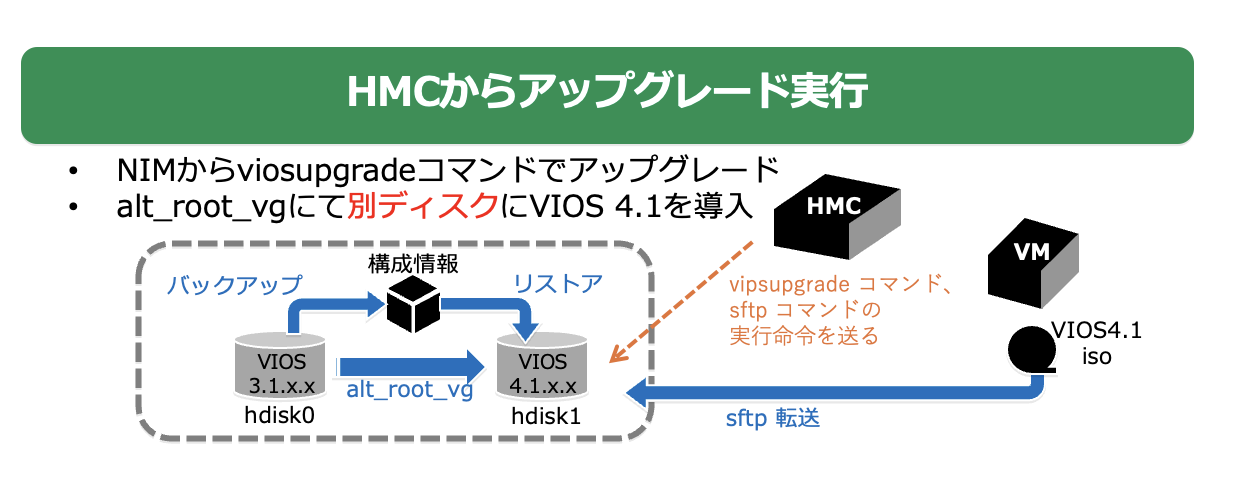
HMC からのアップグレードは viosupgrade コマンドが内部で使用され、元のディスクとは異なるディスクがマイグレーション先になる、という特徴があります。
以下は今回の実行環境のイメージ図です。
VIOS 4.1 iso ファイルは別の仮想マシン(VM) に配置して sftp で転送しています。
- 参考
環境
更新前 VIOSバージョン: 3.1.4.10
$ ioslevel
3.1.4.10
$
HMC 10.3.1050
hscroot@HMC:~> lshmc -v | grep RM
*RM V10R3.1050.0
準備
-
仮想メディア・リポジトリからメディアをアンロード
-
/home の空き容量を 20GiB 確保
-
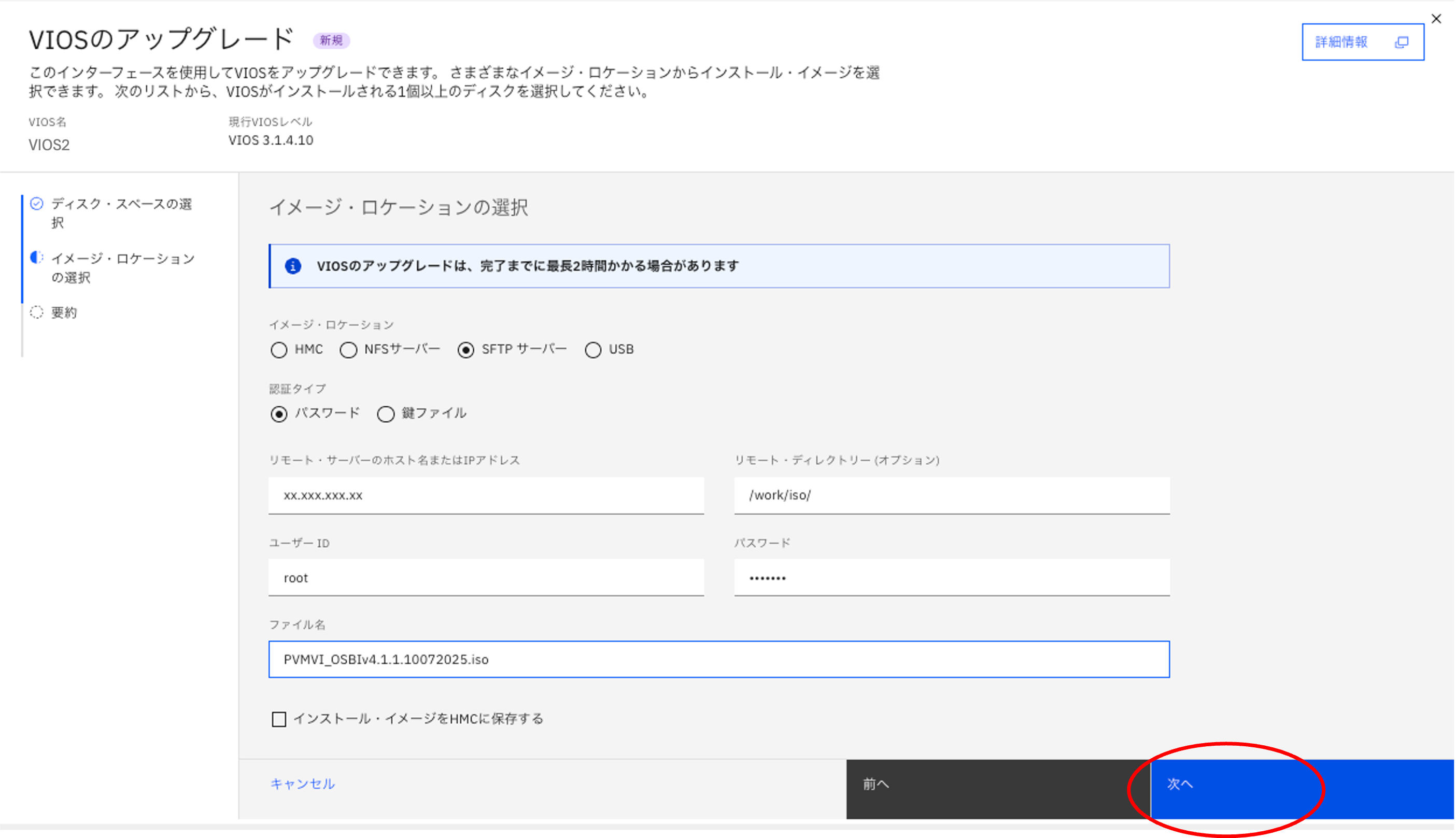
VIOS 4.1.1.10 の導入モジュールをSFTPで取得するため別サーバーに配置
アップグレードの実行手順
- HMC にログインし、Virtual I/O Server の画面に遷移し、対象 VIOS 区画を選択
- 操作 -> VIOSのアップグレードを選択

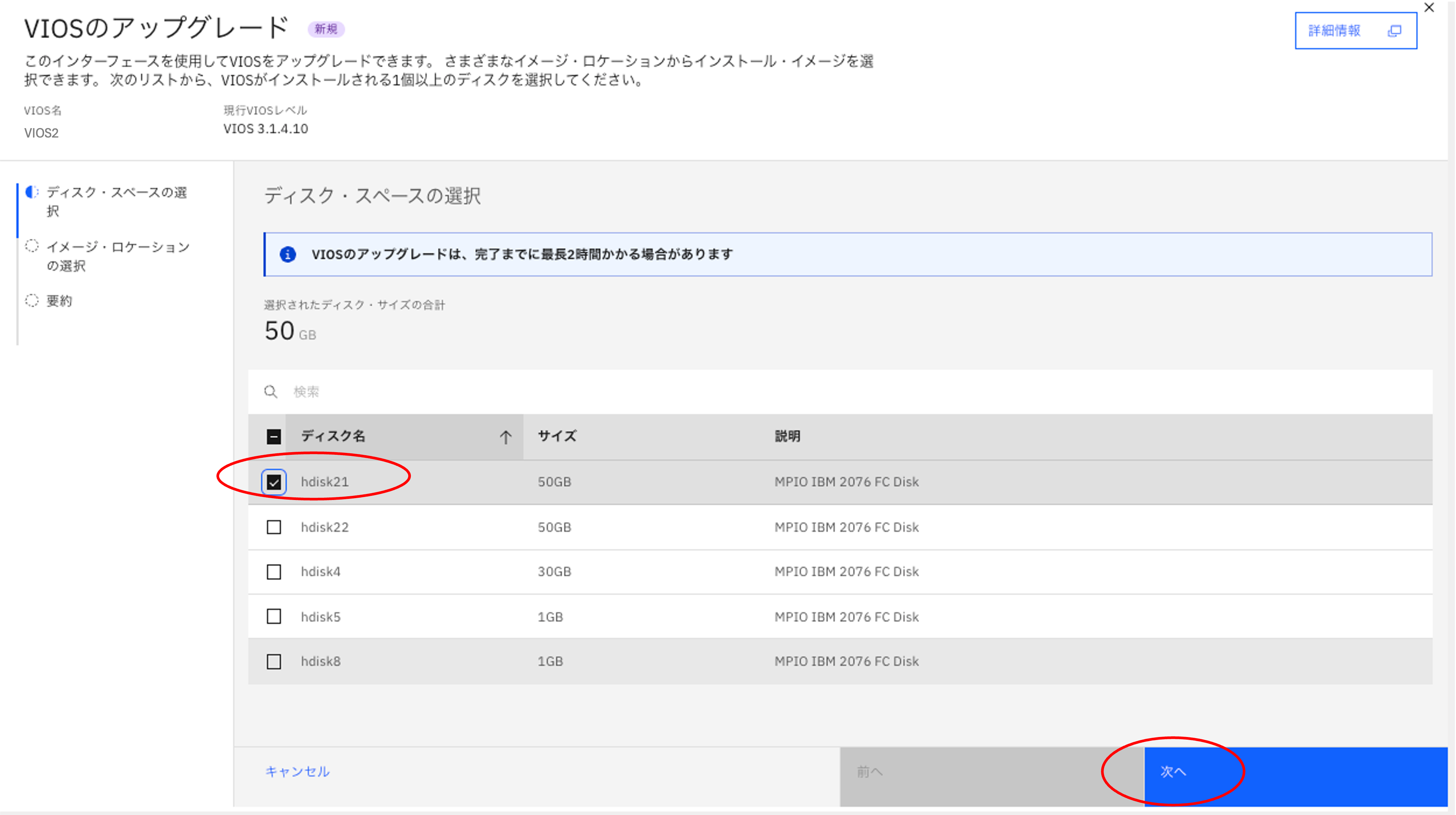
- 導入先の rootvg と同容量の hdiskを選択
rootvg と同容量の hdisk21 を選択します。
(このディスクは lspv -free コマンドで出力されるhdiskが対象です。PVID やデータがあるディスクは選択肢には上がりません)
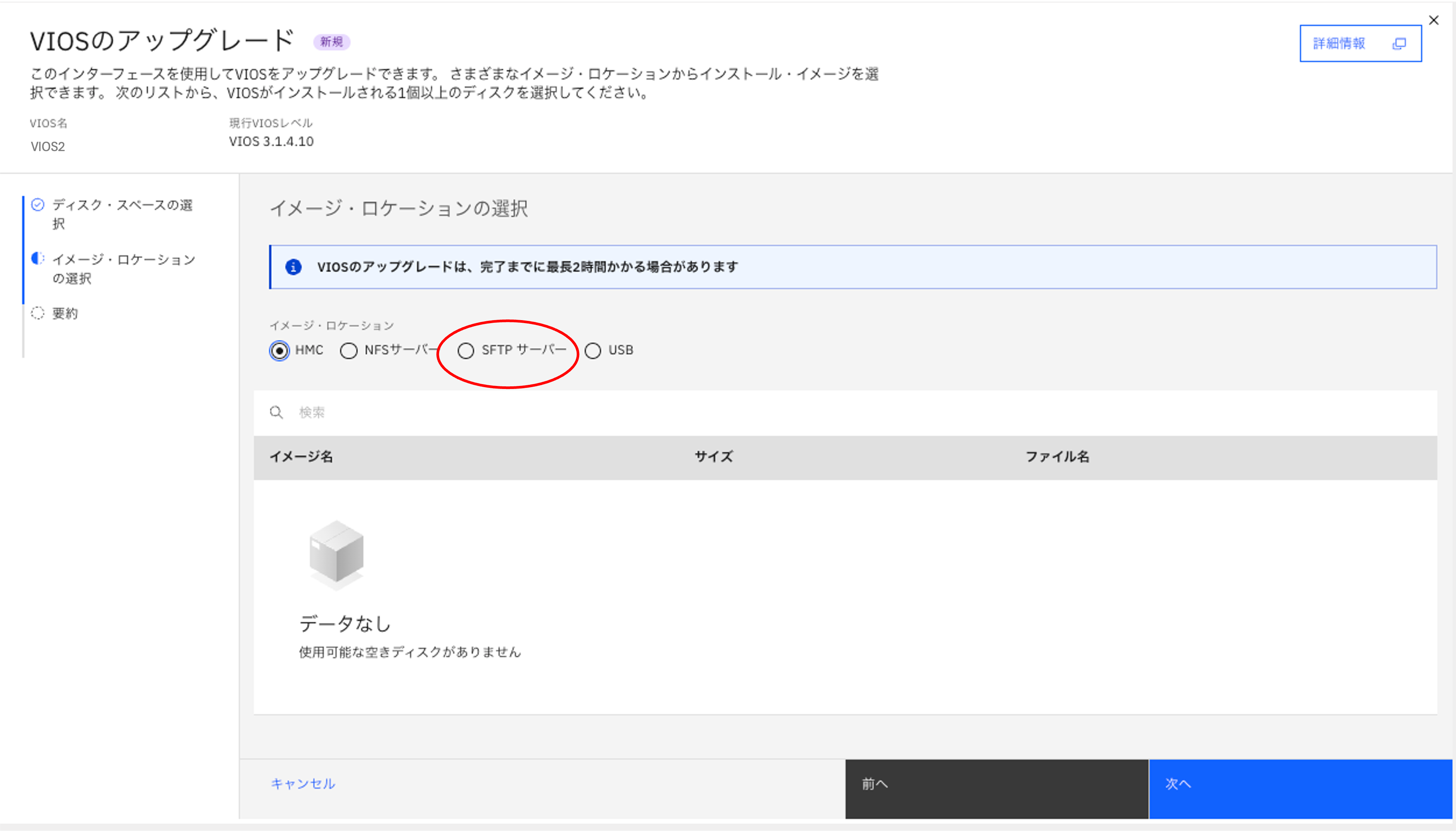
- VIOS のアップグレード画面でイメージ・ロケーションを選択
ここでは SFTP を選択し、別サーバーに配置した VIOS の Flash イメージの ISO ファイルを指定します。
- SFTP接続情報と、配置場所を入力します。
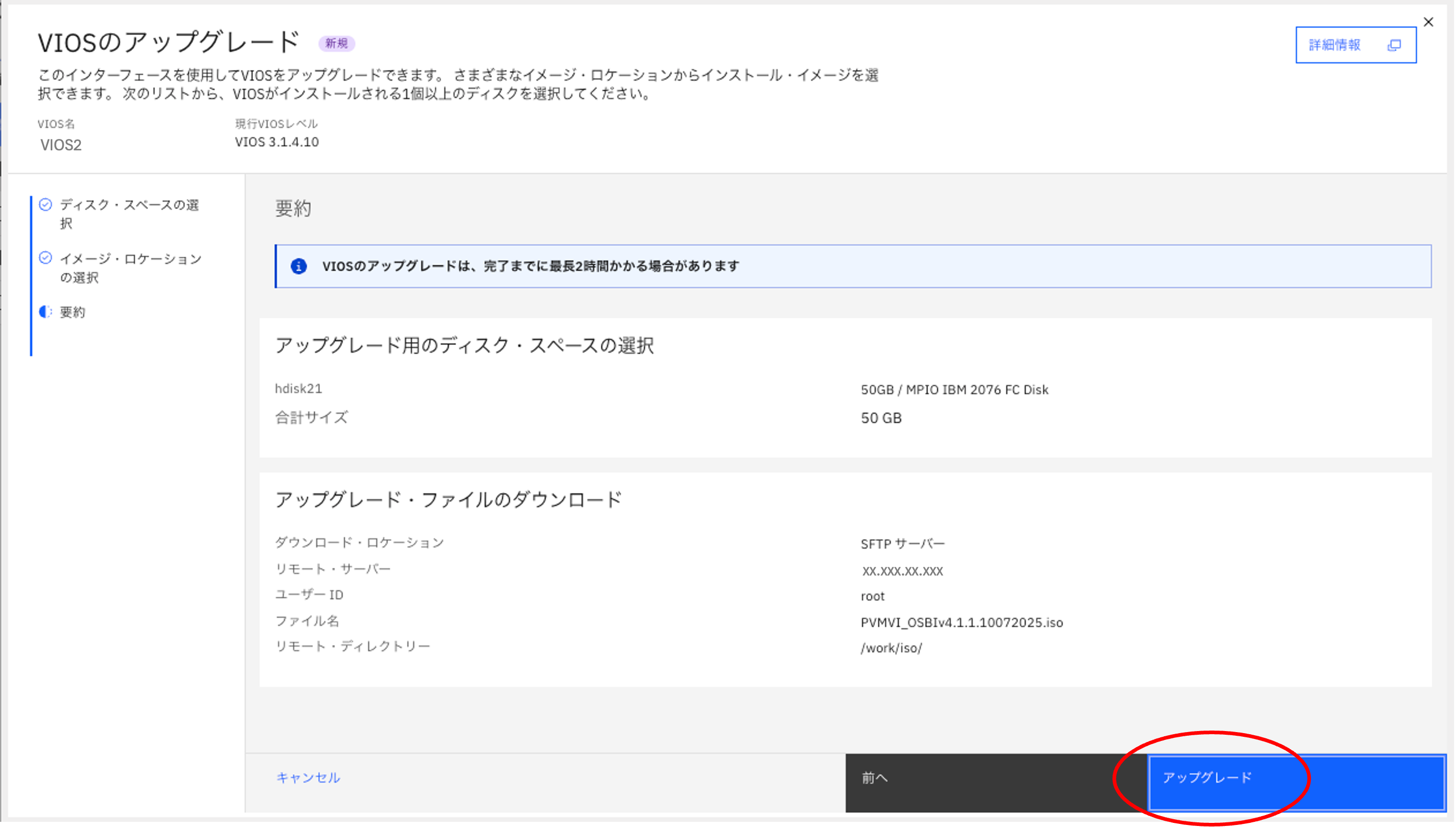
- 最終確認画面が出て、"アップグレード" を押します。
アップグレードプロセスが開始します。
- 続いて進捗バーのポップアップが出てきます。"端末の起動" があり進捗詳細が確認できる様なので押して端末ウィンドウを開きます。
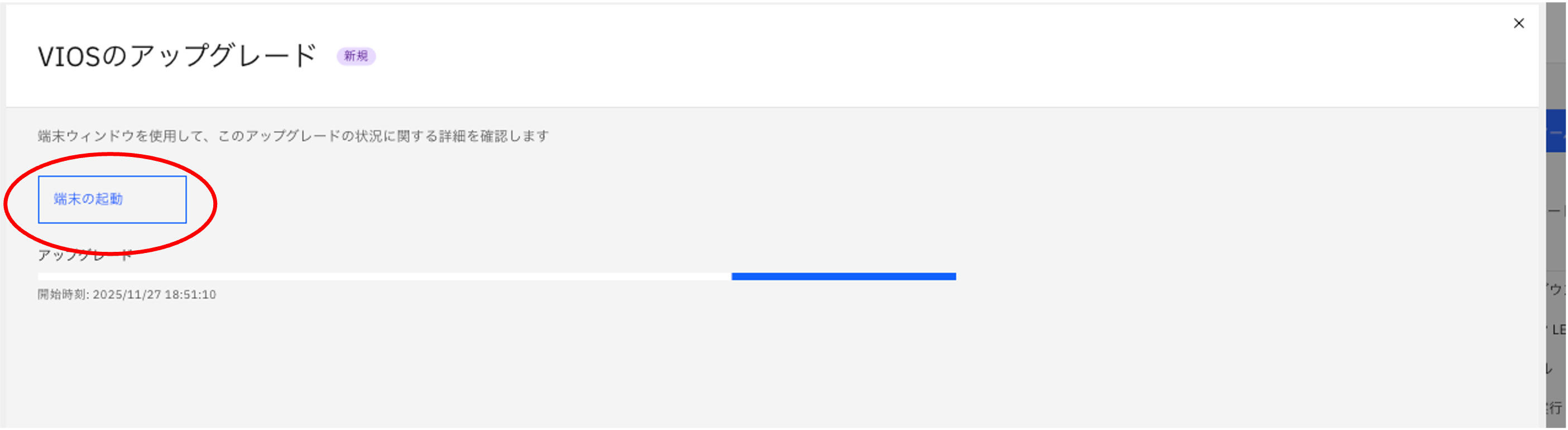

-
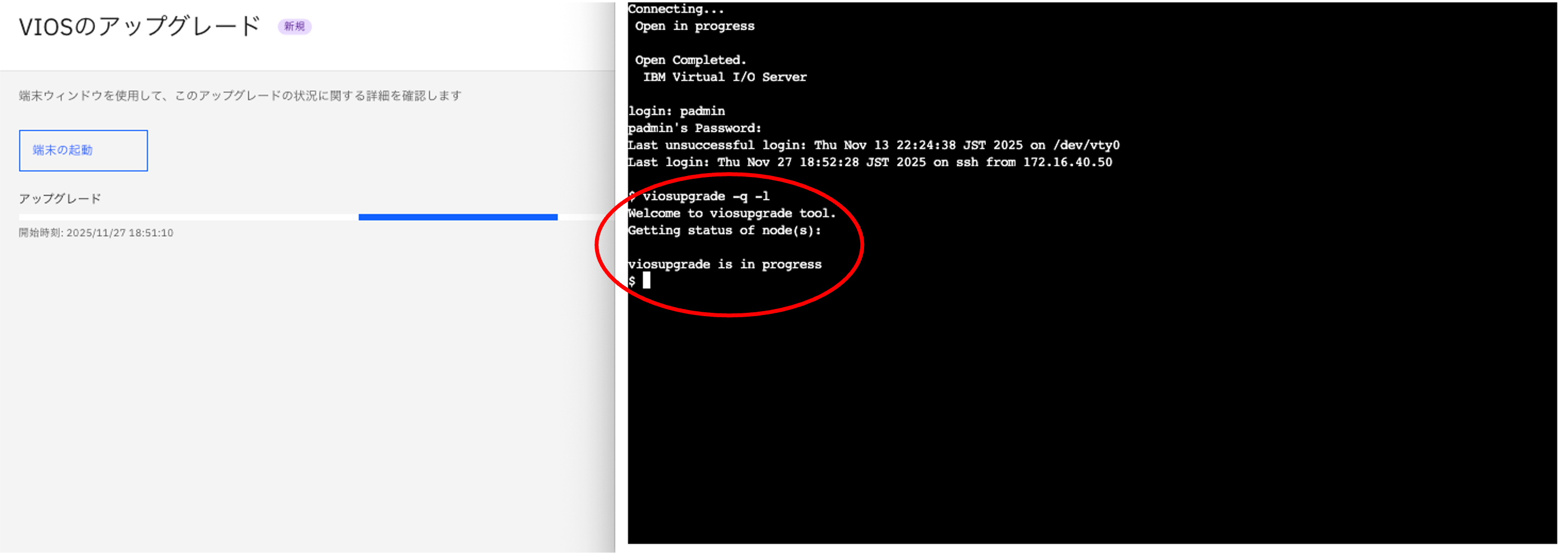
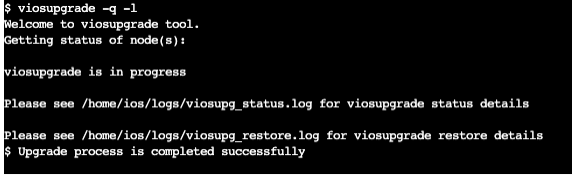
viosupgrade -q -lコマンドで状態を確認すると "viosupgrade is in process" が出ました。
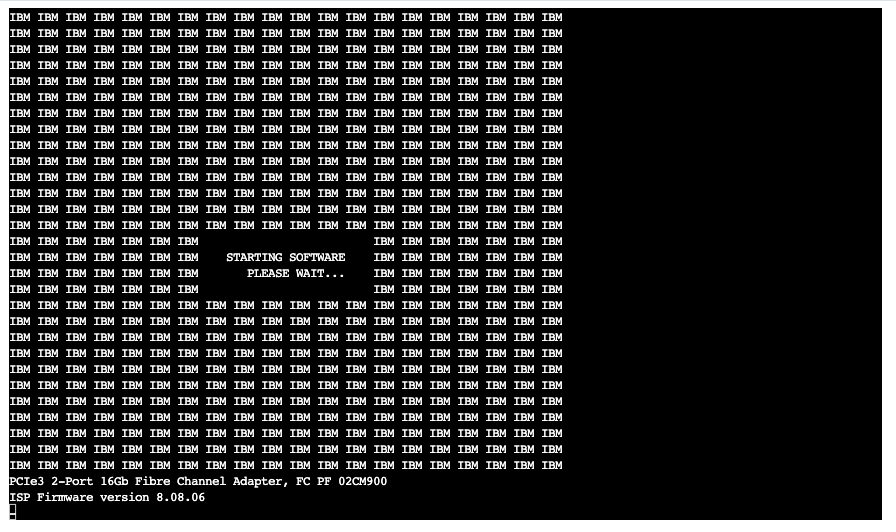
- 開始から8分後、再起動が行われました。
- 開始から12分後、"Welcome to the Virtual I/O Server." の表示は出てきましたが、OSはまだ完全に起動していません。
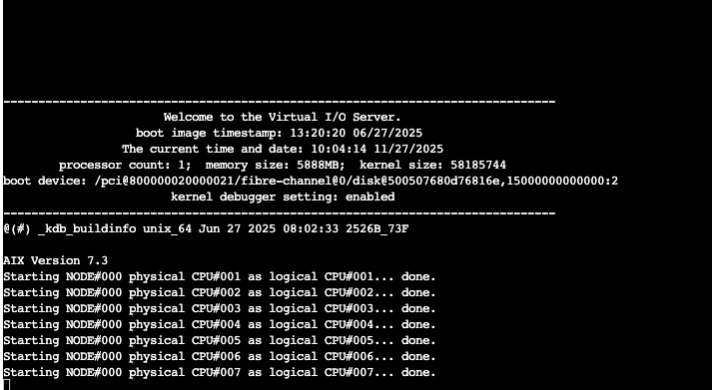
- 開始から15分後、もう一度再起動が走っている様子です。

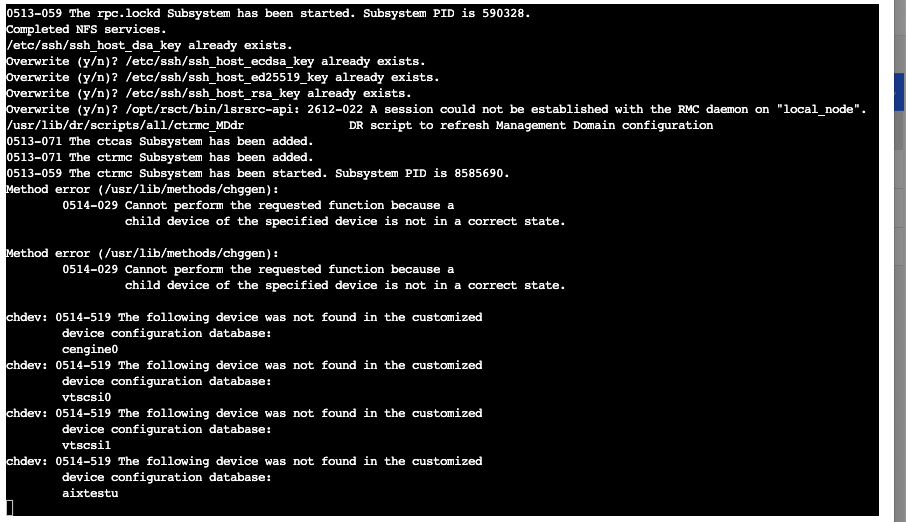
- 開始から18分後、ssh 鍵の上書きやデバイス変更が行われています。構成情報リストアが実行されていると思われます。
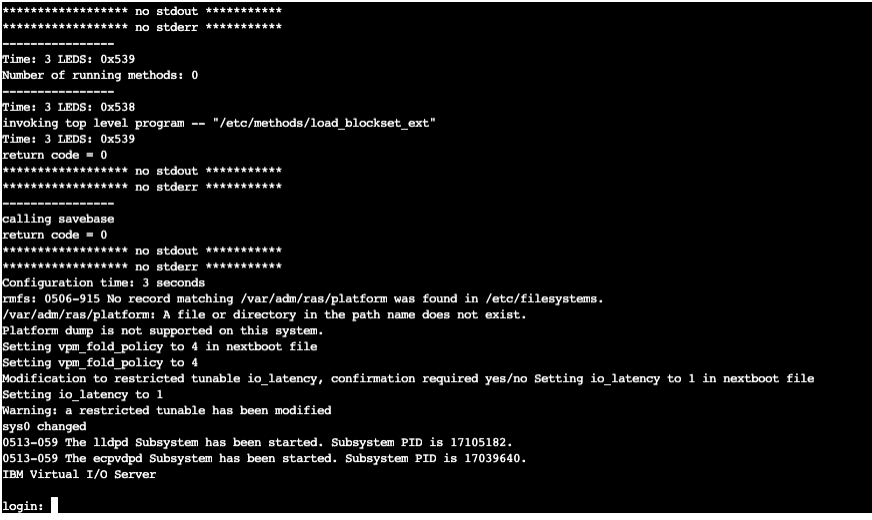
- 開始から20分後、 login: が表示され、少しして他から ping 確認が可能になりました。
- 開始から21分後、再び再起動が入りました。構成情報リストアの反映を行なっていると推測します。

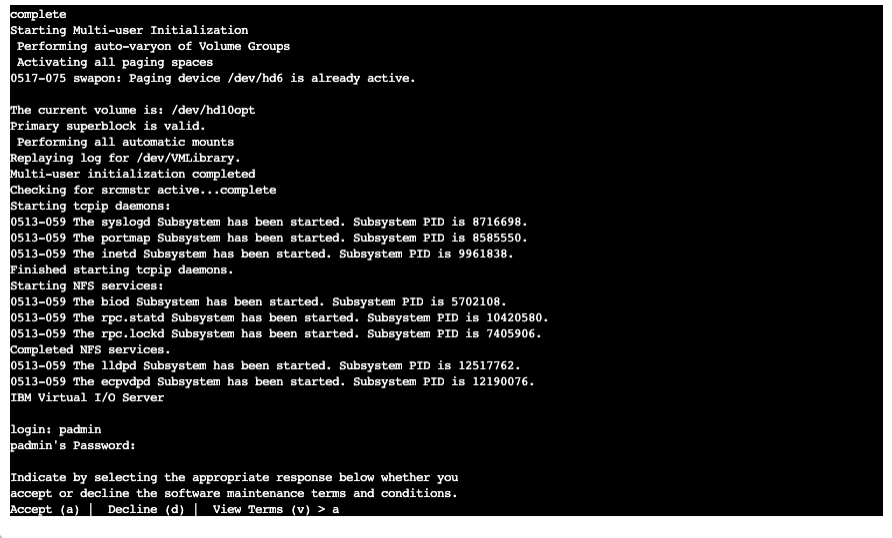
- 開始から25分後、再度 login: が出てきて程なく、他からのping 確認が可能になりました。

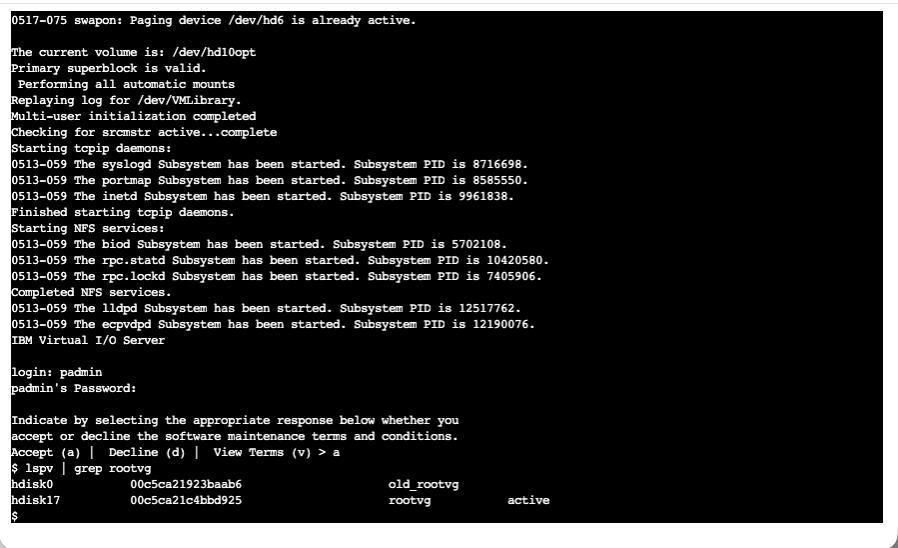
- ログインします。ライセンス確認があり "a" を押して次に進みます。
- 元は hdisk0 が rootvg でしたが、hdisk17 に切り替わっていることが確認できます。
- 開始から28分後、upgrade process is completed successfully の出力がありました。
- viosupgrade -q -l コマンドで確認状況を確認。 COMPLETED が出ています。
$ viosupgrade -q -l
Welcome to viosupgrade tool.
Getting status of node(s):

viosupgrade COMPLETED

Please see /home/ios/logs/viosupg_status.log for viosupgrade status details

Please see /home/ios/logs/viosupg_restore.log for viosupgrade restore details
$
ログファイルを確認します。
$ cat /home/ios/logs/viosupg_status.log
Thu Nov 27 18:53:36 2025|STARTED
Thu Nov 27 18:57:38 2025|TRIGGERED
Thu Nov 27 04:11:01 2025|RESTORE
Thu Nov 27 19:15:35 2025|RESTORE
Thu Nov 27 19:19:51 2025|COMPLETED
3番目の時刻は構成情報リストア前で時刻設定が反映される前と推測されます。(JSTではなくCST)
HMC で進捗を表示していた画面に、下記のログが出ていました。viosbr のリストアログも含まれています。
ssh鍵やパスワードファイルなど元の構成情報から新しい環境に移行されたファイルも確認できます。
crontab は前の内容と新しい内容が保存されています。自分で見比べて設定する必要があります。
この環境は vscsi と NPIV 混在環境のため hdisk と vfchost の実行前、実行後でデバイス名変更ログが出ています。
SEA (Shared Ethernet Adapter) も正しくリストアされている様子です。こちらはデバイス名の変更はありませんでした。
Welcome to viosupgrade tool.
Operation triggered for given node(s).
Please wait for completion..
Upgrading from ioslevel '3.1.4.10' to '4.1.1.10'.
VIOS2: Warning: Either /etc/resolv.conf or /etc/hosts file doesn't exist. For cluster to start after restore, please have these files in current rootvg

Verifying whether the MPIO software(s) is installed on the VIOS.
Verification of the MPIO software(s) is successful.
Initiating VIOS configuration backup..
VIOS configuration backup successful.
Migration upgrade request initiated.
Initiating installation on alternate disk(s)..
Migration of contents to new rootvg initiated.
Installation on alternate disk(s) successful.
Copying files to altinst_rootvg.
Waking up altinst_rootvg successful.
--------------------------------------------------
--------------------------------------------------

Thu Nov 27 18:57:38 2025

Summary of migrated files.
--------------------------------------------------

List of system files migrated successfully:
--------------------------------------------------
/var/vio/VMLibrary
/home/padmin/.ssh/authorized_keys
/etc/ssh/ssh_config
/etc/ssh/ssh_host_dsa_key
/etc/ssh/ssh_host_dsa_key.pub
/etc/ssh/ssh_host_ecdsa_key
/etc/ssh/ssh_host_ecdsa_key.pub
/etc/ssh/ssh_host_ed25519_key
/etc/ssh/ssh_host_ed25519_key.pub
/etc/ssh/ssh_host_rsa_key
/etc/ssh/ssh_host_rsa_key.pub
/etc/ssh/sshd_config
/etc/security/passwd ( padmin only )
/etc/tunables/nextboot

List of system files with merge conflict:
--------------------------------------------------
/var/spool/cron/crontabs/root

Note : Backup of migrated files of old vg and new vg will be in  '/home/padmin/viosupg_backup'
 with extensions '_src.viosupg' and '_dest.viosupg' respectively.
VIOS will be rebooted after '60' seconds to boot from the newly installed disk.

Press Ctrl + c  to terminate.

VIOS metadata restore (viosbr -restore) will be automatically resumed
after the reboot.
VIOS may be rebooted once during this restore process. Refrain from making
any changes to the VIOS virtual configurations during the restore process.
You can verify the restore status using 'viosupgrade -l -q' command and
resume your operation after the completion of the restore process.


A message 'Upgrade process is completed successfully' or
'Upgrade process is completed with failures' will be displayed on the console on newvg
to indicate the status of viosupgrade.
Run 'viosupgrade -l -q' to know more on the status.

######  VIOS Upgrade Status Logs #####
Thu Nov 27 18:53:36 2025|STARTED
Thu Nov 27 18:57:38 2025|TRIGGERED
Thu Nov 27 04:11:01 2025|RESTORE
Thu Nov 27 19:15:35 2025|RESTORE
Thu Nov 27 19:19:51 2025|COMPLETED

######  VIOS Upgrade Restore Logs #####


Viosbr restore timestamp:
Thu Nov 27 04:11:00 CST 2025


License acceptance is successful

Restoring the backup..


bosboot: Boot image is 69660 512 byte blocks.
RULES: The restored device settings do not match the recommended factory default settings
Restoration of general configuration is complete.

************ATTENTION!!!**********

Please REBOOT the VIOS system for the configurations to take effect.

**********************************

Restore summary on VIOS2:
Backedup Devices that are unable to restore/change
==================================================


DEPLOYED or CHANGED devices:
============================
Dev name during BACKUP                  Dev name after RESTORE
----------------------                  ----------------------
'ArtexRules' are restored successfully
hdisk20                                 hdisk16
hdisk21                                 hdisk17
hdisk22                                 hdisk18
hdisk1                                  hdisk2
hdisk2                                  hdisk3
hdisk3                                  hdisk1
hdisk4                                  hdisk4
hdisk5                                  hdisk5
hdisk6                                  hdisk7
hdisk7                                  hdisk15
hdisk8                                  hdisk6
hdisk9                                  hdisk8
hdisk10                                 hdisk10
hdisk33                                 hdisk19
hdisk11                                 hdisk9
hdisk12                                 hdisk11
hdisk13                                 hdisk12
hdisk15                                 hdisk13
hdisk19                                 hdisk14
ent4                                    ent4
ent5                                    ent5
en5 (IPV4-STATIC)                       en5

List of system configurations that are unable to restore/change
=====================================================================
Config Name            Value during backup        Value during restore
-----------            -------------------        --------------------


DEPLOYED or CHANGED system configurations:
=========================================
Config Name                 Value/File Name
-----------                 -------------------
Timezone                    Japan


FAILED SECURITY CONFIGURATIONS
============================


WARNINGS
============================


viosbr restore requires reboot.
Rebooting..


Viosbr restore timestamp:
Thu Nov 27 19:15:35 JST 2025


License acceptance is successful

Restoring the backup..

RULES: The restored device settings do not match the recommended factory default settings
Restore summary on VIOS2:
Backedup Devices that are unable to restore/change
==================================================


DEPLOYED or CHANGED devices:
============================
Dev name during BACKUP                  Dev name after RESTORE
----------------------                  ----------------------
'ArtexRules' are restored successfully
vhost9:All PV backing devices from backup, are processed.
vhost27:All PV backing devices from backup, are processed.
vhost15:All PV backing devices from backup, are processed.
vhost16:All PV backing devices from backup, are processed.
vhost22:All PV backing devices from backup, are processed.
vhost24:All PV backing devices from backup, are processed.
vhost20:All PV backing devices from backup, are processed.
vfchost16                               vfchost16
vfchost38                               vfchost27
vfchost17                               vfchost11
vfchost39                               vfchost34
vfchost18                               vfchost12
vfchost19                               vfchost13
vfchost40                               vfchost32
vfchost41                               vfchost35
vfchost20                               vfchost14
vfchost42                               vfchost36
vfchost21                               vfchost15
vfchost43                               vfchost37
vfchost22                               vfchost17
vfchost44                               vfchost38
vfchost23                               vfchost19
vfchost45                               vfchost40
vfchost24                               vfchost20
vfchost46                               vfchost39
vfchost25                               vfchost22
vfchost47                               vfchost41
vfchost26                               vfchost21
vfchost27                               vfchost24
vfchost28                               vfchost8
vfchost29                               vfchost28
vfchost30                               vfchost31
vfchost31                               vfchost26
vfchost10                               vfchost4
vfchost10                               vfchost4
vfchost32                               vfchost29
vfchost6                                vfchost0
vfchost6                                vfchost0
vfchost11                               vfchost5
vfchost11                               vfchost5
vfchost33                               vfchost30
vfchost7                                vfchost1
vfchost7                                vfchost1
vfchost12                               vfchost6
vfchost34                               vfchost33
vfchost8                                vfchost2
vfchost8                                vfchost2
vfchost35                               vfchost18
vfchost13                               vfchost7
vfchost9                                vfchost3
vfchost9                                vfchost3
vfchost14                               vfchost9
vfchost36                               vfchost23
vfchost15                               vfchost10
vfchost37                               vfchost25

List of system configurations that are unable to restore/change
=====================================================================
Config Name            Value during backup        Value during restore
-----------            -------------------        --------------------


DEPLOYED or CHANGED system configurations:
=========================================
Config Name                 Value/File Name
-----------                 -------------------


FAILED SECURITY CONFIGURATIONS
============================


WARNINGS
============================


Restore is successful..


sleeping....
Setting vpm_fold_policy to 4
Setting io_latency to 1
Warning: a restricted tunable has been modified
vmo: 1485-115 Tunable vmm_mpsize_support is of type B and cannot be changed without -r
vmo: 1485-115 Tunable kernel_heap_psize is of type B and cannot be changed without -r
vmo: 1485-115 Tunable mbuf_heap_psize is of type B and cannot be changed without -r
vmo: 1485-115 Tunable kernel_psize is of type B and cannot be changed without -r
vmo: 1485-115 Tunable vmm_klock_mode is of type B and cannot be changed without -r
vmo: 1485-115 Tunable relalias_nlocks is of type B and cannot be changed without -r
vmo: 1485-115 Tunable vmm_stripe_size is of type B and cannot be changed without -r
vmo: 1485-115 Tunable ptabcktsz is of type B and cannot be changed without -r
Setting enhanced_affinity_private to 90
Warning: a restricted tunable has been modified
Setting vm_mmap_areload to 1
Warning: a restricted tunable has been modified
Setting cached_routes to 1
Tunables restored successfully

Upgrade process is completed successfully
Inittab entry removed
バージョンは 4.1.1.10 に上がっていることが確認できます。
$ ioslevel
4.1.1.10
Upgrade Tips
- ログは割愛しますが、
/homeにアップグレード・モジュールを展開や、構成情報バックアップの配置などがあります。/home は10GiB ではエラーになり、この環境では20GiB で正常稼働しました。
- この環境では当てはまっていませんが、SEA を構成するアダプターが NIB (Network Interface Backup), Etherchannel である場合、構成情報リストアの前に一度中断して設定する必要があるかもしれません。
CLI実行と HMC からのアップグレードの違い、同じ点
以下では VIOS local 環境から viosupgrade コマンドを使用したバージョン・アップを行いました。
なお、実行内容としては失敗ログですが、その後不整合があった設定を削除することで同じ環境でのアップグレードの成功は確認できています。
viosupgrade コマンドを使用すると、-g オプションで引き継ぎたいカスタマイズ・ファイルの指定や、viosbr はスキップできるなど、viosupgrade のプロセスに変更を加えることが可能です。
HMC GUIからの実行ではその様な選択肢はありませんでしたので、アップグレード途中で手動での設定が必要な場合やより自動化したい場合には、コマンドでの実行が適しています。
一方、viosupgrade の場合も HMC GUI からの場合も代替ディスク指定のインストールで構成情報をリストアするプロセスは同じです。HMC GUI の場合も内部ではVIOSに対して viosupgrade コマンド実行が行われていると考えられます。
--
ご参考
viosupgrade で rootvg AUTO ON 属性が no になる事象があります。
・viosupgrade : "Auto On" attribute of rootvg is set to "no" post viosupgrade with alt disk
https://www.ibm.com/support/pages/node/6253797
今回の 3.1-> 4.1 も altinst_rootvg を rootvg として起動した際は、AUTO ON: no でした。
rootvg であれば無効とのことなので、こちらの属性値は設定変更しなくても良いかもしれません。
(追記) 以下で挙動を確認した内容を記載しています。
おわりに
VIOS アップグレードは考慮点が多く、失敗も発生しがちですが、個別の環境で検証し手動で対応が必要な点を精査いただき手順を確立いただければと思います。
ご参考になれば幸いです。