1
0

Delete article

Deleted articles cannot be recovered.

Draft of this article would be also deleted.

Are you sure you want to delete this article?

Power BI で特定の領域の展開/省略機能を実装する

1
Last updated at Posted at 2026-09-27

概要

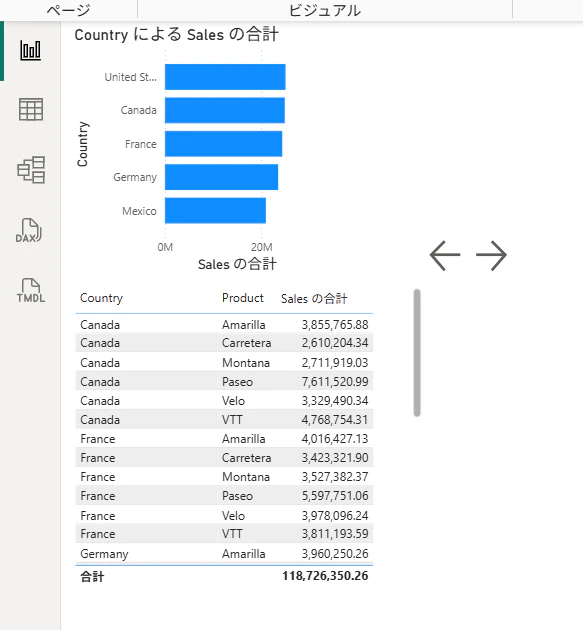
ボタンを配置しクリックで、特定のエリアの表示/非表示を可能にします。

・非表示
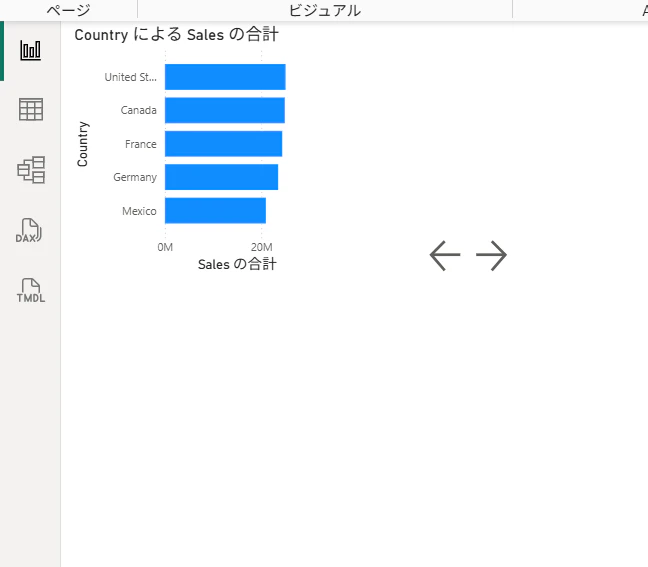
image.png

・表示
image.png

手順

横棒グラフとテーブルを置いた状態で開始します。
テーブル部分を展開・省略で表示・非表示が出来るかとなります。
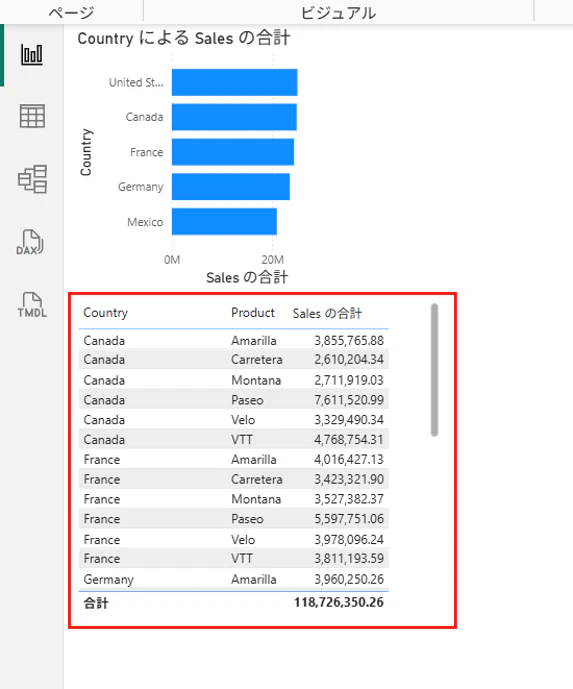
image.png

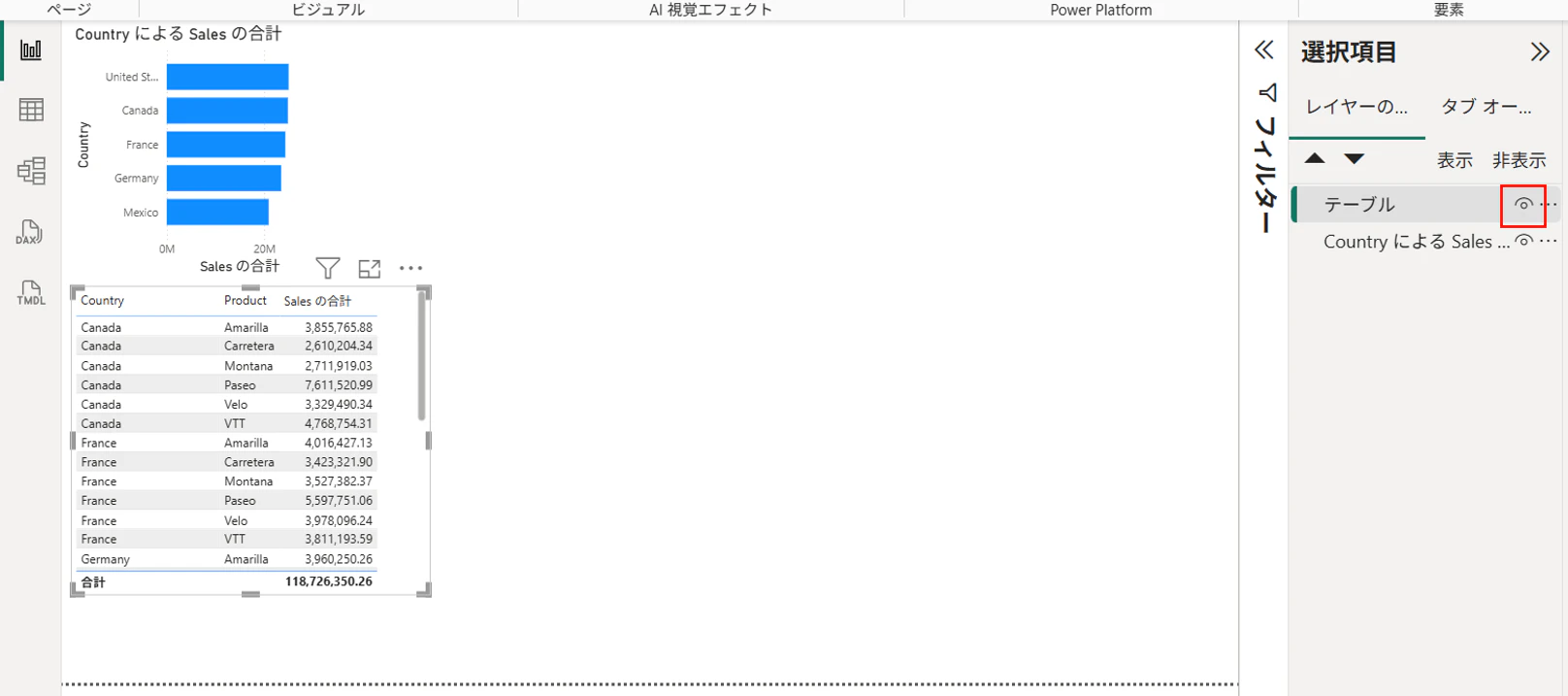
テーブルを選択し、選択項目からテーブルを「非表示」にします。
image.png

この状態でブックマークを「追加」し、名前の変更で「テーブル非表示」とします。
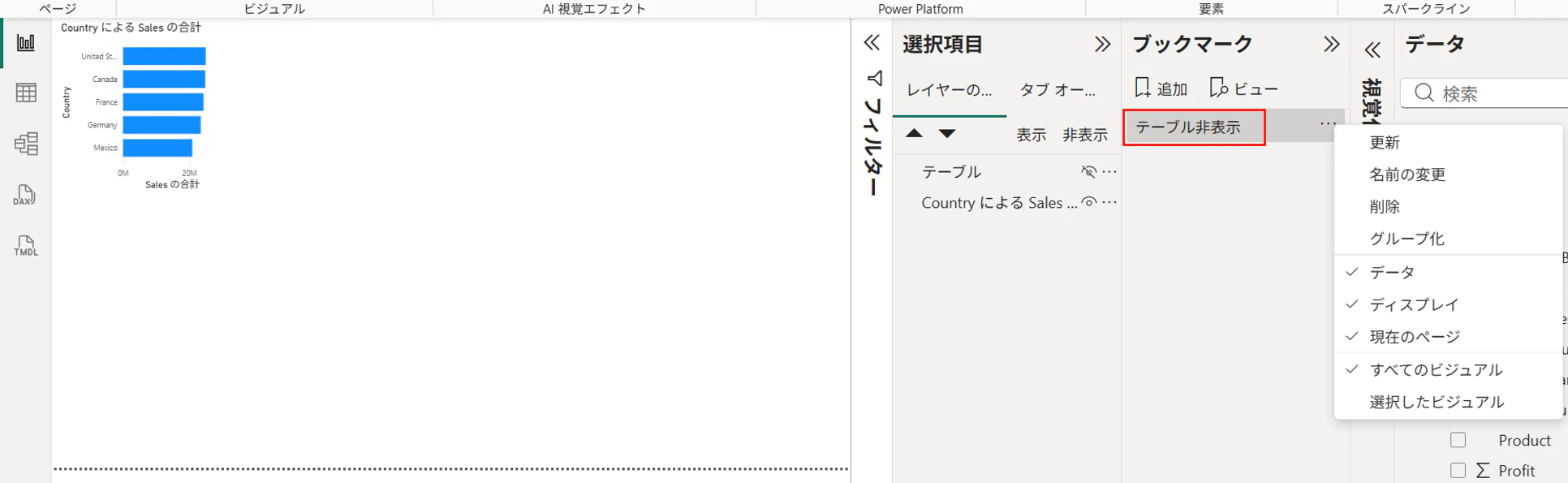
image.png

同様にテーブルが表示されている状態で、「テーブル表示」ブックマークを作成します。
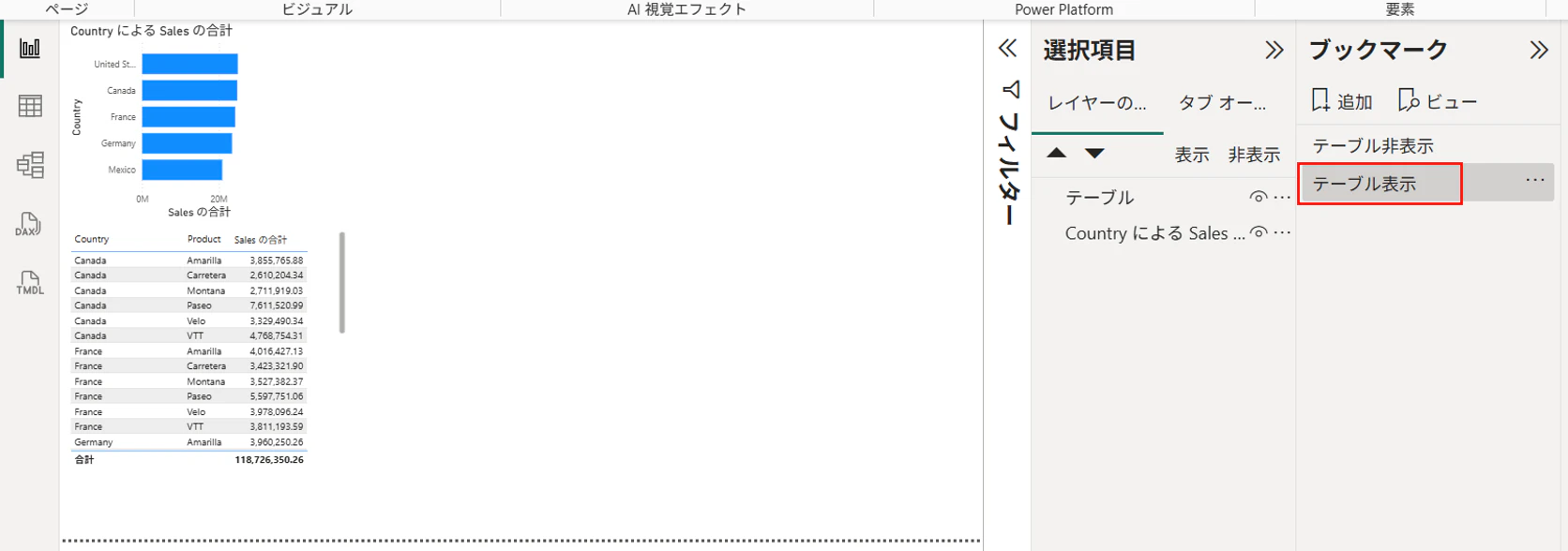
image.png

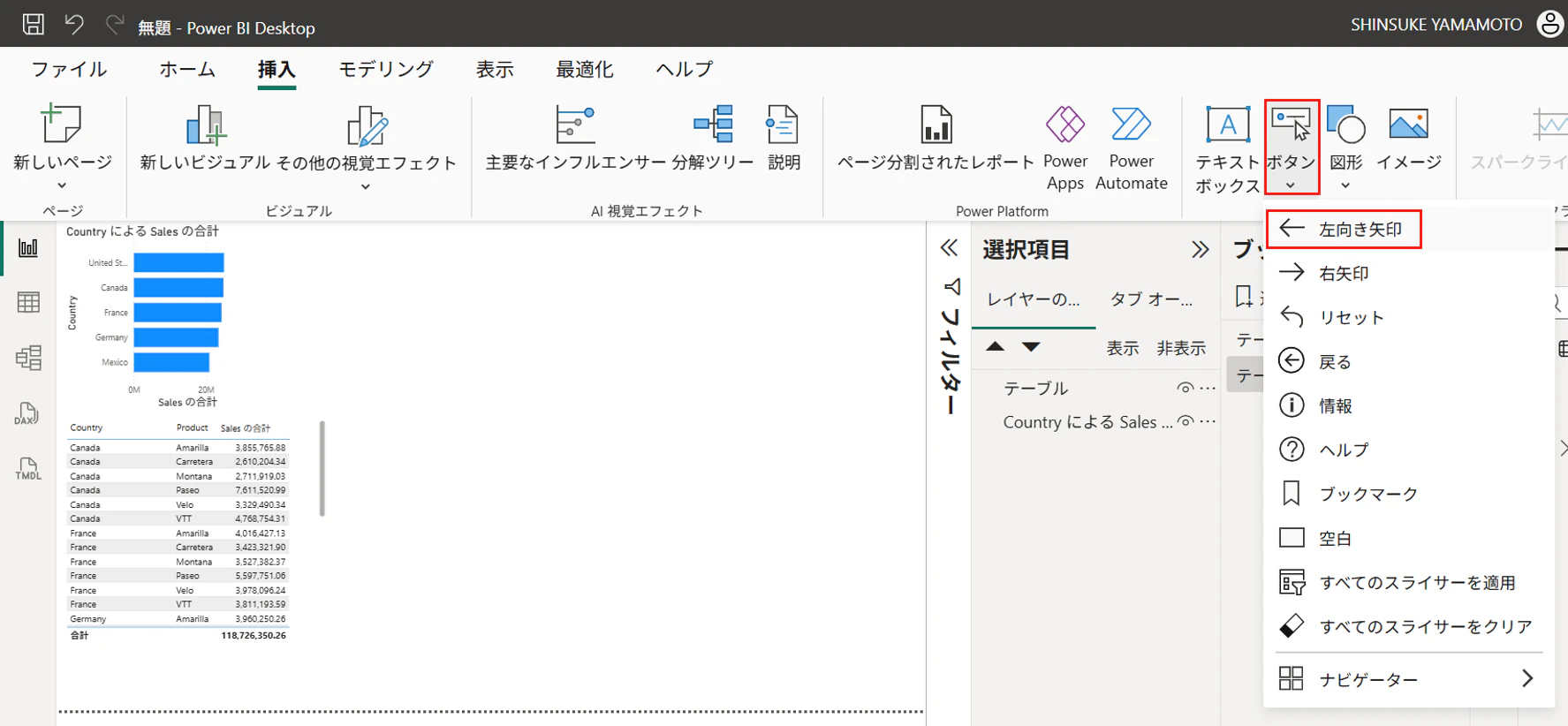
「挿入」→「ボタン」から「左向き矢印」を選択
image.png

ボタンを書式設定ボタンから「アクション」をオンにして、ブックマークで「テーブル非表示」を指定
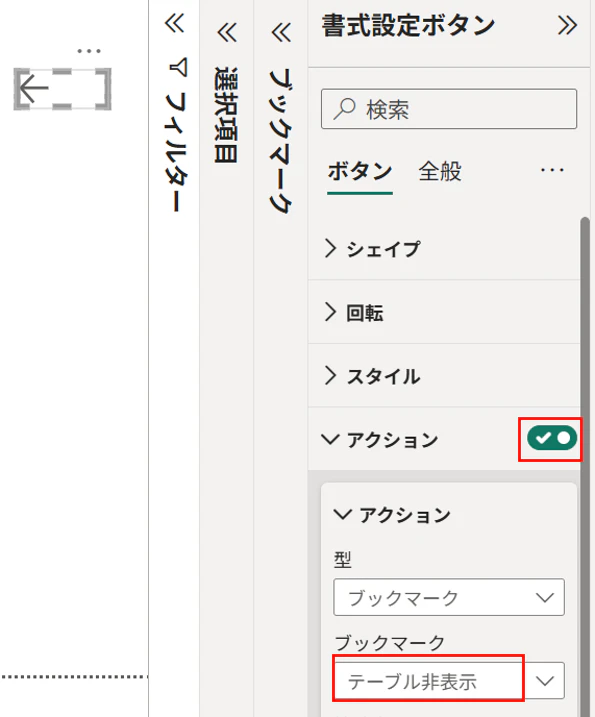
image.png

同様に「右向き矢印」ボタンを作成し、書式設定ボタンから「アクション」をオンにして、ブックマークで「テーブル表示」を指定
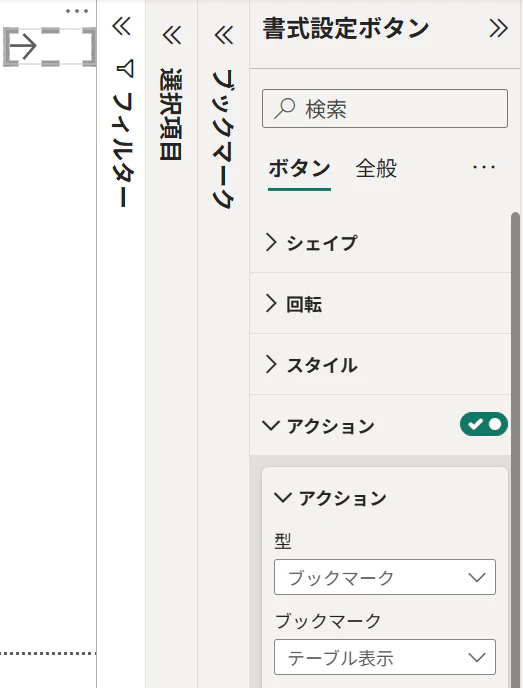
image.png

Ctrlを押しながら矢印アイコンをクリックする事で表示・非表示の切り替えが出来ます。

・非表示
image.png

・表示
image.png

1
0
0

Register as a new user and use Qiita more conveniently

  1. You get articles that match your needs
  2. You can efficiently read back useful information
  3. You can use dark theme
What you can do with signing up
1
0

Delete article

Deleted articles cannot be recovered.

Draft of this article would be also deleted.

Are you sure you want to delete this article?