
remote configが便利だと聞いて
自分用備忘録
調査した経緯としては、ユーザーに手動アップデートをさせずに
修正したものをお届けしたいと思い調べてみた
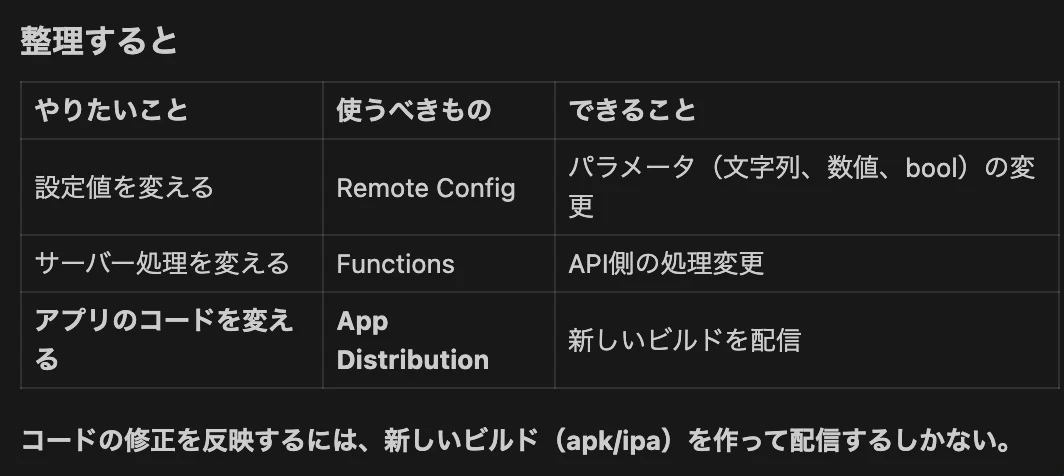
結論から言うと
今調査した段階で判明したことは、
新しいバージョンの配信などは厳しそうだと言うこと
やれることとしては、テキストを変更したり
数量を直接変更したりなどは出来そうだった。
とりあえずRemote configに必要だったもののメモを残す
前提条件
Firebase CLI
FlutterFire CLI
Firebaseプロジェクト
firebase_core
firebase_analytics
Firebase設定ファイル
ネイティブ設定ファイル
Firebase初期化
今回追加したパッケージ
flutter pub add firebase_remote_config
次にRemote Config Providerの作成
内容としてはこんな感じ
 @Riverpod(keepAlive: true)
Future<FirebaseRemoteConfig> remoteConfig(RemoteConfigRef ref) async {
  final remoteConfig = FirebaseRemoteConfig.instance;

  // フェッチ間隔設定(本番: 1時間、開発: 5分)
  await remoteConfig.setConfigSettings(...);

  // デフォルト値設定
  await remoteConfig.setDefaults({...});

  // サーバーから取得してアクティベート
  await remoteConfig.fetchAndActivate();

  // リアルタイム更新リスナー
  remoteConfig.onConfigUpdated.listen((event) async {
    await remoteConfig.activate();
  });

  return remoteConfig;
}
アプリ起動時に初期化処理を追加
ref.watch(remoteConfigProvider.future)
残りの作業
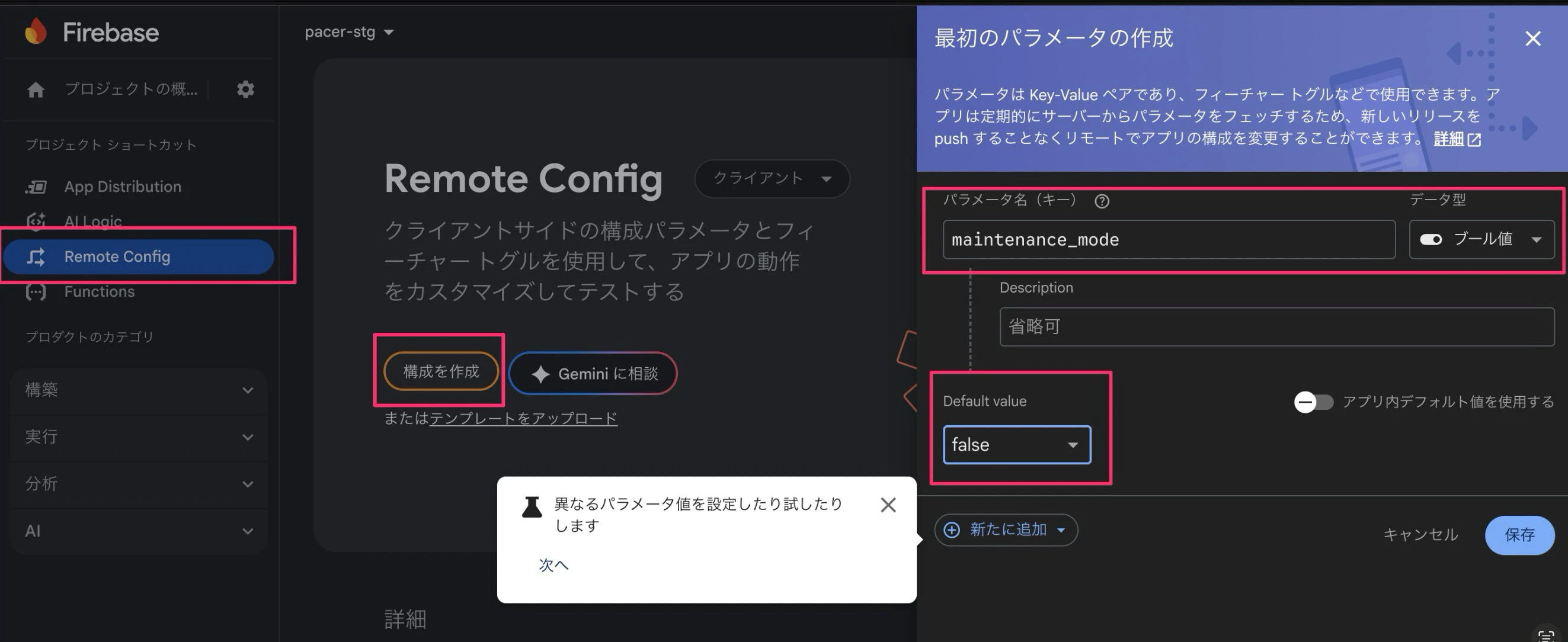
Firebase Console で Remote Config を開く
検証用のプロジェクトでRemote Configの設定をする
パラメータを追加
構成を作成を押すと右のパラメーター作成画面が出る
変更を公開
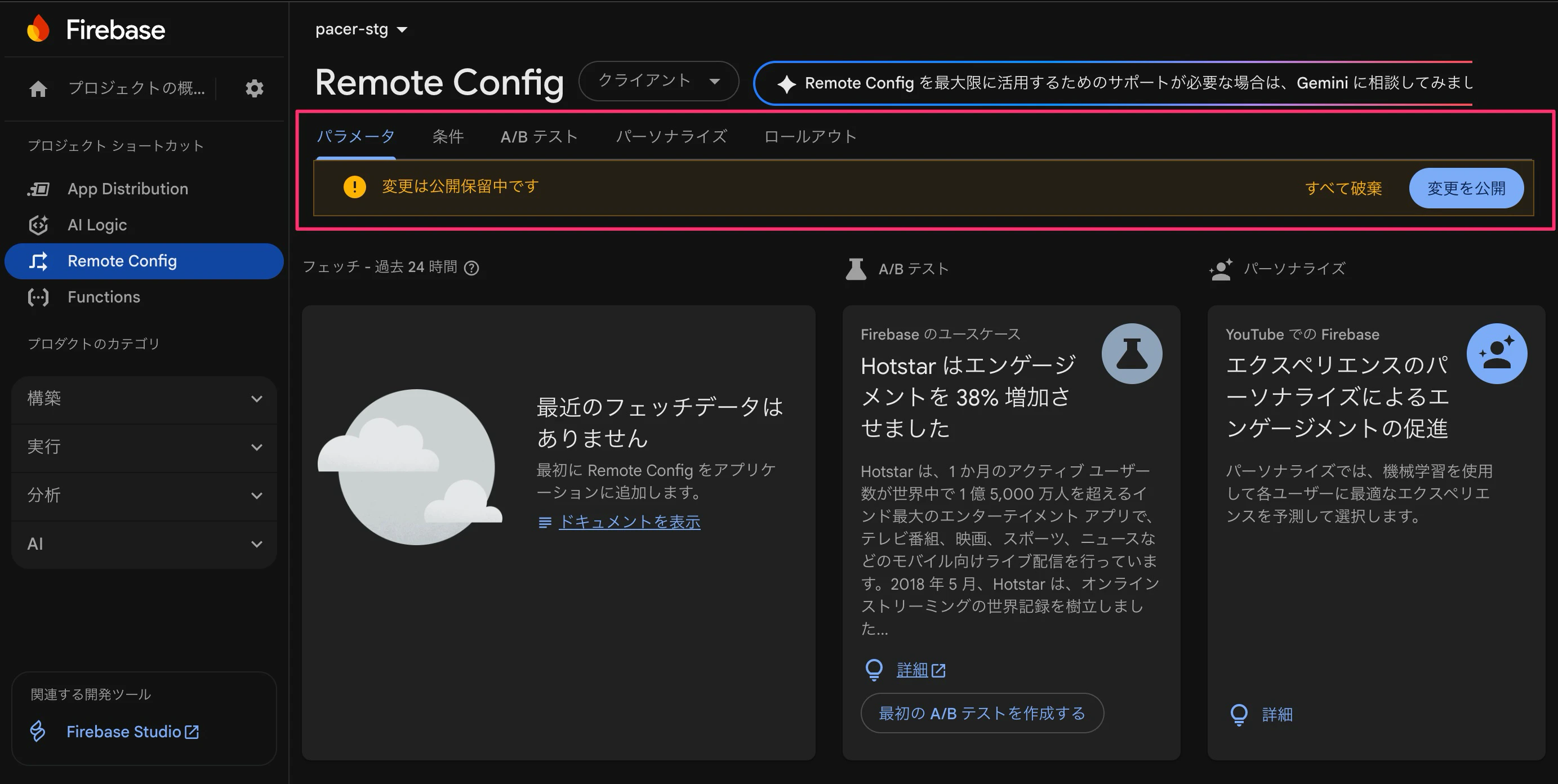
公開が完了したら、アプリ側でコードを実装しておくことで
firebaseのconsole画面でリアルタイム変更が可能になるようだ
実装はこんな感じ
// メンテナンスモードをチェック
final remoteConfig = await ref.watch(remoteConfigProvider.future);
final isMaintenanceMode = remoteConfig.getBool('maintenance_mode');
if (isMaintenanceMode) {
// メンテナンス画面を表示
}
セキュリティ面など考慮することはいろいろありそうなので
また追って調査を進めたら記事を更新する予定