
前提条件

事前準備
まず、Laravel 13を使ってデプロイの対象となるアプリケーションを準備します。
今回は cc-sddを使って、以下のような簡単なTodoリストのアプリケーションを開発して、 GitHub に push しました。
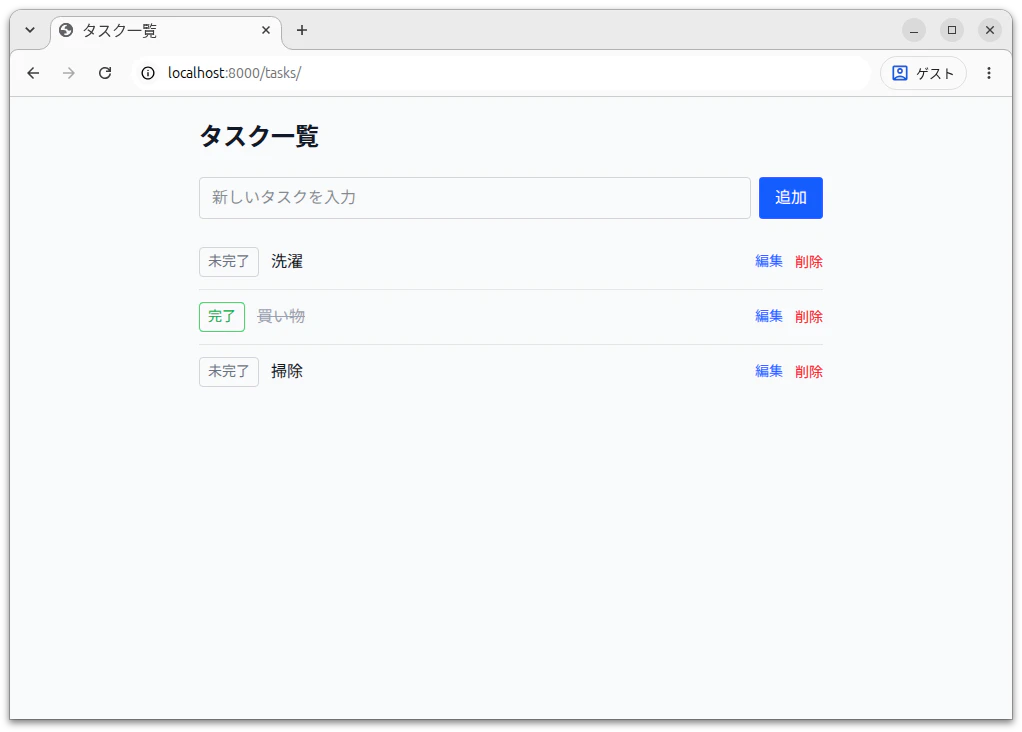
上記の Git リポジトリをローカルに clone しておきます。
また、 Fly.io が提供しているドキュメントページ内に、 Laravel のアプリケーションをデプロイする手順が例示されていますので、こちらを事前によく読んでおきます。
以前、以下のような記事を書いているので、こちらも一通り目を通しておきます。
Fly.io にアプリケーションを登録
それでは、 Fly.io にデプロイするための設定を行っていきます。
Fly.io のwebページにアクセスしてサインインを行います。

このような構成のダッシュボードが表示されます。
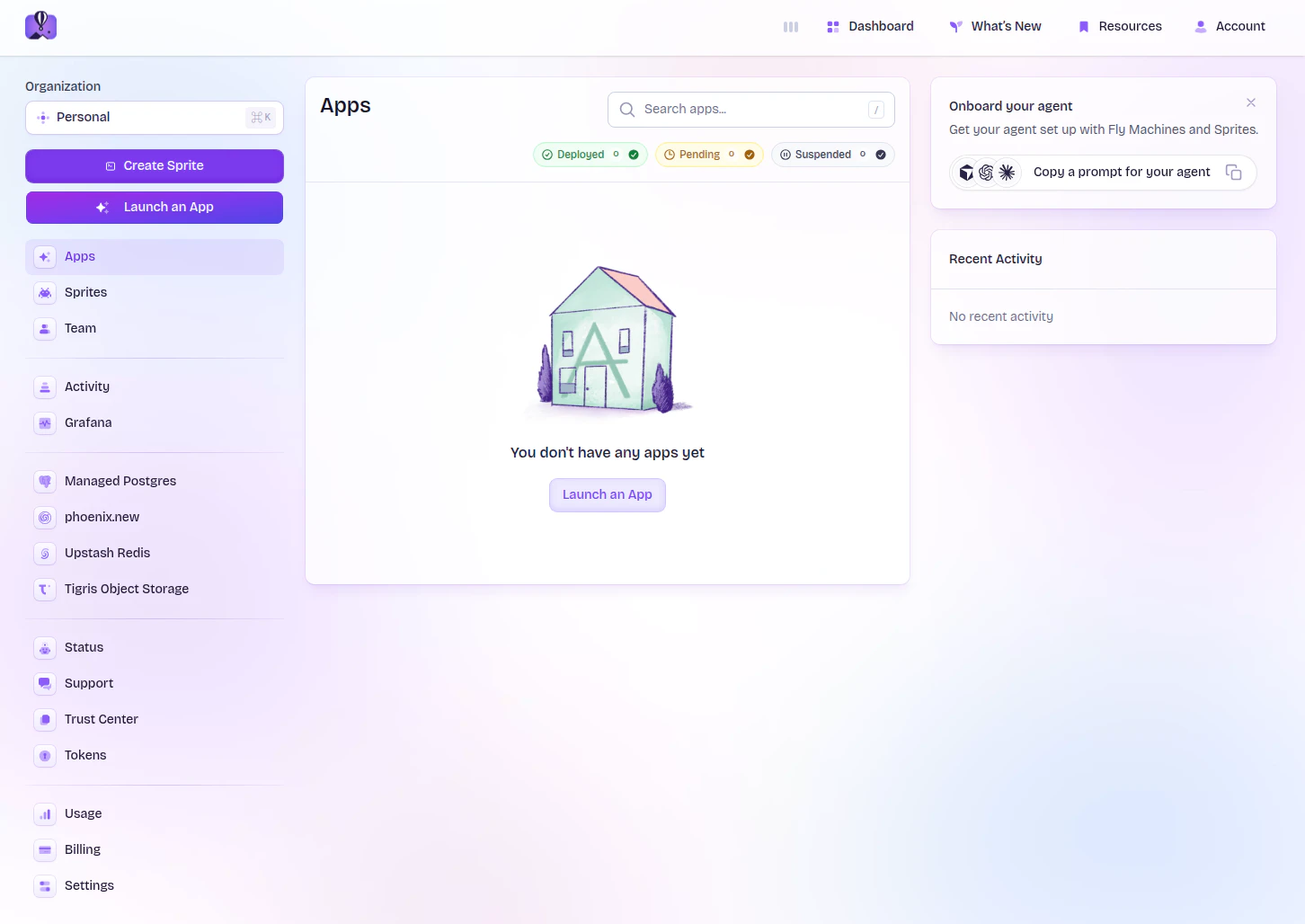
データベースを作成するために、左側のメニューの「Managed Postgres」をクリックします。

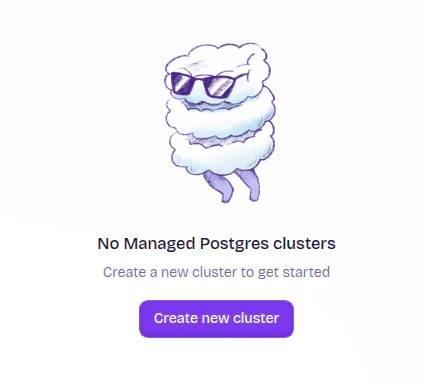
画面が切り替わったら、「Create new cluster」をクリックします。
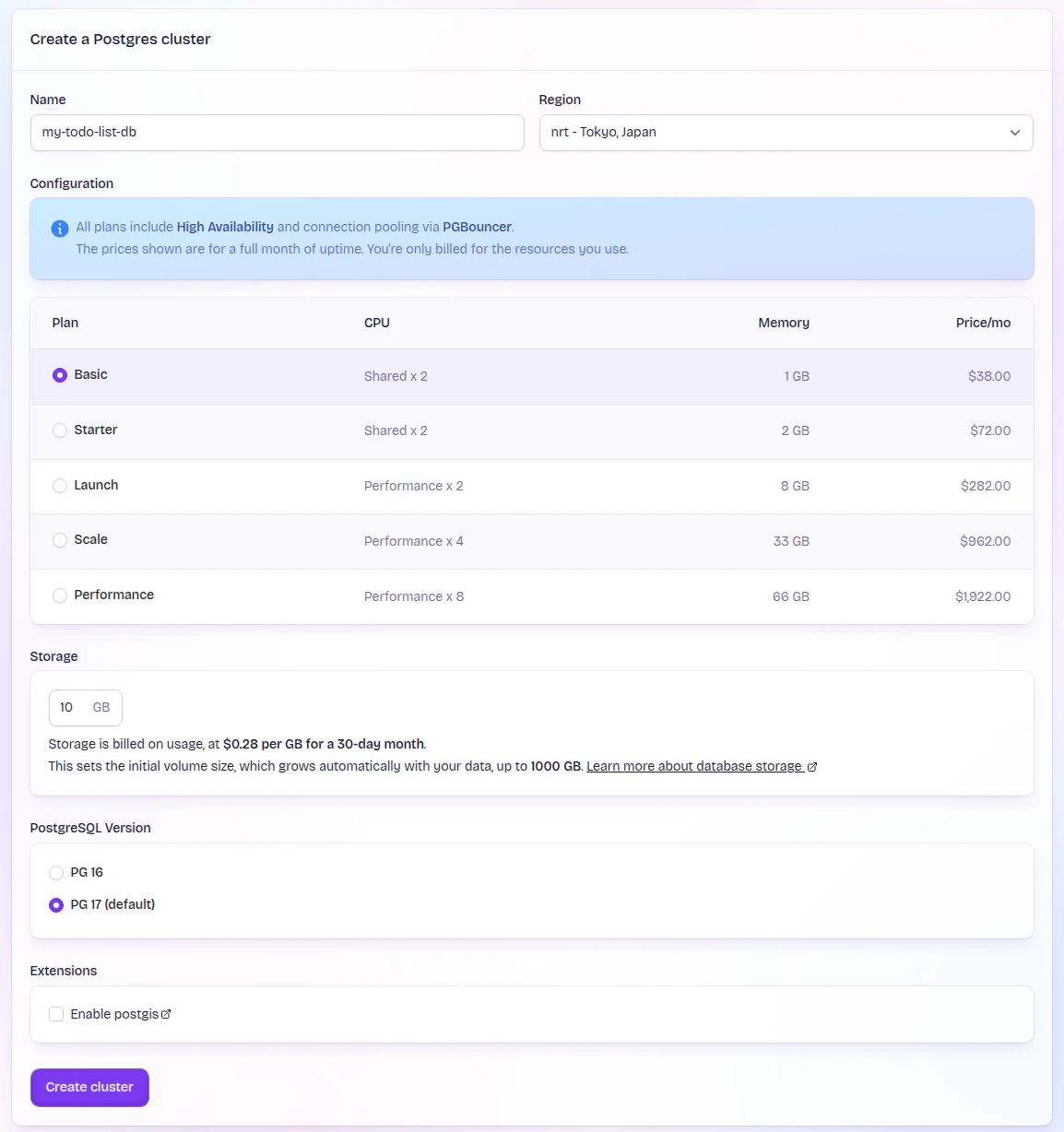
以下のように入力し、「Create cluster」ボタンをクリックします。
- Name
- my-todo-list-db
- Region
- nrt - Tokyo, Japan
- Plan
- Basic(今回は最も低いスペックを選択)
- Storage
- 10 GB(10GB未満には設定できなかったため、今回は10GBとしています)
- PostgreSQL Version
- PG 17 (default)
- Extensions
- Enable postgis
- チェックなし
- Enable postgis
データベースの作成が完了し、利用可能状態になると以下のような表示になります。

左側のメニューの「Connect」をクリックします。

「Connect using PgBouncer」、「Connect directly to your database」の欄にデータベースの接続情報が表示されているので、必要な値を控えておきます。

ローカル環境で Laravel のアプリケーションを配置しているディレクトリに移動します。
※今回の場合は既に実装済みの Laravel のアプリケーションである my-todo-list リポジトリを git clone しているディレクトリとなります。
$ cd /PATH_TO/my-todo-list/
Laravel のアプリケーションのディレクトリ直下で flyctl(fly) コマンドを実行するための Docker コンテナ環境を起動します。
※Dockerの イメージは php と composer コマンドが利用可能な composer:latest を利用します。
$ docker container run \
--rm \
-v $(pwd):/app \
-w /app \
-it composer:latest \
/bin/bash
XXXXXXXXXXXX:/app#
Install flyctl のドキュメントに従い、 flyctl コマンドをインストールします。
※ composer:latest は ~/.bashrc が存在しないため、 PATH の追加については「n」と回答します。
XXXXXXXXXXXX:/app# curl -sL https://fly.io/install.sh | sh
######################################################################## 100.0%
set update channel to shell
flyctl was installed successfully to /root/.fly/bin/flyctl
flyctl is not in your PATH. Would you like to add it automatically? (Y/n)
n
Manually add the directory to your ~/.bashrc (or similar)
  export FLYCTL_INSTALL="/root/.fly"
  export PATH="$FLYCTL_INSTALL/bin:$PATH"
PATH を設定します。
XXXXXXXXXXXX:/app# export FLYCTL_INSTALL="/root/.fly"
XXXXXXXXXXXX:/app# export PATH="$FLYCTL_INSTALL/bin:$PATH"
flyctl コマンドのバージョンを確認します。
XXXXXXXXXXXX:/app# flyctl version
flyctl v0.4.109 linux/amd64 Commit: 3b3a0588b4915252c355011ad0cec46973ec41bc BuildDate: 2026-09-28T13:43:58Z
サインインを行います。
本来であれば、ブラウザが起動して「Sign in」画面が表示されますが、 Docker コンテナ内で実行しているため、サインイン用のURLが表示されますので、このURLにブラウザでアクセスします。
XXXXXXXXXXXX:/app# fly auth login
failed opening browser. Copy the url (https://fly.io/app/auth/cli/XXXXXXXXXXXXXXXXXXXXXXXXXXXXXXXXXXXXXXXXXXXXXXXXXXXXXXXXXXXXXXXX) into a browser and continue
paste code here if prompted >
ブラウザで上記のURLにアクセスすると、このような画面が表示されるので、「Continue as メールアドレス」をクリックします。
※未サインインの場合はサインインを行います。
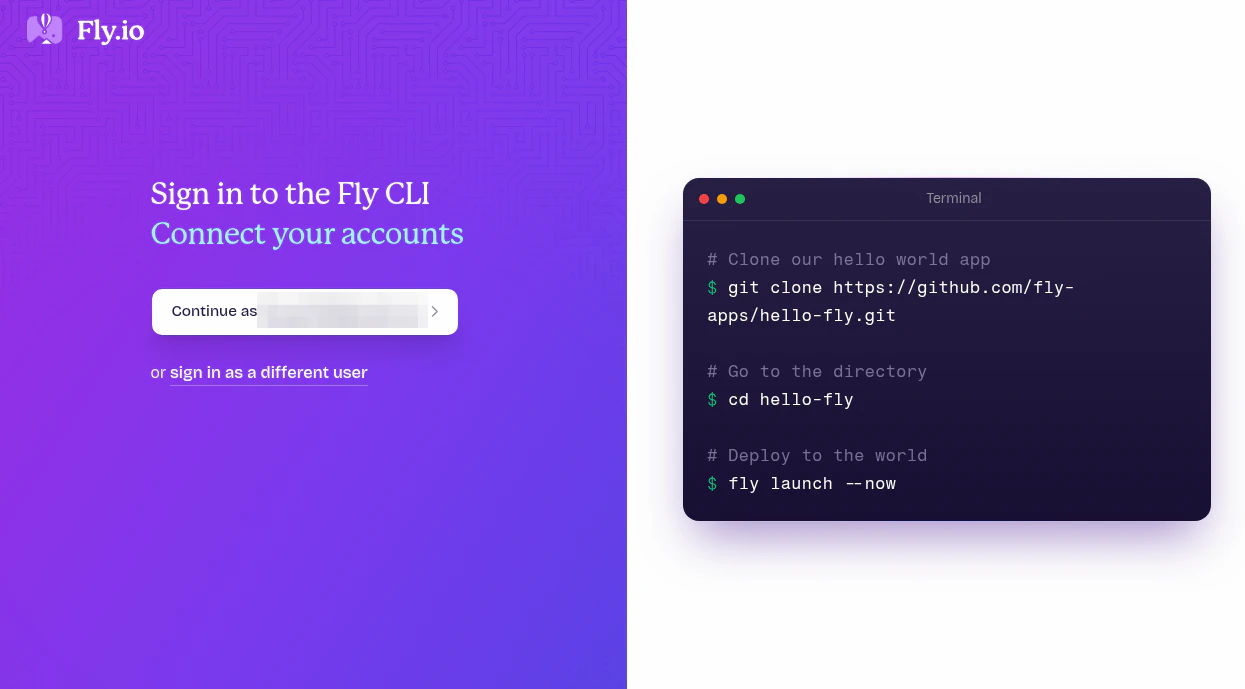
サインイン用のコードが表示されるので、これをコピーします。

ターミナルに戻って、コピーしたコードを画面上に貼り付けて、エンターを押下します。
paste code here if prompted > XXXXXXXXXXXXXXXXXXXXXXXXXXXXXXXXXXXXXXXXXXX
successfully logged in as メールアドレス
まず、デプロイのために必要な Dockerfile、fly.toml、.dockerignore を自動生成するために、 fly launch --no-deploy を実行します。
XXXXXXXXXXXX:/app# fly launch --no-deploy
Scanning source code
Detected a Laravel app
Creating app in /app

════════════════════════════════════════════════════════════════════════════════════════════════════════════════════════


                       %%%%%%%
                  %#+++=.  .:+*+*#%%
               %#+=====:       :++=+#%
             %#+======-          .++==#%
            %*=======+.            .+==+%
           %#========+               *==+%
           #+========+              = *==*%
           #=========+           .. : .*=+#
           #=========*    ==      .:   *==*%
           #+========+-             :. +==*%
           #*=========+              :-*==*%         %@
           %#**+======+-           .-. #==*%      @%%%%@
           %%#++=======+:      .::.   :*=+%       @%
           %%%#*++=====++.            #=+#%      @%@
          %%  %%#*++++++*+.          **+#@       %@
         %%     @%#***+++*+         =*+#%%      %%
        @@        @%%##*****       :*+%@%%%    %%
        @@        @@@@%#***##     .**%%   %% %%%
        @      @@@@  @@@%%#**%   .+#%@     @%%
        @@@@@@@           @%#*#.:*%%
                            @%#**%@
                             @@%@@
                            %%#%%%
                          @#***+**%
                          %**+***#%
                          @@%#+*#%


We're about to launch your Laravel app on Fly.io. Here's what you're getting:

Organization: akase244                                                   (fly launch defaults to the personal org)
Name:         app                                                        (derived from your directory name)
Region:       Tokyo, Japan                                               (this is the fastest region for you)
App Machines: shared-cpu-1x, 1GB RAM                                     (most apps need about 1GB of RAM)
Postgres:     <none>                                                     (not requested)
Redis:        Pay-as-you-go Plan: 10 GB Max Data Size, eviction disabled (determined from app source)
Tigris:       <none>                                                     (not requested)

════════════════════════════════════════════════════════════════════════════════════════════════════════════════════════


? Do you want to tweak these settings before proceeding? (y/N)
マシンスペックの変更やPostgreSQLの利用設定などを行いたいので、「y」と回答します。
? Do you want to tweak these settings before proceeding? (y/N) y
本来であれば、ブラウザが起動して「Fly Launch」画面が表示されますが、 Docker コンテナ内で実行しているため、「Fly Launch」画面にアクセスするためのURLが表示されますので、このURLにブラウザでアクセスします。
? Do you want to tweak these settings before proceeding? Yes

failed opening browser. Copy the url (https://fly.io/cli/launch/XXXXXXXXXXXXXXXXXXXXXXXXXXXXXXXXXXXXXXXXXXXXXXXXXXXXXXXXXXXXXXXX) into a browser and continue
Waiting for launch data...⣟
「Fly Launch」画面が表示されたら以下のように入力して、「Confirm Settings」をクリックします。
- App name
- my-todo-list-app
- Organization
- 任意の組織名を選択
- Region
- nrt - Tokyo, Japan
- Internal port
- 8080
- VM Sizes
- shared-cpu-1x(今回は最も低いスペックを選択)
- VM Memory
- 256MB(今回は最も低いスペックを選択)
- Postgres
- Provider
- Managed Postgres
- Cluster
- my-todo-list-db
- Database Name
- データベース名
- Provider
- Tigris Object Storage
- Add Bucket
- Disabled
- Add Bucket
- Redis
- Provider
- none
- Provider
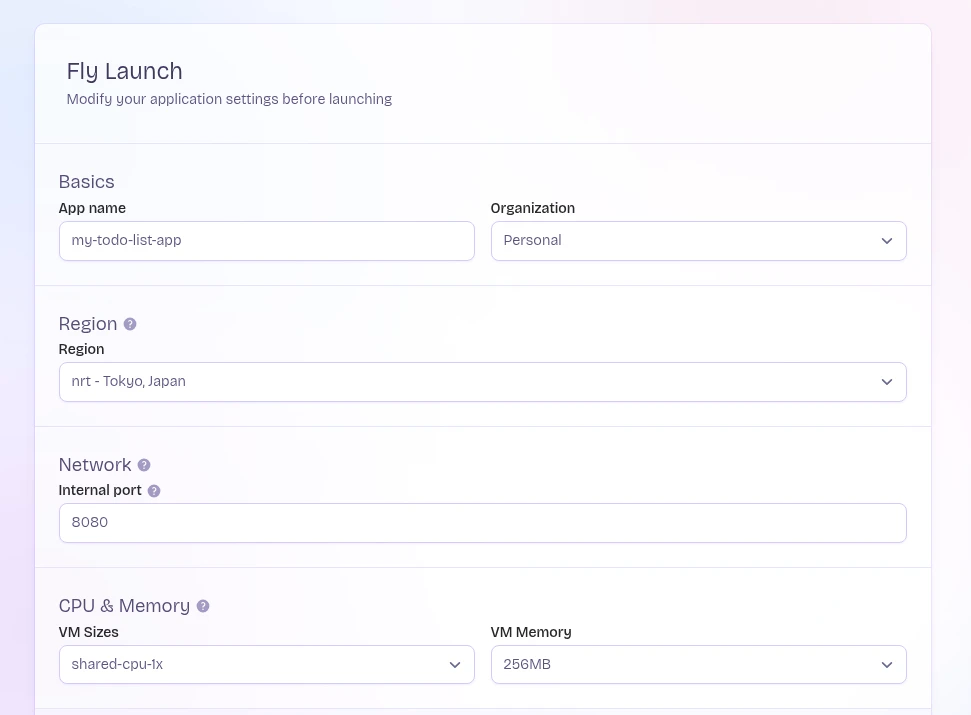
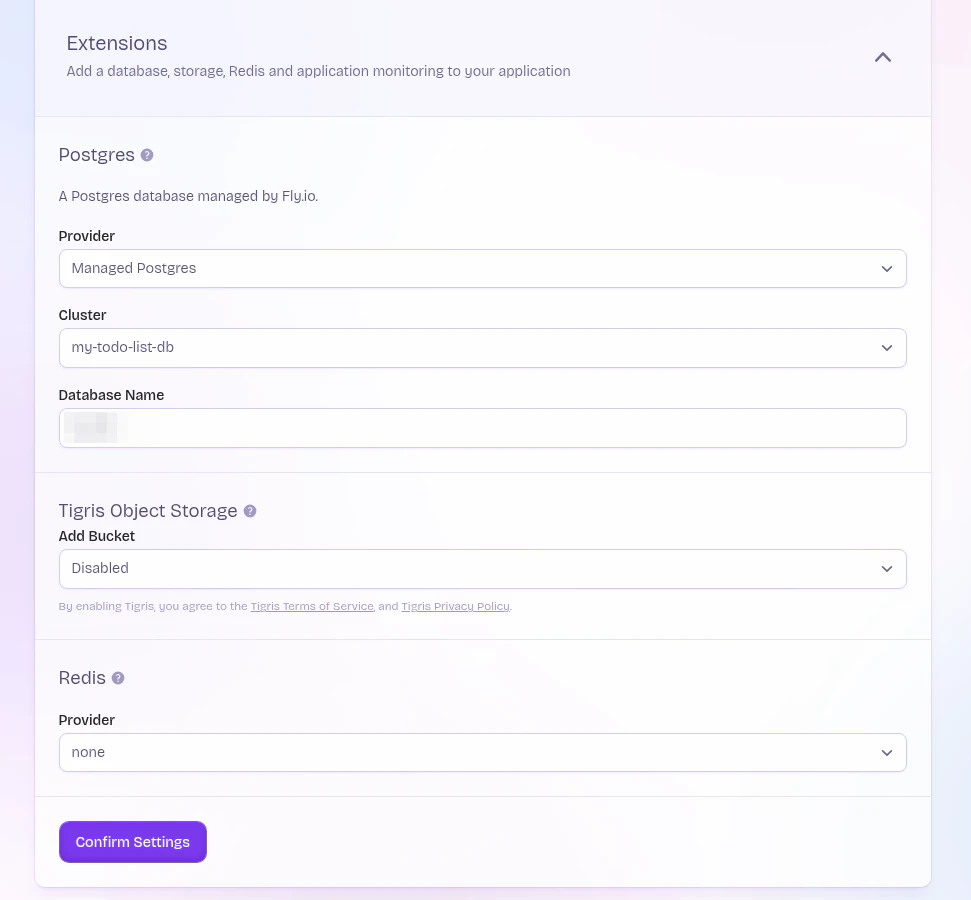
画面が以下のように切り替わります。
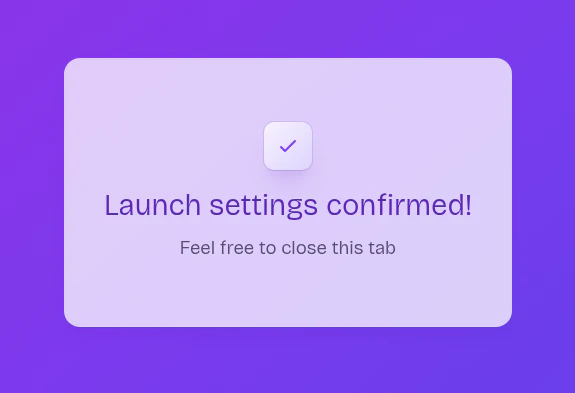
以下のように表示され fly launch コマンドによる処理が完了します。
? Do you want to tweak these settings before proceeding? Yes

failed opening browser. Copy the url (https://fly.io/cli/launch/XXXXXXXXXXXXXXXXXXXXXXXXXXXXXXXXXXXXXXXXXXXXXXXXXXXXXXXXXXXXXXXX) into a browser and continue
Waiting for launch data... Done
Created app 'my-todo-list-app' in organization 'akase244'

Admin URL: https://fly.io/apps/my-todo-list-app
Hostname: my-todo-list-app.fly.dev
Run `fly tokens create deploy -x 999999h` to create a token and set it as the FLY_API_TOKEN secret in your GitHub repository settings
See https://docs.github.com/en/actions/security-guides/using-secrets-in-github-actions

Set secrets on my-todo-list-app: APP_KEY
Attaching to existing Managed Postgres cluster XXXXXXXXXXXXXXXX...
Managed Postgres cluster XXXXXXXXXXXXXXXX is now attached to my-todo-list-app
The following secret was added to my-todo-list-app:
  DATABASE_URL=/XXXXXX
installing: composer require --dev fly-apps/dockerfile-laravel
The repository at "/app" does not have the correct ownership and git refuses to use it:

fatal: detected dubious ownership in repository at '/app'
To add an exception for this directory, call:

git config --global --add safe.directory /app

./composer.json has been updated
The repository at "/app" does not have the correct ownership and git refuses to use it:

fatal: detected dubious ownership in repository at '/app'
To add an exception for this directory, call:

git config --global --add safe.directory /app

Running composer update fly-apps/dockerfile-laravel
Loading composer repositories with package information
Updating dependencies
Lock file operations: 1 install, 0 updates, 0 removals
  - Locking fly-apps/dockerfile-laravel (1.0.9)
Writing lock file
Installing dependencies from lock file (including require-dev)
Nothing to install, update or remove
Generating optimized autoload files
Warning: Ambiguous class resolution, "App\Providers\AppServiceProvider" was found in both "/app/app/Providers/AppServiceProvider.php" and "/app/vendor/fly-apps/dockerfile-laravel/app/Providers/AppServiceProvider.php", the first will be used.
To resolve ambiguity in classes not under your control you can ignore them by path using exclude-from-classmap
> Illuminate\Foundation\ComposerScripts::postAutoloadDump
> @php artisan package:discover --ansi

   INFO  Discovering packages.

  laravel/boost ................................................................................................. DONE
  laravel/mcp ................................................................................................... DONE
  laravel/pail .................................................................................................. DONE
  laravel/pao ................................................................................................... DONE
  laravel/roster ................................................................................................ DONE
  laravel/tinker ................................................................................................ DONE
  nesbot/carbon ................................................................................................. DONE
  nunomaduro/collision .......................................................................................... DONE
  nunomaduro/termwind ........................................................................................... DONE
  pestphp/pest-plugin-laravel ................................................................................... DONE

89 packages you are using are looking for funding.
Use the `composer fund` command to find out more!
> @php artisan vendor:publish --tag=laravel-assets --ansi --force

   INFO  No publishable resources for tag [laravel-assets].

> @php artisan boost:update --ansi
Boost guidelines and skills updated successfully.
Found 4 security vulnerability advisories affecting 1 package.
Run "composer audit" for a full list of advisories.
Using version ^1.0 for fly-apps/dockerfile-laravel
Running: vendor/bin/dockerfile-laravel generate
  create    Dockerfile
  create    .dockerignore
  create    .fly/entrypoint.sh
  create    .fly/start-nginx.sh
  create    .fly/scripts/caches.sh
  create    .fly/fpm/pool.d/www.conf
  create    .fly/nginx/conf.d/access-log.conf
  create    .fly/nginx/conf.d/websockets.conf
  create    .fly/nginx/sites-available/default-octane
  create    .fly/nginx/sites-available/default
  create    .fly/nginx/nginx.conf
  create    .fly/php/packages/7.4.txt
  create    .fly/php/packages/8.0.txt
  create    .fly/php/packages/8.1.txt
  create    .fly/php/packages/8.2.txt
  create    .fly/php/packages/8.3.txt
  create    .fly/php/packages/8.4.txt
  create    .fly/php/ondrej_ubuntu_php.gpg
  create    .fly/supervisor/conf.d/fpm.conf
  create    .fly/supervisor/conf.d/nginx.conf
  create    .fly/supervisor/supervisord.conf
Wrote config file fly.toml
Validating /app/fly.toml
✓ Configuration is valid

If you need custom packages installed, or have problems with your deployment
build, you may need to edit the Dockerfile for app-specific changes. If you
need help, please post on https://community.fly.io.

Now: run 'fly deploy' to deploy your Laravel app.
デプロイに必要なファイルが生成されていることを確認します。
XXXXXXXXXXXX:/app# ls -l Dockerfile fly.toml .dockerignore
-rw-r--r-- 1 root root  434 Sep 28 14:35 .dockerignore
-rw-r--r-- 1 root root 4502 Sep 28 14:35 Dockerfile
-rw-r--r-- 1 root root  784 Sep 28 14:35 fly.toml
Dockerfile、fly.toml 内に定義されている PHP と Node のバージョンを以下のように修正します。
変更前
XXXXXXXXXXXX:/app# grep '_VERSION=' Dockerfile
ARG PHP_VERSION=8.2
ARG NODE_VERSION=18

XXXXXXXXXXXX:/app# grep '_VERSION =' fly.toml
    NODE_VERSION = '18'
    PHP_VERSION = '8.4'
変更後
XXXXXXXXXXXX:/app# grep '_VERSION=' Dockerfile
ARG PHP_VERSION=8.4
ARG NODE_VERSION=22

XXXXXXXXXXXX:/app# grep '_VERSION =' fly.toml
    NODE_VERSION = '22'
    PHP_VERSION = '8.4'
PostgreSQL を利用するため fly.toml に環境変数「DB_CONNECTION」を追記します。
※「DB_URL」については fly.toml に記述したくないため、後ほど画面から登録します。
[env]
  APP_ENV = 'production'
  ・
  ・
  DB_CONNECTION = "pgsql"
デプロイのタイミングでマイグレーションを実行するため fly.toml に「deploy」のセクションを追記します。
[deploy]
  release_command = "php /var/www/html/artisan migrate --no-interaction --force"
左側のメニューの「App」をクリックして、「my-todo-list-app」を選択します。

左側のメニューの「Secrets」をクリックします。

「APP_KEY」と「DATABASE_URL」が登録済みであることを確認します。
※「APP_KEY」はLaravelと推測されるアプリケーションを fly launch したタイミングで登録されているようです。
※「DATABASE_URL」は fly launch 実行時に「Managed Postgres」を紐付けた際にアタッチ状態となり、その際に登録されているようです。
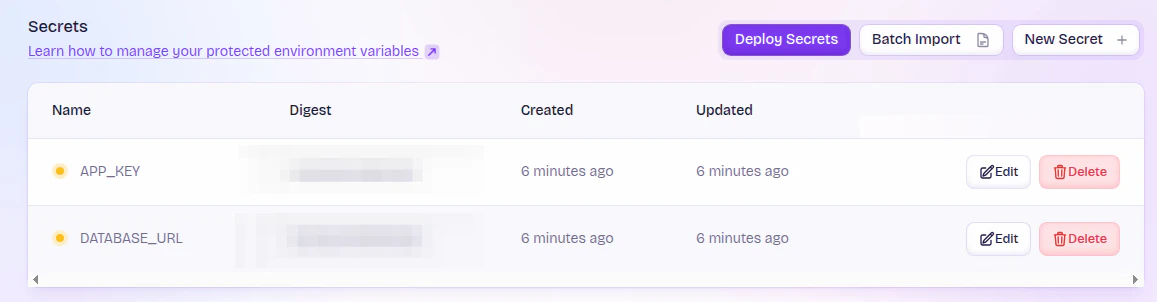
「Batch Import」または「New Secret」をクリックして、「DB_URL」を登録します。
「DB_URL」については、事前に控えていた「Connect directly to your database」欄の値を利用します。
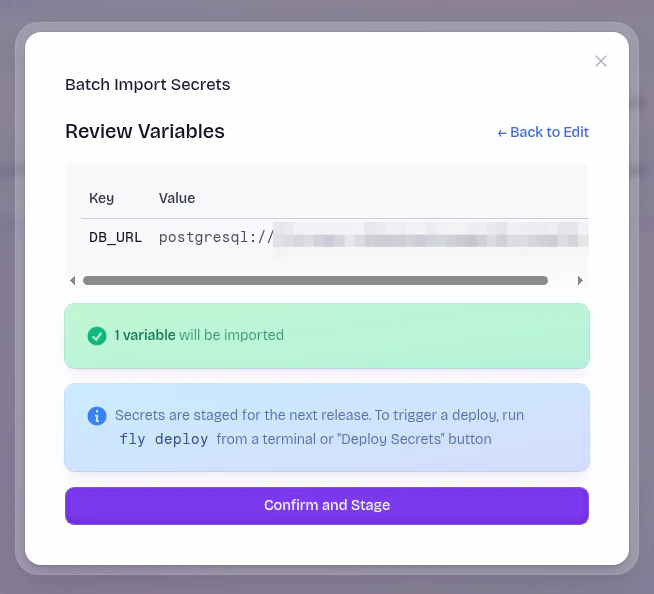
今回は「Batch Import」から以下のように登録しました。

確認画面が表示されるので、登録内容を改めて確認し、問題なければ「Confirm and Stage」をクリックします。
「Pending」状態となっているので、「Deploy Secrets」をクリックします。

「OK」をクリックします。

fly deploy --remote-only を実行して、デプロイを行います。
XXXXXXXXXXXX:/app# fly deploy --remote-only
==> Verifying app config
Validating /app/fly.toml
✓ Configuration is valid
--> Verified app config
==> Building image
==> Building image with Depot
--> build: ()
[+] Building 23.5s (33/33) FINISHED
=> [internal] load build definition from Dockerfile 0.6s
=> => transferring dockerfile: 4.54kB 0.6s
=> resolve image config for docker-image://docker.io/docker/dockerfile:experimental 0.4s
=> CACHED docker-image://docker.io/docker/dockerfile:experimental@sha256:600e5c62eedff338b3f7a0850beb7c05866e0ef 0.0s
=> => resolve docker.io/docker/dockerfile:experimental@sha256:600e5c62eedff338b3f7a0850beb7c05866e0ef27b2d2e8c02 0.0s
=> [internal] load .dockerignore 0.6s
=> => transferring context: 476B 0.6s
=> [internal] load build definition from Dockerfile 0.0s
=> => Deduplicating step ID [internal] load build definition from Dockerfile, another build is calculating it 0.0s
=> [internal] load metadata for docker.io/library/node:22 0.3s
=> [internal] load metadata for docker.io/library/ubuntu:22.04 0.3s
=> FROM docker.io/library/composer:2 0.2s
=> => resolve docker.io/library/composer:2 0.2s
=> [node_modules_go_brrr 1/7] FROM docker.io/library/node:22@sha256:363e1587494626837fa7f9a23bdb453d13b0ff3c67c7 0.0s
=> => resolve docker.io/library/node:22@sha256:363e1587494626837fa7f9a23bdb453d13b0ff3c67c705c2805cfc69c2d2fad7 0.0s
=> [internal] load build context 0.8s
=> => transferring context: 47.62kB 0.8s
=> [base 1/14] FROM docker.io/library/ubuntu:22.04@sha256:b8b6ee6aa931ecd9d0d952abc34dc0e5f7c6a30c6bb71b079fe39 0.0s
=> => resolve docker.io/library/ubuntu:22.04@sha256:b8b6ee6aa931ecd9d0d952abc34dc0e5f7c6a30c6bb71b079fe399fde032 0.0s
=> CACHED [node_modules_go_brrr 2/7] RUN mkdir /app 0.0s
=> CACHED [node_modules_go_brrr 3/7] RUN mkdir -p /app 0.0s
=> CACHED [node_modules_go_brrr 4/7] WORKDIR /app 0.0s
=> [node_modules_go_brrr 5/7] COPY . . 0.1s
=> CACHED [base 2/14] COPY --from=composer:2 /usr/bin/composer /usr/bin/composer 0.0s
=> CACHED [base 3/14] COPY .fly/php/ondrej_ubuntu_php.gpg /etc/apt/trusted.gpg.d/ondrej_ubuntu_php.gpg 0.0s
=> CACHED [base 4/14] ADD .fly/php/packages/8.4.txt /tmp/php-packages.txt 0.0s
=> CACHED [base 5/14] RUN apt-get update && apt-get install -y --no-install-recommends gnupg2 ca-certificat 0.0s
=> CACHED [base 6/14] COPY .fly/nginx/ /etc/nginx/ 0.0s
=> CACHED [base 7/14] COPY .fly/fpm/ /etc/php/8.4/fpm/ 0.0s
=> CACHED [base 8/14] COPY .fly/supervisor/ /etc/supervisor/ 0.0s
=> CACHED [base 9/14] COPY .fly/entrypoint.sh /entrypoint 0.0s
=> CACHED [base 10/14] COPY .fly/start-nginx.sh /usr/local/bin/start-nginx 0.0s
=> CACHED [base 11/14] RUN chmod 754 /usr/local/bin/start-nginx 0.0s
=> [base 12/14] COPY . /var/www/html 0.1s
=> [base 13/14] WORKDIR /var/www/html 0.0s
=> [base 14/14] RUN composer install --optimize-autoloader --no-dev && mkdir -p storage/logs && php arti 4.7s
=> [node_modules_go_brrr 6/7] COPY --from=base /var/www/html/vendor /app/vendor 0.8s
=> [node_modules_go_brrr 7/7] RUN if [ -f "vite.config.js" ] || [ -f "vite.config.ts" ]; then ASSET_CMD= 5.4s
=> [stage-2 1/2] COPY --from=node_modules_go_brrr /app/public /var/www/html/public-npm 0.1s
=> [stage-2 2/2] RUN rsync -ar /var/www/html/public-npm/ /var/www/html/public/ && rm -rf /var/www/html/publi 4.8s
=> exporting to image 4.0s
=> => exporting layers 1.0s
=> => exporting manifest sha256:badd027bec16ed4bbdea1e1ef51b2923726050d9493213af278f245b3576d894 0.0s
=> => exporting config sha256:eb0e60ad87399fd3985c94e71f10a0cd643e6479114b401779eb04376d0c627c 0.0s
=> => pushing layers for registry.fly.io/my-todo-list-app:deployment-XXXXXXXXXXXXXXXXXXXXXXXXXX@sha256:badd027be 2.9s
=> => pushing layer sha256:eb0e60ad87399fd3985c94e71f10a0cd643e6479114b401779eb04376d0c627c 2.8s
=> => pushing layer sha256:357202f75733be1f33a8eb755fcec15391319b400176ab66400c23cf323314b5 2.8s
=> => pushing layer sha256:003dc993c10b1f3d45bb7b404a844c47511a1b452611f3532c7534d9bdfc9ece 0.6s
=> => pushing layer sha256:03624389642ed85b594b5aafeb9c4586bd19638e91ce83338d9fa1a66d8a87e1 0.4s
=> => pushing layer sha256:b85677389e082554a6d21284ceae2a19543e394fdd7151304bfce04d5c4fb526 0.2s
=> => pushing layer sha256:192731c2026df9cb18756e716efa1ee3f3ab57e4214c4b24f12fd642b0942ed1 2.2s
=> => pushing layer sha256:8f0c294256fd64618a7a9edfd9029188c1c9e729cc6c57f7ceba4c4532c4b6dd 1.8s
=> => pushing layer sha256:dee736b1f1d522a5039457be1dae9f4889501604caa0a07d899a90bdbfe4f911 1.4s
=> => pushing layer sha256:7e792f7a6874b5b113ad98a9a23e9e7abf4b76152a92747bb90dfb70e39db39e 2.9s
=> => pushing layer sha256:793df75fe4366485e8a477683b1ed636f43ab81c7aff34cc0f743dd423a27fa4 2.8s
=> => pushing layer sha256:a2a0b8045987a5344bf852efd8565a704faf254fea80f377b345990edf1b9712 2.6s
=> => pushing layer sha256:30f8256a8db7ca1add2f2ad3f62a96d17527246b617be4c33eb242ae6879e85c 0.8s
=> => pushing layer sha256:3d313978d295a17e7e8e88d4c539382ec7c533346982b78fe45d6c1b62ec26e8 1.2s
=> => pushing layer sha256:bb49f0d60fc283fba438644a3ab61ff227ad867dd0ab922aa926bcdc88206730 2.6s
=> => pushing layer sha256:7f92e17219df7b1297db3ba4f261c6d483e66b8d9fe298c73d72db199ec7510c 2.6s
=> => pushing layer sha256:2fca743f4c6ebdfed8645110c934d470a5620d8a7b2b36d7b08b9b4a1336e0ad 2.8s
=> => pushing layer sha256:2c1ce468d9f3d941396801f6e3afc8921466650dd05430fe644cd3537713d27f 2.6s
=> => pushing manifest for registry.fly.io/my-todo-list-app:deployment-XXXXXXXXXXXXXXXXXXXXXXXXXX@sha256:badd027 0.1s
--> Build Summary: ()
--> Building image done
image: registry.fly.io/my-todo-list-app:deployment-XXXXXXXXXXXXXXXXXXXXXXXXXX
image size: 113 MB
Watch your deployment at https://fly.io/apps/my-todo-list-app/monitoring
Provisioning ips for my-todo-list-app
Dedicated ipv6: XXXX:XXXX:X::XXX:XXXX:X
Shared ipv4: XXX.XXX.XXX.XXX
Add a dedicated ipv4 with: fly ips allocate-v4
Running my-todo-list-app release_command: php /var/www/html/artisan migrate --no-interaction --force
Starting machine
-------
✔ release_command XXXXXXXXXXXXXX completed successfully
-------
This deployment will:
* create 2 "app" machines
No machines in group app, launching a new machine
Creating a second machine for high availability and zero downtime deployments.
To disable this, set "min_machines_running = 0" in your fly.toml.
Finished launching new machines
-------
✔ Machine XXXXXXXXXXXXXX [app] update finished: success
NOTE: The machines for [app] have services with 'auto_stop_machines = "stop"' that will be stopped when idling
-------
Checking DNS configuration for my-todo-list-app.fly.dev
✓ DNS configuration verified
Visit your newly deployed app at https://my-todo-list-app.fly.dev/
https://my-todo-list-app.fly.dev/ にアクセスすると、 Laravel の初期画面が表示されました。

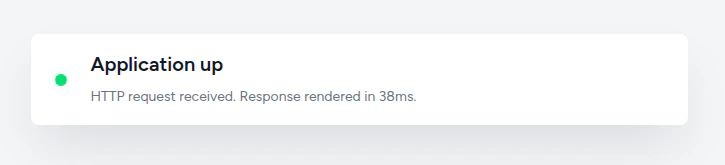
https://my-todo-list-app.fly.dev/up にアクセスするとアプリケーションが起動していることが確認できましたた。
Todoリストのページのルーティングパスにアクセスすると、Todoリストの初期画面が表示されました。

Todoの追加・更新・削除が行える(DBにデータが保存される)ことも確認できました。

まとめ
2年ぶりくらいに Fly.io を触りました。
前回はサンプル程度の Laravel のアプリケーションをデプロイするだけだったので、途中で詰まることもなく作業を終えた記憶だったのですが、今回はデータベースを利用するアプリケーションということもあり、少々手間取ってしまいました。
しかしながら、 fly launch コマンドによる Dockerfile の自動生成は相変わらず非常に便利ですね。
インフラ構築に慣れていないアプリケーションエンジニアの場合、この機能は強力な味方だと思います。
今回はローカル環境にリポジトリの内容を git clone し、 fly launch コマンドによるデプロイを行ってみましたが、今回のデプロイ作業により Dockerfile、fly.toml、.dockerignore が手元にある状態なので、次回は以下の画像のように Fly.io の管理画面上から GitHub のリポジトリと連携する形のデプロイも試してみたいと思います。

ただまぁ、「Managed Postgres」の価格がとにかく高いですね。月額で最低でも38ドル掛かってしまい、それに加えてストレージ代も別途掛かるので、個人開発用途の場合は選択肢から外れてしまうのではないでしょうか。

関連記事