
はじめに
RemoteEvent は、イベントを送信するときにデータも一緒に渡すことができます。
本記事では、複数データの受け渡し方をサンプル付きで解説します。
複数のデータを渡すには、そのまま並べる(Tuple)か、テーブルにまとめる(配列・辞書)の大きく2パターンに分けられます。
基本の確認(FireClient/OnClient)
RemoteEvent でのイベントの送受信の例です。
引数の arguments はタプル(=複数の値の並び)です。
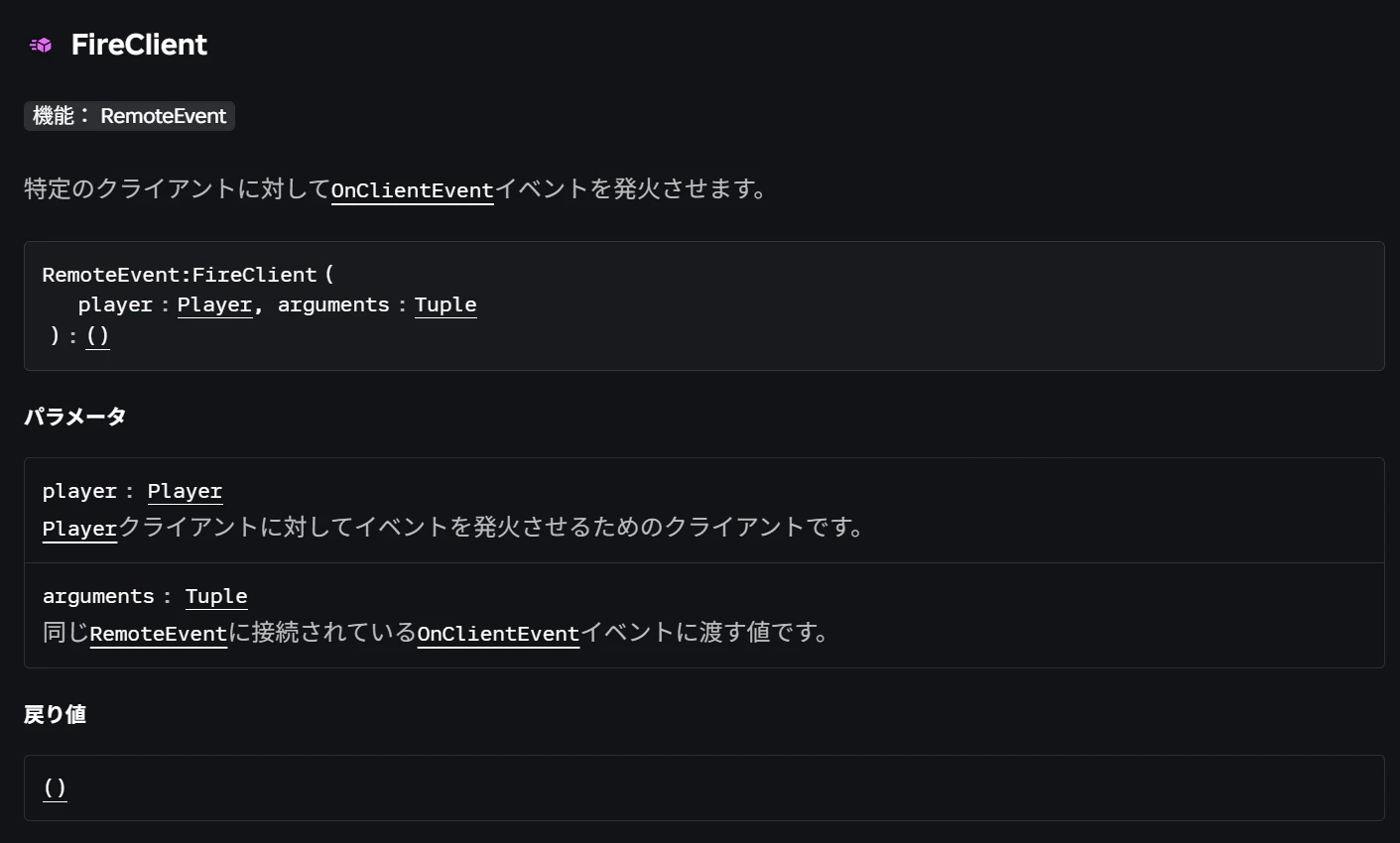
例:FireClientメソッド
サーバーから特定のクライアントにイベントを送信
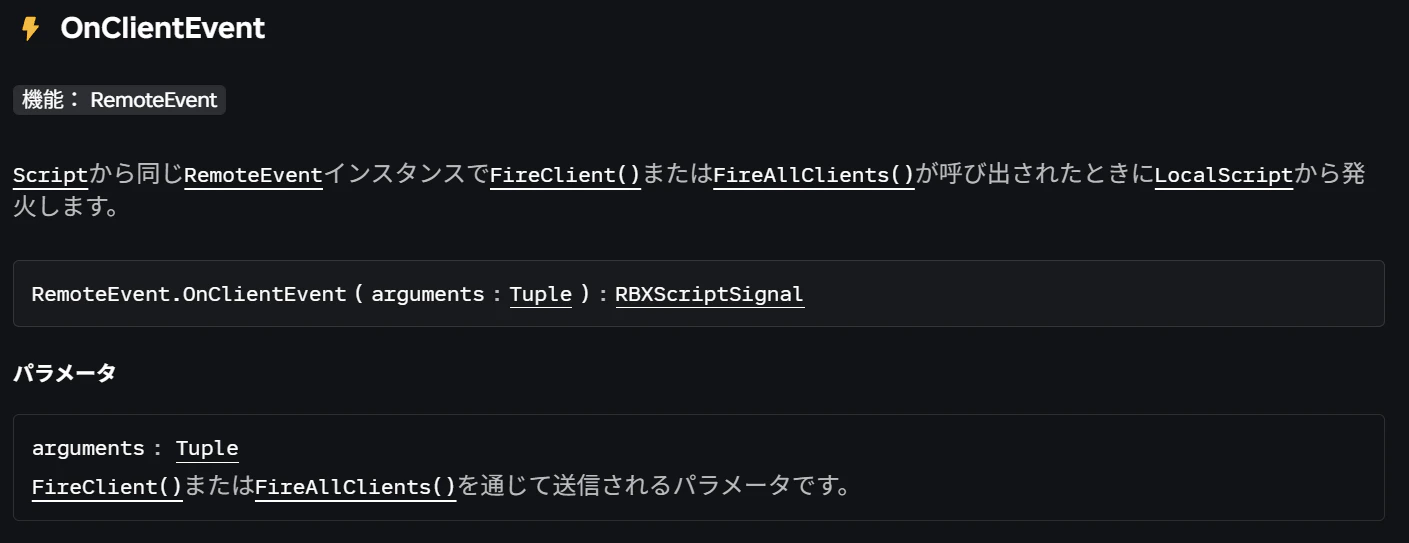
例:OnClientEventイベント
サーバーからのイベントをクライアントで受信
補足
FireClient では「誰に送るか」を指定するために第1引数に player を入れますが、クライアント側(OnClientEvent)で受け取るとき、その値は自動的に除外され、純粋に送信したデータのみが届きます。
 そのままTupleで渡す
引数に直接値を並べて渡す方法です。
受け取り側は、渡した数と同じ変数で受け取るか、可変長引数で受け取ります。
データの渡し方:
local ReplicatedStorage = game:GetService("ReplicatedStorage")
-- RemoteEvent の作成
local remoteEvent = Instance.new("RemoteEvent")
remoteEvent.Name = "TupleRemoteEvent"
remoteEvent.Parent = ReplicatedStorage

local Players = game:GetService("Players")
Players.PlayerAdded:Connect(function(player: Player)
	-- RemoteEvent の送信
	remoteEvent:FireClient(
		player, "Arg1", "Arg2", "Arg3"
	)
end)
1. 渡した数と同じ変数で受け取る場合
あらかじめ何が送られてくるか決まっている場合の受け取り方です。
データの受け取り方:
local ReplicatedStorage = game:GetService("ReplicatedStorage")
local remoteEvent = ReplicatedStorage:WaitForChild("TupleRemoteEvent")

remoteEvent.OnClientEvent:Connect(function(arg1, arg2, arg3)
	print(remoteEvent.Name, "を受信しました。")
	print(arg1)
	print(arg2)
	print(arg3)
end)
実行結果:
TupleRemoteEvent を受信しました。
Arg1
Arg2
Arg3
2. 可変長引数(...)で受け取る場合
何が来るか、あるいは何個来るかわからないときに向いている柔軟な受け取り方です。
データの受け取り方:
local ReplicatedStorage = game:GetService("ReplicatedStorage")
local remoteEvent = ReplicatedStorage:WaitForChild("TupleRemoteEvent")

remoteEvent.OnClientEvent:Connect(function(...)
	print(remoteEvent.Name, "を受信しました。")
	print(...)
end)
実行結果:
TupleRemoteEvent を受信しました。
Arg1 Arg2 Arg3
配列で渡す
値を1つのテーブル(配列)にまとめて渡す方法です。
受け取り側は、1つの変数で受け取ります。(Tupleとしては引数が1個だけある状態です)
データの渡し方:
local ReplicatedStorage = game:GetService("ReplicatedStorage")
-- RemoteEvent の作成
local remoteEvent = Instance.new("RemoteEvent")
remoteEvent.Name = "ArrayRemoteEvent"
remoteEvent.Parent = ReplicatedStorage

local Players = game:GetService("Players")
Players.PlayerAdded:Connect(function(player: Player)
	-- RemoteEvent の送信
	remoteEvent:FireClient(
		player, {"Arg1", "Arg2", "Arg3"}
	)
end)
データの受け取り方:
local ReplicatedStorage = game:GetService("ReplicatedStorage")
local remoteEvent = ReplicatedStorage:WaitForChild("ArrayRemoteEvent")

remoteEvent.OnClientEvent:Connect(function(arg)
	print(remoteEvent.Name, "を受信しました。")
	print(arg)
end)
実行結果:
ArrayRemoteEvent を受信しました。
 ▼  {
    [1] = "Arg1",
    [2] = "Arg2",
    [3] = "Arg3"
 }
辞書で渡す
値を1つのテーブル(辞書)にまとめて渡す方法です。
受け取り側は、1つの変数で受け取ります。(Tupleとしては引数が1個だけある状態です)
データの渡し方:
local ReplicatedStorage = game:GetService("ReplicatedStorage")
-- RemoteEvent の作成
local remoteEvent = Instance.new("RemoteEvent")
remoteEvent.Name = "DictionaryRemoteEvent"
remoteEvent.Parent = ReplicatedStorage

local Players = game:GetService("Players")
Players.PlayerAdded:Connect(function(player: Player)
	-- RemoteEvent の送信
	remoteEvent:FireClient(
		player, { arg1 = "Arg1", arg2 = "Arg2", arg3 = "Arg3"}
	)
end)
データの受け取り方:
local ReplicatedStorage = game:GetService("ReplicatedStorage")
local remoteEvent = ReplicatedStorage:WaitForChild("DictionaryRemoteEvent")

remoteEvent.OnClientEvent:Connect(function(arg)
	print(remoteEvent.Name, "を受信しました。")
	print(arg)
end)
実行結果:
DictionaryRemoteEvent を受信しました。
 ▼  {
    ["arg1"] = "Arg1",
    ["arg2"] = "Arg2",
    ["arg3"] = "Arg3"
 }
補足:
キーを指定してアクセスする例
print(arg.arg1) -- "Arg1" と表示される
おわりに- 使い分けの目安 -
-
そのままTupleで渡す
データが少なく、順番が明確な簡単な処理に。 -
配列で渡す
似たようなデータ(アイテムリストなど)をループで処理したいときに。 -
辞書で渡す
拡張性が高い方法。「どの値が何を指すか」を明確にしたいときに。