
はじめに
前回、S3の中にユーザの個人領域を作成しました。
今回は、グループ(部署をイメージ)の領域を作成してみました。
概要
以下を行います。
- グループごとに、以下を作成
- グループ名のフォルダ
- 上記フォルダにアクセス可能なユーザーグループ
作成するリソースは以下です。
- ユーザーグループ
- アクセス権はインラインポリシーで定義します
S3バケットは前回と同様、"share-"から始める前提です。
リソース作成
概要で説明したユーザーグループを作成するCFnテンプレートです。
これをグループの数だけ作成します。
createUserGroupForDeptFolder.yaml
AWSTemplateFormatVersion: '2010-09-09'

Parameters:
  DeptName:
    Type: String
    Default: 'sales'
    AllowedPattern: '^[a-z0-9-]+$'

Resources:
  # 部署専用のIAMグループ
  DepartmentGroup:
    Type: 'AWS::IAM::Group'
    Properties:
      GroupName: !Sub 'group-${DeptName}'

      # グループに直接紐付くインラインポリシー
      Policies:
        - PolicyName: !Sub 'S3-Access-Policy-${DeptName}'
          PolicyDocument:
            Version: '2012-10-17'
            Statement:
              # S3バケット一覧の取得権限
              - Sid: AllowListAllBuckets
                Effect: Allow
                Action:
                  - 's3:GetBucketLocation'
                  - 's3:ListAllMyBuckets'
                Resource: '*'

              # 指定した部署フォルダパスまでのブラウズ権限
              - Sid: AllowListSpecificBucketStructure
                Effect: Allow
                Action: 's3:ListBucket'
                Resource: 'arn:aws:s3:::share-*'
                Condition:
                  StringLike:
                    's3:prefix':
                      - ''
                      - 'dept/'
                      - !Sub 'dept/${DeptName}/'
                      - !Sub 'dept/${DeptName}/*'

              # 該当部署フォルダ内でのデータ操作権限
              - Sid: AllowReadWriteInDeptPath
                Effect: Allow
                Action: 's3:*'
                Resource:
                  - !Sub 'arn:aws:s3:::share-*/dept/${DeptName}/*'
使用
先のCfnテンプレートで、以下の2つのグループを作成しました。
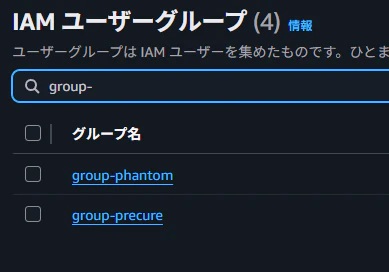
それぞれユーザーは以下になります。
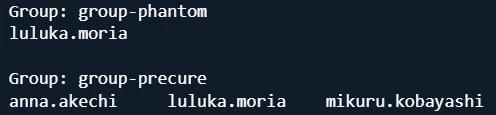
フォルダ構成は以下になります。
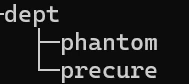
この状態でアクセスしてみます。
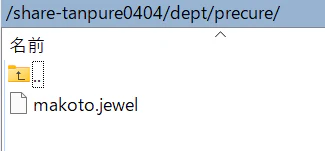
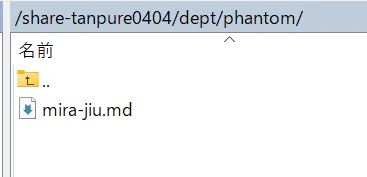
1つのグループにのみ所属しているユーザでアクセスしてみます。所属しているグループのフォルダは閲覧できました。
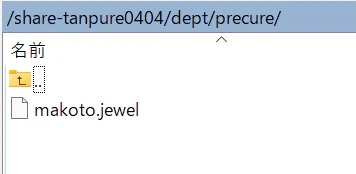
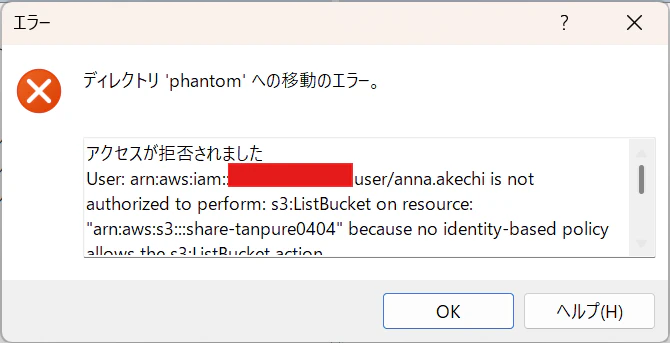
未所属のグループは、アクセスエラーになりました。
両方のグループに所属しているユーザでアクセスし、両グループのフォルダを見れることを確認します。
おわりに
今回は、S3上のフォルダをグループで共有する領域として作ってみました。
前回の記事と組み合わせて、組織の共有領域として使いやすくできたかなと思います。
この記事がどなたかのお役に立てれば幸いです。