11
12

Delete article

Deleted articles cannot be recovered.

Draft of this article would be also deleted.

Are you sure you want to delete this article?

個人プロジェクト始めるときのGit手順

11
Posted at

はじめに

毎回プロジェクトを作るたびに最初のGitコマンドを調べているのでまとめました。
プロジェクトの作成からdefaultブランチ(master→main)の切り替え、first commitまでの手順になります!

手順

1.ディレクトリを作成し、ターミナルで作成したディレクトリに移動する
2.ローカルにGitリポジトリ作成

git init

3.defaultで作成されるmasterブランチをmainに変更する

git branch -m master main

4.first commitするための最低限のフォルダを作成する

echo "# my-project" > README.md

5.git addを行う

git add README.md

6.現在のブランチがmainであることを確認してから、first commitを行う

git branch
* main

git commit -m "first commit"

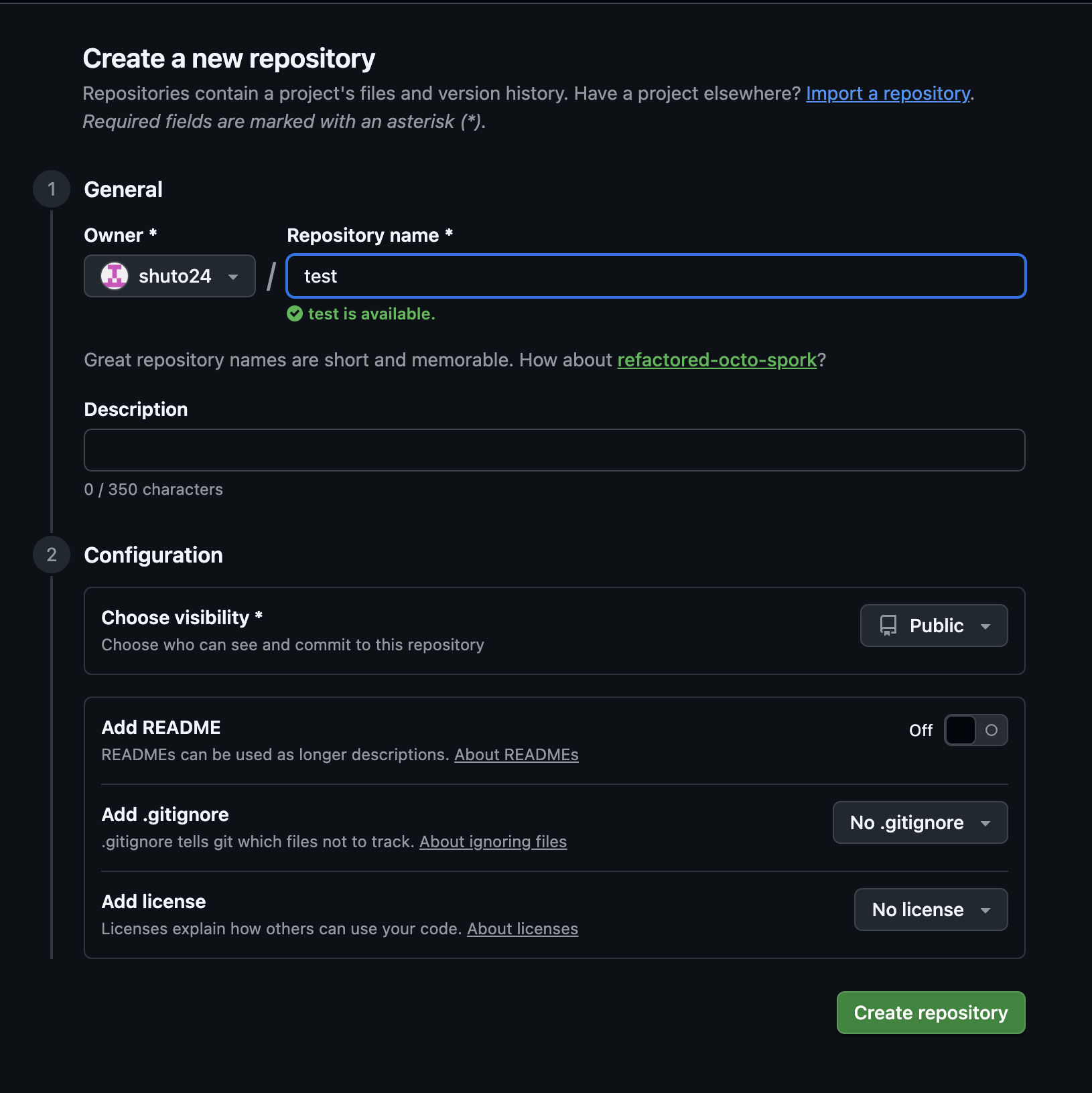
7.ブラウザからgithubを開き、リモートリポジトリを作成

スクリーンショット 2026-01-19 22.54.56.png

※ローカルと衝突するため、README は作らない
スクリーンショット 2026-01-19 22.52.51.png


8.githubの画像の箇所からコピーして、リモートリポジトリを登録する

git remote add origin 'ブラウザからコピーしたもの'
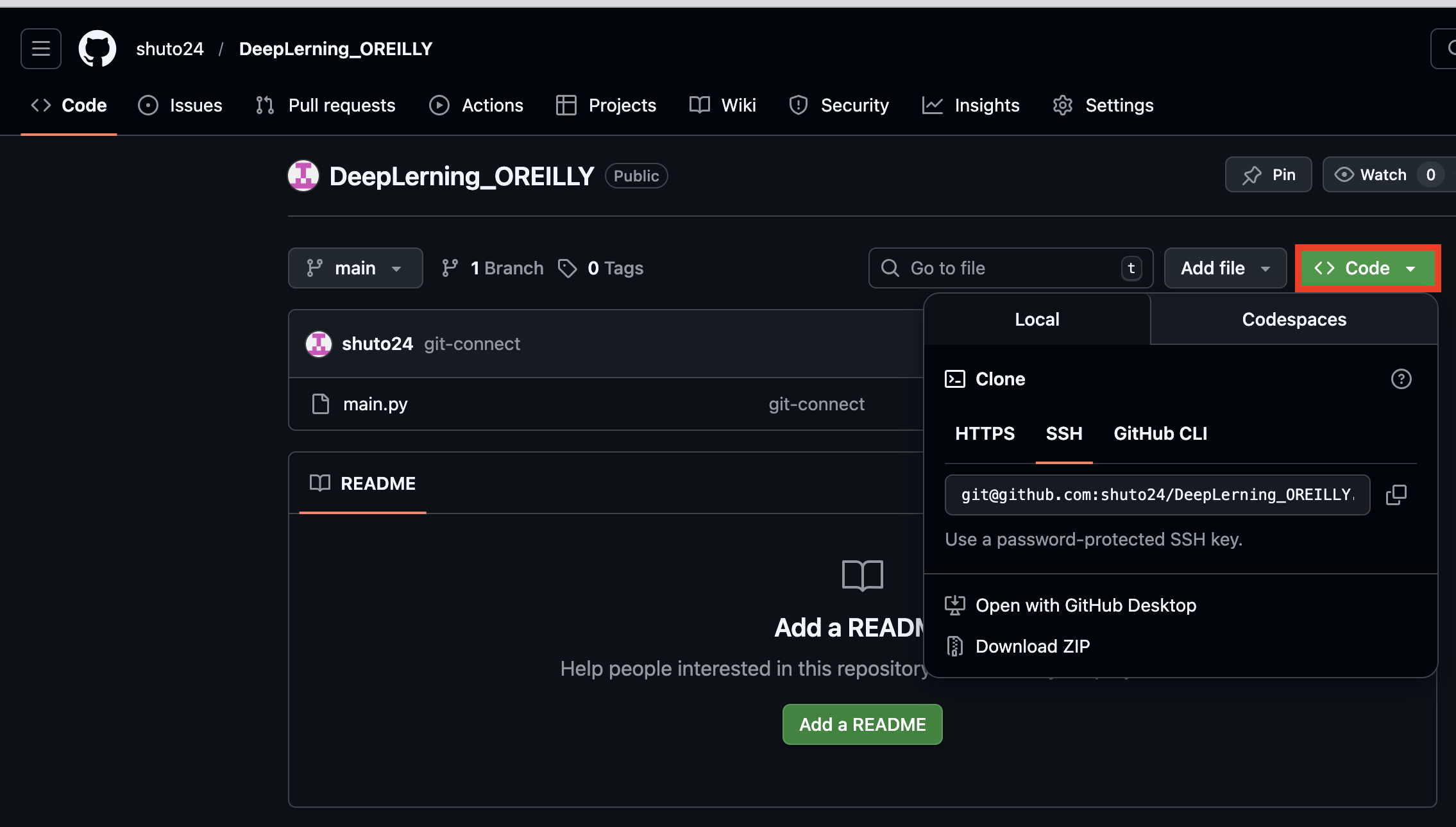
スクリーンショット 2026-01-19 23.02.36.png


9.mainへpushを行う

git push -u origin main

終わり

以上が新プロジェクトの立ち上げからfirst commitまでの流れです。

11
12
0

Register as a new user and use Qiita more conveniently

  1. You get articles that match your needs
  2. You can efficiently read back useful information
  3. You can use dark theme
What you can do with signing up
11
12

Delete article

Deleted articles cannot be recovered.

Draft of this article would be also deleted.

Are you sure you want to delete this article?