

はじめに
Jetpack Compose で、画面の部品を矢印で指しながら説明する吹き出しを作る記事の後編です。
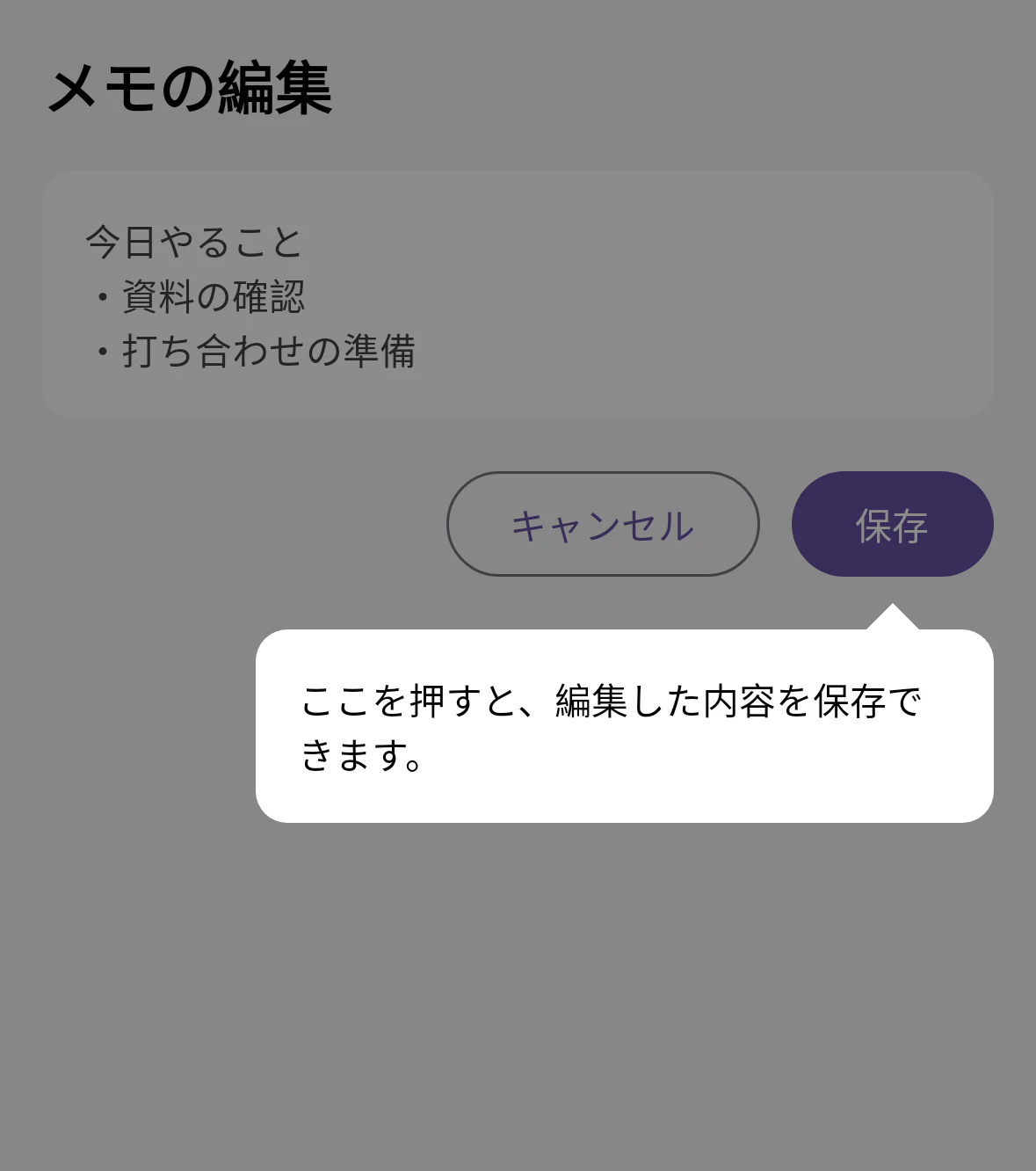
- 前編:指したい部品の位置を記録して、吹き出しをその下(入らなければ上)に表示する(前編の記事)
- 後編(この記事):部品を指す矢印を描く/スクロールで隠れている部品を指す
コードは前編の HelpTargets・HelpOverlay・HelpBalloon に追加していきます。
部品を指す矢印を描く
前編の HelpBalloon の中に、次のコードを追加します。吹き出しの Modifier に drawWithContent を足して、三角形を描きます。
val arrowPath = remember { Path() }
val corner = with(density) { 24.dp.toPx() }
// 矢印は部品の真ん中を指す。ただし吹き出しの角丸にはかからないようにする
val arrowX = (target.center.x - x).coerceIn(corner, width - corner)

// Text の Modifier の background の後ろに追加
.drawWithContent {
    drawContent()
    val half = 10.dp.toPx()
    val arrowHeight = 10.dp.toPx()
    val base = if (below) 0f else size.height             // 吹き出しの上辺か下辺
    val tip = if (below) -arrowHeight else size.height + arrowHeight
    arrowPath.reset()
    arrowPath.moveTo(arrowX - half, base)
    arrowPath.lineTo(arrowX + half, base)
    arrowPath.lineTo(arrowX, tip)
    arrowPath.close()
    drawPath(arrowPath, Color.White)
}
- 吹き出しが部品の下にあるときは上向き、上にあるときは下向きの矢印になります
- 吹き出しは画面からはみ出さないように左右にずれるので、矢印の位置は部品の真ん中に合わせて計算し直します
詰まったこと:スクロールで隠れている部品を指せない
指したい部品が、スクロールしないと見えない位置にあると、吹き出しが画面の外に出てしまいました。
そこで、BringIntoViewRequester を使って、説明を出す前に部品が見える位置までスクロールさせました。
class HelpTargets {
    // ...(前編の内容)
    private val requesters = mutableMapOf<String, BringIntoViewRequester>()

    fun requesterFor(id: String) = requesters.getOrPut(id) { BringIntoViewRequester() }

    suspend fun bringIntoView(id: String) {
        try {
            requesters[id]?.bringIntoView()
        } catch (e: CancellationException) {
            throw e
        } catch (e: Exception) {
            // 部品がもう画面にない場合は、最後に記録した位置を指したままにする
        }
    }
}

fun Modifier.helpTarget(targets: HelpTargets, id: String): Modifier =
    bringIntoViewRequester(targets.requesterFor(id))
        .onGloballyPositioned { targets.update(id, it.boundsInRoot()) }

// HelpOverlay の中で、説明する部品が変わるたびにスクロールさせる
LaunchedEffect(targetId) { targets.bringIntoView(targetId) }
さらに、画面を切り替えた直後など、部品がもう画面にないときに bringIntoView() を呼ぶと例外が出ることがありました。
そのため try で囲み、失敗しても吹き出しは最後の位置を指したままにしています。
CancellationException だけは投げ直しているのは、LaunchedEffect が止められたときの通知まで握りつぶさないためです。
補足
-
BringIntoViewRequesterは、Compose のバージョンによっては@OptIn(ExperimentalFoundationApi::class)が必要です - 矢印の
Pathはrememberで作って使い回しています。考え方は Canvas で Paint を毎回 new しない話 と同じです
まとめ
- 矢印は
drawWithContentで吹き出しの上辺か下辺に三角形を描き、位置は部品の真ん中に合わせて計算し直す - スクロールで隠れた部品は
BringIntoViewRequesterで見える位置まで動かし、部品がもう画面にない場合に備えてtryで囲む