
目次
はじめに
環境構築の際にyarn installでエラーが発生したので、エラーの内容と解決方法をまとめました。
発生したエラーは以下の3つです。
https://registry.yarnpkg.com/@esbuild/linux-ia32/-/linux-ia32-0.25.3.tgz: Request failed "503 Service Unavailable"
error react-router-dom@7.5.3: The engine "node" is incompatible with this module. Expected version ">=20.0.0". Got "18.13.0"
Error: ENOENT: no such file or directory, open '...@esbuild/linux-ia32/.../.yarn-metadata.json'
エラーが発生した経緯と詳細について説明します。
 yarn installでエラー発生
各種バージョン
node:v18.13.0
yarn:1.22.22
npm:10.9.2
git:2.39.5 (Apple Git-154)
git cloneし、REAME.mdに従ってyarn installを実行しました。
hoge % yarn install

yarn install v1.22.22
[1/4] 🔍  Resolving packages...
[2/4] 🚚  Fetching packages...
info There appears to be trouble with your network connection. Retrying...
error https://registry.yarnpkg.com/@esbuild/linux-ia32/-/linux-ia32-0.25.3.tgz: Request failed "503 Service Unavailable"
error react-router-dom@7.5.3: The engine "node" is incompatible with this module.
 Expected version ">=20.0.0". Got "18.13.0"
error Found incompatible module.
info Visit https://yarnpkg.com/en/docs/cli/install for documentation about this command.
エラー内容
1. ネットワークエラー(503 Service Unavailable)
error https://registry.yarnpkg.com/@esbuild/linux-ia32/-/linux-ia32-0.25.3.tgz: Request failed "503 Service Unavailable"
原因
yarn が外部のパッケージ(この場合 esbuild の Linux ia32 バイナリ)を取得しようとしたが、Yarn パッケージレジストリのサーバーが一時的に応答不能(503)だった。
(ChatGPTより)
対応
- しばらく時間を置いて再試行する。(一時的な障害の可能性あり)
- 社内ネットワーク制限や プロキシ が原因でブロックされている場合もあるので、ネットワーク設定を確認する。
- オフラインキャッシュが有効なら「yarn install --offline」を試す。
(ChatGPTより)
2. Node.js のバージョンが古い
react-router-dom@7.5.3: The engine "node" is incompatible with this module. Expected version ">=20.0.0". Got "18.13.0"
原因
- react-router-dom@7.5.3 は Node.js 20 以上を要求 しているが、現在の環境は Node.js 18.13.0である。
- このバージョンでは対応していないためインストール不可。
対応
Node.js のバージョンを上げる。
保守性や機能不足の問題が出るので依存バージョンを下げることは推奨しません。
上記を踏まえ、エラーを解決していきます。
解決方法
Node.js のバージョンアップ
1.使いたいバージョンをインストール
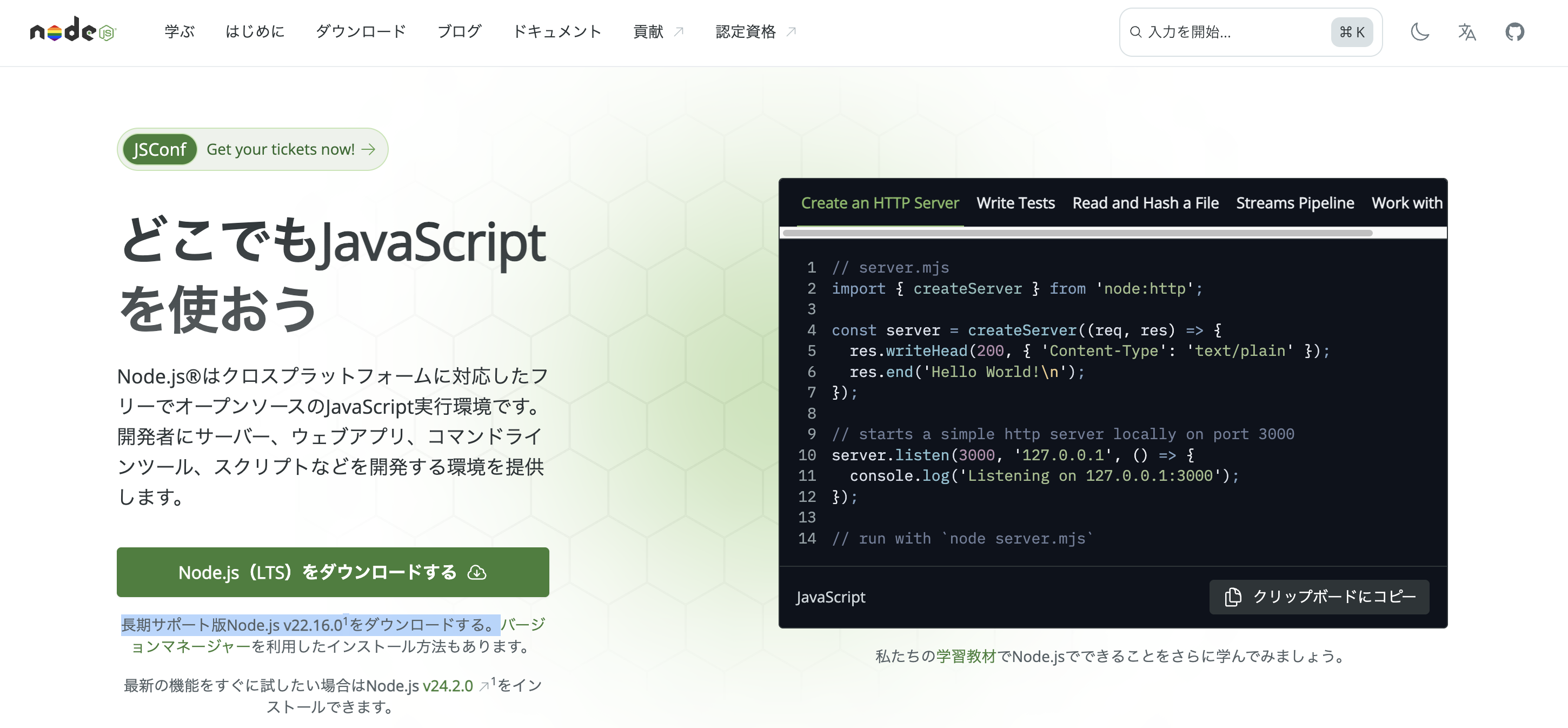
Node.jsのサイトに「長期サポート版Node.js v22.16.0をダウンロードする。」とあったので、v22.16.0を選択しました。(2025年6月18日時点)
hoge % nodebrew install-binary v22.16.0
Fetching: https://nodejs.org/dist/v20.14.0/node-v20.14.0-darwin-arm64.tar.gz
Installed successfully
2.インストールしたバージョンのリストから使いたいものを選ぶ
hoge % nodebrew ls
v18.13.0
v22.16.0

hoge % nodebrew use v22.16.0
3.バージョン確認
hoge % node -v
v22.16.0
再び yarn install でエラー発生
Node.jsのバージョンを上げたが、再びエラーになりました。
hoge % yarn install

yarn install v1.22.22
[1/4] 🔍  Resolving packages...
[2/4] 🚚  Fetching packages...
error https://registry.yarnpkg.com/@esbuild/linux-ia32/-/linux-ia32-0.25.3.tgz: Request failed "503 Service Unavailable"
[3/4] 🔗  Linking dependencies...
warning " > bootstrap@5.3.6" has unmet peer dependency "@popperjs/core@^2.11.8".
warning " > eslint-config-react-app@7.0.1" has incorrect peer dependency "eslint@^8.0.0".
warning "eslint-config-react-app > @typescript-eslint/eslint-plugin@5.62.0" has incorrect peer dependency "eslint@^6.0.0 || ^7.0.0 || ^8.0.0".
warning "eslint-config-react-app > @typescript-eslint/parser@5.62.0" has incorrect peer dependency "eslint@^6.0.0 || ^7.0.0 || ^8.0.0".
warning "eslint-config-react-app > eslint-plugin-flowtype@8.0.3" has unmet peer dependency "@babel/plugin-syntax-flow@^7.14.5".
warning "eslint-config-react-app > eslint-plugin-flowtype@8.0.3" has unmet peer dependency "@babel/plugin-transform-react-jsx@^7.14.9".
warning "eslint-config-react-app > eslint-plugin-flowtype@8.0.3" has incorrect peer dependency "eslint@^8.1.0".
warning "eslint-config-react-app > eslint-plugin-jest@25.7.0" has incorrect peer dependency "eslint@^6.0.0 || ^7.0.0 || ^8.0.0".
warning "eslint-config-react-app > eslint-plugin-react-hooks@4.6.2" has incorrect peer dependency "eslint@^3.0.0 || ^4.0.0 || ^5.0.0 || ^6.0.0 || ^7.0.0 || ^8.0.0-0".
warning "eslint-config-react-app > eslint-plugin-testing-library@5.11.1" has incorrect peer dependency "eslint@^7.5.0 || ^8.0.0".
warning "eslint-config-react-app > @typescript-eslint/eslint-plugin > @typescript-eslint/utils@5.62.0" has incorrect peer dependency "eslint@^6.0.0 || ^7.0.0 || ^8.0.0".
warning "eslint-config-react-app > eslint-plugin-jest > @typescript-eslint/experimental-utils@5.62.0" has incorrect peer dependency "eslint@^6.0.0 || ^7.0.0 || ^8.0.0".
error Error: ENOENT: no such file or directory, open '/Users/hoge/Library/Caches/Yarn/v6/npm-@esbuild-linux-ia32-0.25.3-81025732d85b68ee510161b94acdf7e3007ea177-integrity/node_modules/@esbuild/linux-ia32/.yarn-metadata.json'
info Visit https://yarnpkg.com/en/docs/cli/install for documentation about this command.
エラー内容
error https://registry.yarnpkg.com/@esbuild/linux-ia32/-/linux-ia32-0.25.3.tgz: Request failed "503 Service Unavailable"
...
error Error: ENOENT: no such file or directory, open '...@esbuild/linux-ia32/.../.yarn-metadata.json'
原因
-
esbuild の linux-ia32 バイナリを取得しようとしているが、あなたの環境(Mac/arm64)に不適合なパッケージを取得しようとしている。
-
Yarn のキャッシュディレクトリにファイルが存在しないことが原因で、ENOENT(ファイルが存在しない)エラーが出ている。
-
503 Service Unavailable は、yarn レジストリサーバーが一時的に落ちているか、ネットワーク問題でアクセスできなかったことを意味します。
(ChatGPTより)
解決方法
キャッシュクリア & 再試行
ChatGPTより
esbuild のようなネイティブバイナリを含むパッケージは、プラットフォーム(macOS、Linux)により依存関係が異なるので、一度キャッシュをクリアすることで正しいバージョンが取得される可能性があります。
とのことで、以下のコマンドでキャッシュクリアを実行。
それから yarn.lockとnode_modulesを削除。
hoge % yarn cache clean
yarn cache v1.22.22

success Cleared cache.
✨  Done in 14.91s.
再度インストールを実行し、成功しました。
hoge % yarn install
yarn install v1.22.22

[1/4] 🔍  Resolving packages...
[2/4] 🚚  Fetching packages...
[3/4] 🔗  Linking dependencies...
・・・
[4/4] 🔨  Building fresh packages...
[1/2] ⠄ canvas
・・・

success Saved lockfile.
✨  Done in 184.89s.
参考サイト