1
2

Delete article

Deleted articles cannot be recovered.

Draft of this article would be also deleted.

Are you sure you want to delete this article?

JetBrains IDEにCaret(カーソル)の移動アニメーション設定が2026.1から追加されそう

1
Posted at

※ 本投稿はIntelliJ IDEA 2026.1 EAP(Build #IU-261.20362.25)段階の情報を元にしています。

IntelliJ IDEA 2026.1 EAPに、「Use smooth caret movement」という設定が追加されました。この設定を有効にすることで、Caret(カーソル)の移動アニメーションが有効になります。


該当のIssueはこちら

非常に「いいね(Vote)」が多いissueだったようです。


この設定は、 Settings > Editor > General > Appearance セクションにあります。「Use smooth caret animation」をチェックすると、Caret(カーソル)の移動アニメーションが有効になります。
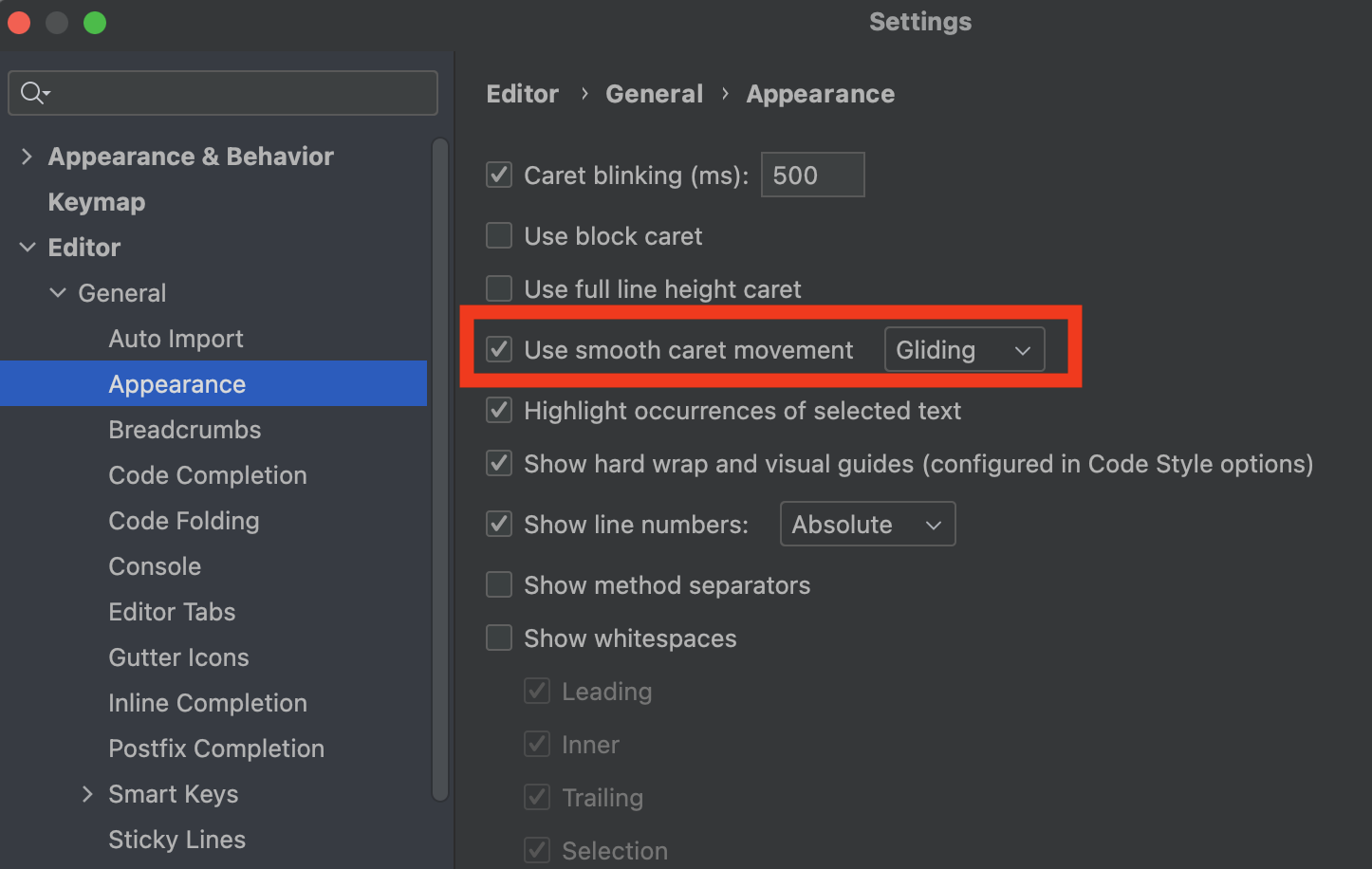
スクリーンショット 2026-02-08 19.18.17.png

アニメーションの動きにも、「Snappy」と「Gliding」の2つの設定があります。
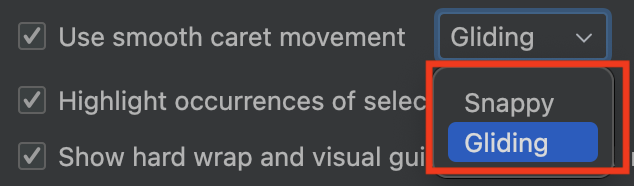
スクリーンショット 2026-02-08 19.20.17.png

筆者はその名の通り、次のような印象を持ちました。

  • Snappy・・・素早くスナップするようなシャープな印象
  • Gliding・・・動きが緩やかで、自然な遷移を感じる印象

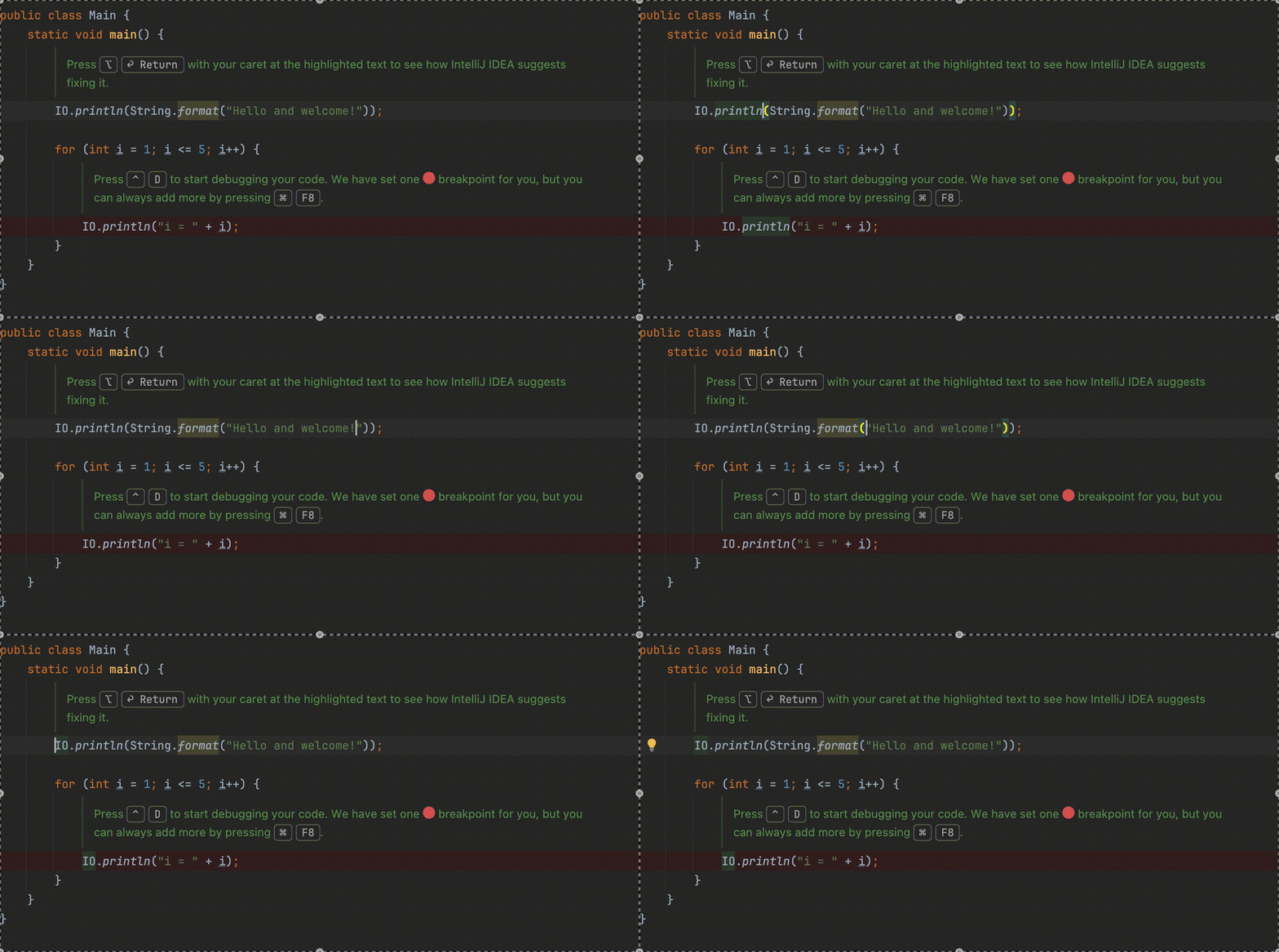
各設定の違いの要素をGIFで示します。

※ 開発マシンで撮影した動画をGIFに変換する過程で、かなり違いがわかりにくくなっています。

以下はアニメーションあり、Snappy。
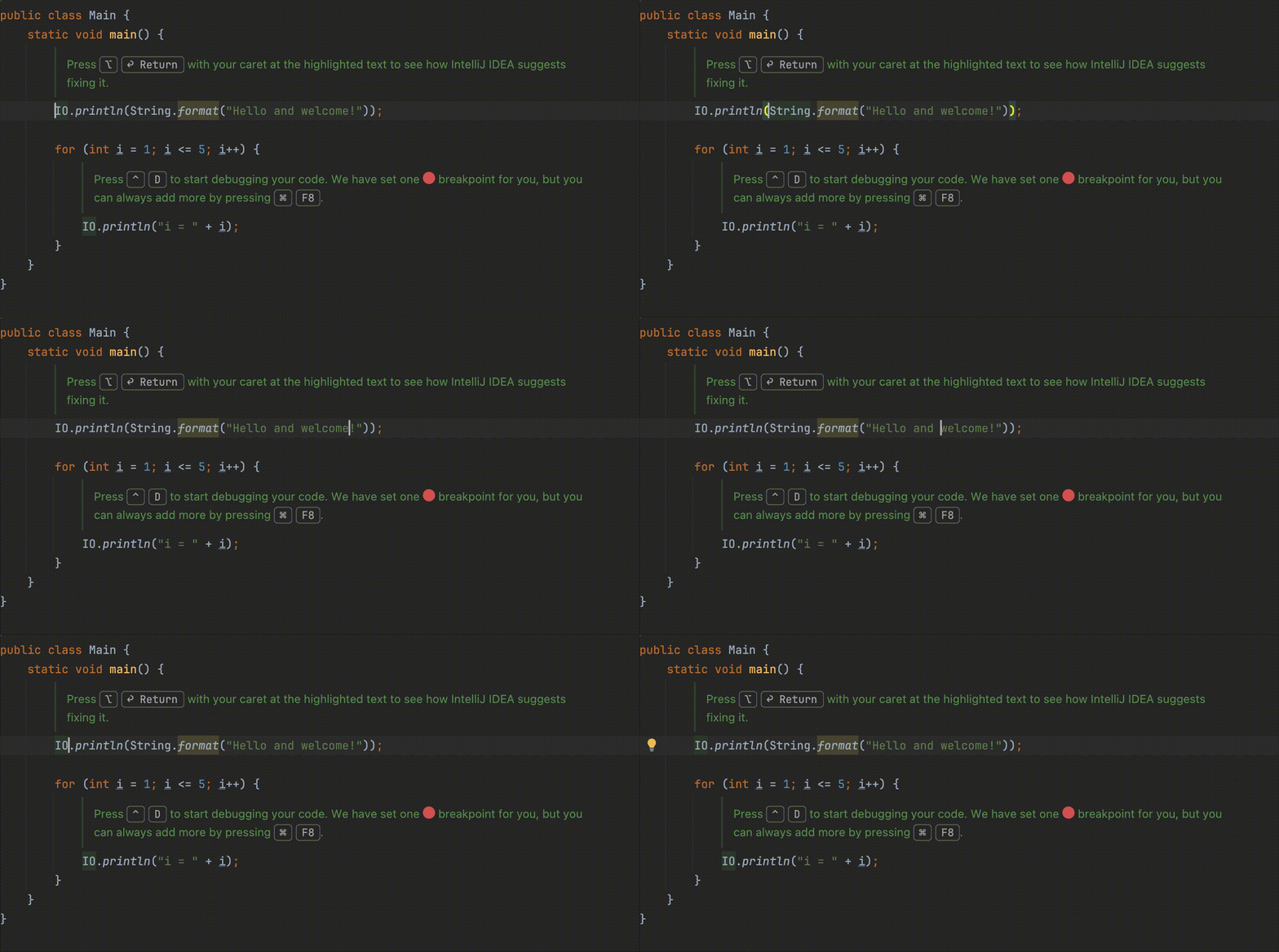
snappy.gif

以下はアニメーションあり、Gliding。

gliding.gif

以下はアニメーションなし。

non.gif


どこにCaret(カーソル)があるか把握しやすくなる気がします。

自分は、「Use smooth caret movement」を有効にして、「Gliding」にしようと思います。

1
2
0

Register as a new user and use Qiita more conveniently

  1. You get articles that match your needs
  2. You can efficiently read back useful information
  3. You can use dark theme
What you can do with signing up
1
2

Delete article

Deleted articles cannot be recovered.

Draft of this article would be also deleted.

Are you sure you want to delete this article?