
picoCTF Writeup: Eavesdrop
この問題は、パケットキャプチャから通信内容を読み取り、
送信された暗号ファイルを抽出し、チャットで共有されていた
パスワードと暗号方式を元に復号することでflagを回収する問題です。
- ジャンル: Forensics
- 難易度: Medium
Writeup
問題文
Download this packet capture and find the flag.
パケットキャプチャファイルをダウンロードしてflagを見つけてね。
パケットキャプチャファイルをダウンロードしてWireshark🦈で開きます。
[分析]タブから[追跡] - [TCPストリーム]を確認します。
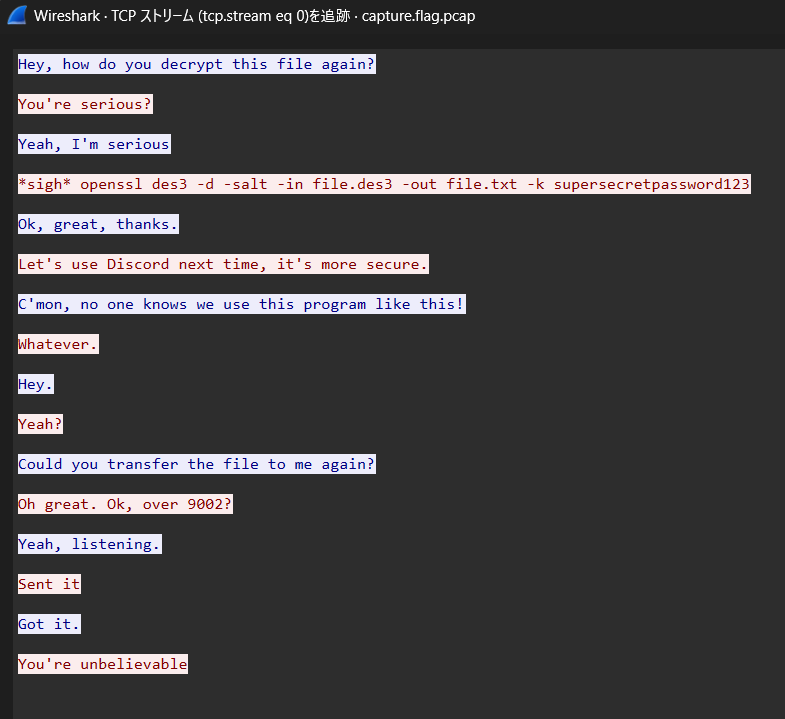
なんだかチャットのやり取りが見えます。
赤文字の人が青文字の人に、ファイルの復号方法を伝えて、9002ポートへファイル転送してあげたみたいですね。
9002ポートのパケットをみると
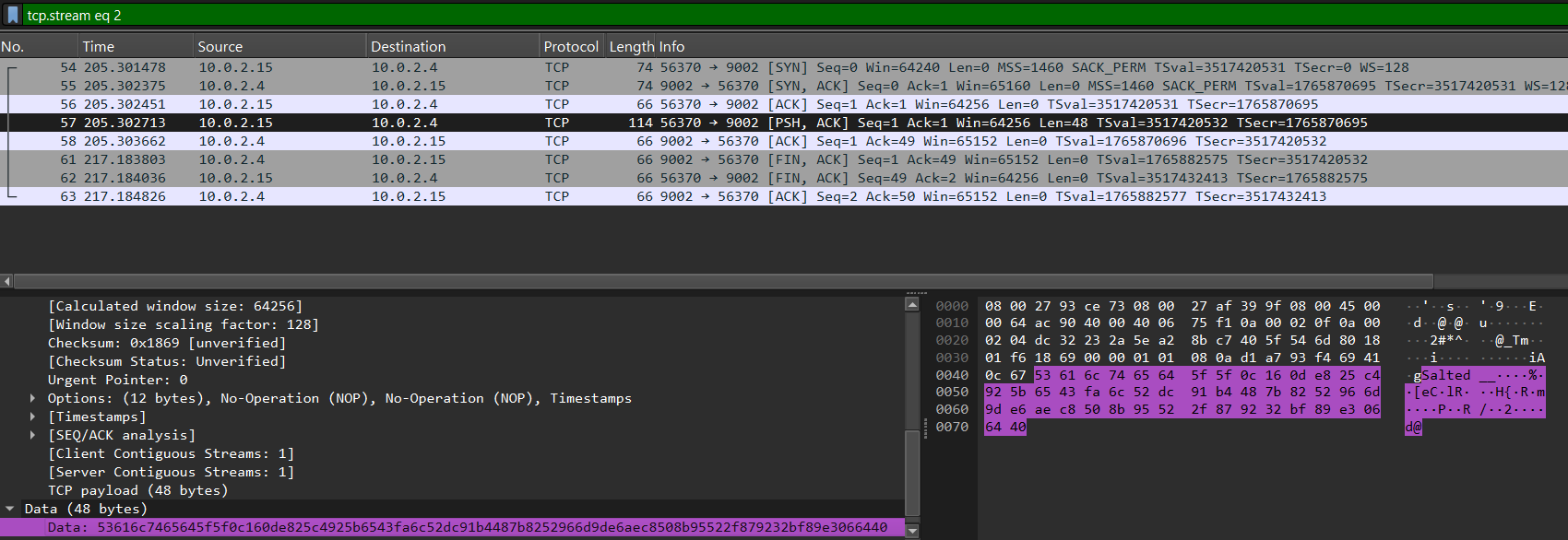
Salted__から始まるデータを受信していることがわかります。
ファイルの先頭が Salted__ となっているのは、OpenSSL で enc -salt を使って暗号化されたデータの特徴的なヘッダらしいです。
Data部を右クリックして、[パケットバイト列をエクスポート]を選択します。
今回はfile.rawで保存しました。
今回の問題ではチャットのやり取りから、対象ファイルがDES3という暗号アルゴリズムで暗号化されていることがわかります。
openssl encコマンドとチャットの情報から復号を試します。
$ openssl enc -d -des3 -salt -in /tmp/file.raw -out /tmp/file.txt -k supersecretpassword123
*** WARNING : deprecated key derivation used.
Using -iter or -pbkdf2 would be better
enc -d -des3 -salt … DES3 + salt で暗号化された OpenSSL データを復号するオプション
$ cat /tmp/file.txt
picoCTF{nc_73115_411_XXXXXXXX}
flagがとれました。(flagはマスクしています。)