
はじめに
最近は LLM やNani翻訳など便利なツールが増えていますが、論文を読むたびに外部ツールとPDFリーダーを行き来するのは意外と手間がかかります。この記事では、文献管理ツール Zotero 上で DeepL 翻訳を直接使えるようにし、論文の閲覧から翻訳まで Zotero だけで完結させる手順を紹介します。
対象読者
- 英語論文を日常的に読む学生・研究者
- Zotero を導入済み、またはこれから導入する方
Zotero とは
Zotero は、無料で使えるオープンソースの文献管理ツールです。論文の収集・整理・引用管理を一元的に行え、PDF リーダーも内蔵しています。
手順
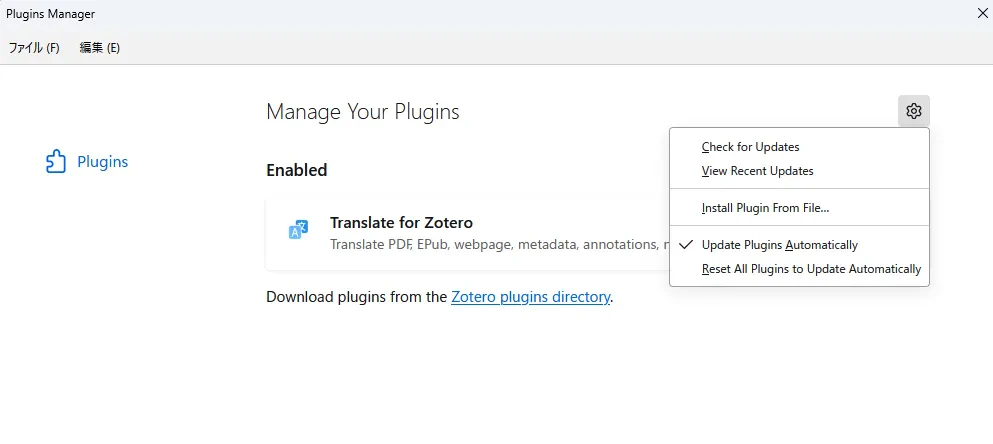
1. プラグイン「Translate for Zotero(zotero-pdf-translate)」の導入
-
GitHubからReleaseページへ飛び
.xpi形式のプラグインファイルをダウンロードし、Zotero のメニューツール → Plugins → Install Plugins From File....から導入。導入後、Zotero を再起動して反映される。

2. DeepL API キーの取得
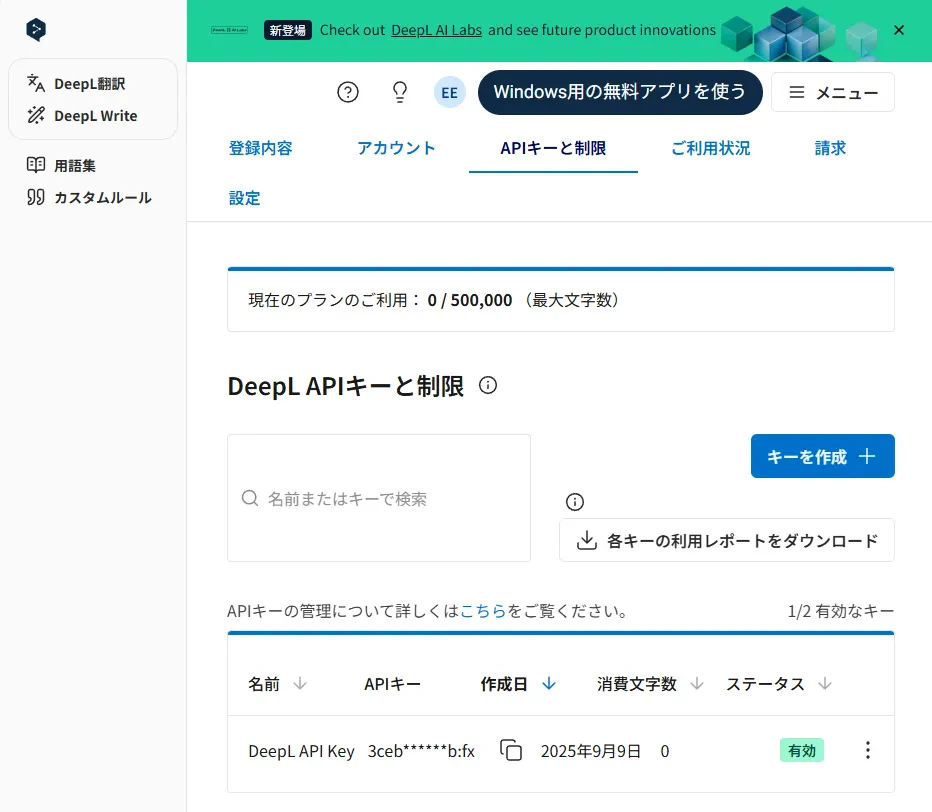
- DeepL の「Pro API」か「Free API(※月50万文字まで)」でアカウント登録し、API キー(認証キー)を取得。
3. DeepL を翻訳エンジンとして設定
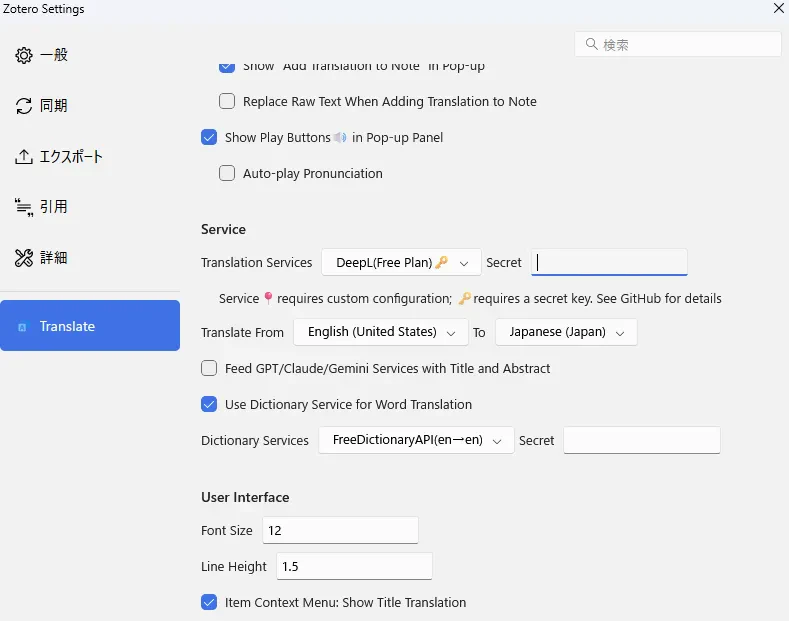
- Zotero の設定(
Edit → Preferences → Translate/編集 → 設定 → Translate)で、翻訳エンジンサービスをDeepL (Free)に設定し、取得した API キーをSecret欄に貼り付けます。翻訳対象言語(例:英語 → 日本語)もここで指定できます。
4. 翻訳の実行
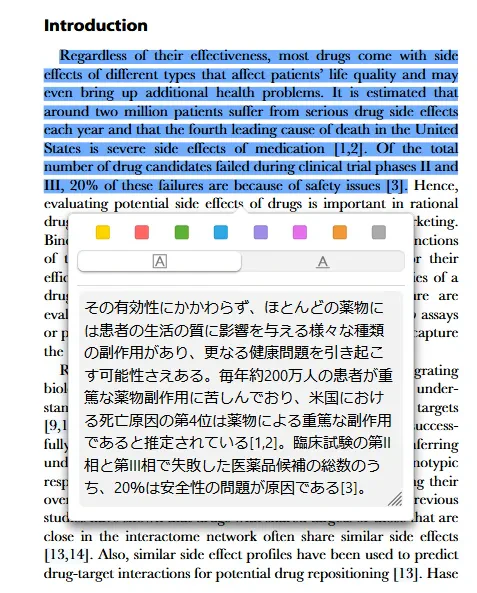
- 文章を選択することで翻訳されます。
注意
- 翻訳には API の文字数制限(月約50万字)がありますので、大量の翻訳が必要な場合は制限に注意してください。
- デフォルト設定では Google 翻訳が使用されていることが多いので、DeepLに変更を忘れないようにしましょう。
- 注釈やノートの管理には、「better-notes」など併用プラグインを使うと効率的です。
補足
月50万字の制限は意外とすぐかかるため、Gemini APIの無料枠を使用するという手もあります。