このスーパーバッジを獲得するために何をするか
- 既存の機能を呼び出すための呼び出し可能な Apex クラスを作成します。
- Apex クラスからプロンプトテンプレートを呼び出します。
- エージェントの Apex アクションを作成します。
スーパーバッジの準備: Agentforce 向け Apex
組織で Einstein と Agentforce を有効にします。トピックとその指示を Coral Cloud Experience Agent に割り当てます。
何もしないで検証ボタンをクリック
Einstein is not enabled.
とりあえず、2つを有効化
We can’t find a topic called "Customer Experience Reviews" with API Name Customer_Experience_Reviews.
API 名 Customer_Experience_Reviews の「カスタマー エクスペリエンス レビュー」というトピックが見つかりません。
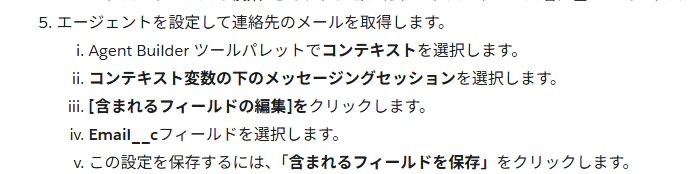
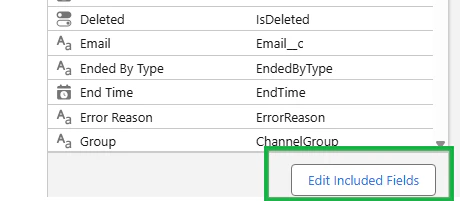
既存の機能を呼び出すための呼び出し可能な Apex クラスを作成する
呼び出し可能な Apex クラス GuestReviewProcessor を使用して、ゲストレビュー レコードを作成し、連絡先をキャンペーン メンバーとして新しいキャンペーンに追加します。
何もしないで検証ボタンをクリック
In the "GuestReviewProcessor" class, we can’t find the "GuestReviewRequest" public wrapper class with input variables to capture contact, experience, review, and rating information. Make sure to define the variables as per requirements and include descriptions for each variable.
「GuestReviewProcessor」クラスに、連絡先、体験、レビュー、評価情報を取得するための入力変数を持つ「GuestReviewRequest」パブリックラッパークラスが見つかりません。要件に従って変数を定義し、各変数の説明を必ず含めてください。
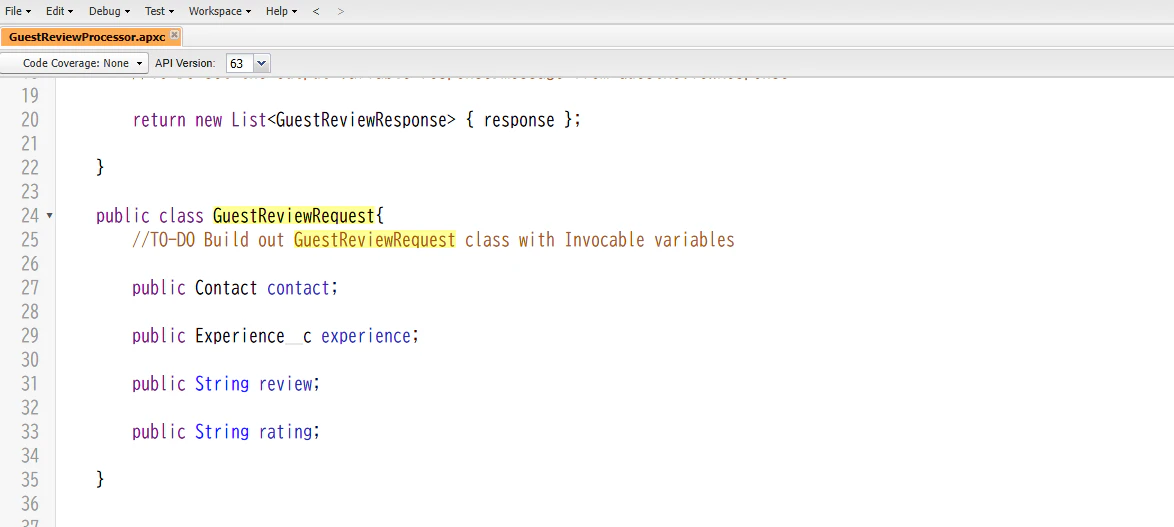
4つの変数にそれぞれ@InvocableVariableを定義した(計4つ)
In the "GuestReviewProcessor" class, we can’t find the "GuestReviewResponse" public wrapper class with an output variable "message" to display a successful or error message. Make sure to include the label as "status" and an appropriate description for this variable.
「GuestReviewProcessor」クラスに、成功またはエラーメッセージを表示するための出力変数「message」を持つ「GuestReviewResponse」パブリックラッパークラスが見つかりません。この変数のラベルを「status」にし、適切な説明を必ず追加してください。
GuestReviewProcessor クラスに、アクションの結果を伝えるメッセージを含む GuestReviewResponse という出力ラッパークラスを作成します。出力変数に String message を使用し、label パラメータを status と定義します。message 変数に description パラメータを追加します。
We can’t find the invocable method processReviews in the GuestReviewProcessor class. Make sure to use "Process Guest Reviews" as the label and include an appropriate description.
GuestReviewProcessor クラスに呼び出し可能なメソッド processReviews が見つかりません。ラベルには「Process Guest Reviews」を使用し、適切な説明を必ず入力してください。
The Apex code logic in the GuestReviewProcessor class doesn’t insert the Guest Review record. Make sure it inserts a Guest Review record with Contact, Experience, Comments, and Rating fields.
GuestReviewProcessor クラスの Apex コードロジックでは、Guest Review レコードが挿入されません。Contact、Experience、Comments、Rating の各項目を含む Guest Review レコードが挿入されることを確認してください。
確かにGuest Reviewオブジェクトがあるな。
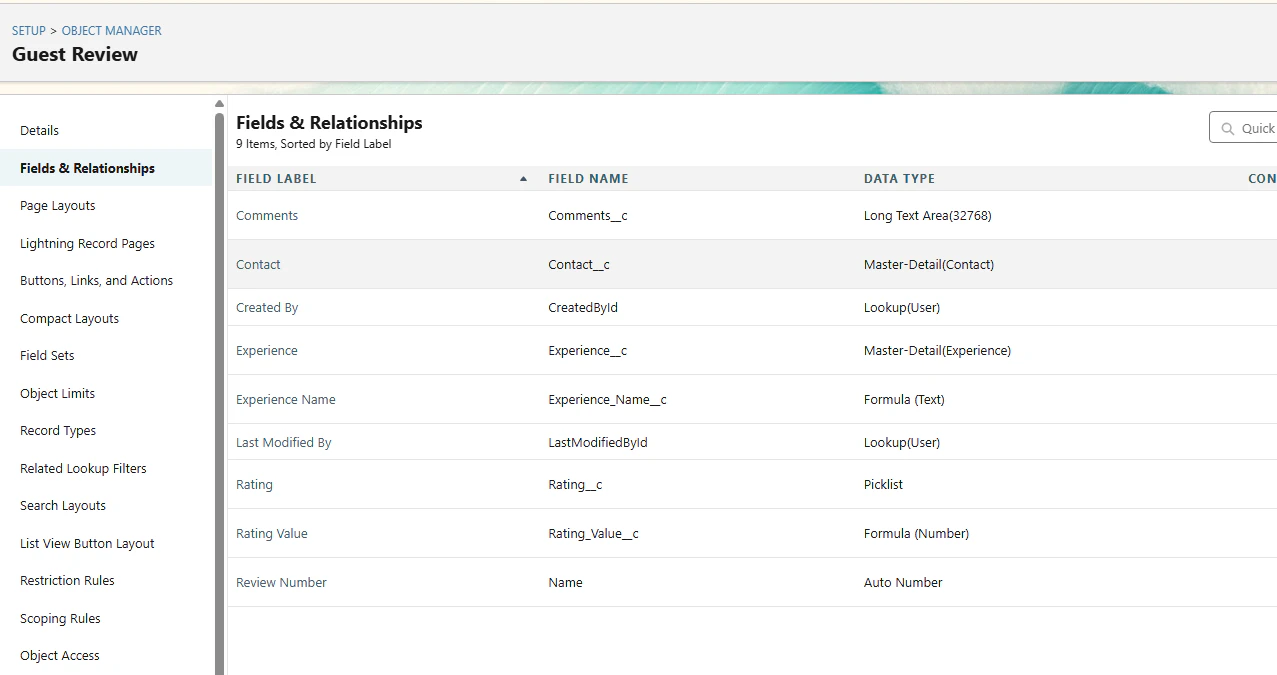
フローと同じで配列で入出力するのかな?
Contact contact = (Contact)requests[0].Contact;
Experience__c experience = (Experience__c)requests[0].Experience;
String rating = (String)requests[0].Rating;
String review = (String)requests[0].review;
Apex クラスからプロンプトテンプレートを呼び出す
Apexクラスからプロンプトテンプレート「Experience Guest Reviews Evaluator」を呼び出します。入力パラメータを使用して、エクスペリエンスレコードに詳細な属性を追加するレスポンスを生成します。
何もしないで検証ボタンをクリック
We can’t find the Prompt Template Inputs defined in the GuestReviewRatingCalculator class.
GuestReviewRatingCalculator クラスで定義されているプロンプト テンプレート入力が見つかりません。
お題を翻訳
GuestReviewRatingCalculatorクラスにスケルトンコードがあります。このクラスには、 generateRatingParamsというメソッドがあり、これはエクスペリエンスレコードIDをパラメータとして受け取ります。このメソッドでは、inputParams マップにプロンプトテンプレートの入力を設定する必要があります。スケルトンコード内のプレースホルダーテキスト (REPLACE_WITH_PROMPT_TEMPLATE_INPUT) をプロンプトテンプレートの入力に置き換えてください。
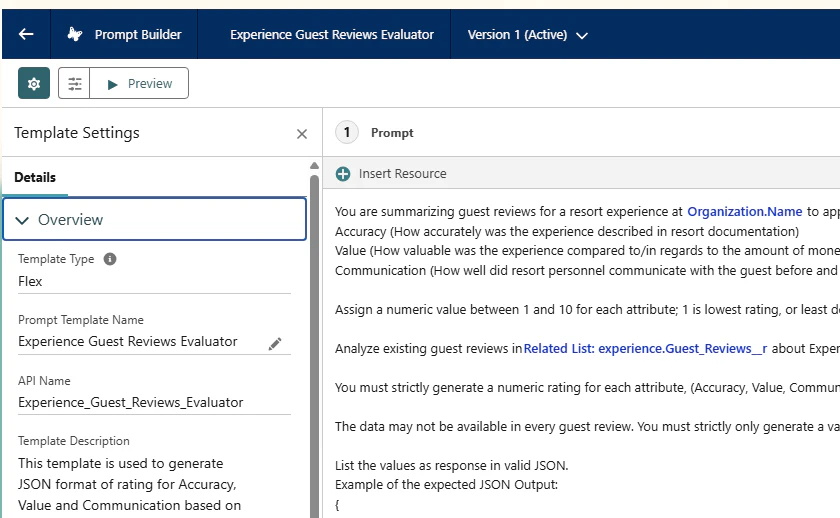
プロンプトテンプレートの名前が分からんと思って探していたら、最初の方にあった。
「Experience Guest Reviews Evaluator」というプロンプトテンプレートがあります。この既存のプロンプトテンプレートは、体験に関連するすべてのゲストレビュー記録を評価し、1~10の数値評価を算出し、各属性を評価するJSON形式で応答します。
これだな
//テンプレートのAPI名と呼び出しパラメータを渡す
ConnectApi.EinsteinPromptTemplateGenerationsRepresentation generationsOutput = ConnectApi.EinsteinLLM.generateMessagesForPromptTemplate(
                'Experience_Guest_Reviews_Evaluator',
                executeTemplateInput
            );
We can’t find the Prompt Template Inputs defined in the GuestReviewRatingCalculator class.
GuestReviewRatingCalculator クラスで定義されているプロンプト テンプレート入力が見つかりません。
//TO-DO Configure Prompt Template Input API Name(Input:experience)
//inputParams.put('REPLACE_WITH_PROMPT_TEMPLATE_INPUT', experienceValue);
inputParams.put('Input:experienceSession', experienceValue);
The GuestReviewRatingCalculator class doesn’t extract the response from the generations property.
GuestReviewRatingCalculator クラスは、generations プロパティから応答を抽出しません。
//TO-DO Extract the response text from generations property
//generationsプロパティから応答テキストを抽出する
//ConnectApi.EinsteinLLMGenerationItemOutput response;
ConnectApi.EinsteinLLMGenerationItemOutput response= generationsOutput.generations[0];
We can't check your work because something in your org prevents executing the generateRatingParams method from the GuestReviewRatingCalculator class.
組織内の何らかの原因により、GuestReviewRatingCalculator クラスの generateRatingParams メソッドの実行が妨げられているため、作業を確認できません。
14:10:31:661 FATAL_ERROR thException: ERR_CANT_GEN_RATING
Apexにプロファイルを設定したけど関係ない。
同じエラーだけど解決してない
放置してらたいつの間にか直ったらしいけど、本当か?
6を過ぎて、7に行かずにエラーになっている

ConnectApi.EinsteinPromptTemplateGenerationsRepresentation[buildVersion=63.0, citations=null, fileData=(), generationErrors=(ConnectApi.EinsteinPromptTemplateGenerationsError[buildVersion=63.0, errorMessage=Invalid input value: null for item Input:experience, httpErrorCode=400, localizedErrorMessage=Invalid input value: null for item Input:experience, messageCode=UndefinedResolutionError], ConnectApi.EinsteinPromptTemplateGenerationsError[buildVersion=63.0, errorMessage=The p
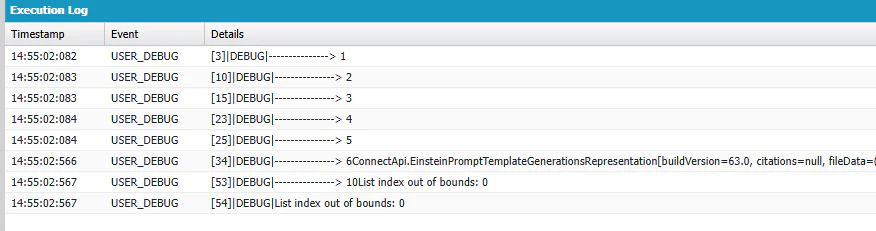
エラーが返ってきているのでgenerations[0]はないよね...
これが気になる。検証ロジックは何を入力している?値を出してみると a01bm000015yi7fAAA
Invalid input value: null for item Input:experience,
検索してみるとない!!!! おおおおおい 検証ロジックのバグでは
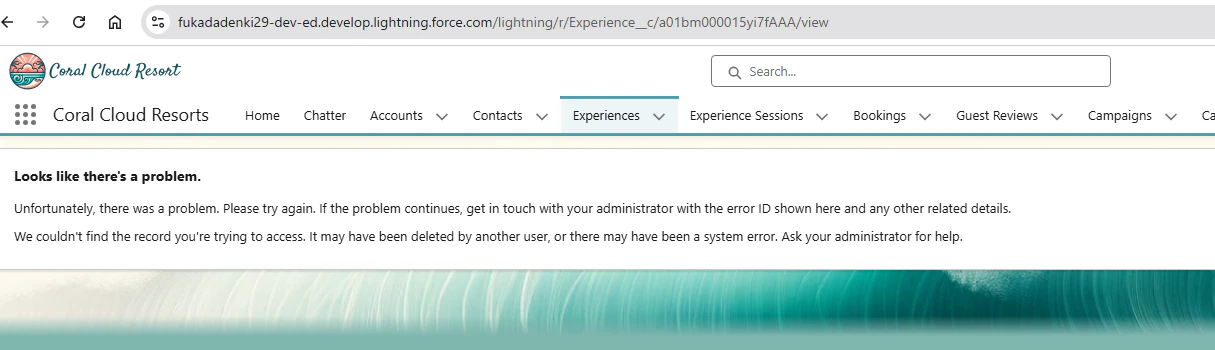
強制的に書き換えても同じエラーですねぇ
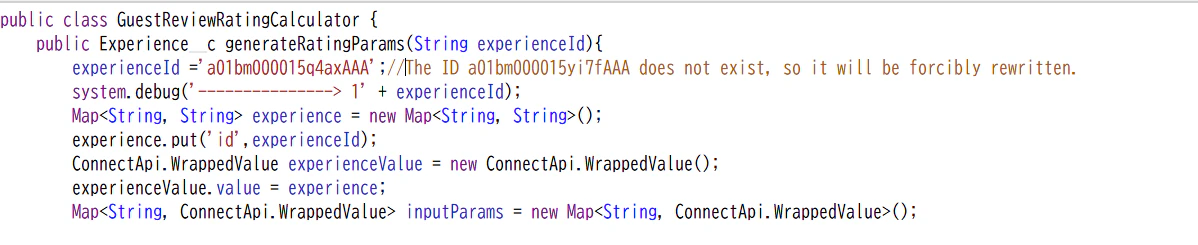
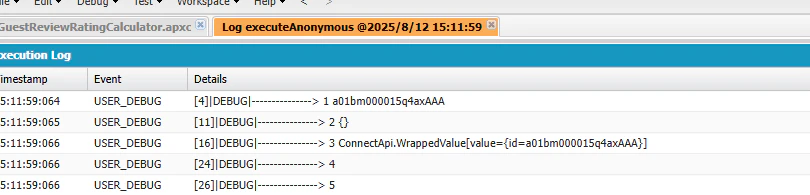
他の変数も出してみよう。2のところもないな
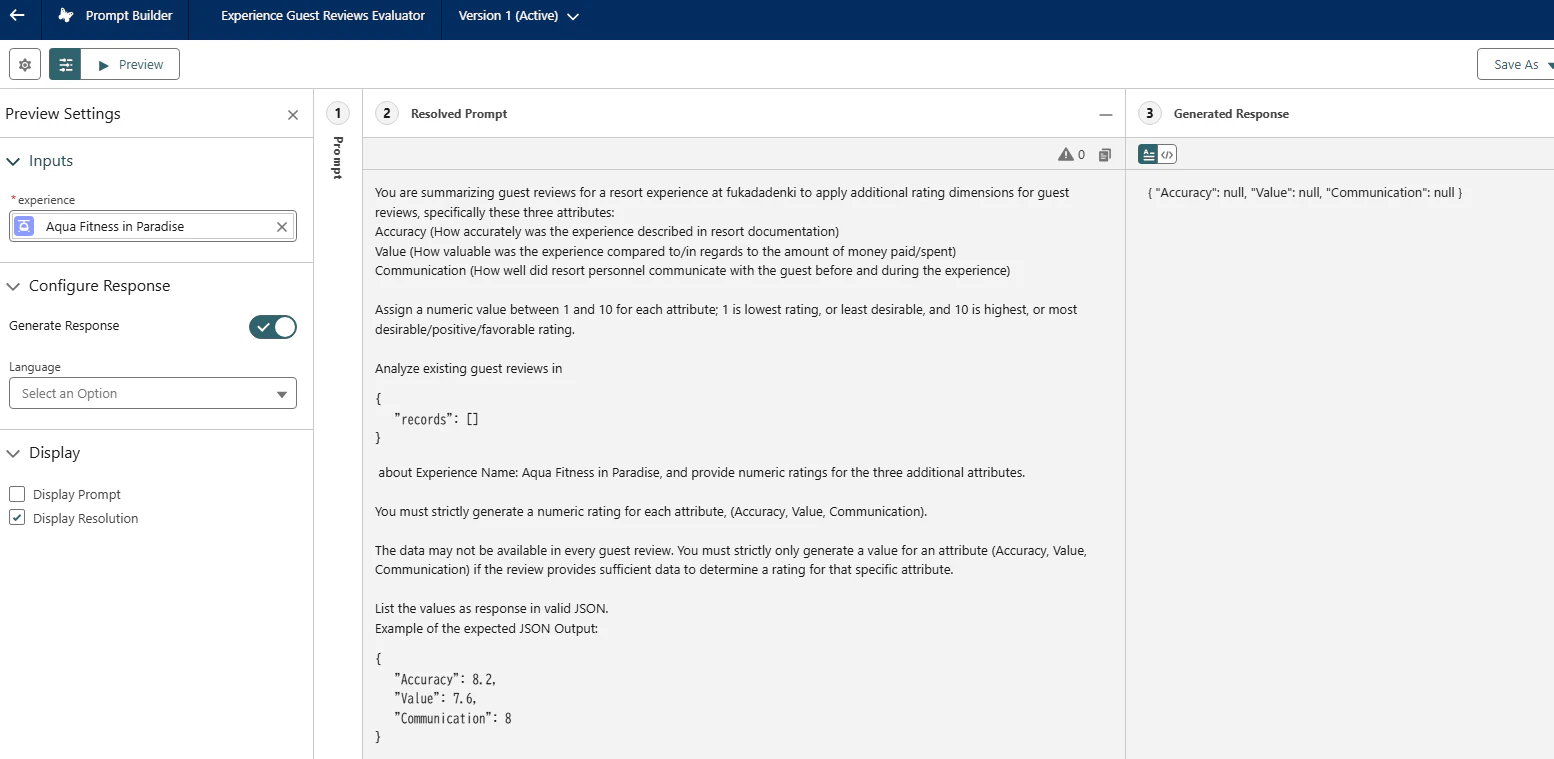
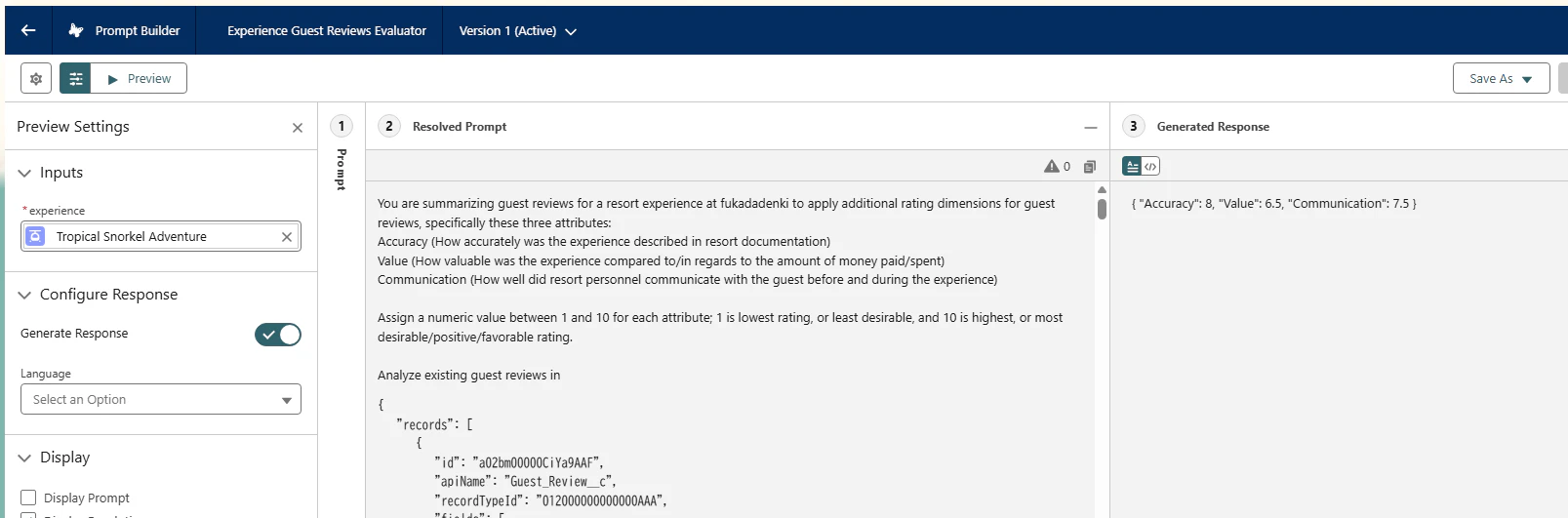
プロンプトを実行してみると...
値が返ってこないけど...
Guest Reviewを参照している?そういえばさっきのオブジェクトには無かった。
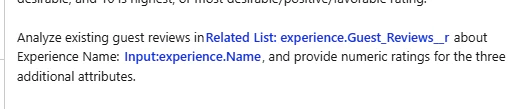
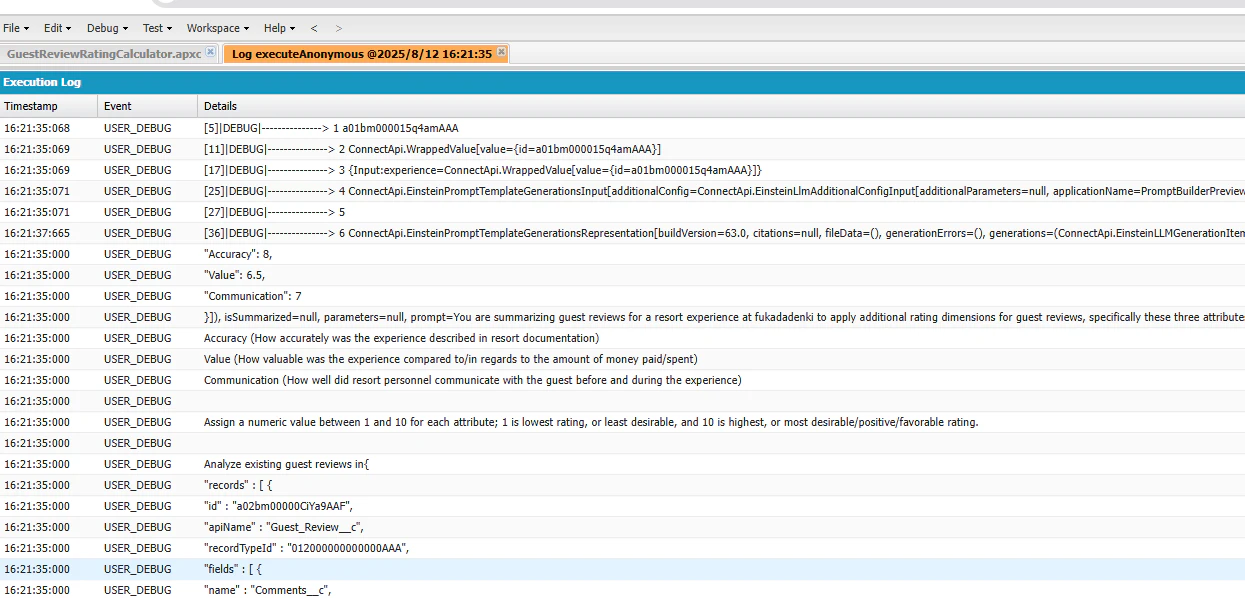
a01bm000015q4amAAAのIdを使えばGuest Reviewがあって、結果が返ってきてますね。
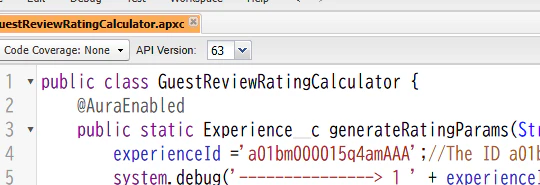
匿名ウィンドウから呼べるようにしたらエラーになった...
An unexpected error occurred and we couldn't check your work. Click "Check Challenge" again. If this continues, contact the Trailhead Help team.
API名を存在しないものに変えてみたら...
ConnectApi.EinsteinPromptTemplateGenerationsRepresentation[buildVersion=63.0, citations=null, fileData=(), generationErrors=(ConnectApi.EinsteinPromptTemplateGenerationsError[buildVersion=63.0, errorMessage=Cannot invoke "einstein.gpt.shared.models.GenAiPromptTemplate.getRecordId()" because "template" is null, httpErrorCode=400, localizedErrorMessage=An error occurred during generation., messageCode=UndefinedResolutionError]), generations=(), isSummarized

Input:experienceが正解だ。
プロンプトを見たら....
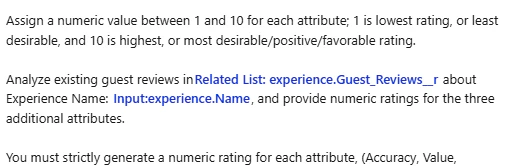
機能しましたね。

書き換えて戻せなくなったら嫌なので初期のコードを保存
public class GuestReviewRatingCalculator {
    public Experience__c generateRatingParams(String experienceId){

        Map<String, String> experience = new Map<String, String>();
        experience.put('id',experienceId);
        ConnectApi.WrappedValue experienceValue = new ConnectApi.WrappedValue();
        experienceValue.value = experience;
        Map<String, ConnectApi.WrappedValue> inputParams = new Map<String, ConnectApi.WrappedValue>();

        //TO-DO Configure Prompt Template Input API Name(Input:experience)
        inputParams.put('REPLACE_WITH_PROMPT_TEMPLATE_INPUT', experienceValue);

        // Configure invocation parameters
        ConnectApi.EinsteinPromptTemplateGenerationsInput executeTemplateInput = new ConnectApi.EinsteinPromptTemplateGenerationsInput();
        executeTemplateInput.additionalConfig = new ConnectApi.EinsteinLlmAdditionalConfigInput();
        executeTemplateInput.additionalConfig.applicationName = 'PromptBuilderPreview';
        executeTemplateInput.isPreview = false;
        executeTemplateInput.inputParams = inputParams;

        try {
            //TO-DO Call the service generateMessagesForPromptTemplate to generate response by specifying the prompt template API name and input parameters
            ConnectApi.EinsteinPromptTemplateGenerationsRepresentation generationsOutput;

            //TO-DO Extract the response text from generations property
            ConnectApi.EinsteinLLMGenerationItemOutput response;

            //Deserialize the response レスポンスをデシリアライズする
            Map<String, Object> jsonMap = (Map<String, Object>) JSON.deserializeUntyped(response.text);
            Decimal accuracy = jsonMap.containsKey('Accuracy') ? (Decimal) jsonMap.get('Accuracy') : 0;
            Decimal value = jsonMap.containsKey('Value') ? (Decimal) jsonMap.get('Value') : 0;
            Decimal communication = jsonMap.containsKey('Communication') ? (Decimal) jsonMap.get('Communication') : 0;

            //Update the Experience record with the deserialized response
            //デシリアライズされたレスポンスでExperienceレコードを更新する
            Experience__c exp = new Experience__c(Id=experienceId, Value__c =value,  Accuracy__c=accuracy, Communication__c = communication);
            update exp;
            return exp;
        } catch (Exception e){
            System.debug(e.getMessage());
            throw e;
        }
    }
}
参考資料の翻訳版
エージェントのApexアクションを設定する
ゲストレビュープロセスを自動化するためのApexエージェントアクションを作成します。アクションを適切なエージェントトピックにリンクします。EinsteinServiceAgentユーザーに適切な権限を有効化します。
EinsteinServiceAgentユーザーには、「ゲストレビューとキャンペーン」権限セットによって既にいくつかの権限が付与されています。この権限セットを更新し、GuestReviewProcessor Apexクラスを使用する権限も付与されていることを確認してください。Coral Cloud Experience Agent用に、「Process Guest Reviews」という名前の新しいApexエージェントアクションを作成します。エージェントアクションのAPI名は「Process_Guest_Reviews」にしてください。このエージェントアクションを「カスタマーエクスペリエンスレビュー」トピックに割り当てます。
注: 上記で概説したもの以外に、エージェント アクションの読み込みテキストと入出力構成はチェックしません。
何もしないで検証ボタンをクリック
In the permission set "Guest Reviews and Campaign", we can't find the expected access to the GuestReviewProcessor class.
権限セット「ゲストレビューとキャンペーン」では、GuestReviewProcessor クラスへの必要なアクセスが見つかりません。
権限セットに付与した後
We can’t find the "Process Guest Reviews" Agent Action.
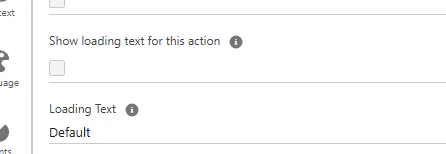
Show loading text for this actionのチェックをオフにしないと保存できなかった