
この記事はOpenCV Advent Calendar 2025の17日目の記事です。
趣味アプリの趣味アプリを作っただけのお話です🦔
趣味で作った画像処理ノードエディター
3年前のアドベントカレンダーで紹介したアプリですが
「Image-Processing-Node-Editor」という画像処理ノードエディターを趣味で作っていました。
※今でも、たまーにノード追加したり、不具合修正したりはしています
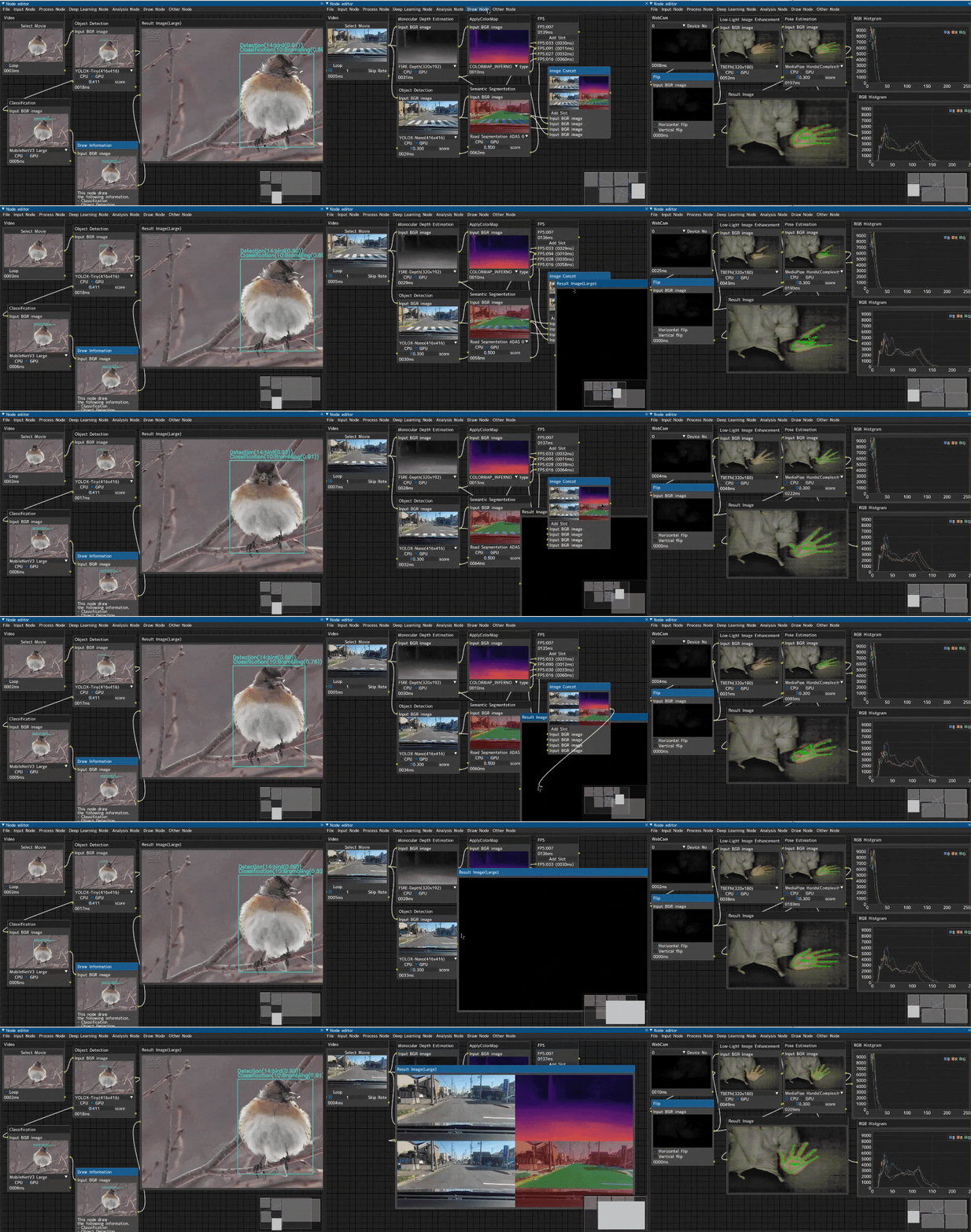
デモコードを生成する趣味アプリ
Image-Processing-Node-Editor に、ノードグラフや設定をjsonファイルにエクスポートする機能を用意しています。
このjsonファイルを元にOpenCVのデモコードを生成するツール「ipne-json2demo」を趣味で作りました🦔
今どき、Claude Code や Codex などを利用すれば、簡単なOpenCVのデモコードなんてサクッと作れてしまうので、完全に趣味のツールです。

動作例①
Image-Processing-Node-Editor で、Webカメラ入力をCannyエッジ検出を行い表示するパイプラインを組むと以下のような感じです。

これをエクスポートすると以下のようなjsonを保存できます。
canny.json
{
    "node_list": [
        "1:WebCam",
        "2:Canny",
        "3:ResultImage"
    ],
    "link_list": [
        [
            "1:WebCam:Image:Output01",
            "2:Canny:Image:Input01"
        ],
        [
            "2:Canny:Image:Output01",
            "3:ResultImage:Image:Input01"
        ]
    ],
    "1:WebCam": {
        "id": "1",
        "name": "WebCam",
        "setting": {
            "ver": "0.0.1",
            "pos": [
                23,
                25
            ]
        }
    },
    "2:Canny": {
        "id": "2",
        "name": "Canny",
        "setting": {
            "ver": "0.0.1",
            "pos": [
                317,
                77
            ],
            "2:Canny:Int:Input02Value": 30,
            "2:Canny:Int:Input03Value": 70
        }
    },
    "3:ResultImage": {
        "id": "3",
        "name": "ResultImage",
        "setting": {
            "ver": "0.0.1",
            "pos": [
                637,
                111
            ]
        }
    }
}
これを以下のように変換できます。
python -m json2demo canny.json canny.py
変数名に自動生成っぽさが滲み出ていますね、、、( ´ー`)y-~~
#!/usr/bin/env python
# -*- coding: utf-8 -*-
"""
Auto-generated OpenCV demo code from Node Editor JSON
Press ESC or Q to exit
"""
import argparse
import cv2


def parse_args():
    parser = argparse.ArgumentParser(description="OpenCV Demo")
    parser.add_argument("--camera", type=int, default=0, help="Camera ID")
    parser.add_argument("--width", type=int, default=960, help="Camera width")
    parser.add_argument("--height", type=int, default=540, help="Camera height")
    return parser.parse_args()


def main():
    args = parse_args()

    # Initialize webcam capture
    cap1 = cv2.VideoCapture(args.camera)
    cap1.set(cv2.CAP_PROP_FRAME_WIDTH, args.width)
    cap1.set(cv2.CAP_PROP_FRAME_HEIGHT, args.height)
    _cap_fps1 = cap1.get(cv2.CAP_PROP_FPS)
    if _cap_fps1 <= 0:
        _cap_fps1 = 30.0

    while True:
        # WebCam
        ret, img_0 = cap1.read()
        if not ret:
            break

        # Canny
        _gray2 = cv2.cvtColor(img_0, cv2.COLOR_BGR2GRAY)
        _canny2 = cv2.Canny(_gray2, 30, 70)
        img_1 = cv2.cvtColor(_canny2, cv2.COLOR_GRAY2BGR)

        # ResultImage
        cv2.imshow("output:Result_3", img_1)

        # Exit on ESC or Q key
        key = cv2.waitKey(1) & 0xFF
        if key == 27 or key == ord("q"):
            break

    cap1.release()
    cv2.destroyAllWindows()


if __name__ == "__main__":
    main()

動作例②
色々な処理を行って、それを結合して表示するようなデモです。

上記の設定でPythonスクリプトを自動生成すると以下のような感じ。
処理が増えてくると苦しい感じするコードが生成されますが、ひとまず動いています。
でも、組み合わせ爆発する系のアプリで、デバッグは十分にできていないです。これは動いているパターン( ´ー`)y-~~
#!/usr/bin/env python
# -*- coding: utf-8 -*-
"""
Auto-generated OpenCV demo code from Node Editor JSON
Press ESC or Q to exit
"""
import argparse
import cv2
import numpy as np

# MediaPipe import
try:
    import mediapipe as mp
    MEDIAPIPE_AVAILABLE = True
except ImportError:
    MEDIAPIPE_AVAILABLE = False
    print("Warning: mediapipe not installed. Some features will be disabled.")


def parse_args():
    parser = argparse.ArgumentParser(description="OpenCV Demo")
    parser.add_argument("--camera", type=int, default=0, help="Camera ID")
    parser.add_argument("--width", type=int, default=960, help="Camera width")
    parser.add_argument("--height", type=int, default=540, help="Camera height")
    return parser.parse_args()


def main():
    args = parse_args()

    # Initialize webcam capture
    cap1 = cv2.VideoCapture(args.camera)
    cap1.set(cv2.CAP_PROP_FRAME_WIDTH, args.width)
    cap1.set(cv2.CAP_PROP_FRAME_HEIGHT, args.height)
    _cap_fps1 = cap1.get(cv2.CAP_PROP_FPS)
    if _cap_fps1 <= 0:
        _cap_fps1 = 30.0

    # Load pose estimation model
    _pose3_model = create_pose_model("MediaPipe Pose(Complexity0)")

    # Load selfie segmentation model
    _seg6_model = create_selfie_segmentation_model("MediaPipe SelfieSegmentation(LandScape)")

    while True:
        # WebCam
        ret, img_0 = cap1.read()
        if not ret:
            break

        # Grayscale
        _gray2 = cv2.cvtColor(img_0, cv2.COLOR_BGR2GRAY)
        img_1 = cv2.cvtColor(_gray2, cv2.COLOR_GRAY2BGR)

        # Resize
        img_4 = cv2.resize(img_1, (640, 480), interpolation=cv2.INTER_LINEAR)

        # PoseEstimation
        _pose3_results = run_pose_estimation(_pose3_model, img_1, 0.3)

        # SemanticSegmentation
        _seg6_results = run_selfie_segmentation(_seg6_model, img_1)

        # PoseEstimation (draw)
        img_2 = draw_pose_estimation(img_0, _pose3_results, 0.3)

        # SemanticSegmentation (draw)
        img_3 = draw_selfie_segmentation(img_0, _seg6_results, 0.5)

        # ImageConcat
        _c0 = cv2.resize(img_0, (640, 360))
        _c1 = cv2.resize(img_4, (640, 360))
        _c2 = cv2.resize(img_2, (640, 360))
        _c3 = cv2.resize(img_3, (640, 360))
        _row0 = cv2.hconcat([_c0, _c1])
        _row1 = cv2.hconcat([_c2, _c3])
        img_5 = cv2.vconcat([_row0, _row1])

        # Auto-generated imshow (additional terminal nodes)
        cv2.imshow("output:ImageConcat_7", img_5)

        # Exit on ESC or Q key
        key = cv2.waitKey(1) & 0xFF
        if key == 27 or key == ord("q"):
            break

    cap1.release()
    cv2.destroyAllWindows()


def _get_color_map_list(num_classes):
    num_classes += 1
    color_map = num_classes * [0, 0, 0]
    for i in range(0, num_classes):
        j = 0
        lab = i
        while lab:
            color_map[i * 3 + 2] |= (((lab >> 0) & 1) << (7 - j))
            color_map[i * 3 + 1] |= (((lab >> 1) & 1) << (7 - j))
            color_map[i * 3] |= (((lab >> 2) & 1) << (7 - j))
            j += 1
            lab >>= 3
    color_map = color_map[3:]
    return color_map

def create_selfie_segmentation_model(model_name):
    """Create selfie segmentation model"""
    if not MEDIAPIPE_AVAILABLE:
        print(f"SemanticSegmentation: mediapipe not installed, model '{model_name}' cannot be loaded")
        return None
    try:
        mp_selfie = mp.solutions.selfie_segmentation
        model_selection = 1 if "LandScape" in model_name else 0
        return mp_selfie.SelfieSegmentation(model_selection=model_selection)
    except Exception as e:
        print(f"SemanticSegmentation: Failed to load model '{model_name}': {e}")
        return None

def run_selfie_segmentation(model, image):
    """Run selfie segmentation (processing only, no drawing)"""
    if model is None:
        return None
    rgb_image = cv2.cvtColor(image, cv2.COLOR_BGR2RGB)
    results = model.process(rgb_image)
    if results.segmentation_mask is None:
        return None
    segmentation_map = np.expand_dims(results.segmentation_mask, 0)
    return {'segmentation_map': segmentation_map, 'class_num': 1}

def draw_selfie_segmentation(image, segmentation, score_th=0.5):
    """Draw selfie segmentation results on image"""
    if segmentation is None:
        return image.copy()
    output = image.copy()
    seg_map = segmentation['segmentation_map']
    class_num = segmentation['class_num']
    seg_map = np.where(seg_map > score_th, 0, 1)
    color_map = _get_color_map_list(class_num)
    for index, mask in enumerate(seg_map):
        bg_image = np.zeros(image.shape, dtype=np.uint8)
        bg_image[:] = (color_map[index * 3 + 0], color_map[index * 3 + 1], color_map[index * 3 + 2])
        mask = np.stack((mask,) * 3, axis=-1).astype('uint8')
        mask_image = np.where(mask, output, bg_image)
        output = cv2.addWeighted(output, 0.5, mask_image, 0.5, 1.0)
    return output


POSE_CONNECTIONS = [
    (11, 12), (11, 13), (13, 15), (12, 14), (14, 16),
    (11, 23), (12, 24), (23, 24),
    (23, 25), (25, 27), (24, 26), (26, 28)
]

def create_pose_model(model_name):
    """Create pose estimation model"""
    if not MEDIAPIPE_AVAILABLE:
        print(f"PoseEstimation: mediapipe not installed, model '{model_name}' cannot be loaded")
        return None
    try:
        mp_pose = mp.solutions.pose
        if "Complexity2" in model_name:
            complexity = 2
        elif "Complexity1" in model_name:
            complexity = 1
        else:
            complexity = 0
        return mp_pose.Pose(model_complexity=complexity, min_detection_confidence=0.5, min_tracking_confidence=0.5)
    except Exception as e:
        print(f"PoseEstimation: Failed to load model '{model_name}': {e}")
        return None

def run_pose_estimation(model, image, score_th=0.5):
    """Run pose estimation (processing only, no drawing)"""
    if model is None:
        return None
    h, w = image.shape[:2]
    rgb_image = cv2.cvtColor(image, cv2.COLOR_BGR2RGB)
    results = model.process(rgb_image)
    if not results.pose_landmarks:
        return None
    landmarks = results.pose_landmarks.landmark
    points = []
    for lm in landmarks:
        x = int(lm.x * w)
        y = int(lm.y * h)
        vis = lm.visibility
        points.append((x, y, vis))
    return {'landmarks': points}

def draw_pose_estimation(image, pose, score_th=0.5):
    """Draw pose estimation results on image"""
    output = image.copy()
    if pose is None:
        return output
    points = pose['landmarks']
    for x, y, vis in points:
        if vis > score_th:
            cv2.circle(output, (x, y), 5, (0, 255, 0), -1)
    for i, j in POSE_CONNECTIONS:
        if i < len(points) and j < len(points):
            if points[i][2] > score_th and points[j][2] > score_th:
                cv2.line(output, points[i][:2], points[j][:2], (0, 255, 0), 2)
    return output


if __name__ == "__main__":
    main()

以上。